The network for creativity
Join 1.25M professional creatives like you
Connect with clients, get discovered, and run your business 100% commission-free
Creatives on Contra have earned over $150M and we are just getting started
Back to feedPost

The n8n vs. Make debate is pointless.
Every week, someone asks which tool is better. And every week, people defend their favorite like it's a sports team.
I use both.
Make is where I start when a client needs something live fast. CRM sync, webhooks, lead notifications. The UI is clean, clients can actually read the workflow.
n8n is where I go when things get complex. Self-hosted, no execution limits, full data control. A firm needed a document processing pipeline — would've cost $200/month or so on Make. On self-hosted n8n: under $10.
The real skill isn't picking a tool. It's knowing which one fits the problem.
Stop asking which is better. Start asking what the job needs.
Automation questions? My services are linked in my profile.



The network for creativity
Join 1.25M professional creatives like you
Connect with clients, get discovered, and run your business 100% commission-free
Creatives on Contra have earned over $150M and we are just getting started

Challenges
View all


Related posts

A brilliant SaaS tool needs a landing page that instantly builds trust and drives action.
I recently put together this visual upgrade for OpenTag to explore how tightening the layout could elevate their first impression.
Option A (The Original): Strong product copy, but the split layout and floating elements create competing focal points that divide the user's attention.
Option B (The Redesign): Centered messaging, a much clearer visual hierarchy, and a dynamic, breathable layout. The goal was to remove distractions and let the product interface take center stage.
Which direction do you think communicates the value better and creates a stronger first impression?
Let me know your pick!

8 voted
100%
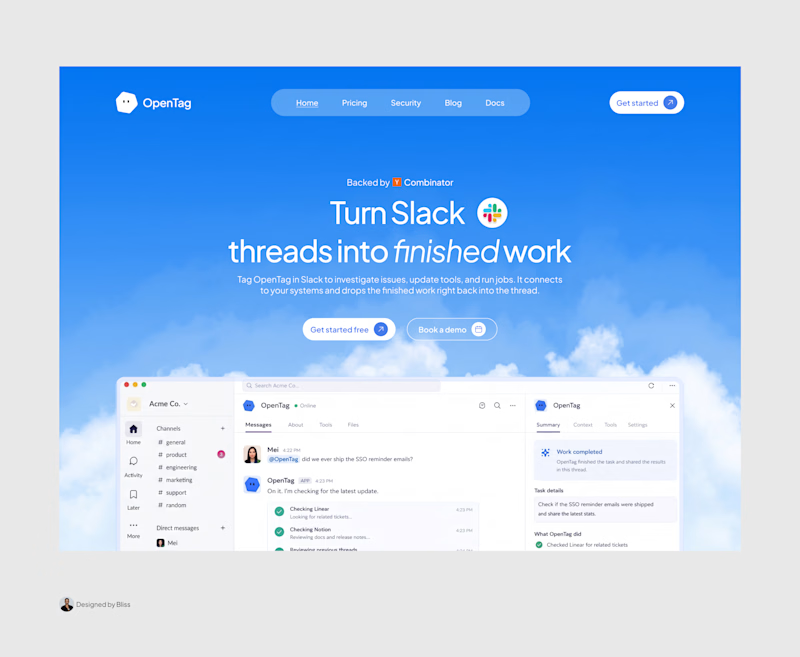
0 voted
0%
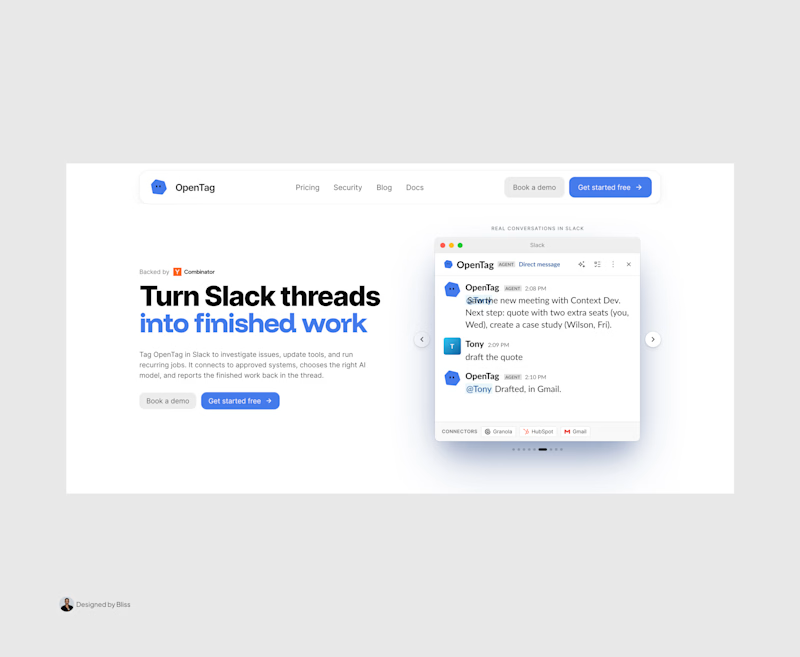
8 votes
Closed

Great work, Emmanuel!

AI Voice Agent for Real Estate Lead Booking
An AI-powered phone receptionist built for real estate agencies that answers inbound calls, qualifies leads in real time, and books showings directly to Google Calendar — all within the call itself, with no manual follow-up required.
The problem: Real estate agencies routinely lose leads to missed calls — after-hours inquiries, calls during showings, or overflow during busy periods. A slow callback often means the lead has already moved on to a competitor.
What it does:
Answers every call instantly, 24/7
Naturally qualifies the caller (buy/sell intent, area of interest, showing vs. agent call)
Collects contact details and preferred timing conversationally
Checks real-time calendar availability before booking
Prevents double-bookings and duplicate entries automatically
Confirms the appointment out loud before ending the call
Built with: Retell AI (conversational voice layer), n8n (workflow automation and business logic), Google Calendar API (scheduling)
Available for: Custom builds for real estate agencies, brokerages, or property management companies looking to stop losing leads to missed calls

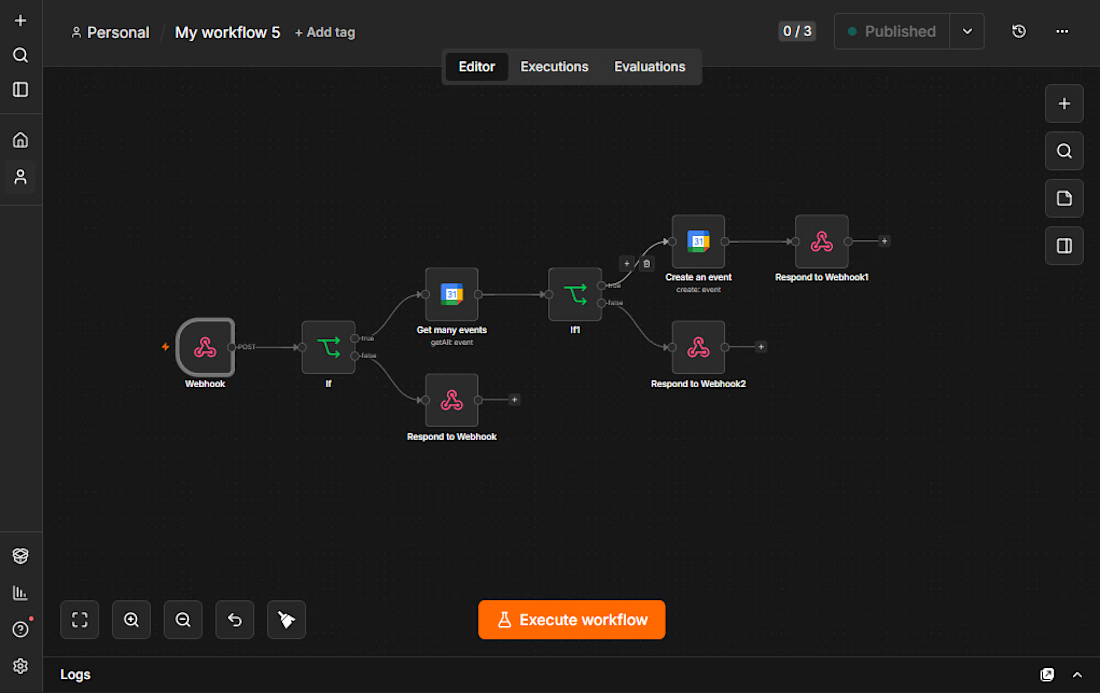

Beautiful workflow by the way. My nicheeee


A client shouldn’t have to learn Webflow just to publish their next case study.
On a recent build, I spent a lot of time on the CMS: setting up reusable blocks and the logic that lets the team update content without rebuilding pages.
The tricky part is deciding how much control to give them. Too little, and every update becomes a request. Too much, and they’re suddenly responsible for the layout.
I want them to open the CMS, know what to do, and get on with their day. There’s a fair amount of work behind making that feel simple.


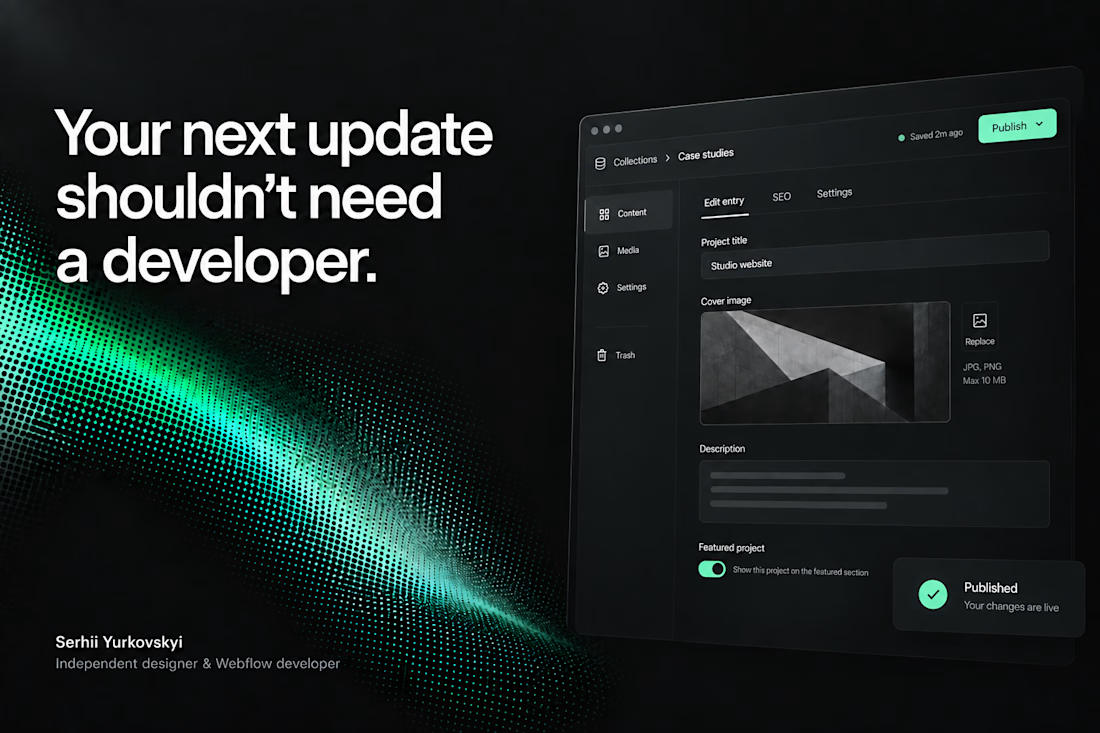

The CMS thinking here is spot on: the best handoff is the one that gives a client confidence without exposing all the complexity underneath.