The network for creativity
Join 1.25M professional creatives like you
Connect with clients, get discovered, and run your business 100% commission-free
Creatives on Contra have earned over $150M and we are just getting started
Back to feedPost

AI-Powered Lead Follow-Up & Management for Miale
I automated lead follow-up and management for Miale to reduce the manual work involved in reviewing enquiries, categorizing leads, responding to prospects, and keeping the team informed.
The problem:
When leads come in, manually reviewing each response, deciding how to handle it, sending emails, and notifying the team can take time, and makes it easier for follow-ups to slip through the cracks.
The solution:
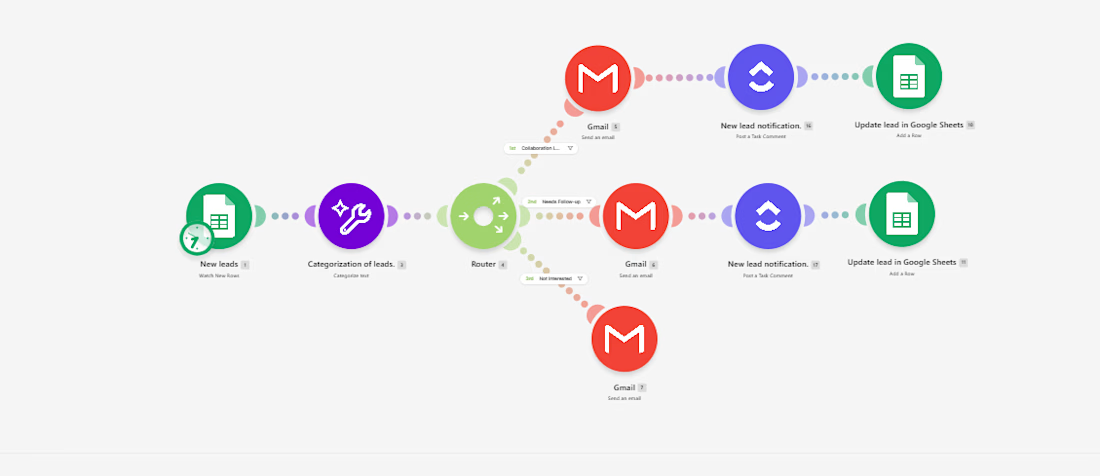
I built an AI-powered workflow in Make that automatically processes new lead submissions.
Here’s how it works:
Google Form → Google Sheets → AI Classification → Router → Email + Slack → Lead Tracking
When a prospect submits the form, AI analyzes their collaboration interest and categorizes the lead as Collaboration Lead, Needs Follow-up, or Not Interested.
The workflow then automatically:
- Routes the lead based on their response.
- Sends a relevant email to the prospect.
- Notifies the team in Slack when a new lead needs attention.
- Updates the lead record for easier tracking.
Tools used:
Make · Make AI Toolkit · Google Forms · Google Sheets · Gmail · Slack
The workflow can also be adapted for client enquiries, sales leads, service requests, bookings, applications, and other repetitive lead-management processes.
The goal isn't simply to automate tasks. It's to build a system that helps businesses respond faster, stay organized, and reduce manual follow-up work.


The network for creativity
Join 1.25M professional creatives like you
Connect with clients, get discovered, and run your business 100% commission-free
Creatives on Contra have earned over $150M and we are just getting started











Related posts

AI Automation SaaS Website Design
AUTONIX is a modern AI automation SaaS website concept designed to help businesses streamline workflows, automate repetitive tasks, and manage AI agents more efficiently.
The design combines a clean, minimal interface with bold typography, futuristic visuals, interactive UI elements, and a seamless user experience. From AI-powered task automation to real-time productivity insights, every section is designed to communicate the value of intelligent automation in a clear and engaging way.
This project explores how thoughtful UI/UX design can make complex AI technology feel intuitive, accessible, and easy to use for modern businesses.
Services: SaaS Website Design, UI/UX Design, Landing Page Design, AI Product Design.


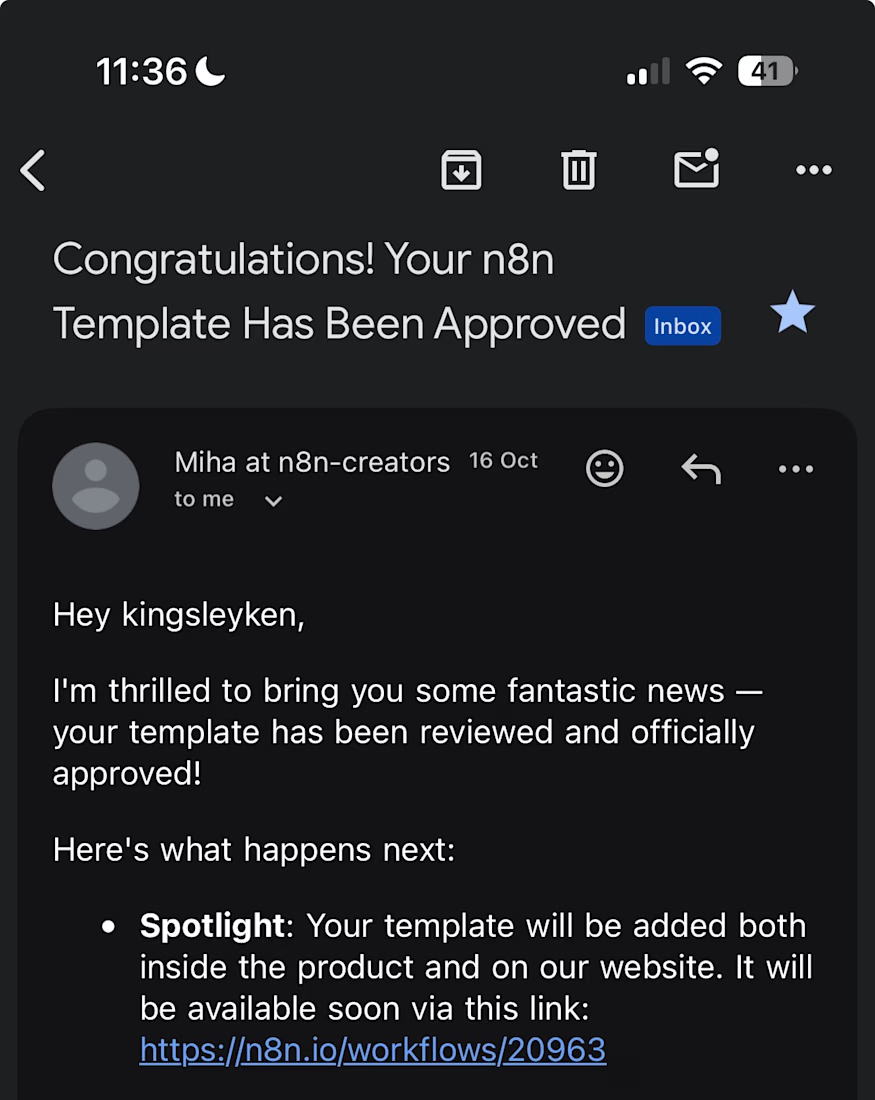
My first n8n template is now live in the official n8n library, and it is free to use.
After a sales call, most people either rush the follow-up email or forget it. This workflow does the first draft for you.
When Fireflies finishes transcribing a call, it:
pulls the full transcript
uses OpenAI to write call notes: a summary, open questions, the next step and the outcome
saves a follow-up email to the contact as a Gmail draft
logs the call in Google Sheets and emails you the notes
Nothing is sent to the contact automatically. The follow-up waits in your drafts until you check it and press send.
Works with the free Fireflies plan and n8n Cloud.
Get it here: https://n8n.io/workflows/20963


Congrats on getting it approved. Drafting instead of auto-sending is the right default. One edge case worth a guard: calls where the transcript comes back empty or cut short, otherwise the model writes a confident follow-up from almost nothing.

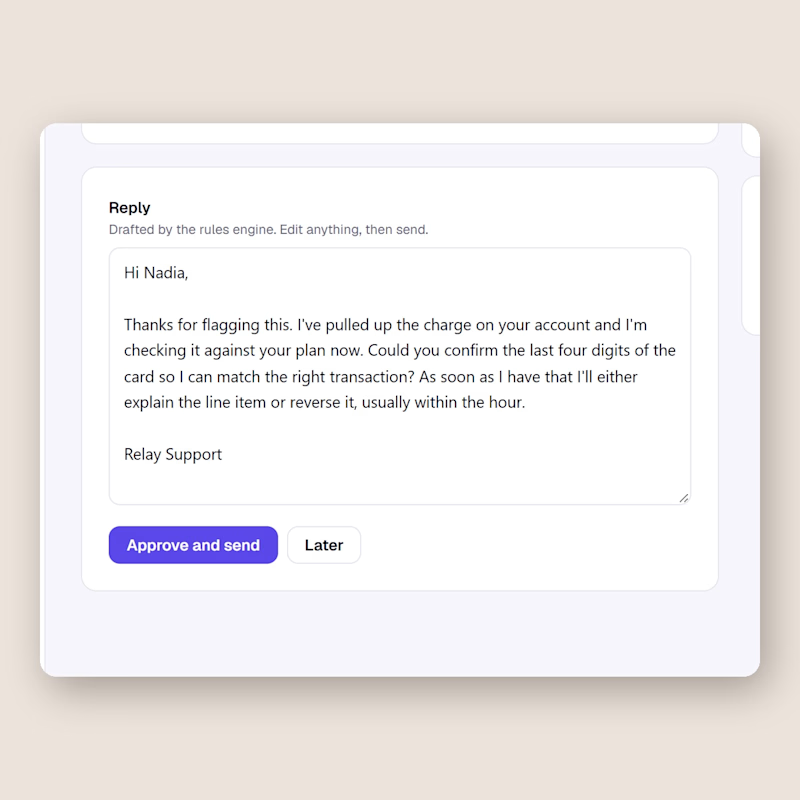
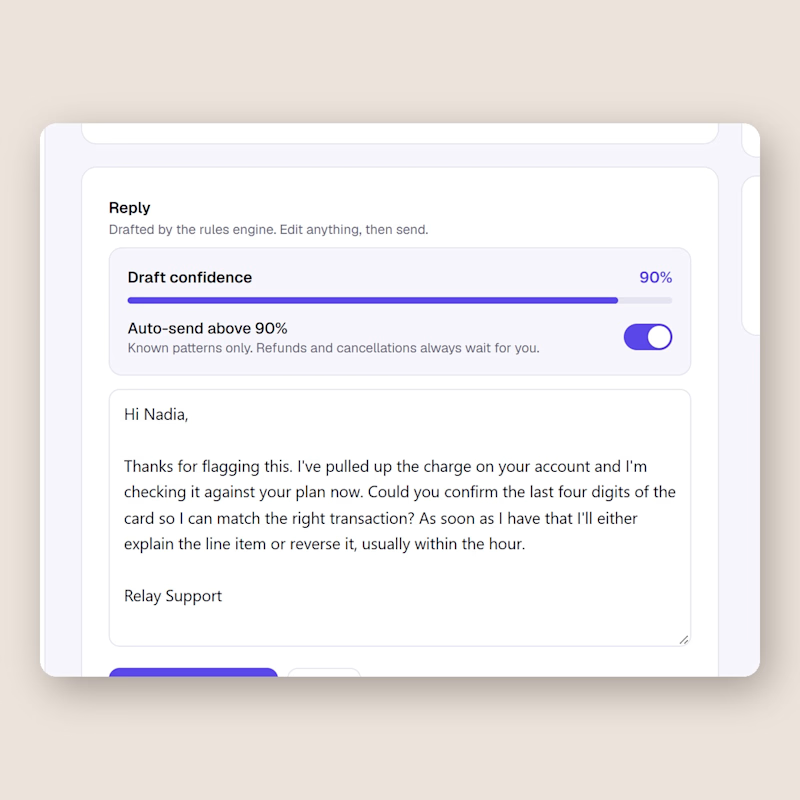
Same support inbox, one difference. Left keeps a human on every send. Right lets the AI send on its own once the draft confidence passes 90, refunds and cancellations excluded.
I built both in Relay this week and I still cannot decide.
Would you flip that switch for your own customers, and at what number?
0 voted
0%
2 voted
100%
2 votes
Closed

I'd flip it per topic, not per score. A 90 on a question the AI has answered hundreds of times is safe. A 90 on a question it has never seen is still a guess. Can Relay set a different threshold per topic?