The network for creativity
Join 1.25M professional creatives like you
Connect with clients, get discovered, and run your business 100% commission-free
Creatives on Contra have earned over $150M and we are just getting started
Back to feedPost

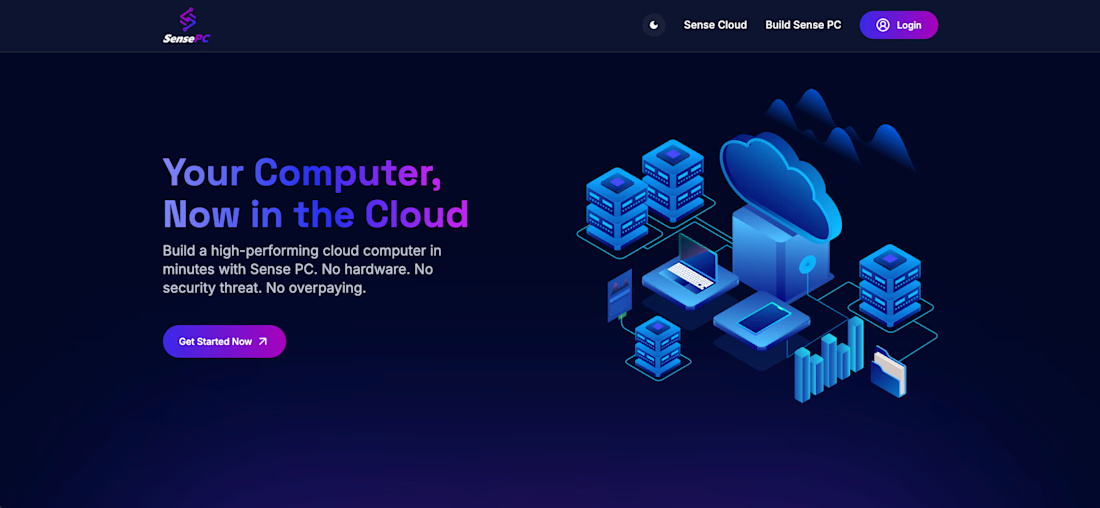
SensePC | Playwright | Typescript | CI/CD Pipeline


The network for creativity
Join 1.25M professional creatives like you
Connect with clients, get discovered, and run your business 100% commission-free
Creatives on Contra have earned over $150M and we are just getting started











Related posts

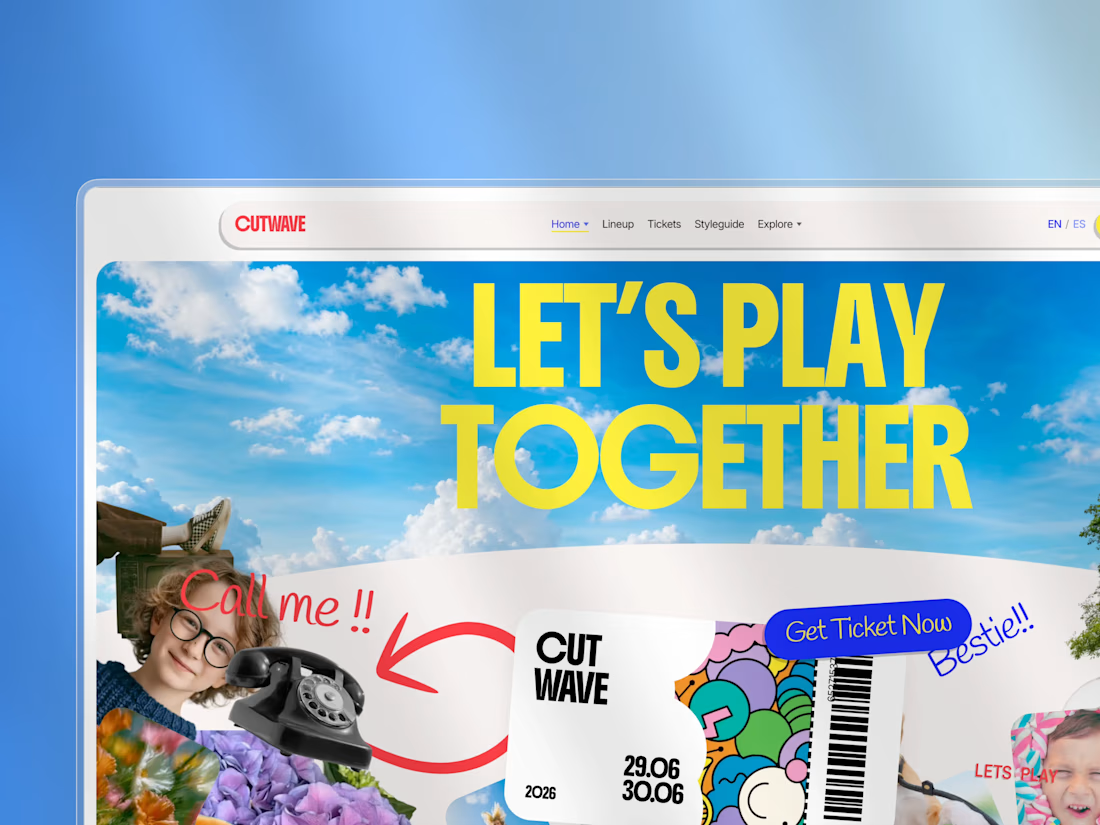
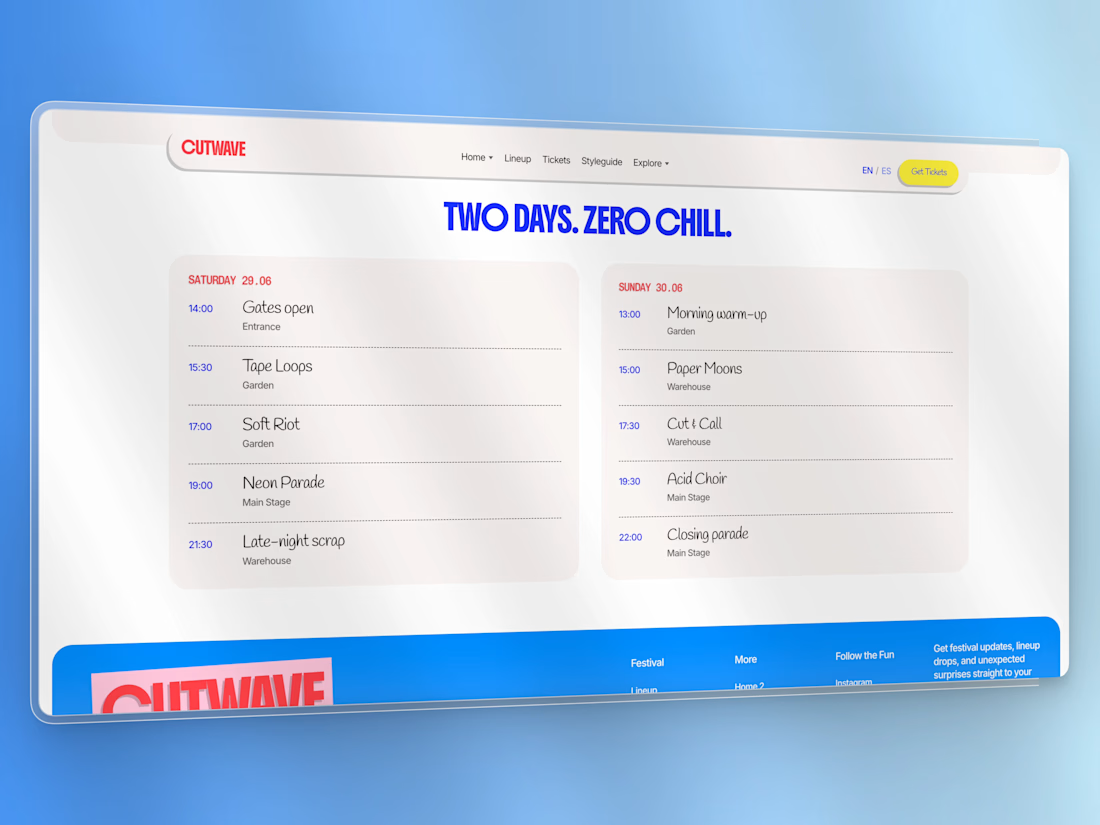
Cutwave is a premium festival & event website theme built with Astro 6. It ships as a static frontend — no CMS or payment provider locked in — so agencies and freelancers can brand it, connect their own stack, and deploy anywhere.
The visual language is a high-energy collage / scrapbook system: rotated cutouts, sticker CTAs, expressive display type, cream card sections, and intentional home-page motion (GSAP + Lenis).
Who it’s for
Festival, rave, conference, and cultural-event organizers
Agencies building one-off event microsites for clients
Freelancers who need a distinctive Astro starter that isn’t another SaaS landing page
What’s included
Pages
Home (collage hero + motion stack)
Alternate home demo (/demos/alt)
Spanish locale demo home (/es/)
Lineup + artist detail
Schedule (two-day timeline)
Experiences
News / blog index + post
Gallery + accessible lightbox
Location (venue + map hook)
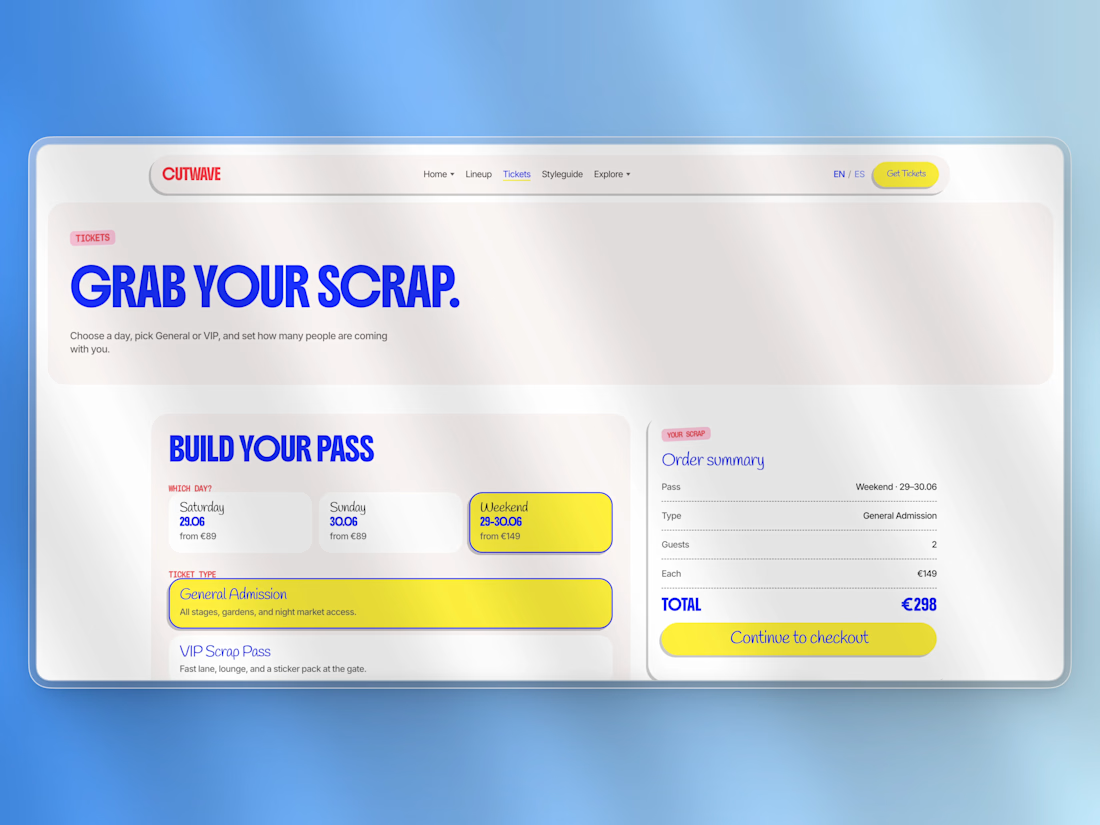
Tickets (picker UI → checkout integration hook)
Contact, FAQ, Privacy, Terms
Styleguide (live tokens & components)
Custom 404
UI & UX
Slim sticky nav with Home variants dropdown + Mega Menu (pages & components)
Mobile drawer / accordion
Design tokens in CSS (colors, type buckets, spacing)
Sticker / pill buttons, ticket graphic, photo cards, widgets
Content
Astro Content Collections (JSON/MD) for artists, schedule, experiences, tickets, posts, gallery
Easy to replace demo copy and images
Motion
GSAP + ScrollTrigger on the home page
Lenis smooth scroll
Documented recipes in docs/ANIMATIONS.md
Integration-ready
Ticket checkout hook: src/lib/checkout.ts
Contact & newsletter form actions via config
Optional Decap CMS starter in extras/
Sitemap + SEO / Open Graph / JSON-LD
Docs for buyers
Installation, customization, integration, site map, animations, credits, commercial license
Tech stack
Astro 6 (static)
TypeScript
GSAP, Lenis
Fontsource (Boldonse, Inter, Handlee, Chivo Mono, Libre Barcode 128)
Deploy: Netlify, Vercel, Cloudflare Workers (workflow included)
Requirements
Node.js ≥ 22.12
npm (package-lock.json included)
What you get in the ZIP
Full source theme
LICENSE (commercial — 1 production project)
Buyer docs + preview screenshots
START_HERE.md quick guide
Demo assets (replace before production — see CREDITS.md)
License (summary)
Commercial proprietary license by USG STUDIO.
One production project per purchase. No redistribution or resale of the template.
See LICENSE in the package for full terms.
Support
Product & licensing: usgstudio.dev
Live demo: usgcutwave.netlify.app





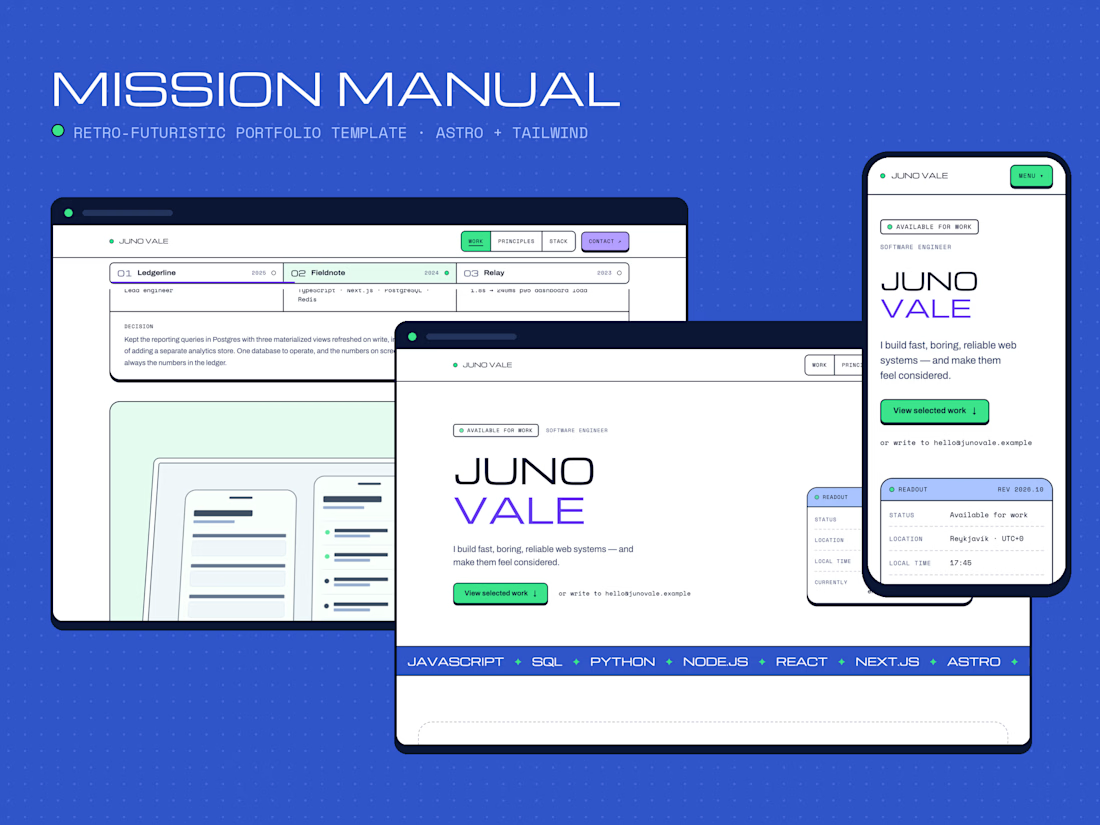
Mission Manual: a retro-futuristic portfolio template for developers who want their work to do the talking.
Projects swing into view as you scroll, stats roll in like odometers, and a live status readout shows you're online. Every project gets its numbers, its decisions and its own case-study page.
Built with Astro 5 + Tailwind CSS v4. Fast, accessible, and yours to edit in minutes.
Ship it. Show it. Get hired.



stats rolling in like odometers. SOLD

𝟭. 𝗪𝗵𝗮𝘁 𝗜𝘀 𝗮𝗻 𝗔𝘀𝘀𝗲𝗿𝘁𝗶𝗼𝗻?
An assertion is the check you make after something happens. In a manual test you do a step, then you look at the screen and compare it with the expected result. If you click Save and the page still says the invoice is not saved, the test fails. The click is not the result.
Playwright Test writes that check with expect(). You give expect a locator, which is a description of an element, and then a matcher. A matcher is the condition you want to be true. toHaveText checks exact text. toBeVisible checks that an element is shown.
These locator checks are web-first assertions. A web-first assertion retries until the condition is true or time runs out. This project sets that limit to five seconds in playwright.config.ts.
You can reverse a matcher with not. expect(status).not.toHaveText('Invoice failed') fails when that wrong sentence is present. Use not when the result you need is the absence of a message.
𝟮. 𝗪𝗵𝘆 𝗗𝗼 𝗪𝗲 𝗡𝗲𝗲𝗱 𝗜𝘁?
Pressing the button on a coffee machine is an action. Looking in the cup to see that coffee is there is the assertion. If you only press the button, you cannot tell a full cup from an empty one.
Clicking Save invoice asks the page to save. It does not prove the save worked. A test that ends on the click can pass while the status still says "Not saved". The expected result has to be its own check.
𝟯. 𝗜𝗺𝗽𝗹𝗲𝗺𝗲𝗻𝘁𝗮𝘁𝗶𝗼𝗻
Start with the check alone. The matcher requires the words "Invoice saved".
getByRole('status') finds the message a person would read after saving. expect and toHaveText form the web-first check. Playwright keeps looking until the text matches or five seconds pass.
The practical test opens the local demo, confirms the starting message, clicks, and checks the new message. goto('/assertions') uses baseURL from the Playwright config.
goto opens the page. The first toHaveText records the start, "Not saved", so a later pass cannot come from text that was already there. click is only the action. The second toHaveText is the result of that action. The script does not also check that the text is not "Invoice failed". The exact success message already answers that question.
𝟰. 𝗘𝘅𝗽𝗲𝗰𝘁𝗲𝗱 𝗥𝗲𝘀𝘂𝗹𝘁
A passing run starts at "Not saved", clicks Save invoice, and ends with "Invoice saved". A failing run means one of those texts did not match before the five-second assertion timeout.
𝟱. 𝗧𝗮𝗸𝗲𝗮𝘄𝗮𝘆𝘀
• click performs an action. expect() checks the result.
• A matcher such as toHaveText states the expected result.
• Web-first assertions retry until they pass or the timeout ends.
• Use not when the result is the absence of a specific message.
𝗜𝗻𝘁𝗲𝗿𝘃𝗶𝗲𝘄 𝗾𝘂𝗲𝘀𝘁𝗶𝗼𝗻: What is the difference between clicking Save and asserting the status text?
𝗔𝗻𝘀𝘄𝗲𝗿: The click performs the action. The assertion checks the expected result. Without that check, a test can pass when the save changed nothing the user can see.
𝟲. 𝗥𝗲𝗳𝗲𝗿𝗲𝗻𝗰𝗲𝘀