The network for creativity
Join 1.25M professional creatives like you
Connect with clients, get discovered, and run your business 100% commission-free
Creatives on Contra have earned over $150M and we are just getting started
Back to feedPost
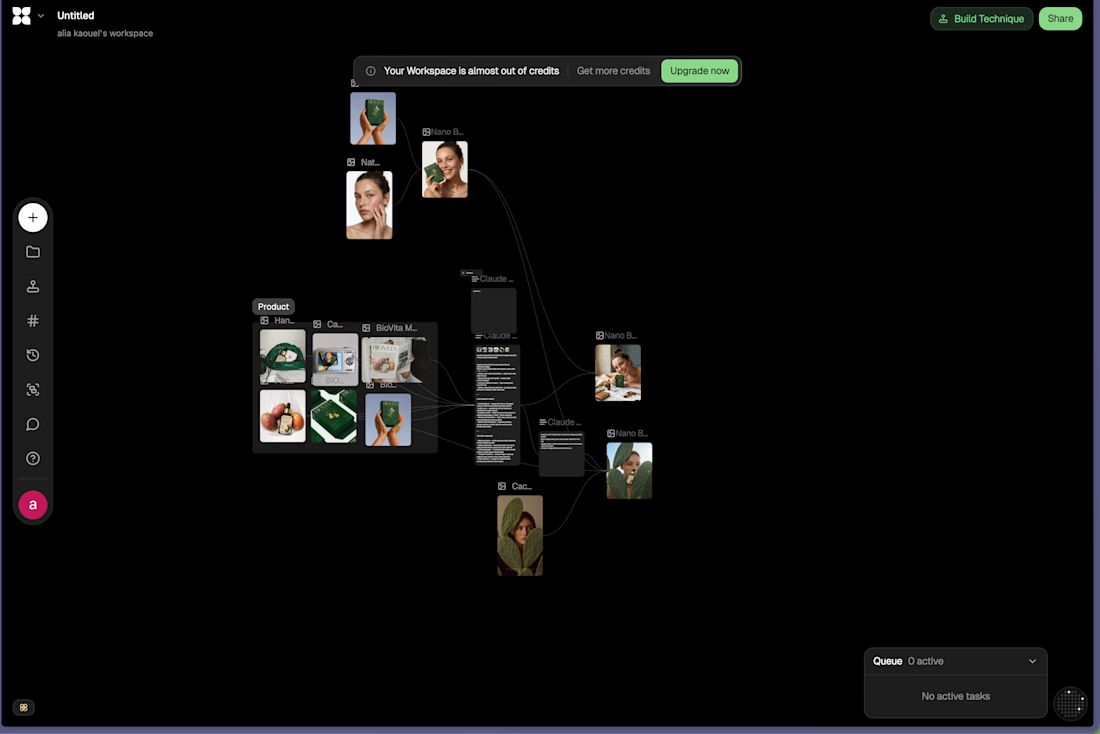
Exploring flora for the first time and really enjoying the AI-driven workflow
Excited to keep pushing this further!


This is solid, it feels both clean and engaging. If someone wanted to create something at this level, what would you say matters most in your process?

Thank you, I think having a clear idea of the visual direction you want to create
The network for creativity
Join 1.25M professional creatives like you
Connect with clients, get discovered, and run your business 100% commission-free
Creatives on Contra have earned over $150M and we are just getting started
Related posts

We used to dread internal tools.
A client would get their product live, and then ask, “Cool, but how do I see all the users? Or refund an order? Or fix this one record?” And suddenly we were building an admin panel nobody budgeted for.
Now we just use Retool.
Hook it up to Supabase or whatever API the project runs on, and in a day or two the client has a real back office. Tables, filters, buttons that actually do things. When something needs custom logic, we write a bit of JavaScript and move on.
We’ve also started using it for the boring-but-important parts of automation work. A simple screen where someone can see what an AI workflow did, approve it, or retry it when it breaks. Clients love this more than the fancy AI part, honestly.
It’s not magic, and it won’t replace a proper product. But for the stuff only your team will ever see, it’s hard to justify spending weeks on it.
If your ops still run on spreadsheets and “can you check that for me?” messages, that’s usually the sign.



Second post! This one is from Inkwell, a planning tool for theme park creative teams.
Lots of people work on the same site plan at once, so we built AI into the shared canvas instead of a chat window off to the side. It reads the site plans already attached and drafts layouts straight onto the map. Pick one, and the footprints move into place.
Teams now get five times more done on creative tasks.
#productdesign #uxdesign #aidesign #ai


AI for site plans, interesting

Really impressive work! 🔥

Tactile — Paper Key: a Video.js v10 skin you can press.
Tactile treats the player as a desk object, not a screen overlay. Before drawing any UI, we modelled a small keypad in Blender: paper-white keys with an ink rim, a ribbed fader cap and a black status display. We pressed it,...