The network for creativity
Join 1.25M professional creatives like you
Connect with clients, get discovered, and run your business 100% commission-free
Creatives on Contra have earned over $150M and we are just getting started
Back to feedPost

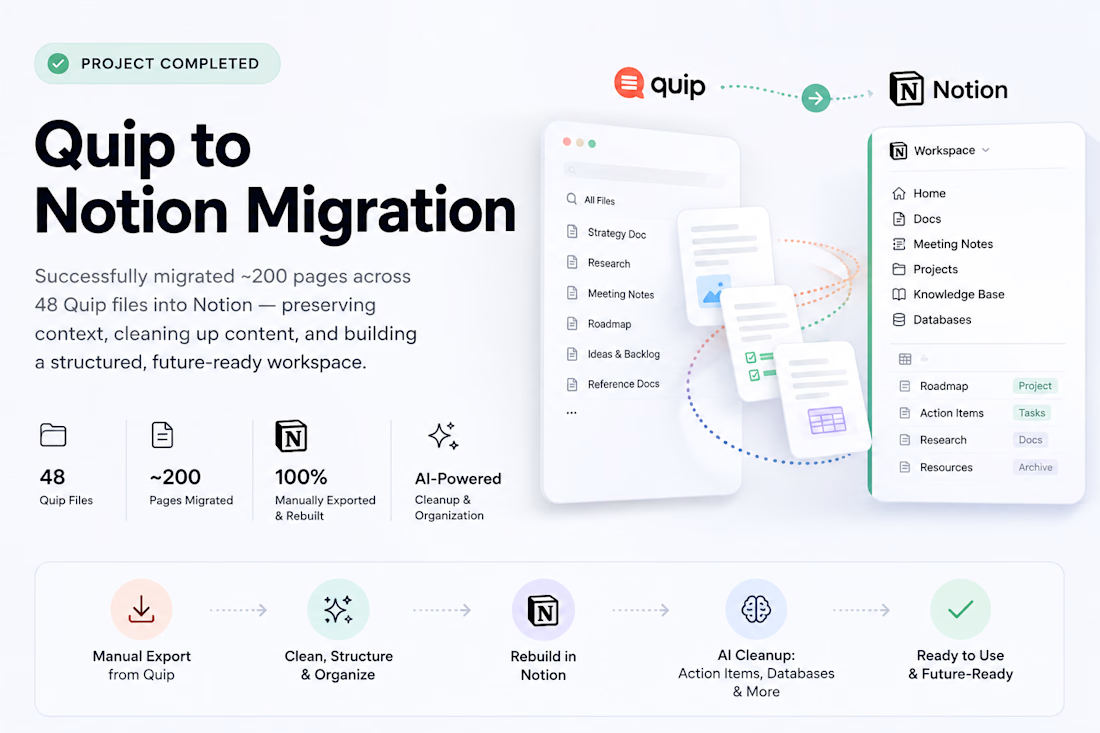
Another successful knowledge management migration completed.
This project involved migrating approximately 200 pages across 48 Quip files into Notion before Quip's sunset. Since there isn't a reliable way to automate the migration, I manually exported and rebuilt the content while preserving structure, formatting, and hierarchy.
To make the workspace more valuable than the original, I used Notion AI to organize information, extract action items, clean up documentation, and transform scattered notes into a searchable, future-ready knowledge base.
A smooth migration with zero compromise on content quality and a much better workspace for the team going forward.




Nice work! Manually rebuilding all that content takes patience. Love that you made the new workspace even better.

Impressive migration; preserving structure while using Notion AI to create a cleaner, searchable knowledge base adds real long-term value.
Impressive migration; preserving 200 pages while improving structure and searchability is a huge win for the team.
The network for creativity
Join 1.25M professional creatives like you
Connect with clients, get discovered, and run your business 100% commission-free
Creatives on Contra have earned over $150M and we are just getting started






Related posts

Where did your best idea go last month?
Not the one you finished. The one in a tab you closed, a note you can’t find, a draft you overwrote.
NAVE keeps all of it, every revision, searchable by whatever you half remember.
Written in light. Kept in stone.




This is a quick look at how an MCP workflow handles a request from start to finish.
When a prompt comes in, the MCP host and client check the server for available tools and pass those options along to the LLM.
Once the model picks the right tool for the job, the client runs the call across your code repo, database, or API, pulls in the context, and sends it back so the LLM can generate the final output.
It makes connecting an AI model to multiple tools much simpler than setting up separate custom integrations for each one.

Clear walkthrough. One detail worth adding for anyone building the server side: the tool descriptions are basically the prompt. When I build MCP servers in Go, rewriting a vague description like "get data" into "get orders by status and date range, max 50" fixed more wrong tool...

A full-stack RAG application that answers questions from a team's own documents, with every answer cited to the source document and page. I designed, built, tested and deployed it end to end:
document ingestion with content-based file validation;
semantic search with PostgreSQL + pgvector;
streaming answers over Server-Sent Events, with server-side citation verification;
multi-tenant workspaces with role-based access;
usage metering with quotas and a cost dashboard;
a crash-safe PostgreSQL job queue.
Deployed as a public demo on free tiers (Vercel, Render, Supabase) with hard caps on AI spend.
Citations verified against the retrieved passages; unsupported answers return "not found"
Tenant isolation in every query; Supabase Data API locked down (verified on production)
Durable ingestion queue (SKIP LOCKED, leases, retries): kill -9 under load lost nothing
Costs reserved before every AI call; per-user, per-workspace and deployment-wide caps
Data-driven model migration (5 configurations evaluated; about 74% cheaper per answer)
1,099 backend + 393 frontend tests; load-tested; encrypted, restore-verified backups
https://knowledgepilot-ai-olive.vercel.app/


The reservation before the AI call is the detail most teams miss: you can add cost metering later, but you cannot un-spend the money after a runaway loop. On the crash-safe queue, with SKIP LOCKED plus leases, what happens to a lease held by a worker that is alive but stuck, do...