The network for creativity
Join 1.25M professional creatives like you
Connect with clients, get discovered, and run your business 100% commission-free
Creatives on Contra have earned over $150M and we are just getting started
Back to feedPost
A strong specialist skill is useless if the wrong system gets invoked. Long-running AI work breaks in boring, expensive ways.
That is not a prompting problem. It is a routing and authority problem.
How I can help you:
I build project routers for teams using multiple AI workflows, agents, or specialist assistants so that they work with each other as a team.
I design source-of-truth resolutions so your agents retrieve the current rules instead of improvising or relying on assumptions or stale chat data.
I create reusable skill registries and specialist handoff logic hardened by determined and dedicated flow states reducing the need for model reliance on its own internal and displaced memory context.
I separate project states with individualized canonical states bound by rules living under essential model instructions and routed properly so unrelated workflows do not contaminate one another, but exist with awareness of the role each project plays, enabling a persistently growing ecosystem to develop organically.
I add governance wrappers, escalation hooks, and recovery mirrors around existing AI stacks so that trust is designed at the root, and variance is eliminated with rule based source archiving and implementation.
Trust means closing your eyes at night and sleeping soundly because your agents got your back. And I can put it all together for you, precision results sourced and undisputed because I got tired of doing things the hard way.

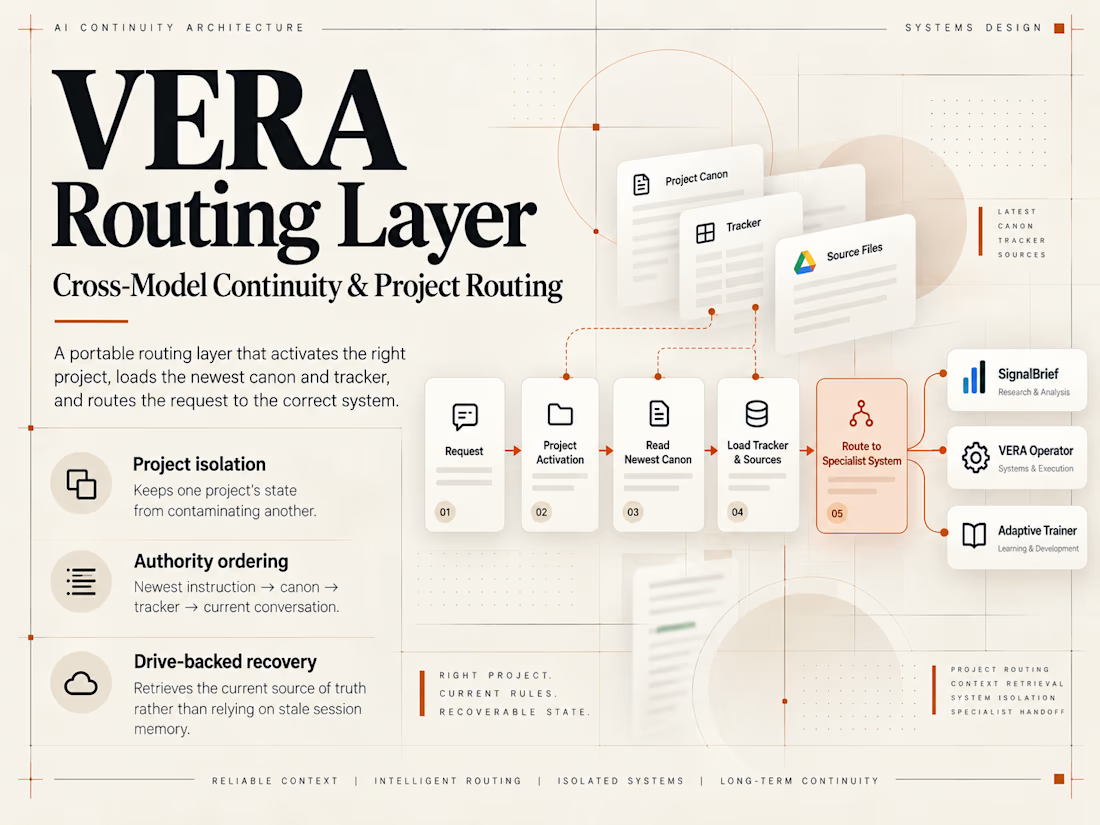

Routing which specialist agent runs next is the unglamorous failure mode in multi-workflow teams — header/footer syntax checks for authority sound pedantic until a wrong retrieval costs you a day.

Yes indeed doing the wrong way enough times tends to strengthen the structure or lead to a padded room.

Phillip, agree that routing is where it breaks. In our builds the worst bugs came from an agent pulling an old rule from chat history instead of the current source. Pinning one source of truth per project fixed more than any prompt change did.
It certainly seemed like a miracle to me too. Simple in hindsight but bulletproof in execution.
I also found that forcing the model to compare two versions and adapt to the most current and flagging the discrepancy was the icing on the cake and the continuity was never sourced stale or irrelevant after that adjustment. That's pure gold to me.
That's a smart trick, Phillip. Making the model show the difference instead of quietly picking a version turns a silent error into something a person can catch in seconds.
The network for creativity
Join 1.25M professional creatives like you
Connect with clients, get discovered, and run your business 100% commission-free
Creatives on Contra have earned over $150M and we are just getting started



Related posts

Created a professional AI-powered explainer video introducing AI video creation and demonstrating how businesses and brands can use AI-generated content to communicate their ideas.
The project features a realistic AI-generated male presenter, futuristic technology environments, cinematic visuals, and engaging on-screen text.
The video highlights how AI video creation can help businesses promote products, grow their brands, create social media reels, produce explainer content, and develop engaging YouTube Shorts.


Awesome 👍🏻

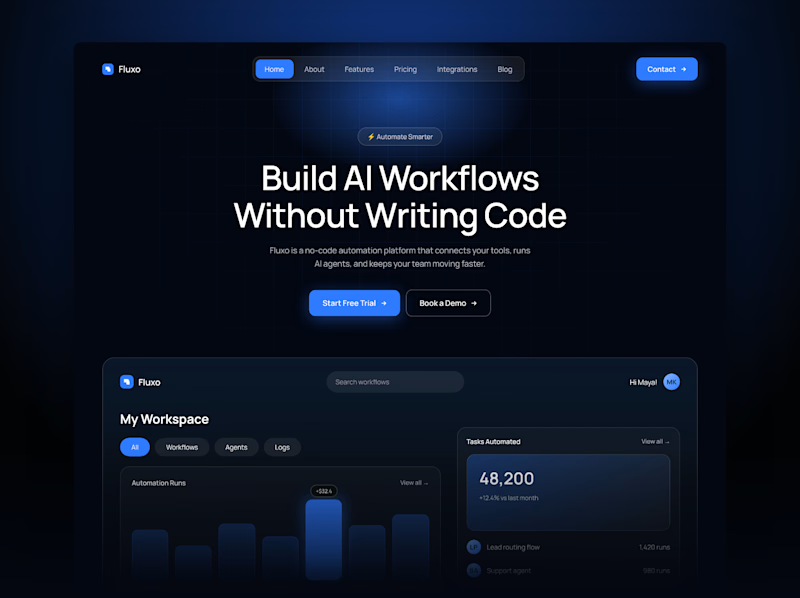
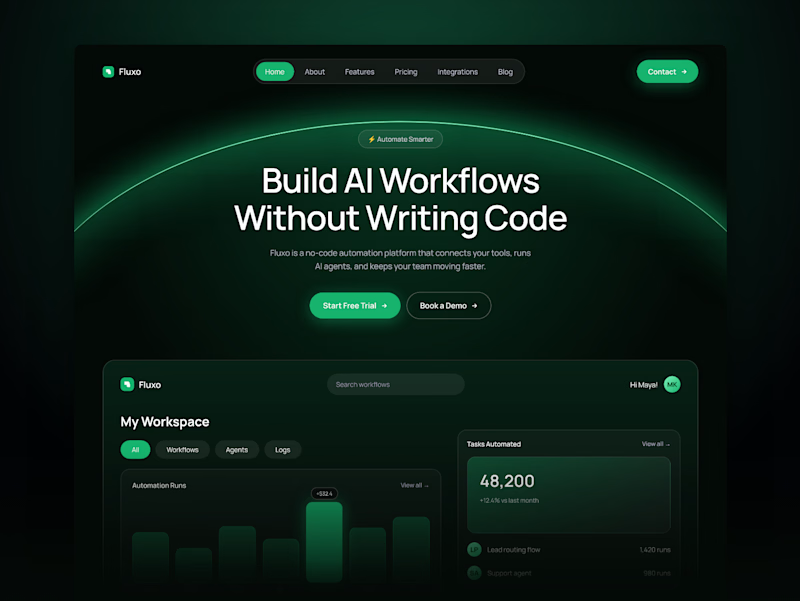
One AI automation hero. Two accent colors.
Blue feels dependable and familiar, the color of tools you trust.
Green feels active and fresh, like a workflow that’s running smoothly.
Vote in the comments: 💙 or 💚


1 voted
33%
2 voted
67%
3 votes
Closed

Deep 🔥

This is a quick look at how an MCP workflow handles a request from start to finish.
When a prompt comes in, the MCP host and client check the server for available tools and pass those options along to the LLM.
Once the model picks the right tool for the job, the client runs the call across your code repo, database, or API, pulls in the context, and sends it back so the LLM can generate the final output.
It makes connecting an AI model to multiple tools much simpler than setting up separate custom integrations for each one.

Clear walkthrough. One detail worth adding for anyone building the server side: the tool descriptions are basically the prompt. When I build MCP servers in Go, rewriting a vague description like "get data" into "get orders by status and date range, max 50" fixed more wrong tool...