The network for creativity
Join 1.25M professional creatives like you
Connect with clients, get discovered, and run your business 100% commission-free
Creatives on Contra have earned over $150M and we are just getting started
Back to feedPost

Bank Rules — the real automation engine
Most powerful this is my client work
You create rules once. Every matching transaction gets auto-categorized forever — no touching needed.
Banking›Rules›New Rule
Example rules for a restaurant (Sara's case):
Description contains "SYSCO" or "US FOODS"→ Cost of Goods Sold
Description contains "CON EDISON"→ Utilities
Description contains "GUSTO" or "PAYROLL"→ Wages & Salaries
Description contains "GOOGLE ADS"→ Advertising
Description contains "INSURANCE"→ Insurance Expense
3
Bulk review "For Review" tab — approve or fix in seconds
After rules run, go to Banking → For Review. Most are already categorized. You just scan and click Accept. For the few odd ones — change category manually.
Simulate 10 transactions — see what rules do automatically:
SYSCO FOODS 04/01$1,240Auto ✓
CON EDISON 04/02$380Auto ✓
GUSTO PAYROLL 04/05$3,200Auto ✓
GOOGLE ADS 04/06$150Auto ✓
US FOODS 04/08$980Auto ✓
INSURANCE PMT 04/09$210Auto ✓
RENT APRIL 04/10$2,500Auto ✓
AMAZON AMZN*MK9 04/11$47Review needed
SYSCO FOODS 04/15$1,100Auto ✓
ZELLE TRANSFER 04/16$500Review needed
8 auto-categorized · 2 need your eyesHow to fix the 2 manual ones ↗
4
Memorized transactions — for recurring manual entries
If a client pays the same amount monthly by check or wire, use Memorized Transactions. QBO auto-enters it on a schedule.
+New›Journal Entry›Save as Recurring›Set schedule (weekly/monthly)
Example: Rent expense of $2,500 on the 1st of every month — set it once, QBO posts it automatically forever.
5
Reconcile — takes 2 minutes once transactions are clean
After approving all transactions, reconcile to confirm your books match the bank statement exactly.
Accounting›Reconcile›Select account›Enter closing balance›Start Reconciling
Difference: $0.00 — Ready to finish!Books match bank ✓
Your 10-minute monthly routine in QuickBooks
Bank syncs automatically overnight0 min
Rules auto-categorize ~85 of 100 transactions0 min
You review & accept the 85 auto-ones (bulk accept)3 min
Manually fix ~15 unusual transactions4 min
Reconcile bank account2 min
Total monthly close~9 minutes Walk me through my first bank rule step by step ↗
The network for creativity
Join 1.25M professional creatives like you
Connect with clients, get discovered, and run your business 100% commission-free
Creatives on Contra have earned over $150M and we are just getting started
Related posts

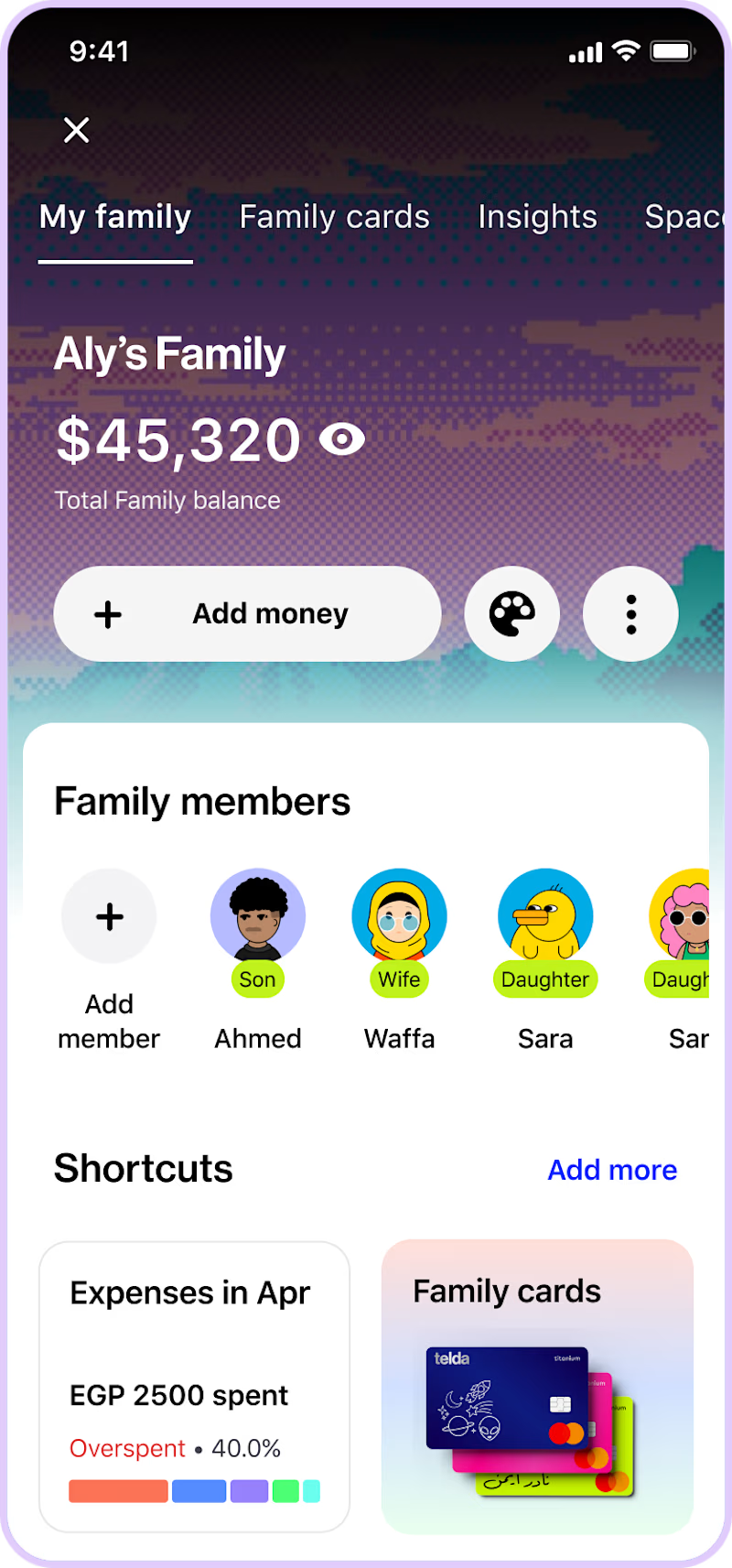
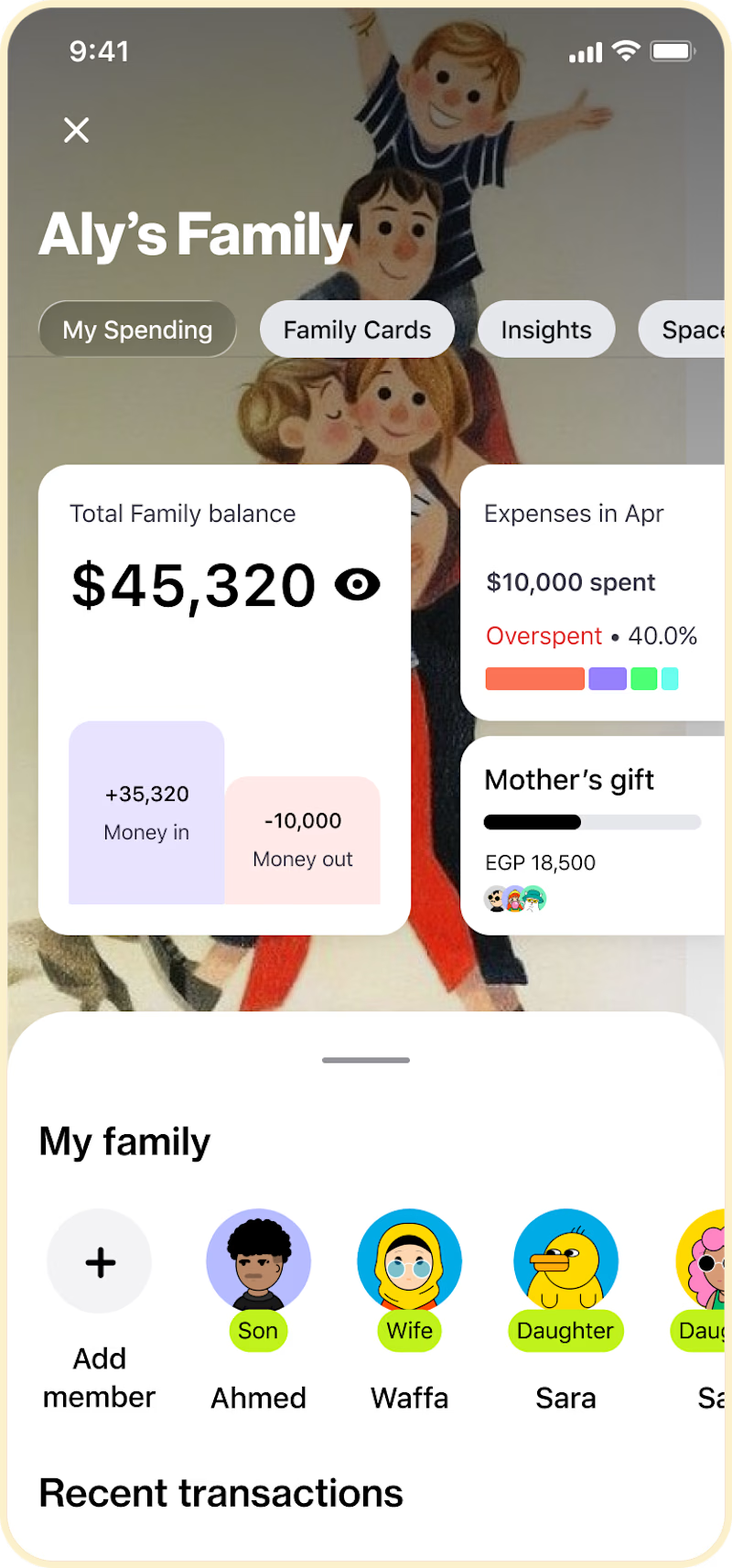
Exploring a family banking screen concept, would love your thoughts.
Which version feels more intuitive and trustworthy to you?
When it comes to sharing finances with family, what matters most to you?
Privacy, transparency, control, or something else?
Curious to hear how you think about it.

4 votes
Ends in 8h

Bank flagship retail branch, project by Gensler. Role: Architectural Designer and 3D Visualization Lead







Binance opens 24 hours.
You sleep 8 hours.
That's 8 hours of missed opportunities
every single night.
Here's how I automate Binance completely:
📊 Step 1 — Signal Source
TradingView Pine Script detects your condition
RSI oversold + EMA crossover + Volume spike
→ Alert fires automatically
🔗 Step 2 — Webhook Bridge
TradingView sends a POST request
to your Python server in milliseconds
No manual click. No delay.
⚙️ Step 3 — FastAPI processes it
Validates the signal
Checks risk rules
Confirms position sizing
🤖 Step 4 — Binance API executes
Spot order or Futures position
Stop Loss set automatically
Take Profit placed instantly
📲 Step 5 — You get a Telegram message
"BUY BTCUSDT | Entry: 67,240
SL: 66,800 | TP: 68,100"
While you were sleeping.
This exact system works for:
✅ Spot Trading
✅ Futures Trading
✅ Grid Bots
✅ DCA Strategies
Binance has one of the most powerful APIs
in the crypto space.
Most traders never use it.
The ones who do?
They trade while others watch.
Want to know how to set this up
for your own Binance strategy?
Comment "BINANCE" below 👇
I'll break it down step by step.
#Binance #CryptoTrading #TradingAutomation
#AlgoTrading #Python #TradingBot #BTC
#CryptoBot #PassiveIncome #FinTech
















Trending

Runway
AI video generation is exploding. What are you dreaming up in Runway?

Contra University
Learn from expert creatives how to earn more using next-gen AI tools.
creativeaiflow
Creative AI workflows are evolving. What tools do you use, and what are their strengths and weaknesses?
portfolioreview
The best portfolios tell a story, not just show a grid. Share yours for feedback.
freelancerlife
Freelancer life is wins, pivots, and everything in between. What’s yours right now?