The network for creativity
Join 1.25M professional creatives like you
Connect with clients, get discovered, and run your business 100% commission-free
Creatives on Contra have earned over $150M and we are just getting started
Back to feedPost


The network for creativity
Join 1.25M professional creatives like you
Connect with clients, get discovered, and run your business 100% commission-free
Creatives on Contra have earned over $150M and we are just getting started











Related posts

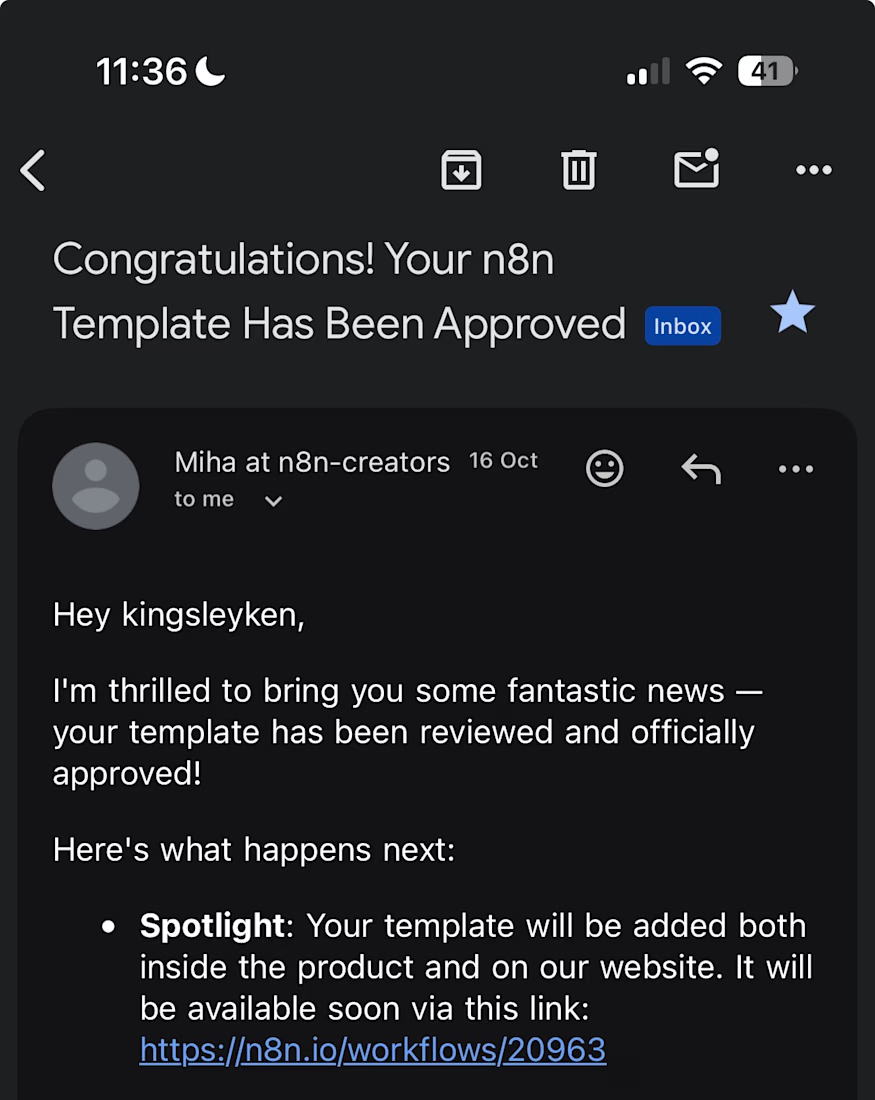
My first n8n template is now live in the official n8n library, and it is free to use.
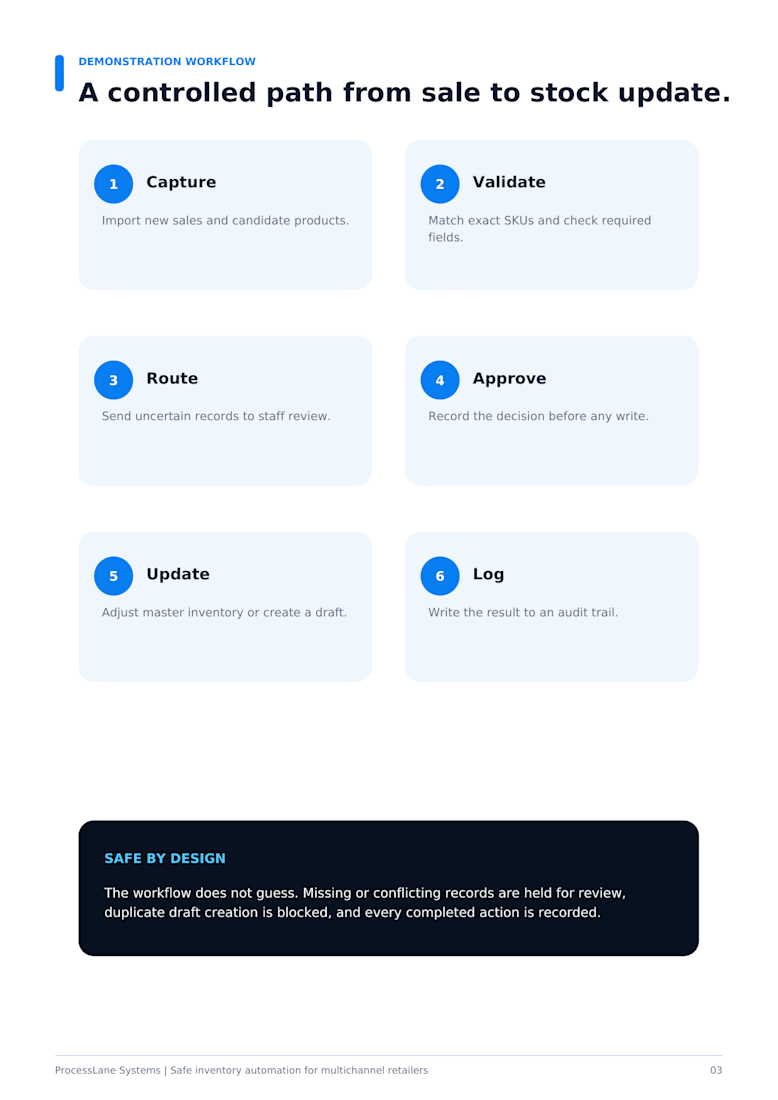
After a sales call, most people either rush the follow-up email or forget it. This workflow does the first draft for you.
When Fireflies finishes transcribing a call, it:
pulls the full transcript
uses OpenAI to write call notes: a summary, open questions, the next step and the outcome
saves a follow-up email to the contact as a Gmail draft
logs the call in Google Sheets and emails you the notes
Nothing is sent to the contact automatically. The follow-up waits in your drafts until you check it and press send.
Works with the free Fireflies plan and n8n Cloud.
Get it here: https://n8n.io/workflows/20963

Congrats on getting it approved. Drafting instead of auto-sending is the right default. One edge case worth a guard: calls where the transcript comes back empty or cut short, otherwise the model writes a confident follow-up from almost nothing.


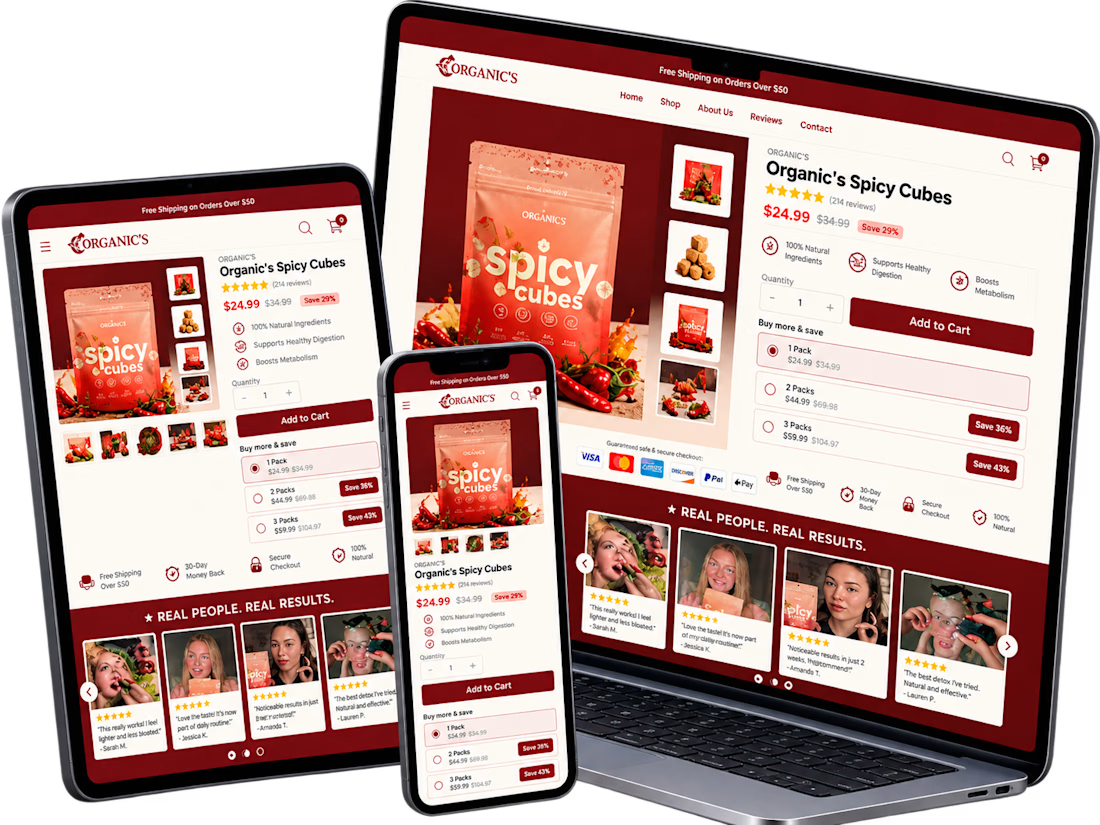
A conversion-focused Shopify product page featuring a clean, modern layout and an intuitive shopping experience.
The page brings together an engaging product gallery, bundle selection, clear Add to Cart actions, customer testimonials, product education, comparison tables, and FAQs.
The design emphasizes visual hierarchy, product discovery, purchase clarity, and trust-building elements to help shoppers make informed decisions.
Focus: Shopify UI/UX, product page design, and conversion rate optimization.


Clean layout. Keeping the bundle options, comparison table and FAQs on the same page really helps buyers decide without extra clicks. Great work on the product page structure.

Most online stores lose a large share of their shoppers at checkout. They add items to their cart, get distracted, and never come back. This workflow wins some of those sales back automatically, with no manual follow-up.
What it does
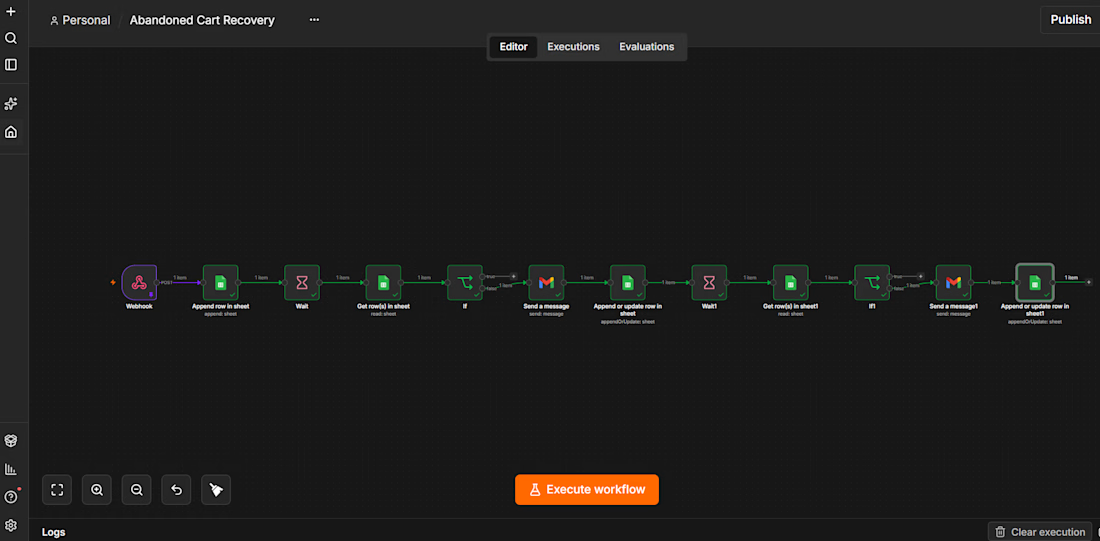
When a customer abandons a cart, the workflow logs it and waits. If the customer hasn’t bought after 1 hour, it sends a friendly reminder email. If they still haven’t bought 24 hours later, it sends a stronger “last chance” email with a discount code. Customers who buy at any point never get another email.
How it works
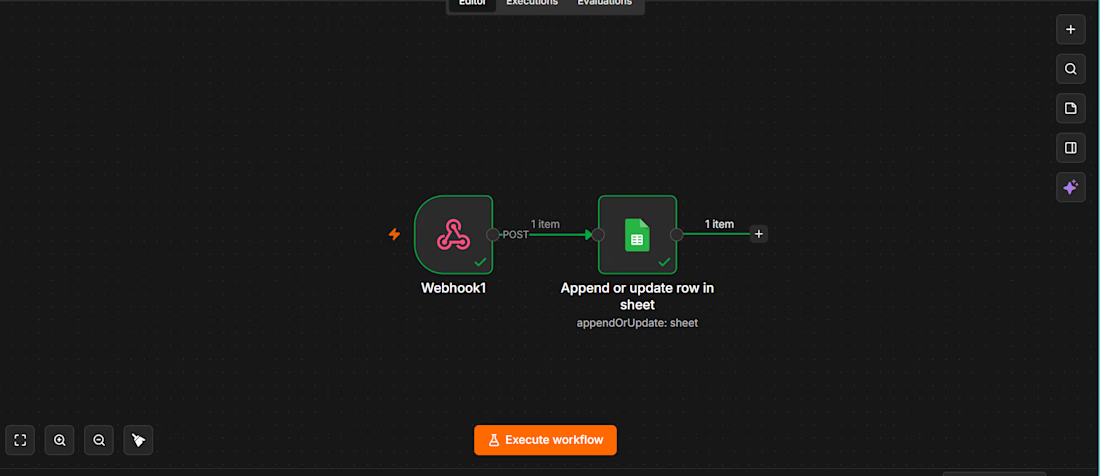
A webhook receives the abandoned-cart event (customer name, email, cart items, Cart ID).
The cart is logged to Google Sheets with the status pending.
The workflow waits 1 hour, then re-reads that cart’s row so it sees the latest status.
If the status isn’t purchased, a personalised reminder goes out through Gmail and the status becomes reminder 1 sent.
After a further 24 hours, the status is checked again. If the customer still hasn’t bought, a final email with a discount code goes out and the status becomes reminder 2 sent.
A separate purchase workflow updates the sheet to purchased as soon as an order completes, which stops the sequence.
Why it’s reliable
Every cart is tracked by its own Cart ID, so simultaneous customers never overwrite each other.
The status is re-checked after every wait, so nobody gets a reminder after they’ve already bought.
The Google Sheet works as a live dashboard of where every cart stands.
Tools used: n8n, Webhooks, Google Sheets, Gmail, Wait and IF logic.


Smart workflow! 🙌 I like how the purchase checks prevent unnecessary follow-ups and keep the customer experience smooth.