The network for creativity
Join 1.25M professional creatives like you
Connect with clients, get discovered, and run your business 100% commission-free
Creatives on Contra have earned over $150M and we are just getting started
Back to feedPost
Speed and relevance are everything when it comes to converting leads in Highlevel.
This workflow makes sure every single lead gets an instant response, gets routed to the right person based on what they actually need, and never sits in a queue waiting on manual sorting.
The branching logic means a roofing lead lands with someone who handles roofing, and an electrical lead lands with someone who handles electrical, automatically.
That kind of precision builds trust with the client right out of the gate and gives the sales team a head start instead of a cold lead.
It is the difference between "we'll get back to you eventually" and "we already know who's handling this and they've been notified."
That's what turns form fills into actual conversations, and conversations into closed deals
realestatehealthyhomecleaningcontractorEmail AutomationAI AutomationBusiness Workflow AutomationGo High Level


Every client needs to feel like they're priority and High level we make that come true.
The network for creativity
Join 1.25M professional creatives like you
Connect with clients, get discovered, and run your business 100% commission-free
Creatives on Contra have earned over $150M and we are just getting started






Related posts

Hi Community! Sharing a recent project that mixes two things I love: web design and workflow automation.
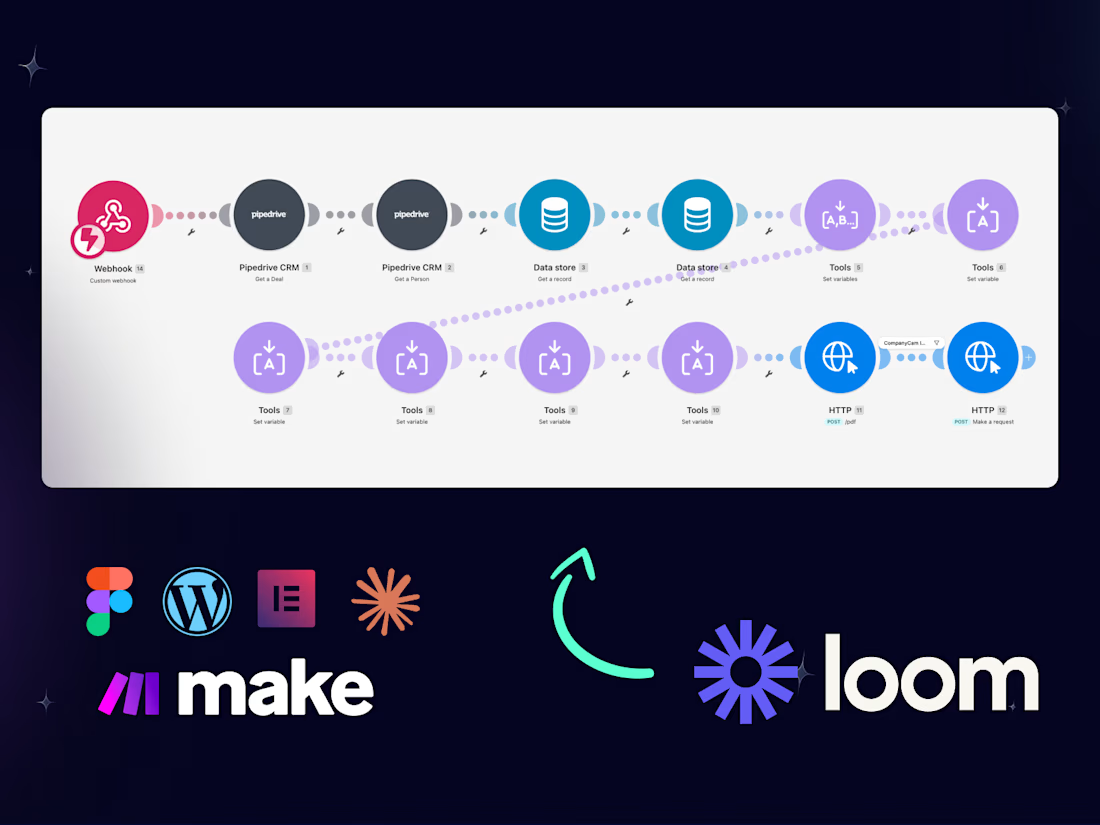
For Knaughty Log, a log home restoration company, I redesigned the website in WordPress + Elementor and connected it to Make and Pipedrive:
→ Form submit creates the deal in Pipedrive with all project details
→ A Make scenario generates the proposal automatically
→ When the deal is approved, a second scenario creates the work order
Biggest lesson: the website is only half the job. Clients feel the value when the lead keeps moving after the form submit, so I now scope automation from the first call, not as an add-on.
Full case study with video walkthroughs: https://contra.com/p/7LN6clRe-website-lead-automation-make-pipedrive-or-knaughty-log
Curious how others handle this: are you adding automation to your web projects? Make, n8n or Zapier?

The second Make scenario firing on deal approval is the part most web builds never reach, and it's where the client feels the handoff. I'd put one plain email right after the form submit telling the homeowner when the proposal will arrive, so the automated one isn't a surprise....

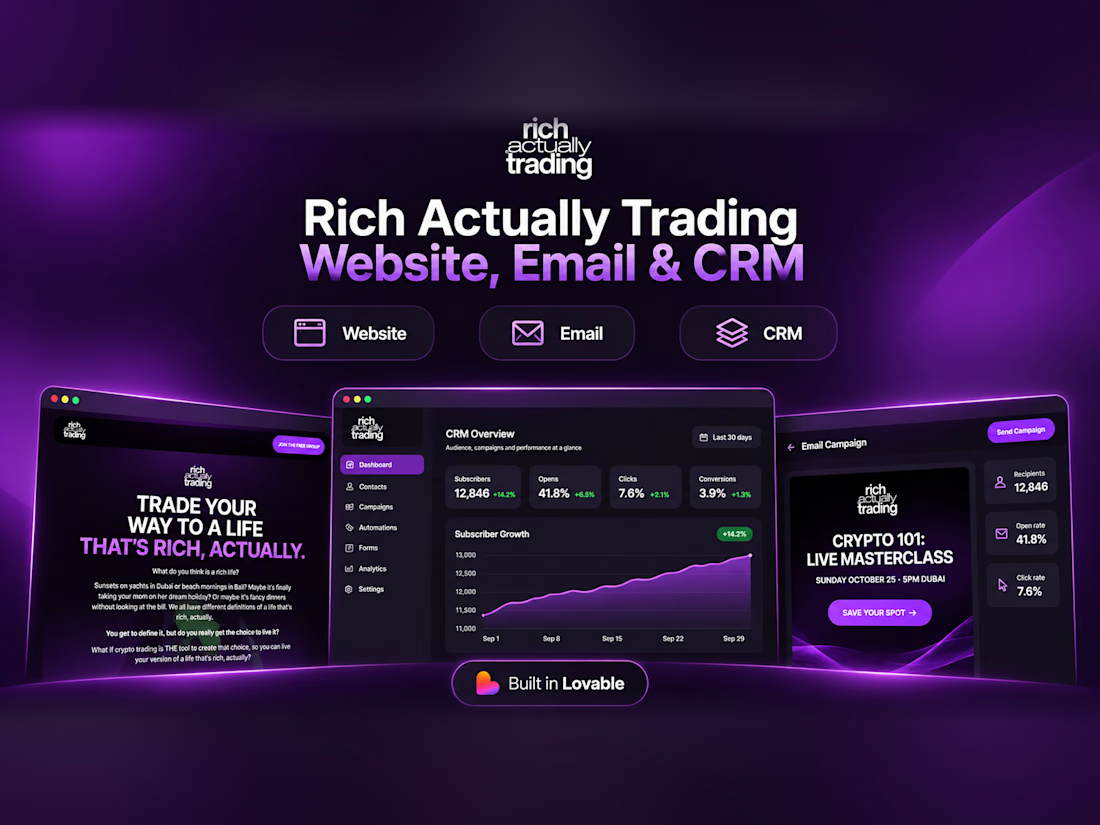
Built and managed a website, email marketing, and CRM for a trading community, connecting its online presence and customer communication.


Handling the site, emails and CRM together is where the real value is, since signups and follow-ups finally live in one place. Do Resend's open and click events flow back into the CRM so the client can see who's engaged?

People visit the online store, browse around, and leave without buying anything.
Conversion-Focused Product Design Streamline the user interface (UI), clarify the value proposition above the fold,simplify checkout flows, and build visual trust signals so buying feels effortless.


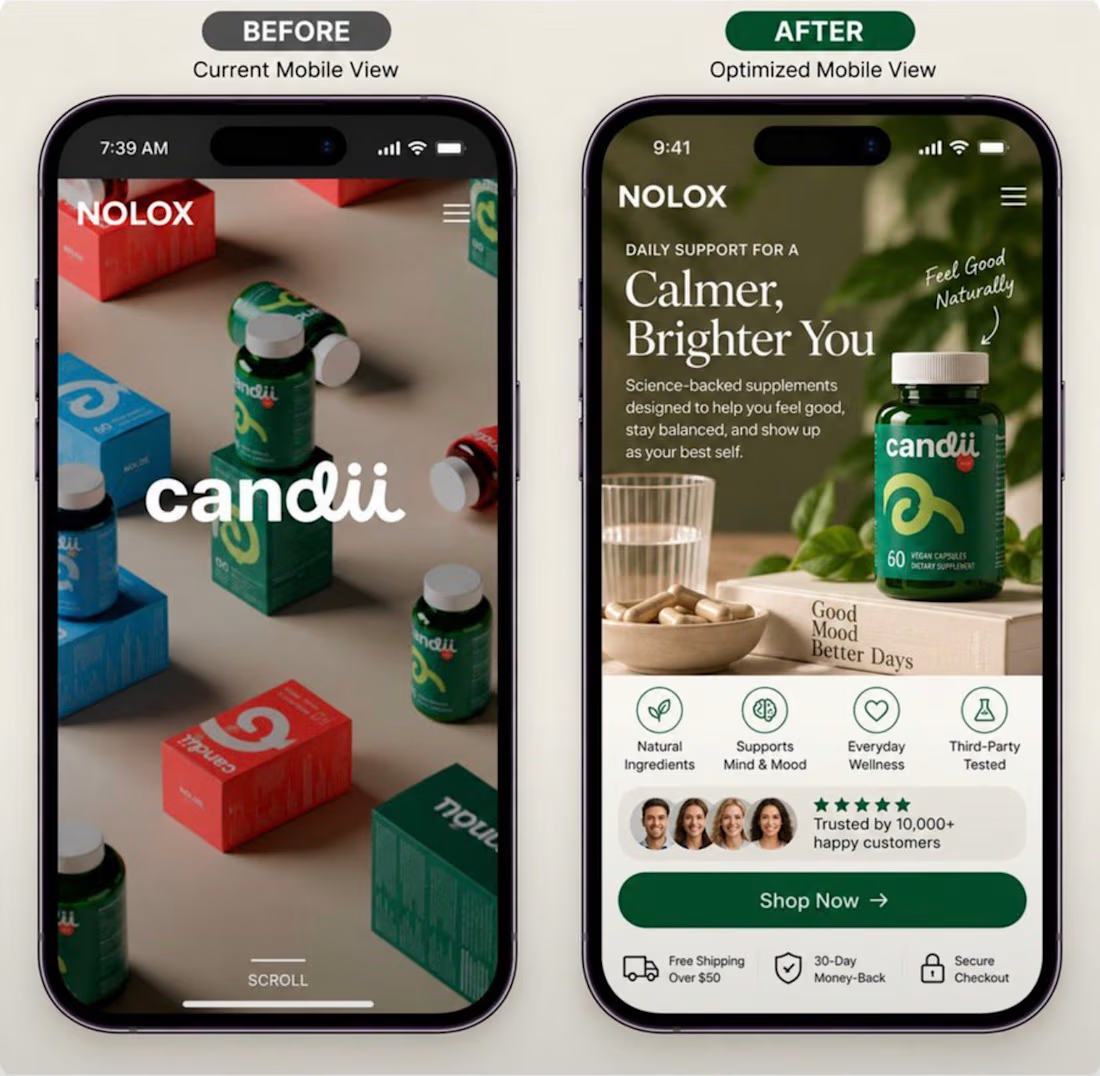

Nice Ui