The network for creativity
Join 1.25M professional creatives like you
Connect with clients, get discovered, and run your business 100% commission-free
Creatives on Contra have earned over $150M and we are just getting started
Back to feedPost

Hey guys,
Taking part in the Melius Challenge as this one caught my attention 👀
The theme? "Anything you can imagine. Create something you wish existed but doesn't".
Here I could go on an adventure with endless possibilities (sooo many things I wish existed!), but I decided to keep it real. So I thought of a pain point of my own:
Having a successful merch drop while juggling personal projects and client projects.
As a freelance illustrator and graphic designer, it is quite easy to end up with no time left for my own project and just stare at screens and emails all day long (quick side note: can't really complain about that!!).
Last year I started participating in art fairs across the country, selling prints, merch, custom items, meeting artists that I exchanged DMs for years, connecting with the creative community and it's been a blast. But when the time for a new drop comes, I get a little anxious as I know I'll have to deal with all the pre-order assets, hope to get some free time for a photoshoot when the sample arrives (the photoshoots never happen) and I end up feeling grateful for still making the drop work, but with a "I could have done more" aftertaste, especially when thinking about the generic mockups used that don't represent the cut/fit of the t-shirt I put so much thought into.
Here's where Melius shines: I decided to take on the challenge to create a framework focused on the merch drop for indie artists.
I wanted Mel to act like an art director/agency, where I could describe what I wanted without having to think about all the technical stuff. I wanted the client experience for once!
So I created the Soft Proof, a workflow focused on garment fidelity for indie creators.
- The problem
Generic mockups don't represent the cut/fit of your next custom merch drop and photoshoot are out of question for indie artists due to time and budget constraints.
- The idea
Creating a workflow with the help of Mel so that you could share your idea and assets for the drop and have Mel act as an art director/agency to come up with some high quality photos and launch short clip, while keeping the product true to its real world version.
- The process
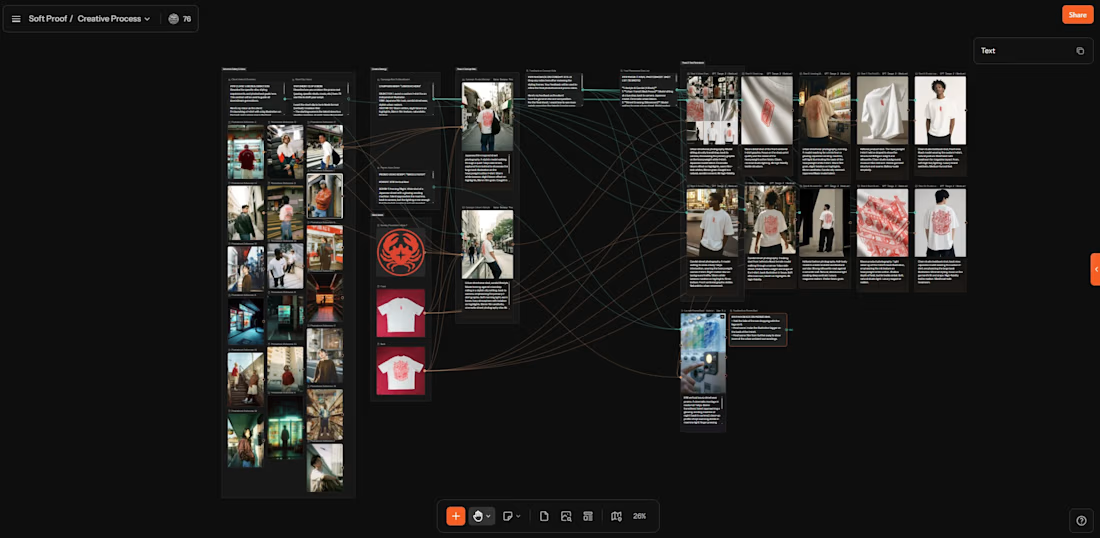
I started by chatting with Mel, describing what I wanted to create and asked her to create the base nodes for it. The the iteration started with me identifying some blind spots on the process and new needs, always asking Mel to adapt the current nodes and create new ones.
The final version works like this:
1. Your first step is filling the information needed in the Reference Gallery & Vision section. There's a place for you to share your vision as the client and what you want the photoshoot to look like, along with another field for you to describe the launch short clip idea.
You can add up to 20 references images for the styling/vibe of the whole final content.
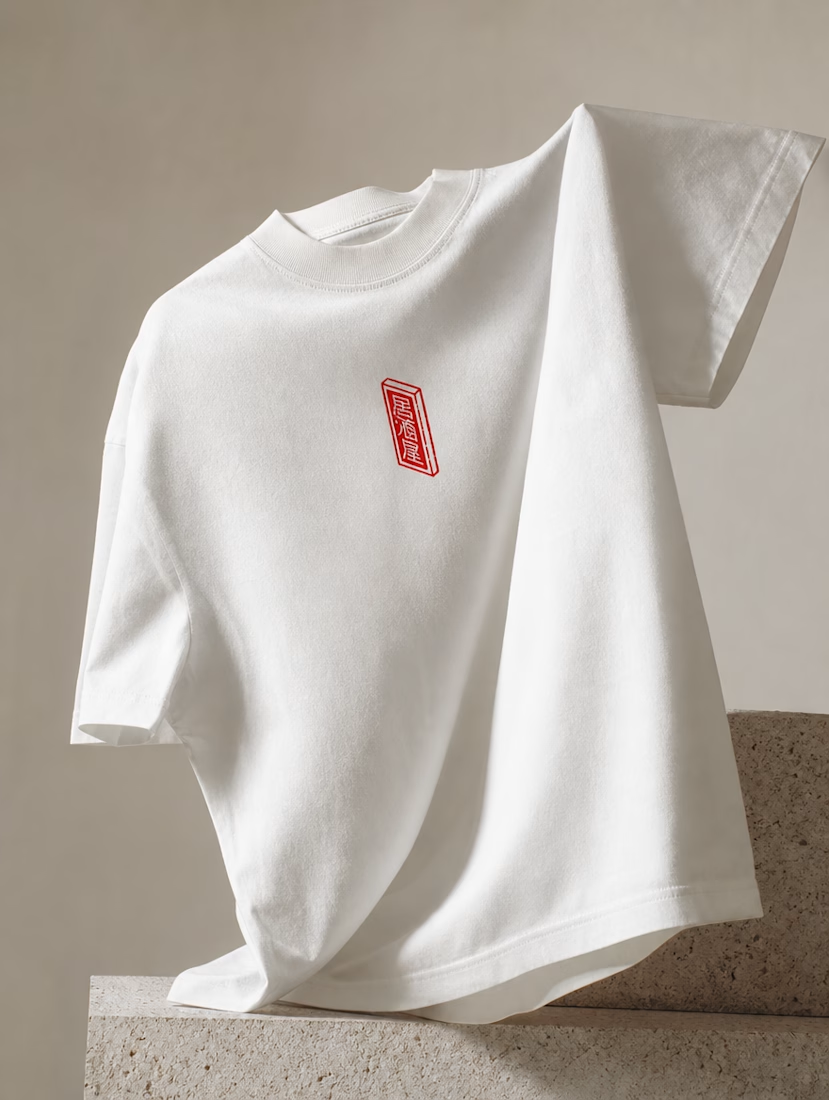
2. Under Brand Assets, you upload your logo (if needed) and the front and back of the actual t-shirt, so that Mel can use it as reference for the later generated assets.
3. With the information from your Client Vision fields, Mel comes up with a script for the launch short clip and the campaign brief, setting the tone based on your input. All this is located under the Creative Strategy section.
4. Before generating the whole campaign, there's the Concept Stills stage, where you get two different concepts to test out if the campaign is going in the right direction. You can add your feedback under "Feedback on Concept Stills".
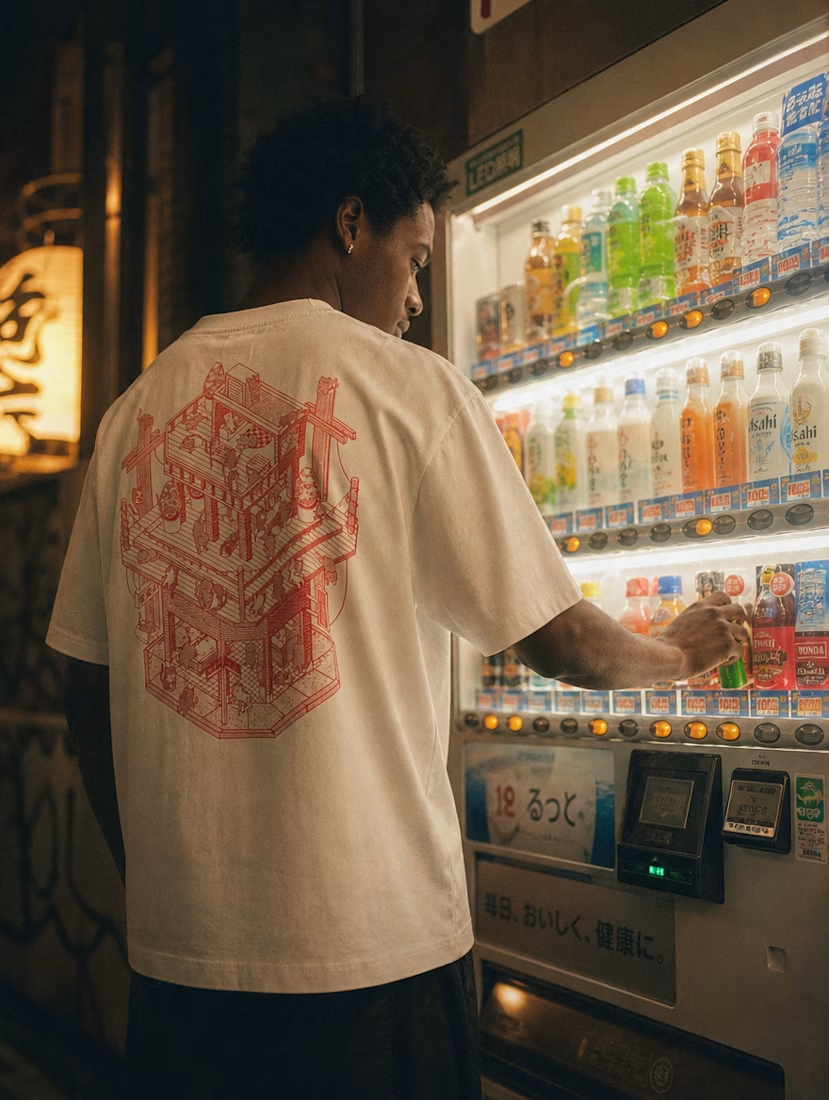
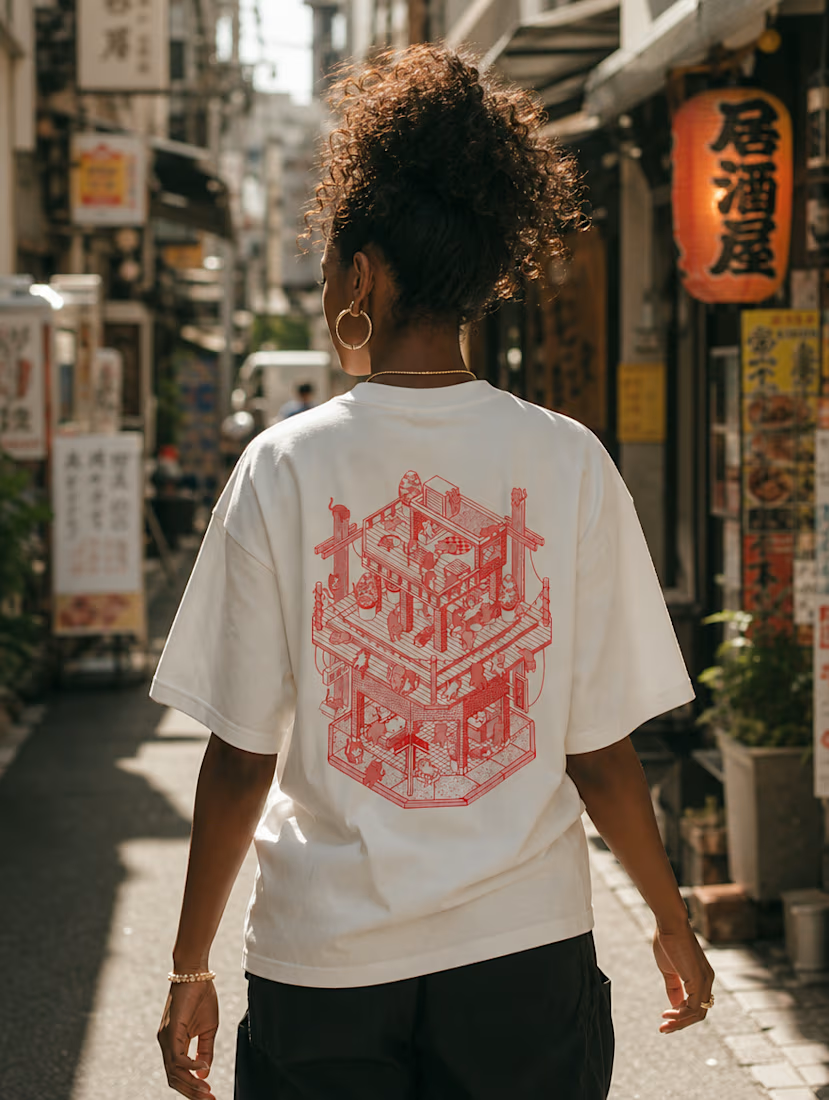
5. After the feedback, we move to the final stage, with Mel giving us a Shot List of all the 10 photos it will generate for the launch, divided into different types that make sense to your drop. In my case, it was divided into "Lifestyle & Candid", "Product & Detail" and "Editorial & Studio".
You also get the short promo clip to announce the drop, with a dedicated feedback field to iterate different options.
- Final thoughts and feedback on Mel
The nodes/canva style interface is incredible. This is one of the main things that made me want to work on this challenge, as getting used to all the different types of models out there can get overwhelming really fast.
Being able to just describe to Mel what I wanted and getting things organized made everything a smooth experience.
There's a few things I would like to iterate more before marking the framework as complete, but I ended up running out of credits 😅 even then, Mel had my back and I asked what type of video I could generate with the amount of credits I had left, meaning that I would still be able to get to the result I wanted given the constraints (and some minor editing).
Things I would like to iterate more:
1. Maybe create the short clip only after the photoshoot is approved, this would ensure a more precise vibe for the clip;
2. Reinforce the illustration positioning/details fidelity during the video clip and adding text to the final edit.
Here's the link to my project, my X post about it and a quick video explaning my thought process!
Hope you guys like it,
Marcos 🐸✨

The network for creativity
Join 1.25M professional creatives like you
Connect with clients, get discovered, and run your business 100% commission-free
Creatives on Contra have earned over $150M and we are just getting started










Related posts


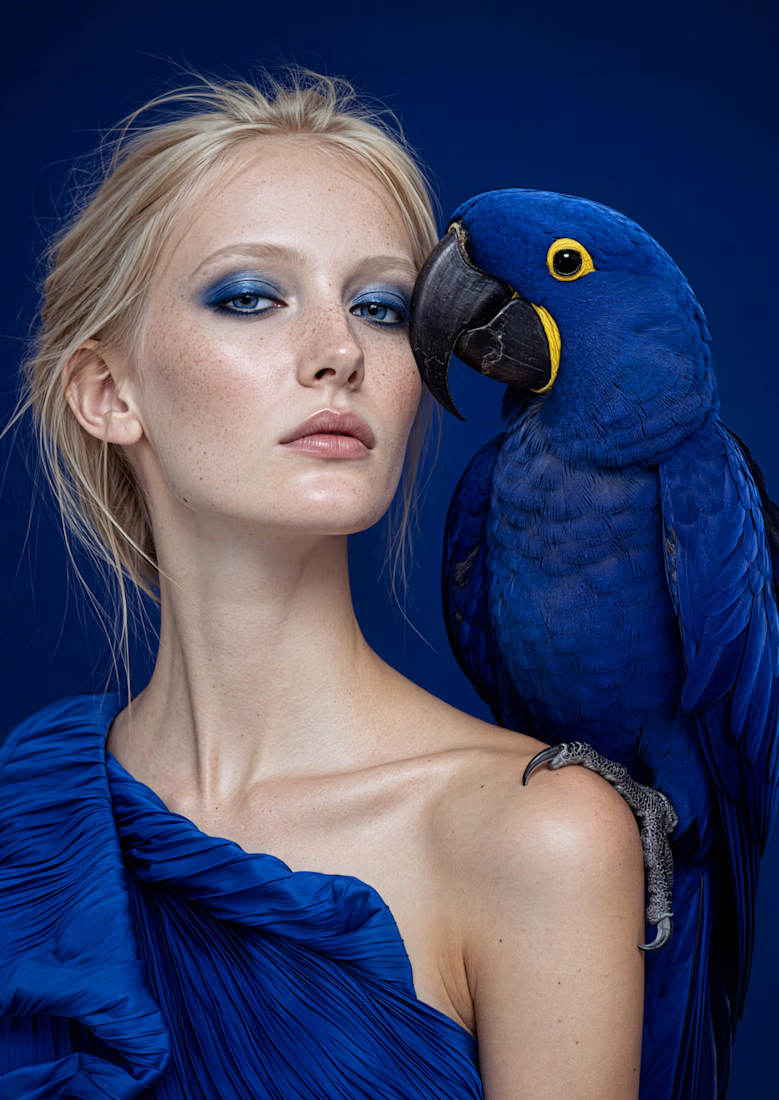
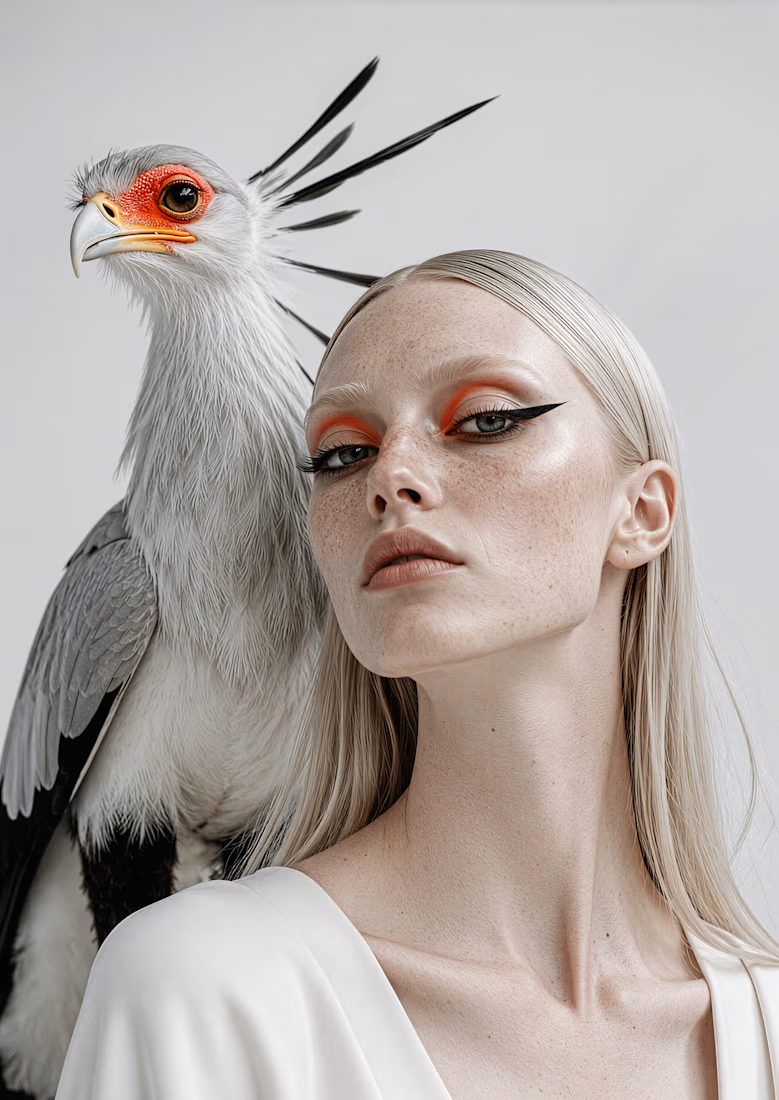
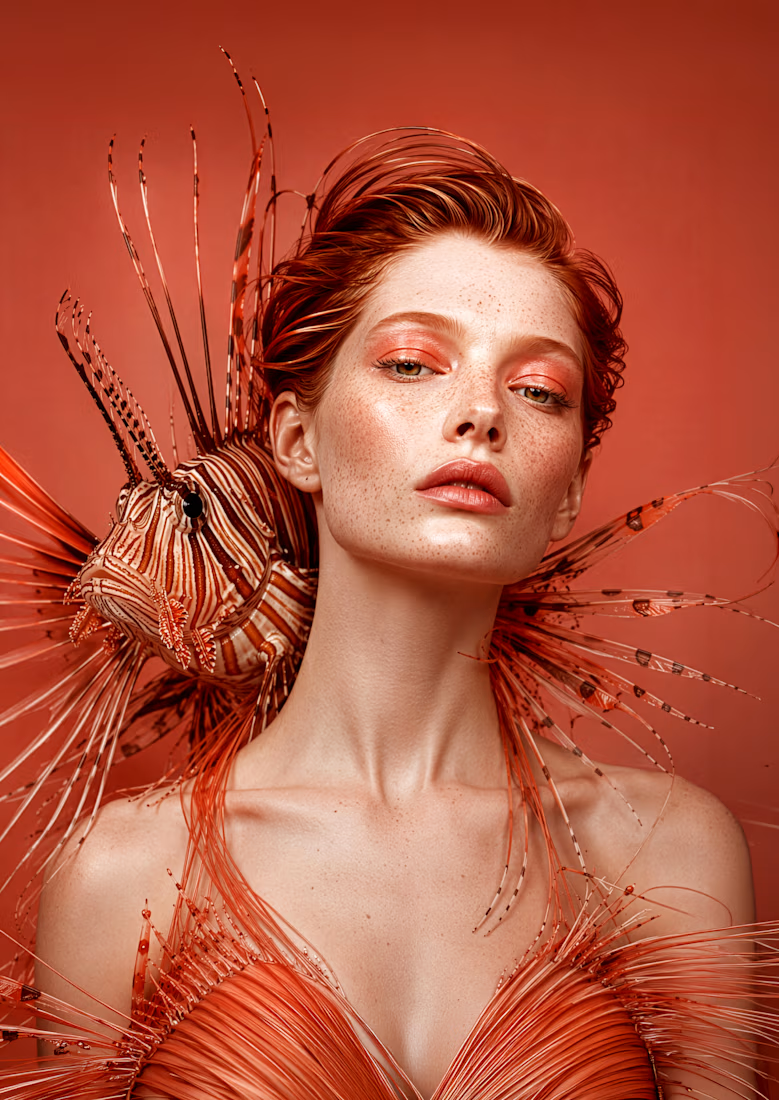
This photoshoot never happened...
But the campaign could.
No studio.
No location.
No styling team.
No animal handlers.
No huge production budget.
In a traditional workflow, a high-concept beauty editorial like this would be extremely difficult, expensive and in some cases almost impossible to produce. Different models, exotic animals, controlled lighting, makeup, styling, retouching, logistics, safety and a production crew.
With AI, the creative process changes.
Once the visual direction is locked, I can build a consistent system and generate hundreds of images within the same world: different animals, color palettes, compositions, crops, moods and campaign formats.
This is not about replacing every photoshoot. It is about opening creative territories that were previously too expensive, too risky or too complex to explore.
These are just experiments, but I can easily imagine this kind of visual direction working for beauty, eye makeup, color cosmetics, fragrance or high-impact product launches.
For brands that sell through visuals, the real value of AI is not one beautiful image. It is the ability to test bold campaign ideas faster, then scale the strongest direction into a full visual system.


📣 calling all junior & aspiring designers!!
i get a lot of DMs from people asking how to get started in design, improve their skills, or build a portfolio without having real clients.
so i built something to help with that.
a free resource filled with creative challenges to help you practice, experiment, and grow as a designer.
it's my small way of giving back to the design community!
→ alexispresa.com/practice
would love your feedback too! 🙏🏼

If you’re a Creative in 2026, you should wake up every morning and Say “Thank You Ai “. 😂
Imagine a client wants a premium, animated website, but she only has 2 or 3 images.
A few years ago, you’d probably have to wait for her to organize another photoshoot, get more brand assets, or find a way to work with what you have.
But today? Give me just 2 good images and AI. 😂
I can create different product angles, lifestyle shots, campaign visuals, and all the assets needed to make that website look like the brand spent thousands on photography.
And the best part? The client doesn’t need to spend extra money on another photoshoot.
AI has genuinely changed the way we work
Of course, you still need good design skills and creative direction. AI won’t magically give you good taste.
But the possibilities we have today? Insane.
If you’re still refusing to learn AI as a creative in 2026, you’re making your own work unnecessarily difficult.
Btw this was built with Claude opus 5.5 + Higgsfield AI for the visuals