The network for creativity
Join 1.25M professional creatives like you
Connect with clients, get discovered, and run your business 100% commission-free
Creatives on Contra have earned over $150M and we are just getting started
Back to feedPost
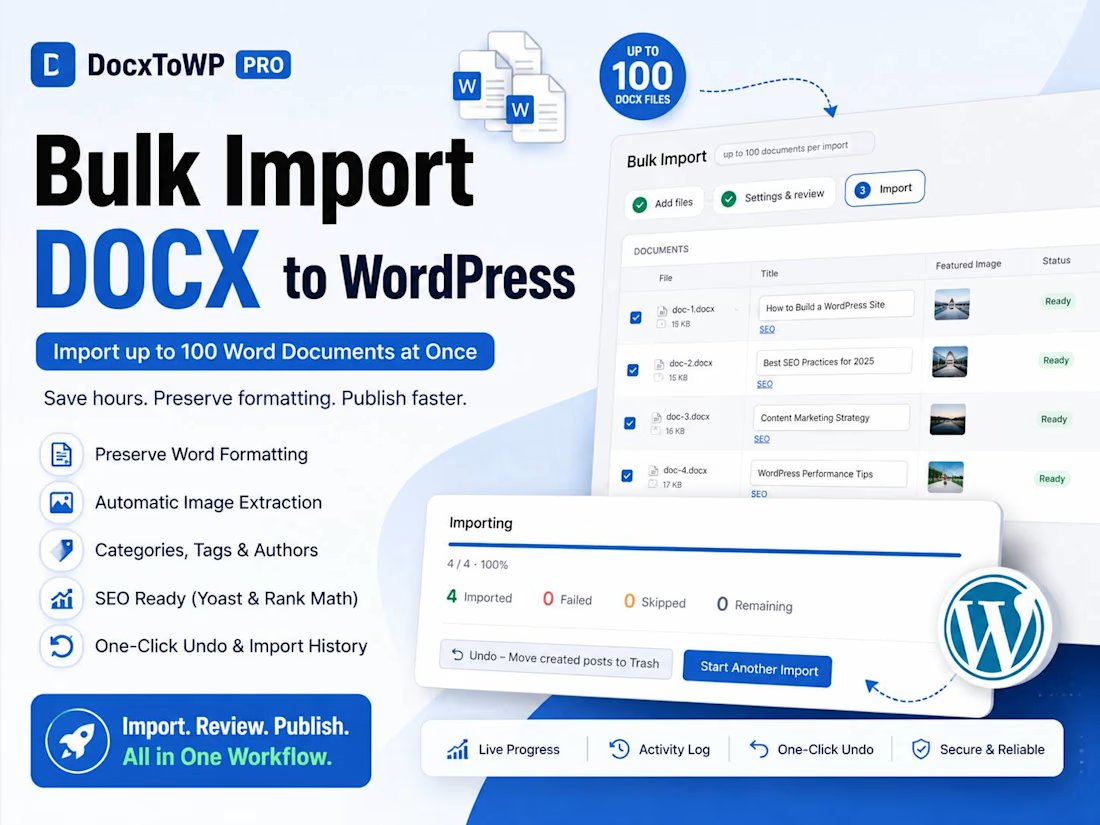
🚀 Import 100 Word Documents into WordPress Without Copy-Pasting
If you've ever had to move dozens of Microsoft Word documents into WordPress, you know how repetitive it gets.
Open the .docx → copy → paste → fix headings → upload images → set featured image → add categories → check SEO → repeat.
Now imagine doing that 100 times.
I built Bulk Import for DocxToWP Pro to solve exactly this problem.
You can now import up to 100 DOCX files into WordPress in one workflow and review everything before publishing.
What you can do:
📄 Bulk DOCX Import
Import up to 100 Word documents at once.
🖼️ Automatic Image Matching
Match uploaded images to their corresponding documents and set featured images.
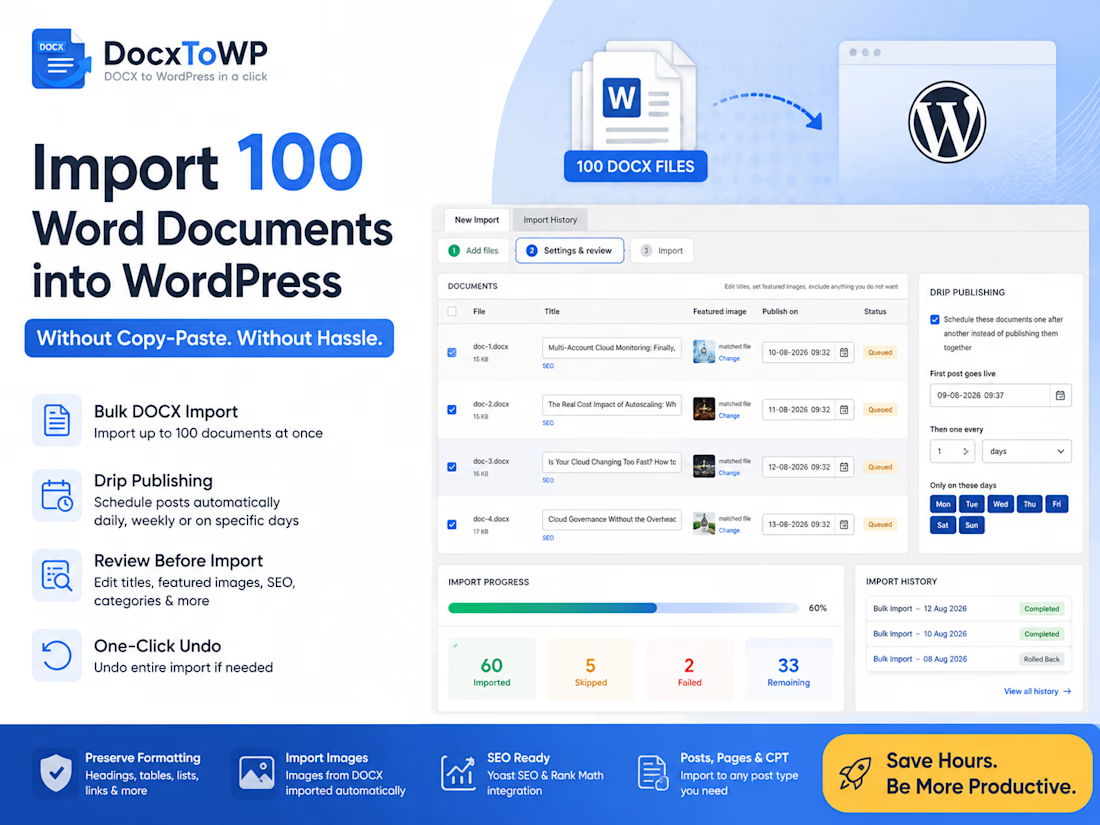
✏️ Review Before Import
Edit titles, featured images, and individual document settings before anything is created.
🔍 SEO Automation
Use SEO templates with Yoast SEO and Rank Math.
📅 Drip Publishing
Don't publish everything at once. Choose the first date, publishing interval, and specific days to automatically schedule your content.
⚡ Live Import Progress
See imported, failed, skipped, and remaining documents in real time.
↩️ One-Click Undo
Undo an entire import if you need to roll it back.
📋 Import History
Keep track of previous bulk imports.
This is useful for blog migrations, documentation sites, knowledge bases, publishers, agencies, and content teams that manage large amounts of Word content.
🎥 I recorded the complete workflow so you can see it in action.
👉 Try DocxToWP: https://docxtowp.com
📖 Read the Bulk Import guide: https://docxtowp.com/blog/bulk-docx-to-wordpress-import
#WordPress #DOCX #WordToWordPress #ContentMigration #WordPressPlugin #SEO #ContentMarketing #Productivity #BuildInPublic



thanks for the info!


This solves such a repetitive problem in a really practical way. The one-click undo and review before publishing are especially useful!
The network for creativity
Join 1.25M professional creatives like you
Connect with clients, get discovered, and run your business 100% commission-free
Creatives on Contra have earned over $150M and we are just getting started
Trending
retrofuturism
Share your favorite designs from the past exploring the distant future. Or your own take on the aesthetic 🚀
halftone
Dots. Texture. Grain. Let's see your designs using the halftone technique.

Midjourney
Creatives are showing off what they're making with Midjourney.
colorgrade
Video editors sound off: How do you enhance the mood of your video in color grading?





Related posts

Folake & Co. | Website Design + Digital Experience
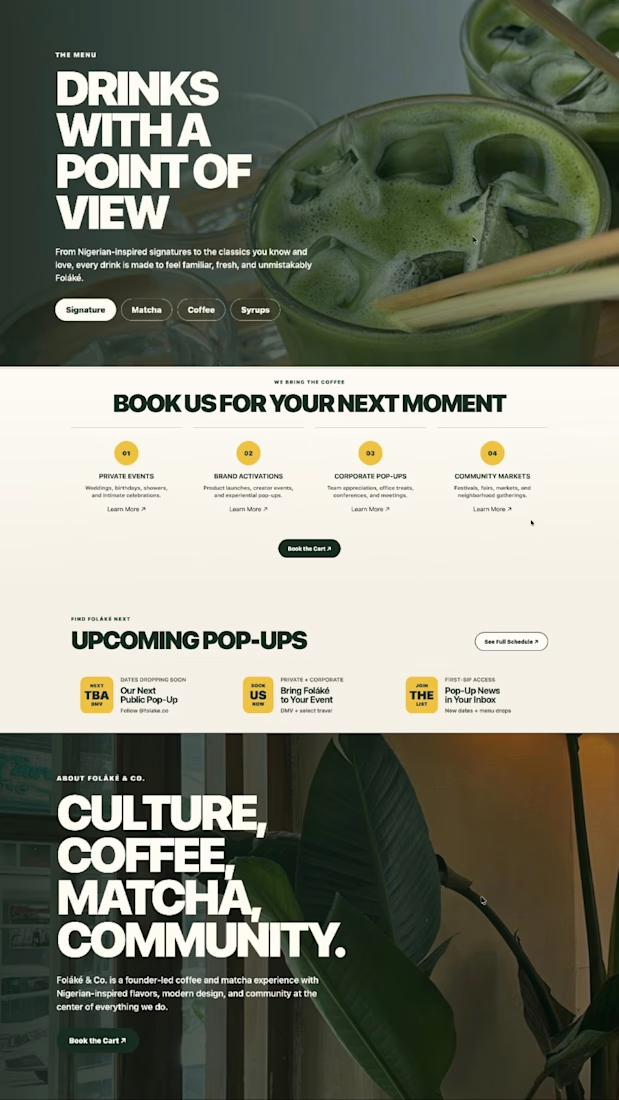
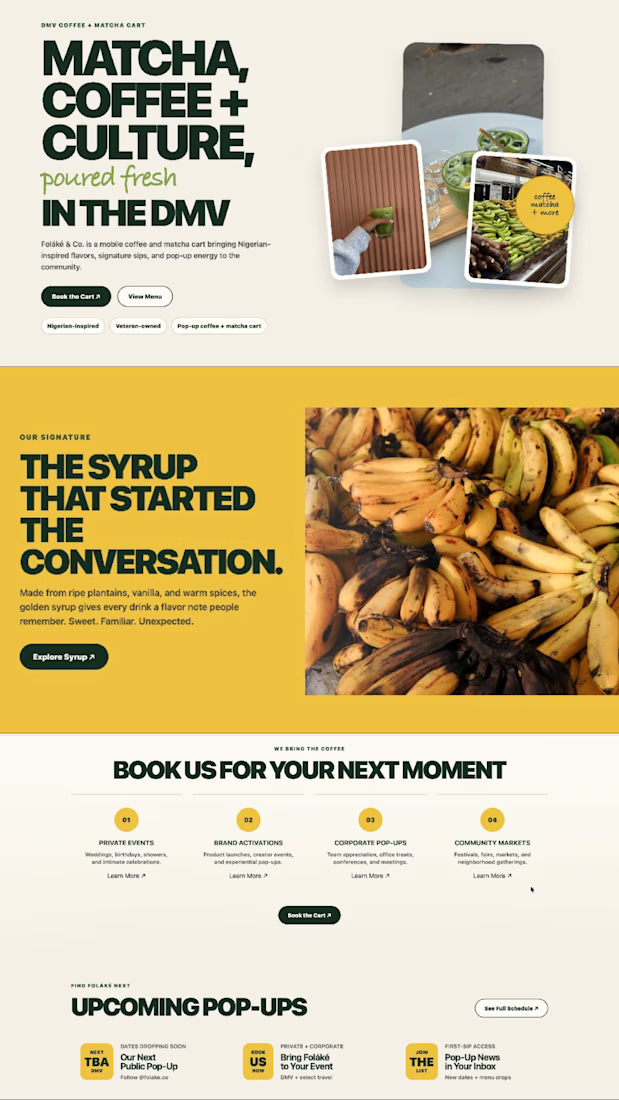
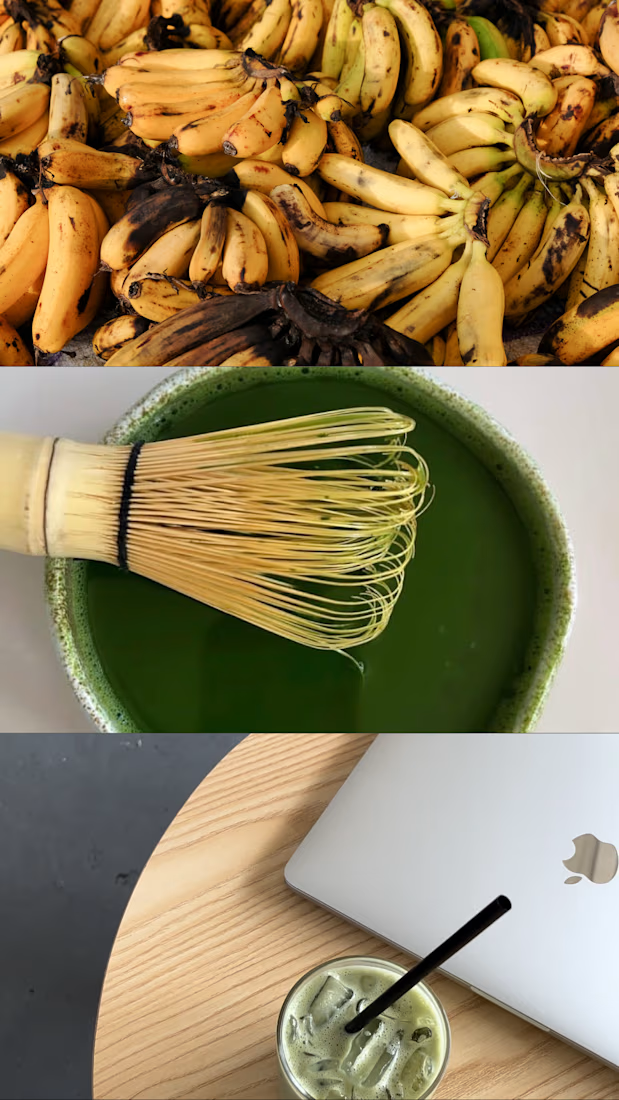
For Folake & Co., a DMV-based coffee and matcha cart, I developed a five-page website concept designed to translate the brand’s playful personality, cultural influence and vibrant menu into a more complete digital experience.
The visual direction built on Folake’s existing organic wordmark and earthy color palette while introducing stronger typography, layout structure, photography and calls to action. The website was designed to feel colorful and energetic without becoming visually overwhelming, allowing the coffee, matcha, plantain syrup and event experiences to remain central to the story.
I structured the website around the different ways someone might discover and interact with the business, whether they wanted to learn more about Folake, explore the menu, book the cart for an event or find upcoming appearances.
My work included:
• website strategy and creative direction;
• user journey and information architecture;
• custom five-page website concept;
• responsive Home page design;
• About page and brand storytelling;
• Menu page organization and presentation;
• Book the Cart inquiry experience;
• Events page design;
• custom-coded interactive website prototype;
• navigation and page-flow development;
• visual hierarchy and typography system;
• integration of the existing logo and brand assets;
• earthy color palette application;
• photography selection and image placement;
• coffee, matcha and product-focused storytelling;
• booking and inquiry calls to action;
• mobile-responsive layout planning;
• embedded imagery and website assets;
• final prototype testing and presentation preparation.
The final concept gave Folake & Co. a digital home that felt as distinctive and inviting as the physical cart experience. It brought the brand story, menu, bookings and events into one cohesive space while creating a stronger foundation for visibility, customer discovery and future growth.
This website was developed as a pitch concept and was not ultimately published by the brand.



This is the best design i have seen so far 😍

Roughly 2 minutes from download to post.
In this video, I only changed the headline and one color to show how quickly it can be done. You can actually customize much more.
Let Figma Agent draft your first text.
Adjust it manually (if needed), export the post and you're done!
Available on my profile!


🚀 Bulk Import DOCX to WordPress – Import Up to 100 Word Documents in Minutes
If you're still copying and pasting Microsoft Word documents into WordPress one by one, you're wasting hours on repetitive work.
I recently released Bulk Import in DocxToWP Pro, making it easy to import up to 100 DOCX files in a single workflow while preserving formatting, images, and SEO settings.
✨ Features
✅ Import up to 100 DOCX documents at once
✅ Preserve Word formatting automatically
✅ Review and edit each document before publishing
✅ Automatic featured image extraction and matching
✅ Configure categories, tags, author, and post status in bulk
✅ Yoast SEO & Rank Math integration
✅ Live import progress with activity log
✅ One-click undo for every bulk import
Whether you're migrating a blog, publishing documentation, importing knowledge base articles, or managing content for clients, this workflow saves hours compared to manual copy-paste.
Website:
🌐 https://docxtowp.com
#WordPress #DOCX #ContentMigration #WordPressPlugin #SEO #Blogging #Documentation #DeveloperTools #BulkImport #MicrosoftWord