The network for creativity
Join 1.25M professional creatives like you
Connect with clients, get discovered, and run your business 100% commission-free
Creatives on Contra have earned over $150M and we are just getting started
Back to feedPost

STARDECK — Retro Arcade Skin for Video.js v10
Live Demo: https://stardeck.mementoagency.workers.dev/
STARDECK transforms the Video.js v10 player into the centerpiece of a retro arcade cabinet.
An ambient space-shooter animates silently in the background, with drifting starfields, glowing enemy ships, and occasional projectile trails. At the center, Interactive 'Insert Coin' arcade overlay prior to playback, the video player sits inside a scanlined CRT bezel, framed by a phosphor-green cabinet and an illuminated amber marquee.
The design philosophy is simple: the player is the hero; the game is atmosphere.
The background animation adds depth and personality without competing with the viewing experience.
Features :
Retro arcade-inspired interface and visual identity.
Video.js v10 Web Components integration.
Animated HTML Canvas space-shooter background.
CRT-inspired scanlines, phosphor glow, and neon framing.
Responsive cabinet layout.
Native video controls as a fallback when the player CDN is unavailable.
Reduced-motion accommodation.
Keyboard accessibility considerations.
Technology :
HTML5
CSS3
JavaScript
HTML Canvas API
Video.js v10 Web Components
Cloudflare Workers
Media Attribution :
Tears of Steel by Blender Foundation.
Licensed under Creative Commons Attribution 3.0 (CC BY 3.0).
Original film credits are retained.
License :
Original STARDECK source code: Apache License 2.0.
Third-party libraries and media remain subject to their respective licenses.
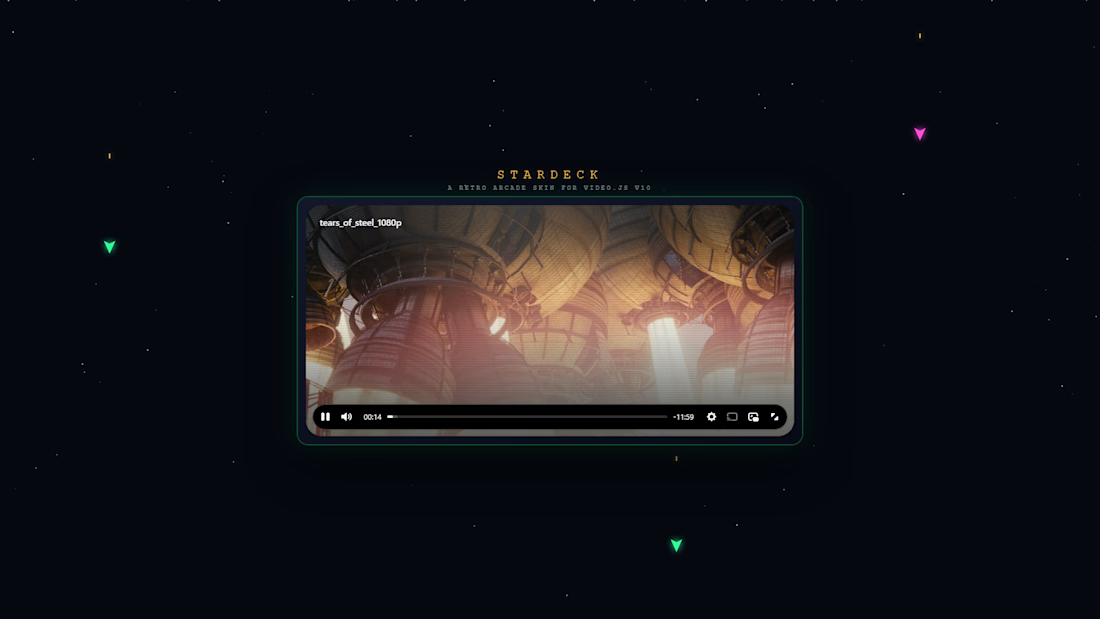

Drifting starfields and enemy ships around an arcade cabinet, STARDECK looks fun.
The network for creativity
Join 1.25M professional creatives like you
Connect with clients, get discovered, and run your business 100% commission-free
Creatives on Contra have earned over $150M and we are just getting started

Related posts

Pull into the drive-in and save three spots for your friends. 🚘
I built LOT 66, a custom Video.js v10 skin for the Contra challenge. Start a live watch room for up to four people and share the invite link. As each friend joins, their car lights up and their name appears above it. Everyone watches in sync.
I wanted the controls to feel like part of the car, so I built them into a vintage dashboard. The radio dial adjusts the volume, the tuning scale lets you scrub through the film, and the dashboard stays within reach in fullscreen.
Now showing the original 1960 trailer for Dinosaurus! 🦖
#VideoJSSkinsChallenge


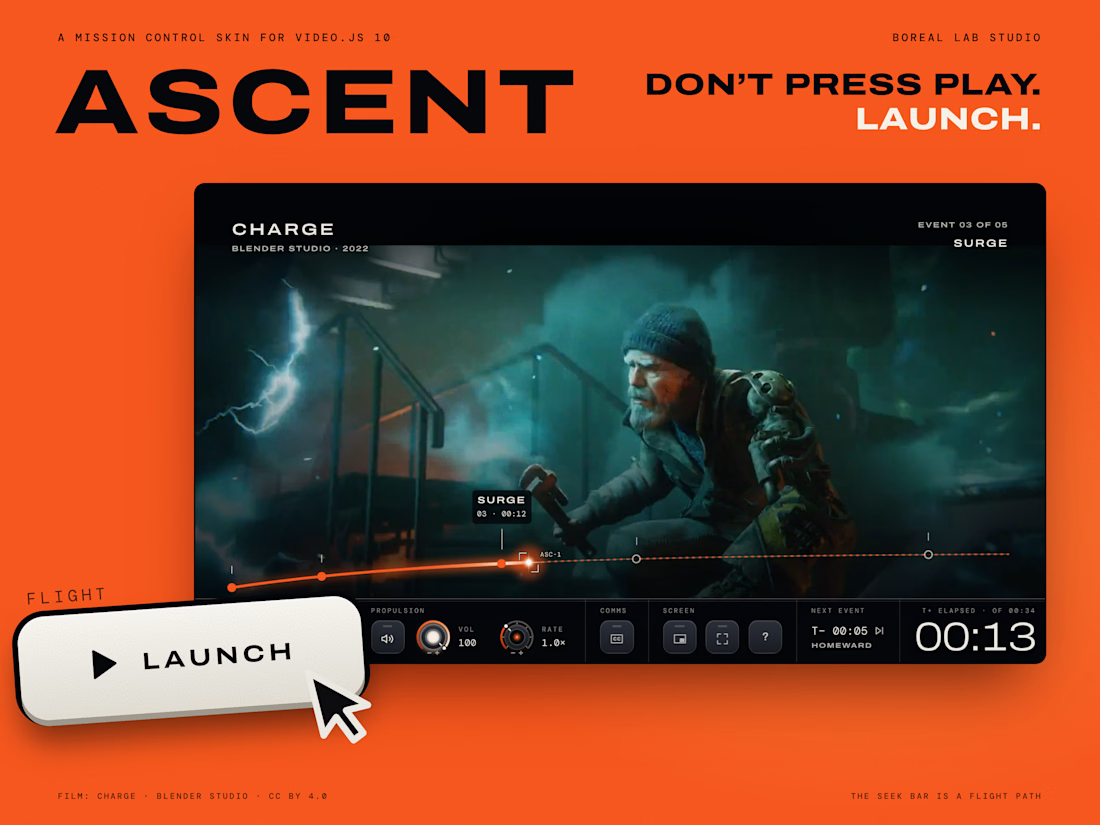
Ascent, a Mission Control skin for Video.js 10
There's something special about watching a launch. A whole room goes quiet and everyone watches one big screen. We wanted watching any film to feel a little like that.
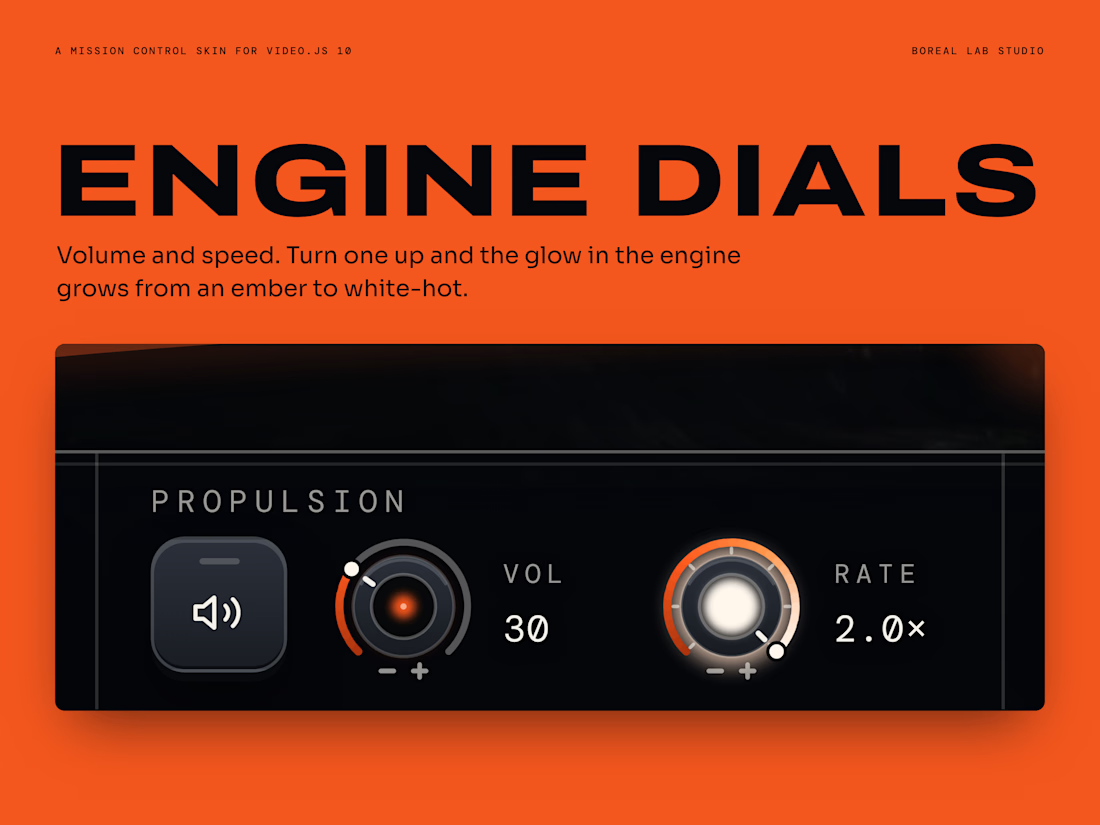
The bar along the bottom is a flight path, and we marked the big moments of the film along it, like moments in a mission. You press Launch to start, and a small bright light travels along the path as the film plays. Volume and speed are two engine dials that glow brighter as you turn them up, and when the credits roll the craft goes into orbit.
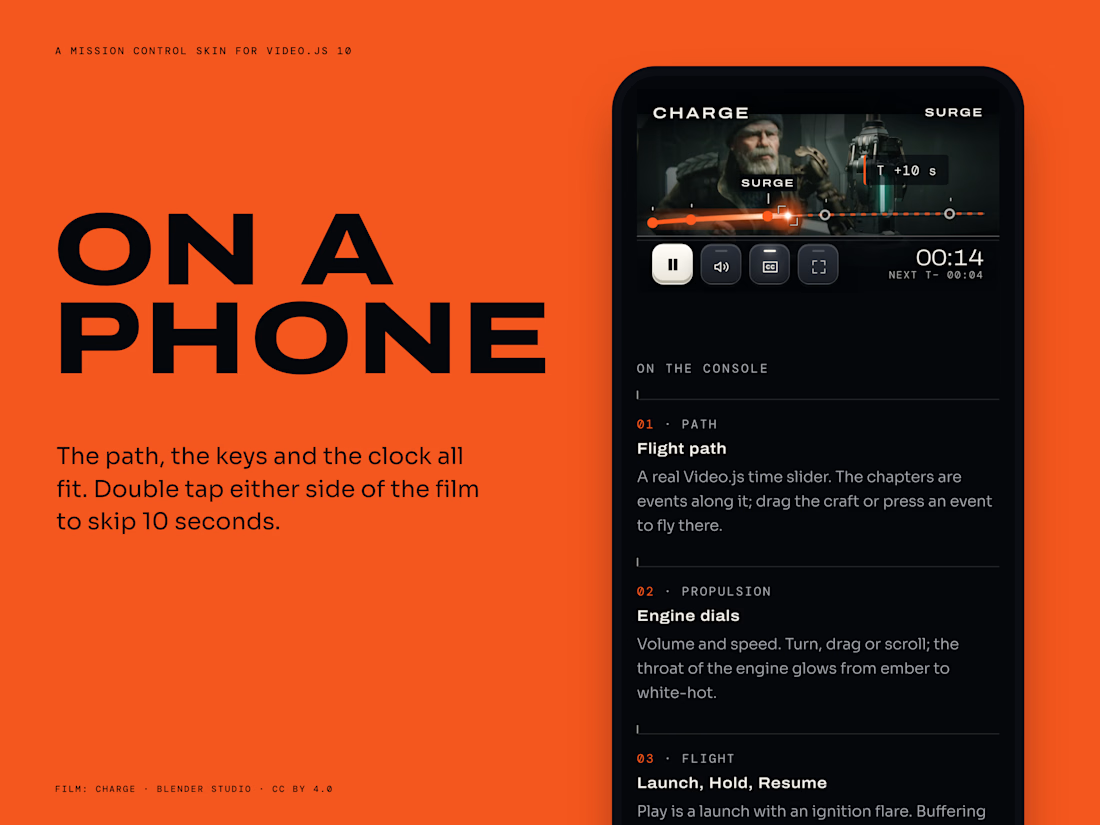
We also made sure it never gets in the way. The film matters more than the controls. A few seconds after you stop touching it, the controls slide away and you just see the film. It works with a keyboard, on a phone, and for people who prefer less motion.
Please turn the sound up and give it a try: https://ascent-skin.vercel.app
The code is free for anyone to use: https://github.com/Boreallabstudio/ascent
The film is Charge by Blender Studio, shared under CC BY 4.0.
We would love to hear what you think.
#videojsskinschallenge

Super!

I made a Game Skin for Video.js v10. Kindly like and Upgoat!
It’s for Blockworks, a hub for Roblox builders, so watching their clips should feel like you’re part of the game world. The buttons press like a controller, pausing opens a game menu, you earn trophies for finding the controls, and the progress bar is a snake that blinks, flicks its tongue and turns to look at you.
It has a dedicated design for both desktop and mobile view, and it still does everything a normal video player does: play, seek, volume, speed, quality, captions, picture-in-picture and full screen. It even works with a keyboard alone.
Try it: blockworks-pi.vercel.app
My entry for the #VideojsSkinsChallenge


the snake progress bar that turns to look at you is unhinged in the BEST way