Pushing Lovable Further with a Designer-Led WorkflowPushing Lovable Further with a Designer-Led Workflow
The network for creativity
Join 1.25M professional creatives like you
Connect with clients, get discovered, and run your business 100% commission-free
Creatives on Contra have earned over $150M and we are just getting started
Can a designer push Lovable as hard as any design tool?
Yes, and the method is simpler than you'd think. Three steps. I'll show each one on real slides from this challenge.
First, why I'm back. I sat out the last couple of challenges: I needed a real break, and other projects needed me more. I hadn't opened Lovable in a bit over a year. When this one landed, I thought: let's see if a designer can take it to the limit, the way I do with every other tool. So far, it's holding.
The client is Endorphin, a run club in Turin. Every Thursday, 19:00, under the Arco del Valentino, free, any pace. Here's the method.
1. Design every state before you prompt. Default, hover, spots left, full, waitlist, booked, past. Look at the third slide: each chip is a different state of the same event, "You're in", "23 left", "31 going". If a state isn't designed, Lovable guesses it. So I never leave it a guess.
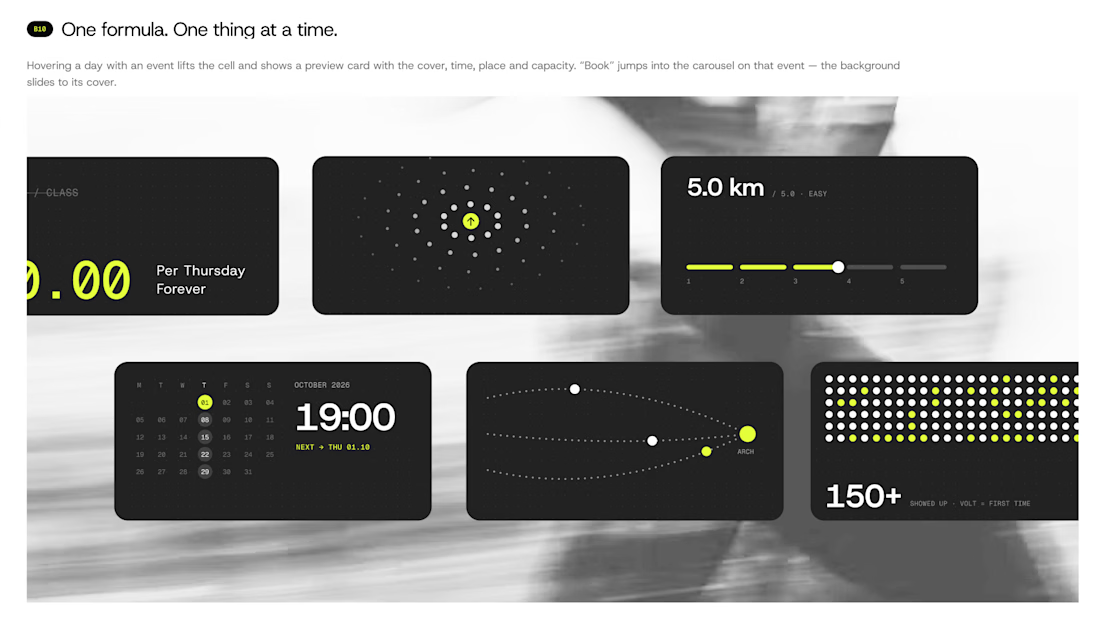
2. Write the prompt like a spec. Real sizes, real colors, real timings. Mine says things like: the slide takes 480ms, easing cubic-bezier(0.2, 0.8, 0.2, 1), no bounce. Then I attach the Figma export of that exact state and write "match this pixel for pixel". That's how the calendar on the last slide got its hover: the cell lifts, a preview card shows cover, time, place and spots left, and Book sits right there.
3. One prompt at a time. I send a piece, compare it with my board, and only then send the next. The phone view on slide two came out that way: a booking sheet with two fields and one line, "No account. No password. Just show up." Above it, a molecule where every dot is a moment from a Thursday.
The first slide shows the result of all three: the whole night as single cards. Price, distance, time, meeting point, crowd. One idea each.
The tool is only as sharp as the brief you give it.
If you've built with an AI tool: where did you hit the wall first, design or logic?
Post image
Miglena's avatar
Great tips! Matches my experience with similar tools. Looking forward to seeing your Lovable entry.
Sergey's avatar
Thank, still refining it
Sergey's avatar
thanks so much
Daxesh's avatar
great designs, all made in lovable right?
Sergey's avatar
yes with a figma help!
Daxesh's avatar
Ohh that's really great man, good work
Jos's avatar
Great tips
Mostafa's avatar
Nice templates it feels modern minimalistic ❤️❤️
Yaroslav's avatar
stunning
Back to feed
The network for creativity
Join 1.25M professional creatives like you
Connect with clients, get discovered, and run your business 100% commission-free
Creatives on Contra have earned over $150M and we are just getting started