The network for creativity
Join 1.25M professional creatives like you
Connect with clients, get discovered, and run your business 100% commission-free
Creatives on Contra have earned over $150M and we are just getting started
Back to feedPost
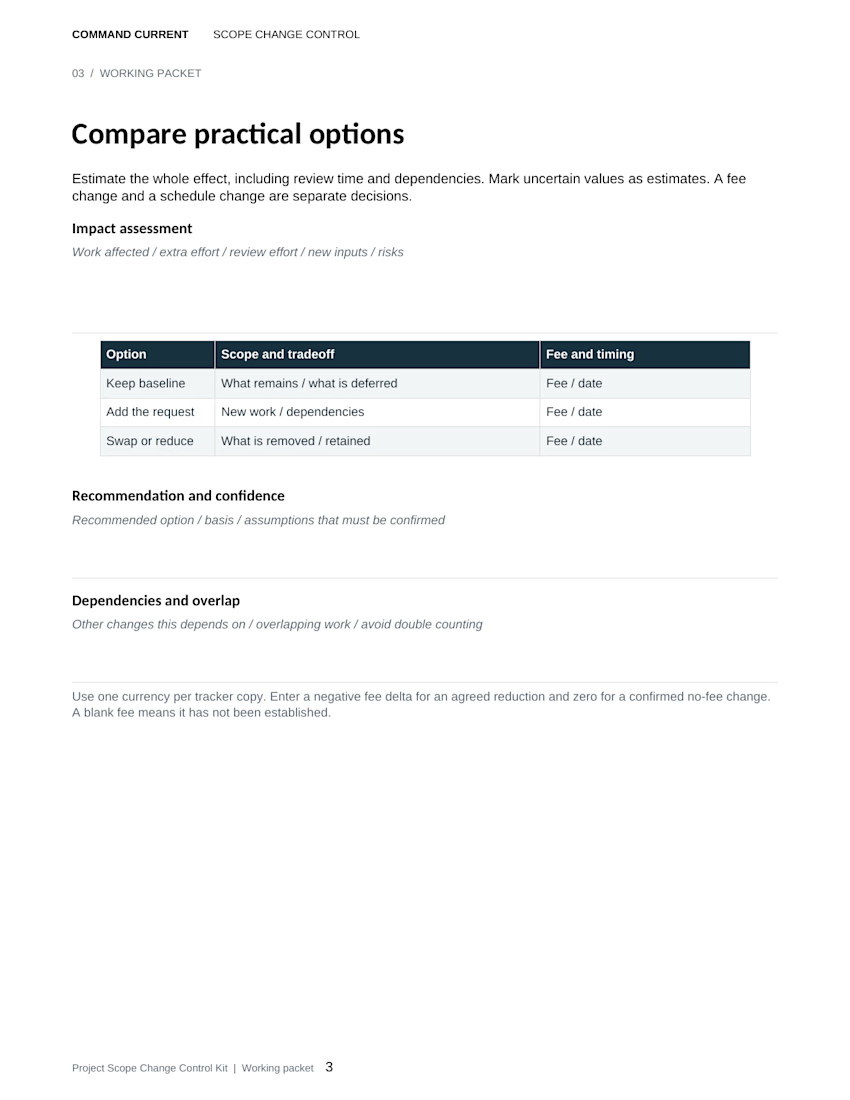
Freelance editors: save the published passage before replacing a factual error.
New fictional example: a client's live article credits a workshop demonstration to Rowan. The checked recording and timecoded transcript identify Ellis as the demonstrator. A promotional excerpt repeats Rowan's name.
Build a correction record before changing the live copy:
• Capture the published sentence, article location and publication version
• Link the claim ID to the recording timestamp and transcript version that establish the correct attribution
• Keep the proposed correction, supporting evidence and authorized editor's decision together
Then follow the publication's correction policy. After the approved change, check the article and promotional excerpt separately. Record where the corrected wording appears and when you checked it. Keep any unresolved copy on the follow-up list.
That leaves the next editor able to see what readers originally saw, why it changed and which versions have been checked.
Shown: page 5 of the released print packet, including its “After publication correction trail” field. The scenario above is a separate fictional illustration.
Command Current's Editorial Fact Check and Source Verification Kit includes an editable Word packet, Excel tracker, print PDF, fictional completed example and Quick Start. Designed for desktop Word and Excel; PDFs are static. These manual templates organize evidence and decisions. They do not determine truth or authorize publication.
The network for creativity
Join 1.25M professional creatives like you
Connect with clients, get discovered, and run your business 100% commission-free
Creatives on Contra have earned over $150M and we are just getting started








Related posts

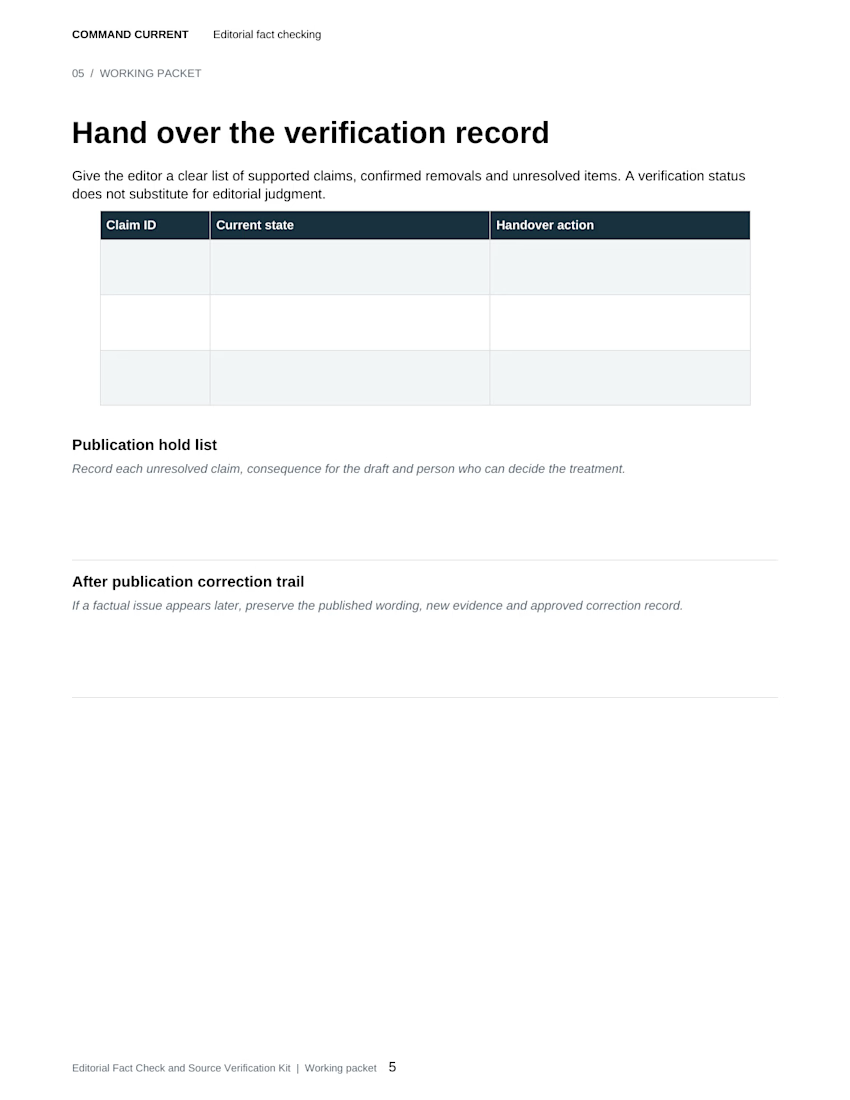
THE RECEIPT turns a simple thermal receipt into an editorial fashion launch announcement.
Built with Codex and SVGator MCP, the template lets creators swap brand identities, product imagery, and copy while keeping the same animation, making it ideal for product drops, collection launches, and promotional campaigns.


this is amazing!

Freelance writers: keep the reason behind a declined suggestion in the feedback record.
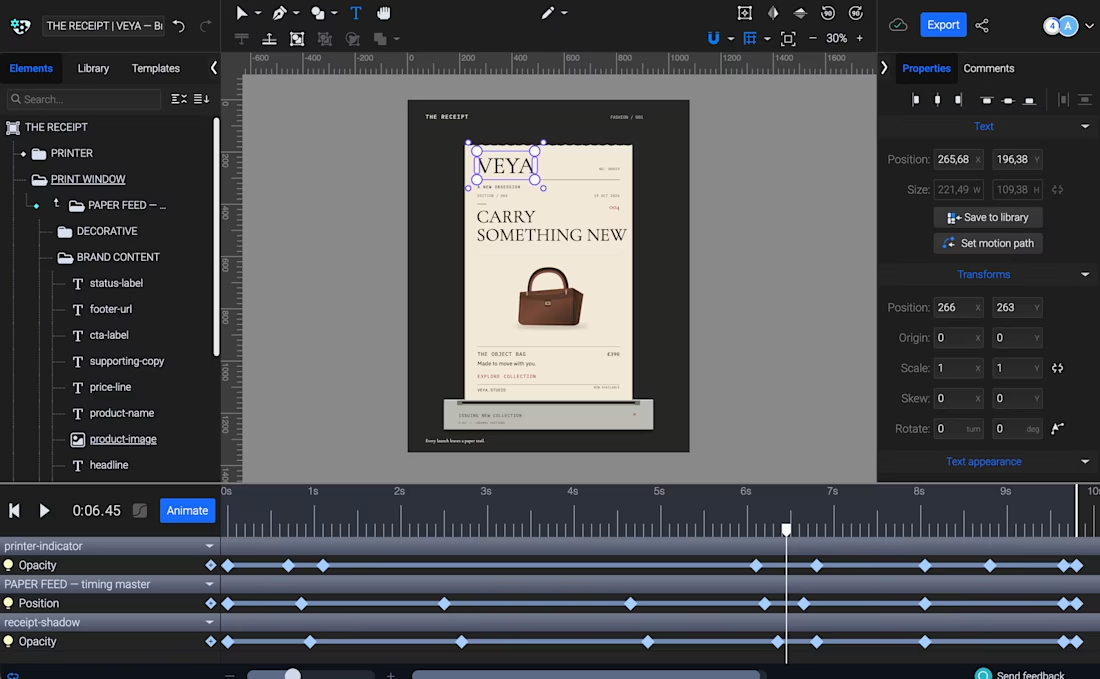
In the Content Production and Approval Kit's fictional coffee-launch example, three comments reach a decision:
• Clarify pause timing: accepted; Nora specifies five days before dispatch in v1.2
• Add a health-benefit claim: declined by Ellis because the approved fact sheet doesn't support it
• Make the plan link clearer: accepted; Nora adds descriptive link text in v1.2
The next draft contains two changes. The review record accounts for all three comments.
For your next revision round, give each comment a decision, a responsible person and a resolution reference. Keep the reason for a declined suggestion beside the original comment so the next reviewer can see why that wording was left out. If a request still needs clarification, record who will answer, by when and which work depends on it.
Return the revised draft with a short summary of the edits and the suggestions deliberately excluded. That gives the approver a clear record of what happened to the feedback.
Shown: actual page 5 of the kit's fictional completed example. All people, decisions and records are invented for teaching. The download includes a seven-page editable Word packet, an Excel tracker with 40 asset rows, printable PDFs, the completed example and a Quick Start. Designed for desktop Word and Excel; review decisions and checks are manual.
Freelance web designers: the requested edit takes two hours. What does it take to deliver it?
A hypothetical client asks to add a comparison section to an already-approved landing page. Your first estimate covers the build. A fuller estimate might be:
• Build the section: 2 hours
• Review the client's supplied comparison copy: 30 minutes
• Check the revised layout on desktop and mobile: 30 minutes
• Total estimated work: 3 hours
Those times are illustrative, not suggested allowances. Record the client's input deadline and approval turnaround separately. Three work hours won't establish a delivery date if the source copy is still missing.
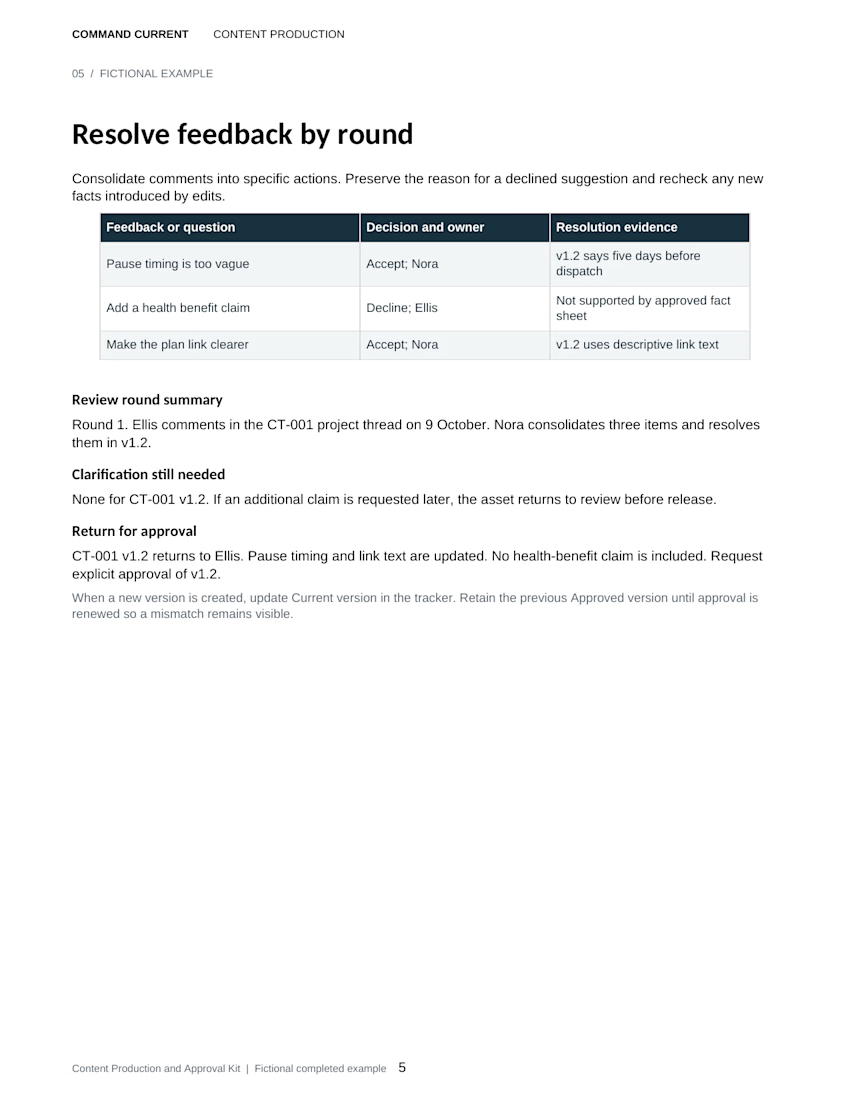
Before you agree to the change, check whether it is an addition or a correction covered by the original agreement. List the affected work, review effort, missing inputs and dependencies. Keep the fee decision and the schedule decision explicit, and retain the authorized approval before starting added work.
The preview is the actual impact-assessment page from the Project Scope Change Control Kit. Use it to turn a loosely described request into a reviewable change record. The scenario above is an additional fictional illustration.
The download includes a seven-page editable Word packet, Excel change tracker, printable PDF, fictional completed example and Quick Start. Designed for desktop Word and Excel; PDFs are static. These manual templates support your existing agreement and approval process.