The network for creativity
Join 1.25M professional creatives like you
Connect with clients, get discovered, and run your business 100% commission-free
Creatives on Contra have earned over $150M and we are just getting started
Back to feedPost

Introduction
In the first method, we coupled all of the services into one stack using a single Docker Compose file. The network between all services was created automatically, and we didn't have to start them up individually — which removes the risk of a race condition if service startup isn't handled properly.
If you're running a single app, that's genuinely the recommended way to set up Directus on a Coolify-managed VPS. Going in, I assumed there were several good reasons to split the services apart instead — more control over backups, monitoring, restarts, that kind of thing. So before recommending decoupling, I actually tested each of those assumptions on a live Coolify instance.
Most of them turned out to be wrong.
Myth 1: Restarting Directus Restarts the Whole Stack
I expected that restarting Directus inside the bundled Compose file would restart Redis and Postgres along with it. It doesn't. Coolify lets you restart each service in the stack independently — Directus, Database, and Cache each get their own Restart button, right there in the same view. No decoupling needed for this one.
Myth 2: You Need a Separate Database Resource for S3 Backups
Same story. Even with Postgres bundled inside the Directus Compose file, Coolify still gives it its own dedicated Backups option, S3 included. This isn't a separate-resource-only feature.
Myth 3: Scheduled Tasks Require Separate Services
Also not true. Coolify exposes a Scheduled Tasks tab per service, even inside a single bundled stack — complete with a Container name dropdown letting you target the cron job at just the database, or just Directus, without splitting anything apart.
What Actually Holds Up
Two things survived testing.
First: metrics. This one's confirmed directly in Coolify's own documentation — CPU and memory metrics collection is explicitly not available for Docker Compose–based deployments. If you want to see per-container resource usage through Coolify's built-in monitoring, the service needs to be created as its own standalone resource, not bundled inside a Compose file. This is a real, documented limitation of the bundled approach.
Second: sharing a database across multiple apps. This one isn't a Coolify feature at all — it's just how Docker networking works. A database defined inside one app's Compose file lives on that stack's own private network by default. A second, completely separate application can't reach it without deliberately bridging the two networks. If you've got a desktop app and a mobile app that both need to talk to the same Postgres instance, that database needs to exist as its own standalone resource from the start — it can't stay tucked inside one app's Compose file.
So this really comes down to two reasons to decouple, not five — one a genuine Coolify limitation, the other a structural fact about Docker networking. Let's set both of those up properly.


The network for creativity
Join 1.25M professional creatives like you
Connect with clients, get discovered, and run your business 100% commission-free
Creatives on Contra have earned over $150M and we are just getting started
Trending
retrofuturism
Share your favorite designs from the past exploring the distant future. Or your own take on the aesthetic 🚀
halftone
Dots. Texture. Grain. Let's see your designs using the halftone technique.

Midjourney
Creatives are showing off what they're making with Midjourney.
colorgrade
Video editors sound off: How do you enhance the mood of your video in color grading?





Related posts

Best Hosting Platforms for Next.js in 2026 — ISR & PPR Compared
A feature-level comparison of Next.js hosting platforms — Vercel, Netlify, Cloudflare Workers, AWS Amplify, Railway/Render, and self-hosting — focused on how each one actually handles ISR and PPR/Cache Components in practice, not just marketing claims. Breaks down functional vs. performance fidelity so developers can pick a platform based on real feature support. Published on DevStacked, my developer blog covering practical Next.js and SaaS implementation guides.

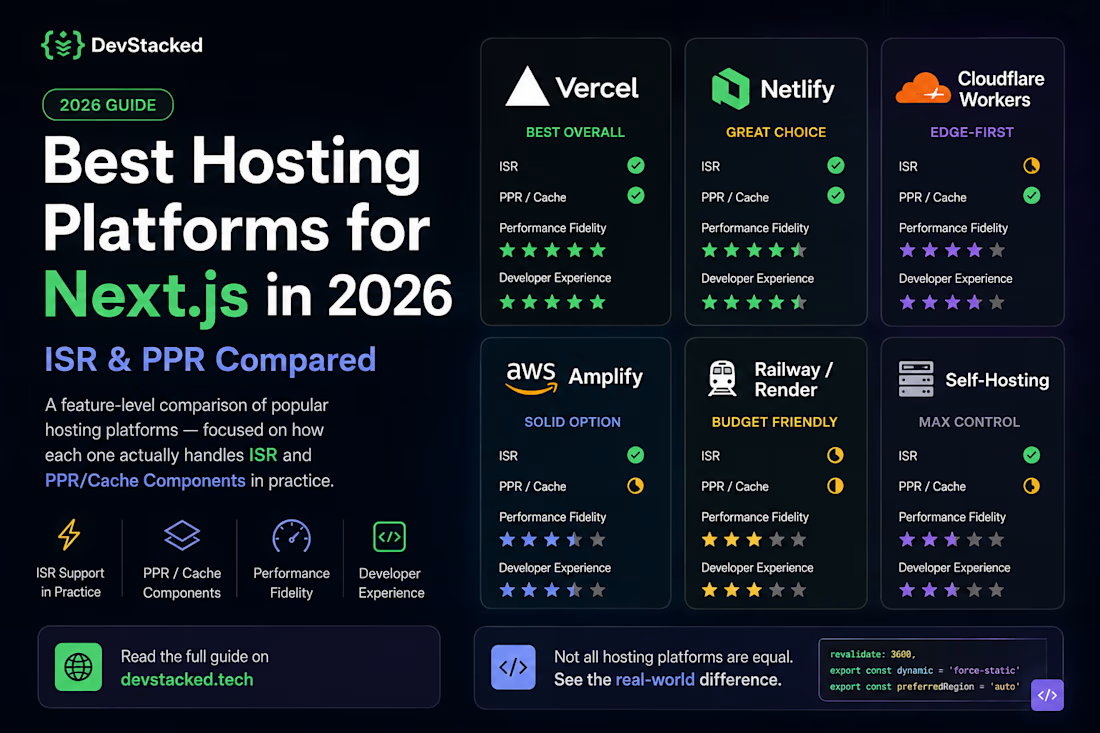


Comparing PPR and ISR across runtime environments is a critical engineering breakdown! Edge platforms handling static shell stitching versus containerized buffering for PPR is a huge blind spot for full stack teams. Fantastic technical write up!

I engineered a hybrid-rendered Next.js 15 frontend leveraging Incremental Static Regeneration (ISR) to absorb repeat traffic at the edge, reducing public GET requests to near zero. The core system is powered by a custom Node.js/Express REST API, containerized with Docker and deployed for auto-scaling on Google Cloud Run. To bridge the cached frontend with the dynamic CMS, I implemented an on-demand ISR webhook. This allows admins—secured via stateless HttpOnly JWT cookies—to publish updates that instantly bypass the cache and go live globally in seconds.


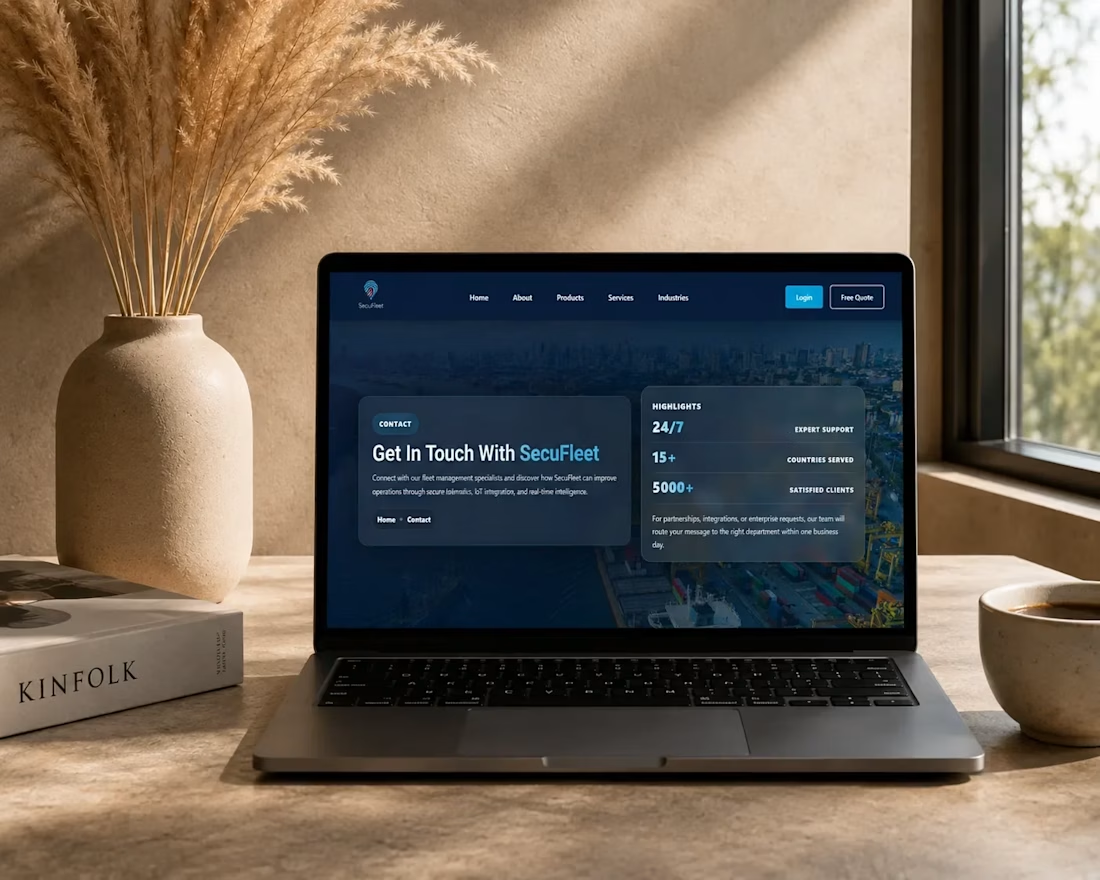

The publish flow is the part I'd show a client. An editor updates the CMS once, and the page refreshes worldwide in seconds without a developer touching it.


I have done a lot of exciting things this year, but this is the first one that has made my heart race again.
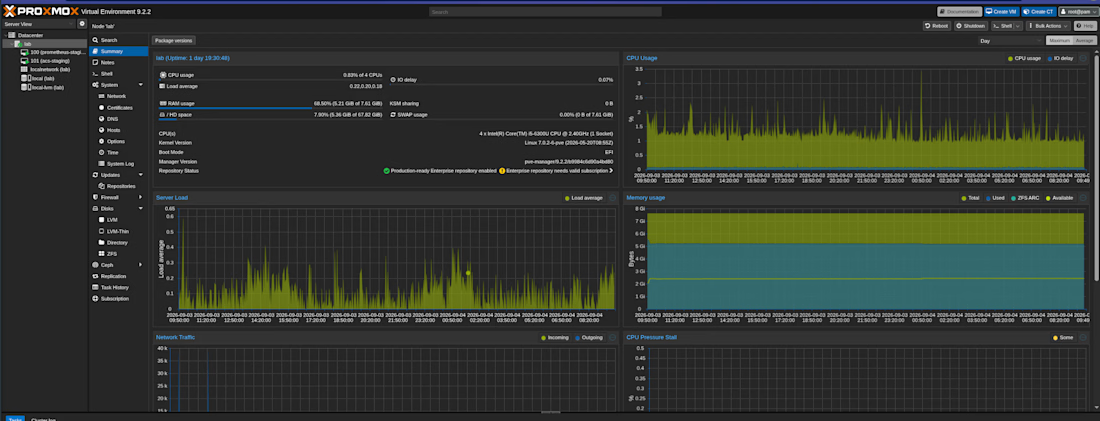
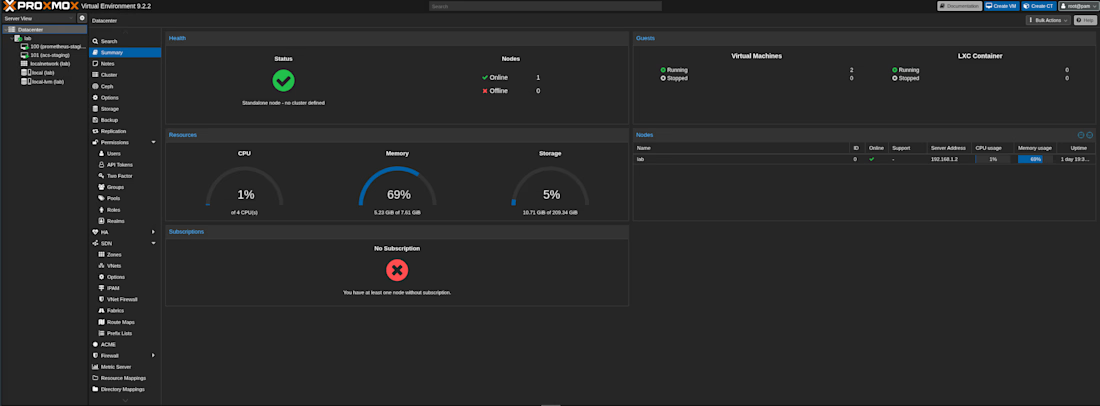
I turned my old Lenovo ThinkPad X1 into a hypervisor running Proxmox. For those who do not know the term, think of it as a server that runs servers.
For the first time in a long while I spent more than 10 continuous hours on a hobby project and did not notice.
I went in thinking the install was the hard part. It was NOT!
The real learning was everything after: carving the disk into a root volume and a thin pool so VMs get snapshots for free, giving the host two network paths with wireless as the fallback, and building a NAT bridge so guests share the host's connection while a second isolated bridge stays walled off for a security lab.
Remote access was its own lesson. ZeroTier on the host got me in from anywhere, and the host became the jump box into every VM behind it. Then key-only SSH everywhere, no passwords left on.
The first VM is now a Debian box running Docker, hosting a staging environment for an ISP billing system and CRM I am building, with a Cloudflare Tunnel in front so nothing is exposed directly.
Next is an ACS for TR-069 for remote network router/ONU management, then the lab. Case study to follow.

Creative work