The network for creativity
Join 1.25M professional creatives like you
Connect with clients, get discovered, and run your business 100% commission-free
Creatives on Contra have earned over $150M and we are just getting started
Back to feedPost


🖱 Custom cursor breaking your buttons? (1-click fix)
Added a cool custom cursor follower in @Framer, but now visitors can't click any buttons or links on your page?
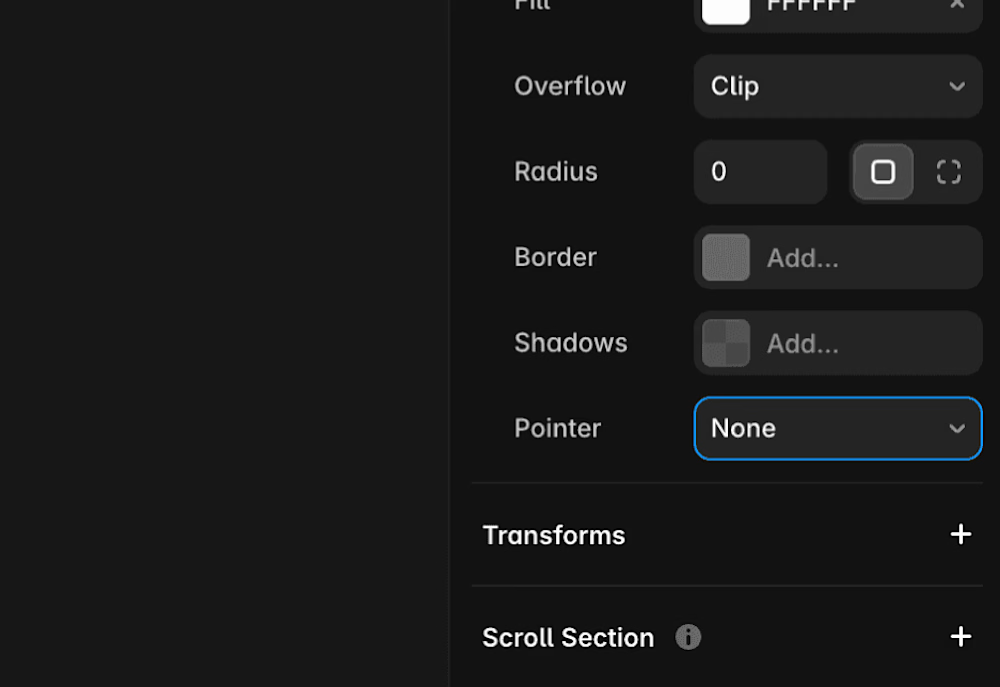
• Disable Pointer Events: Select your custom cursor frame and set Pointer Events to None in the styles panel.
• Keep Interactive Layers Above: Ensure interactive elements (CTAs, links) stay above background visual effects in your layer hierarchy.
• Hide on Touch Screens: Toggle off custom cursor layers entirely on Mobile and Tablet breakpoints—touchscreens don't need hover pointers.
👇 Quick poll: Do you love custom cursors on agency portfolios, or do you prefer default browser pointers?

The pointer-events fix and hiding it on touch breakpoints are great safeguards—tiny detail, big UX difference. I usually default to native cursors too, but this feels right for a portfolio with restraint.
The network for creativity
Join 1.25M professional creatives like you
Connect with clients, get discovered, and run your business 100% commission-free
Creatives on Contra have earned over $150M and we are just getting started





Related posts

IPO Coins landing page web design 3D animation website icons


Great Design, R

What if you could explore a basketball arena in 3D before booking your seat?
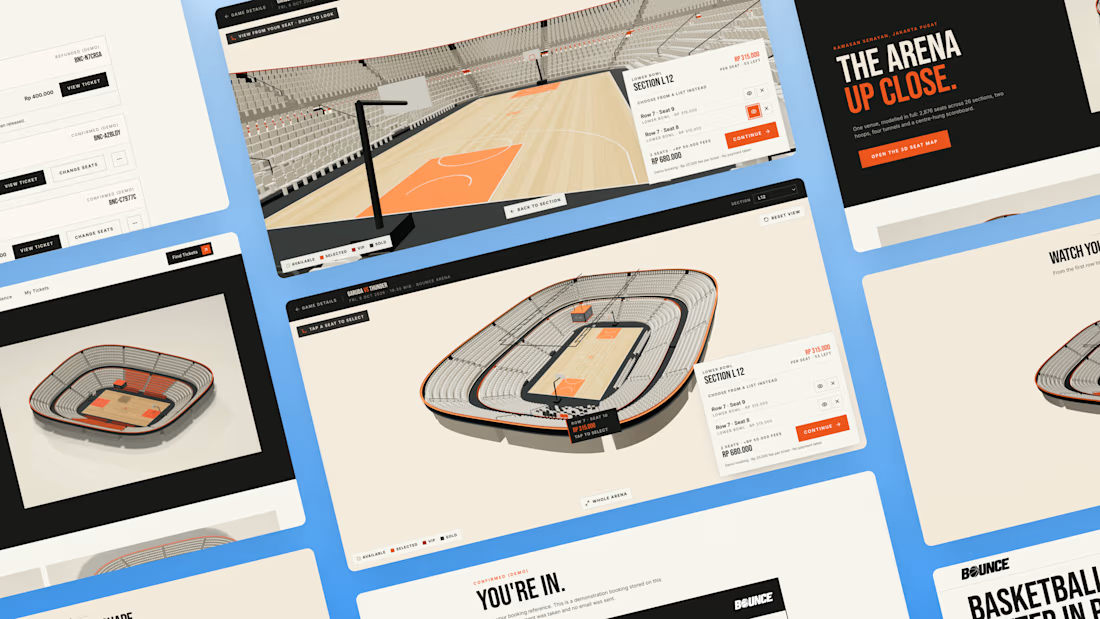
You found the game. But before you pay, how do you know which seat is worth it? A flat seating chart gives you a section and a number, but it can be hard to picture your position relative to the court.
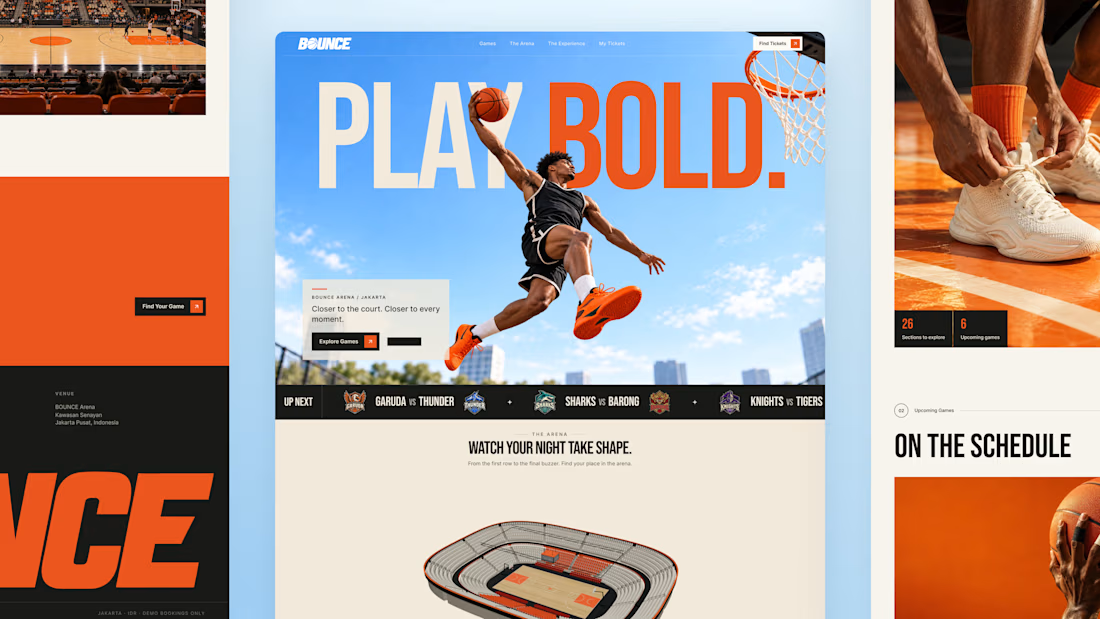
So I built BOUNCE with Lovable, a basketball ticketing concept centered around interactive 3D seat selection.
Rotate the stadium, zoom into the stands, explore different sections, and compare prices before choosing your seats directly inside the 3D arena. The goal is simple: help fans feel more confident about where they’re sitting before they book.
From there, complete checkout and get a ticket you can view, save, or print. My Tickets brings bookings together, with a one-time seat change for the same game and refund requests for eligible bookings.
Bold orange, oversized typography, and scroll driven motion bring the energy of basketball into the experience.
Try the demo: https://bouncebasketball.lovable.app/
Fictional teams. Simulated payments. No real charges.
Less guesswork. More game. BOUNCE. Your game. Your view.


The 3D elements, especially seat pov idea is very interesting🔥

Process section
Done from my phone with claude connected to framer


Is this made in Claude?