The network for creativity
Join 1.25M professional creatives like you
Connect with clients, get discovered, and run your business 100% commission-free
Creatives on Contra have earned over $150M and we are just getting started
Back to feedPost

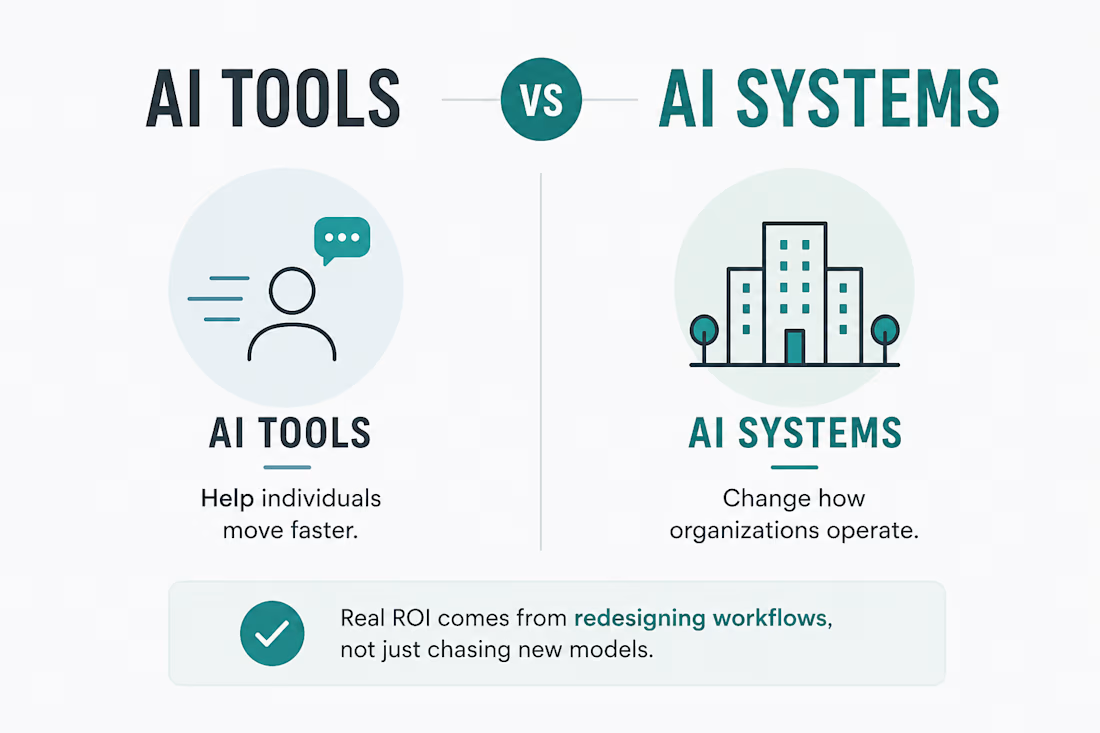
There’s a huge difference between using AI tools and building AI systems.
Most companies still treat them like the same thing.
AI tools help individuals move faster.
AI systems change how organizations operate.
That’s where the real complexity begins.
Because once AI becomes part of production workflows, the conversation changes very quickly.
It’s no longer:
“Which model should we use?”
Now it becomes:
→ How do approvals work?
→ Who handles escalations?
→ What happens when the AI fails?
→ How do permissions work?
→ How do we monitor reliability?
→ What breaks if the workflow goes down?
This is usually the moment companies realize:
AI is not replacing operational complexity.
It’s exposing it.
That’s why production AI ends up requiring:
→ workflow integration
→ governance
→ observability
→ infrastructure planning
→ operational reliability
The teams getting real ROI from AI are usually not the ones chasing every new model release.
They’re the ones redesigning workflows to remove friction across the business.
Feels like workflow design is quietly becoming more valuable than pure model experimentation.
P.S. If you’ve built AI workflows beyond demo stage, curious what became the biggest bottleneck for you.
The network for creativity
Join 1.25M professional creatives like you
Connect with clients, get discovered, and run your business 100% commission-free
Creatives on Contra have earned over $150M and we are just getting started



Related posts

How can teams build practical AI skills without taking employees away from their everyday work?
Skillio makes AI upskilling hands-on through short, role-based simulations. Employees practise real work scenarios, while HR and L&D teams can track progress, identify skill gaps, and guide development.
The landing page brings that value into focus with a bold “AI skills. Real results.” hero, pixel-inspired graphics, realistic imagery, and product visuals. High-contrast blue and dark sections create energy, while soft pink areas balance the page. Clear messaging and strategically placed demo calls to action guide decision-makers through the offer.


Production-ready, yes. Strategy-ready, not yet. AI can generate the clip, but someone still has to know what the product needs to say.
I don’t lead with how much AI was involved, but I never hide it if asked.

Is AI finally good enough to shoot a product demo on its own, or human touch is still needed?
I generated a 20s product demo with Seedance 2.5 in a single take providing it with one product image reference and an example video transcript (posted in the comments).
Do you disclose...

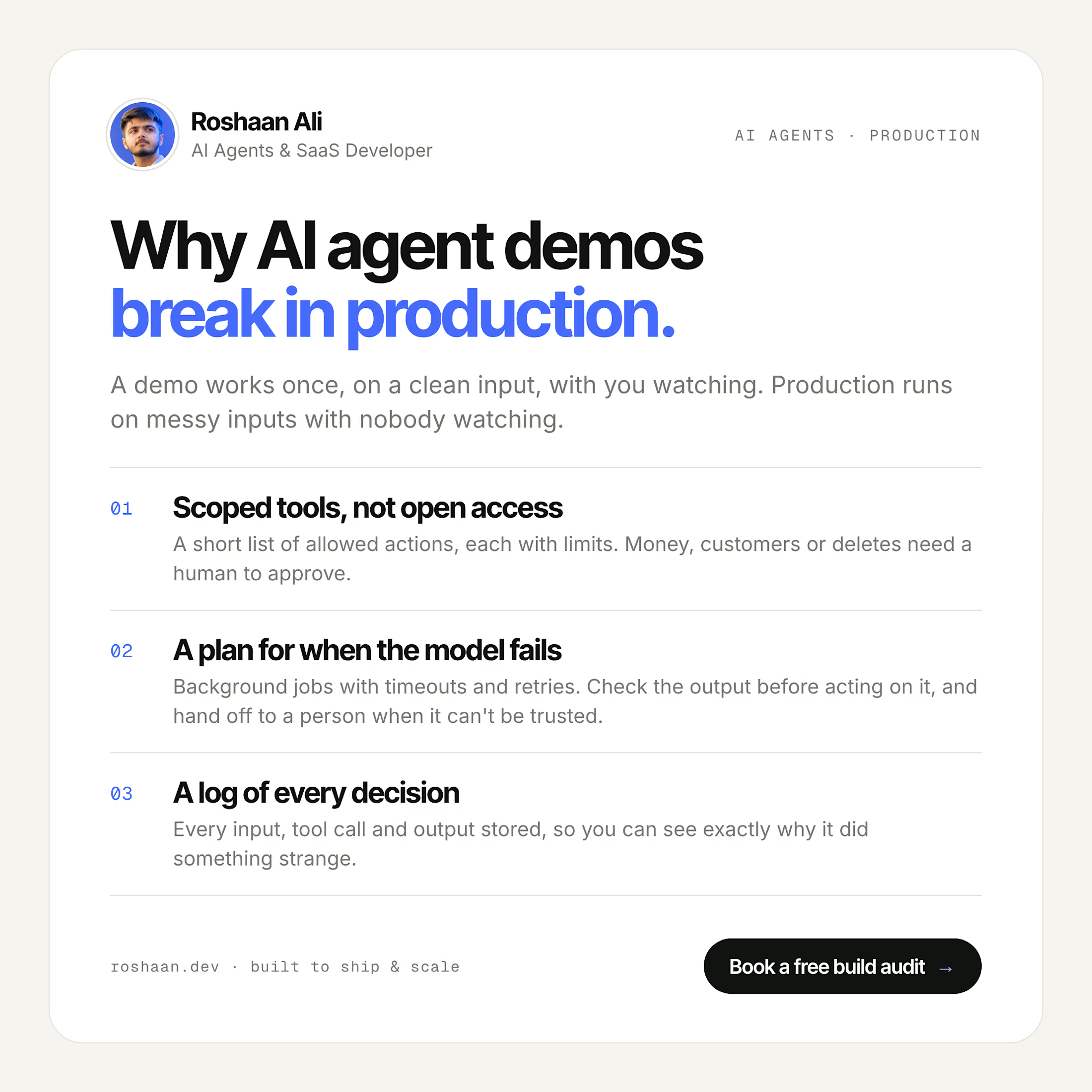
Why AI Agent Demos Break in Production
An AI agent demo only has to work once, on a clean input, with you watching. In production it runs again and again on messy real inputs, and nobody's watching.
I've built AI into real products, from a repricing engine that runs 24/7 for a US Amazon seller to a voice automation platform for a company in Germany. These are the three things I put in place before any agent goes live:
1. Scoped tools, not open access
Give the agent a short list of actions it's allowed to take, each with its own limits, instead of raw access to your database or APIs. Anything that touches money, customers or deleting data needs a human to approve it.
2. A plan for when the model fails
Model calls are slow, they time out, and sometimes they return something that makes no sense. Run agent work in background jobs with timeouts and retries, check the output before acting on it, and hand the task to a person when it still can't be trusted.
3. A log of every decision
Store every input, tool call and output. When the agent does something strange (and at some point it will), you can see exactly why and fix it instead of guessing.
None of this shows up in a demo. All of it decides whether the agent is still running a month later.
Planning an AI agent for your product? I offer a free build audit: calendly.com/roshaanali-business

"Works once with you watching" is the best way I've heard it put. Timeouts and a human fallback are the parts most demos skip.