The network for creativity
Join 1.25M professional creatives like you
Connect with clients, get discovered, and run your business 100% commission-free
Creatives on Contra have earned over $150M and we are just getting started
Back to feedPost

Why Your WordPress Site Is Still Slow, and What Cache Plugins Leave on the Table
What cache plugins do
To display a page, the web server first sends an initial HTML response to the browser. On a WordPress site, building that response is expensive. Modern sites rely on feature-rich themes and page-builder frameworks, so every request requires PHP execution and multiple database queries. As traffic grows, the server needs more CPU and RAM to keep up, and page loads get slower for every visitor.
Cache plugins ease this burden. They generate static HTML copies of your pages and serve those copies instead of running PHP and querying the database on every request. This works especially well for public-facing content that doesn't require visitors to log in. Many cache plugins also minify and combine JavaScript and CSS files and defer their loading.
Okay, but why is my TTFB still high?
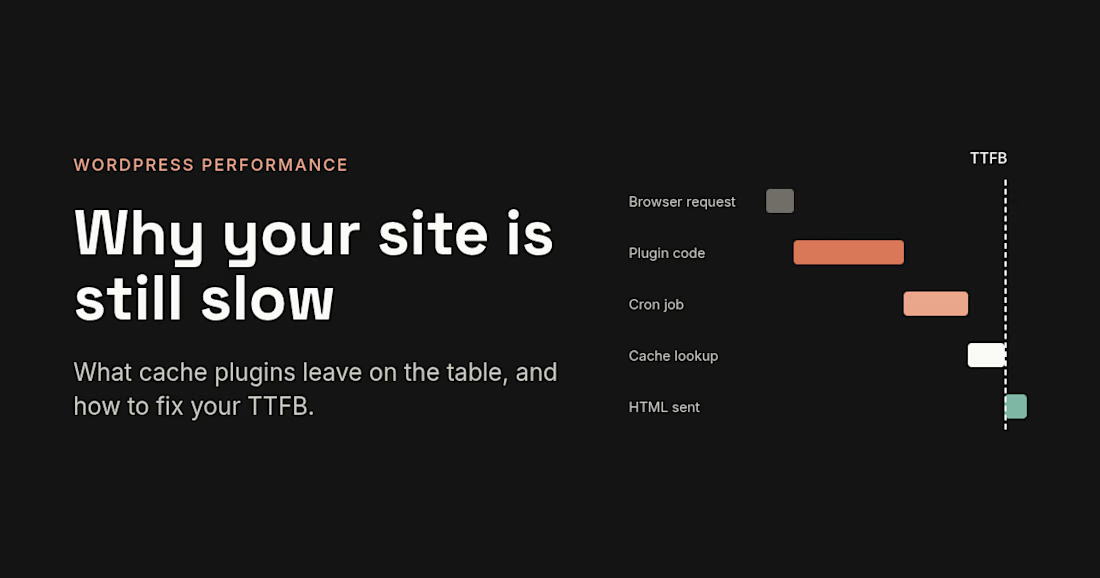
Cache plugins reduce PHP processing, but they don't eliminate it. Several things can still slow down the initial HTML response:
Code that runs before the cache layer. Some plugins execute expensive functions early in the request, before the cache plugin can serve its stored copy.
Cache misses. The first visitor after a cache purge, logged-in users, and dynamic pages such as carts and checkouts often bypass the cache entirely.
Background tasks. WP-Cron jobs triggered during a page request can delay the HTML sent to the browser.
Frontend optimizations such as minifying CSS and JavaScript don't help here, because the delay happens before the browser receives anything. That's why the problem can linger with no obvious clues.
What are the options?
Once you know the cache plugin isn't the whole story, these are the next places to look:
Profile the slow requests. Tools like Query Monitor (or an APM such as New Relic) show which plugins, hooks, and database queries consume the most time. Fix or replace the worst offenders first.
Move caching closer to the server. Server-level page caching (Nginx FastCGI cache, Varnish, or LiteSpeed's built-in cache) serves pages before WordPress loads at all, which avoids the "expensive plugin runs first" problem.
Add an object cache. Redis or Memcached stores the results of repeated database queries, which speeds up uncached pages, logged-in sessions, and WooCommerce.
Tune the PHP environment. Run a current PHP version with OPcache enabled, which is where PHP bytecode caching actually happens, and give PHP-FPM enough workers for your traffic.
Clean up the database. Remove expired transients, post revisions, and bloated autoloaded options, which WordPress loads on every request.
Replace WP-Cron with a system cron. Disable the request-triggered WP-Cron and run it on a real schedule, so background jobs no longer compete with visitors.
Cache at the edge. A CDN with full-page caching (such as Cloudflare APO) serves HTML from locations near your visitors, which cuts TTFB for a global audience.
Revisit your hosting. If the options above aren't enough, the server itself may be undersized. Moving to better-resourced hosting is sometimes the right answer.
A cache plugin is a good starting point, but it's only one layer. Lasting speed improvements come from measuring where the time actually goes and fixing the real bottleneck.
The network for creativity
Join 1.25M professional creatives like you
Connect with clients, get discovered, and run your business 100% commission-free
Creatives on Contra have earned over $150M and we are just getting started



Related posts

Most support emails ask questions your website already answers. Visitors just can't find the answer fast enough.
We built Awesome FAQ to fix that in WordPress, and this 2-minute video shows how:
→ Ask AI answers visitor questions instantly, using only your own FAQ content, with sources
→ A tabbed help centre groups questions by topic
→ WooCommerce stores get an FAQ tab on every product page
→ FAQ schema helps your answers show up in Google
The result: fewer support emails, more confident buyers and better search visibility.
Free on WordPress.org, and Pro adds the AI features.


Answering only from the site's own FAQ content is the right call, it keeps the AI from making things up. Does it also log the questions it couldn't answer? That list would tell the store owner exactly which FAQ to write next.


Most people think a "fast website" is just a page that loads quick.
Half true. A fast site still loses money if the next step feels like work.
When someone lands on a service app or intake flow, speed isn't just milliseconds—it's how few decisions they have to make before getting an answer. Too many fields, unclear states, or heavy scripts turn a warm visitor into a bounce.
Keep the path short, keep the feedback immediate, and let the interface do the heavy lifting quietly.
How much friction is sitting inside your current signup or intake flow right now?


That why I use sentry or posthog or greptile tracks every users metrics in real time and notify me when something breaks 🔥🔥

Most WooCommerce stores don't lose sales because of traffic. They lose them on pages nobody has looked at with fresh eyes in months.
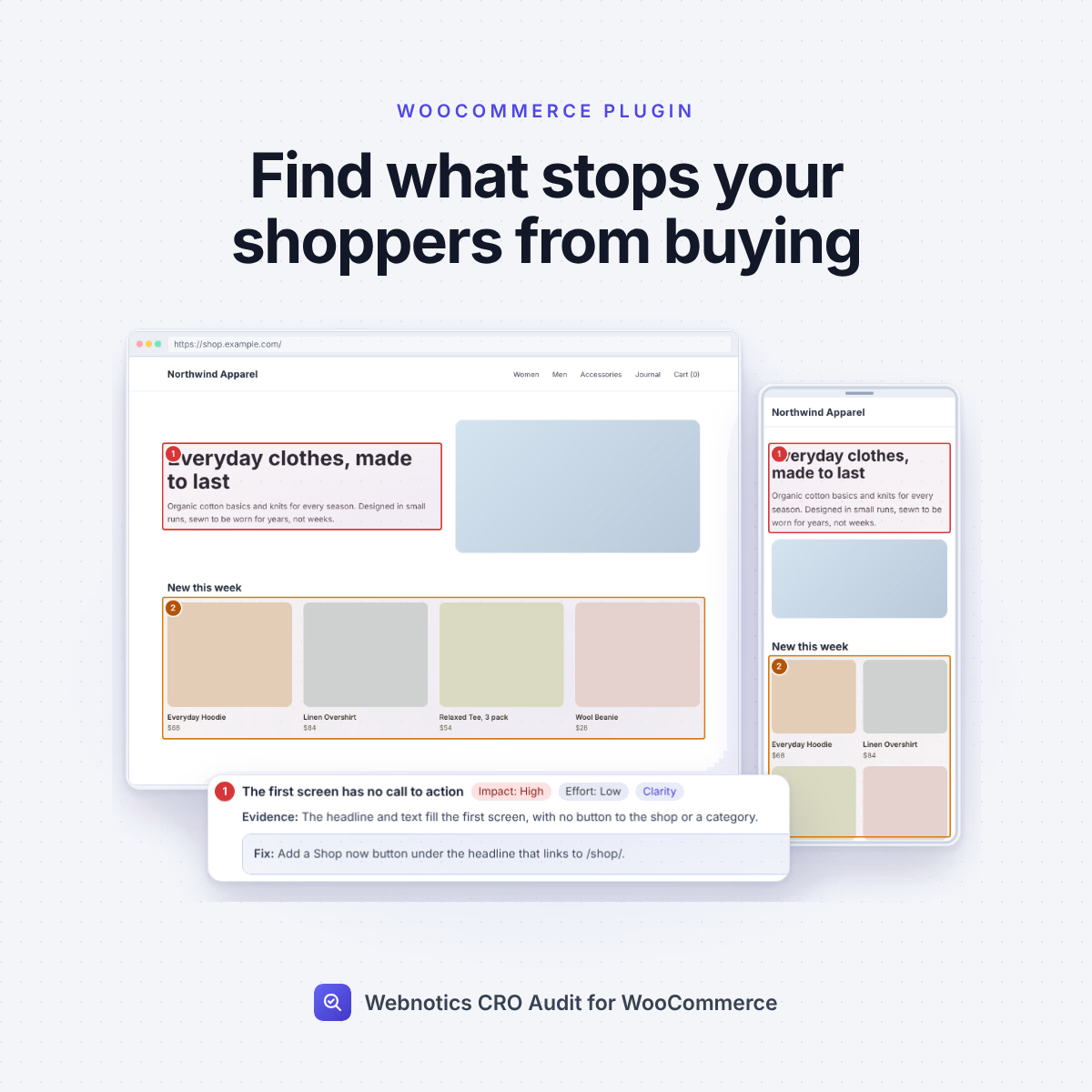
So I built Webnotics CRO Audit for WooCommerce, a free plugin now live on WordPress.org.
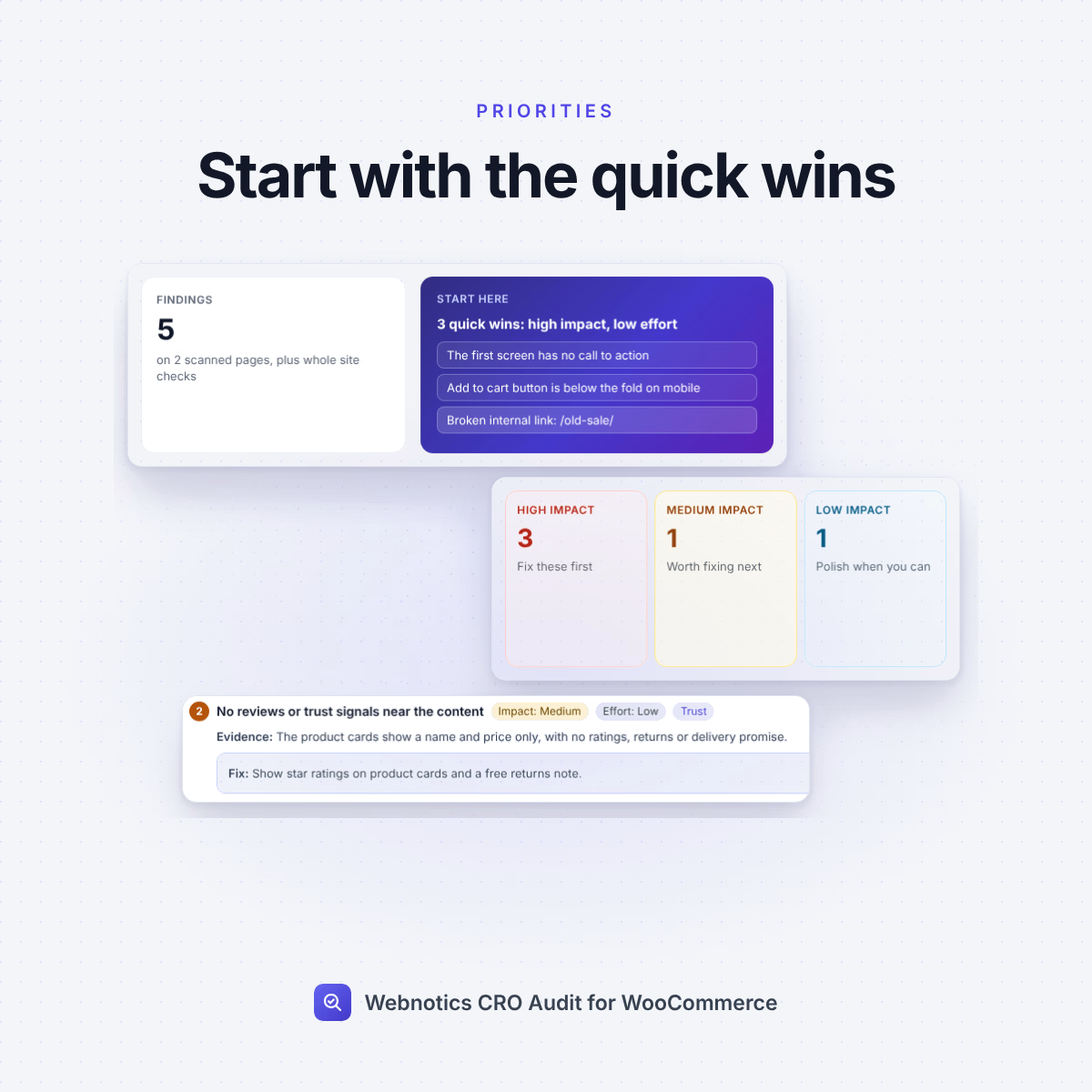
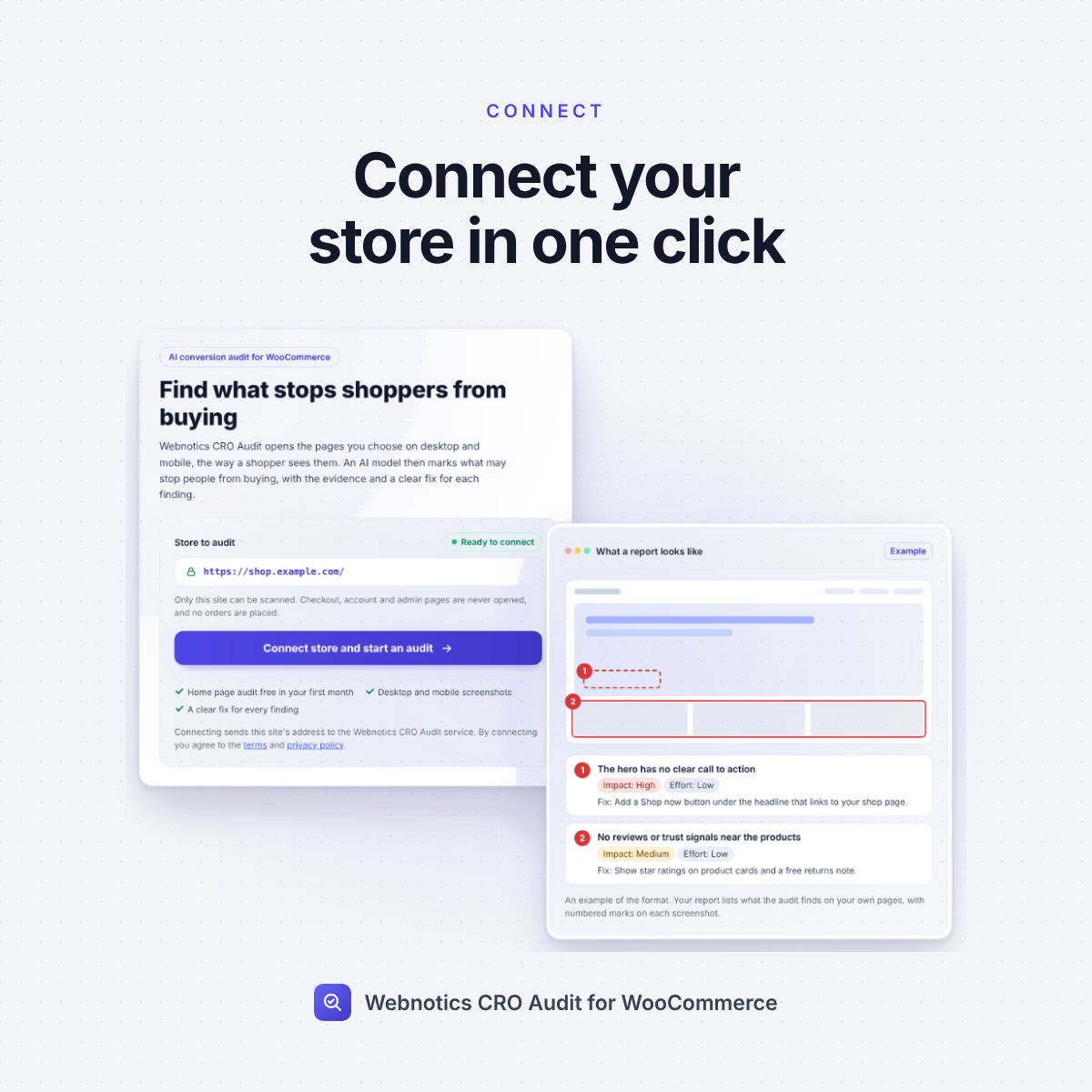
You choose the pages, it scans them the way a shopper sees them on desktop and mobile, and lists what may stop people from buying. Every finding comes with the evidence, its likely impact, the effort to fix it and a clear fix, marked on the screenshot.
Why this matters if you build stores for clients: a launch is a one time project, but a store keeps changing. A monthly audit gives your client a clear, prioritised list of fixes, and gives you a real reason to stay on as their maintenance partner instead of waiting for the next redesign.
It only scans your own site, never opens checkout or account pages, and follows robots.txt. The free plan includes one home page audit.
How do you turn finished store builds into ongoing work today?


Nice work!