The network for creativity
Join 1.25M professional creatives like you
Connect with clients, get discovered, and run your business 100% commission-free
Creatives on Contra have earned over $150M and we are just getting started
Back to feedPost

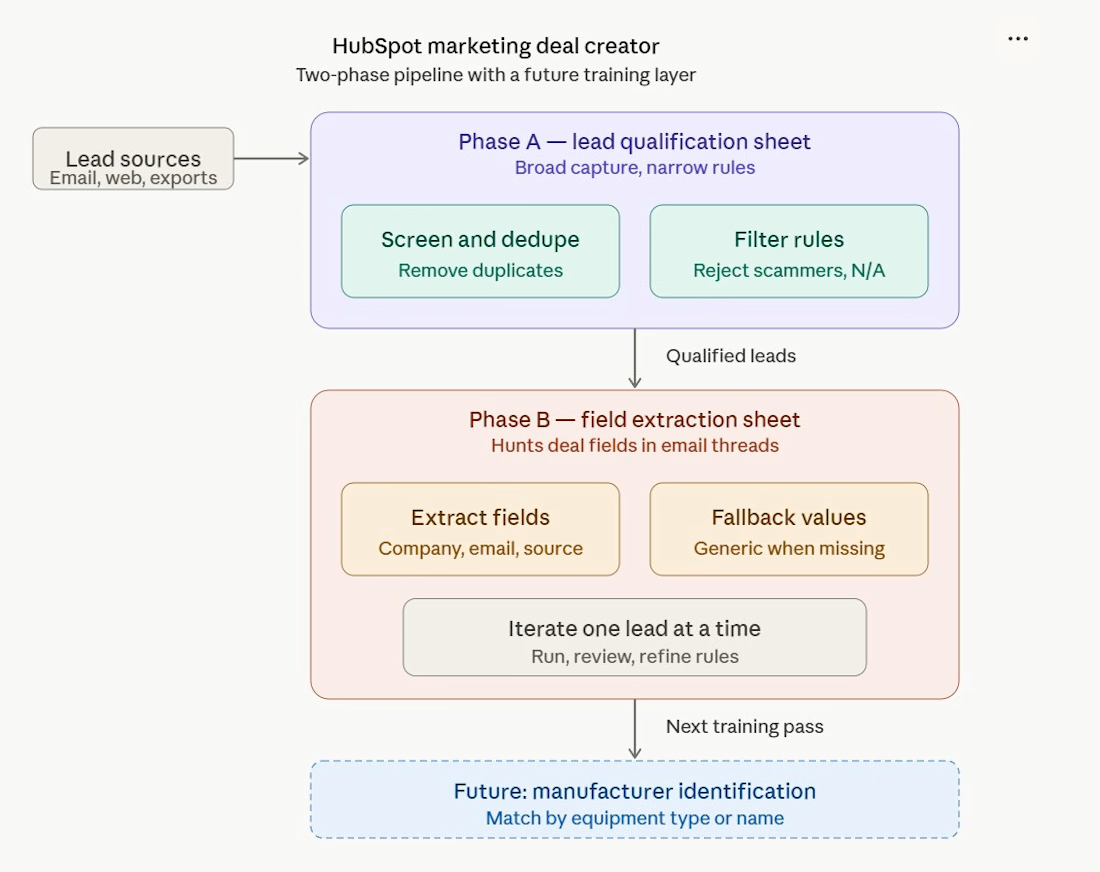
Microsoft Outlook-->Hubspot Deal Creation. I built a registered Azure app the connects to Microsoft Outlook, screens and extracts leads from 8 different notification sources, then creates Hubspot deals from those leads. It also looks up and associates affiliated companies and contacts.


The network for creativity
Join 1.25M professional creatives like you
Connect with clients, get discovered, and run your business 100% commission-free
Creatives on Contra have earned over $150M and we are just getting started








Related posts

Picture a consultant who takes 8 sales calls a week.
After each one comes the same routine: replay the recording, write notes, update the pipeline sheet, write the follow-up email. Call it 30 minutes a call. That is 4 hours a week, and on busy days the follow-up slips to tomorrow.
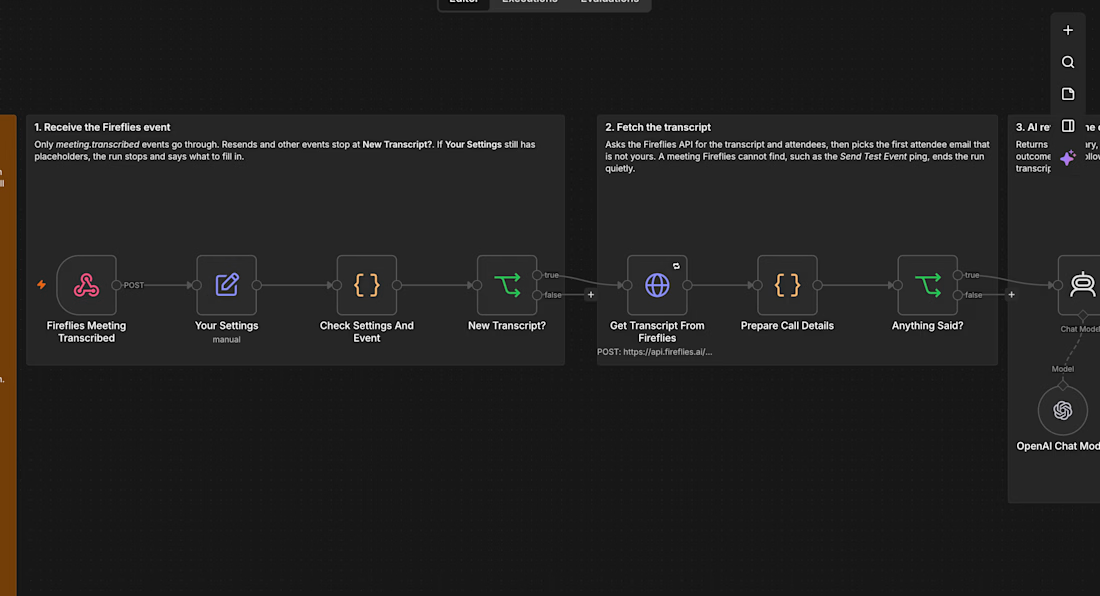
I built an n8n workflow that takes that routine away:
→ Fireflies records and transcribes the call
→ As soon as the transcript is ready, AI writes a summary, the open questions, the next step and whether the prospect is ready to go ahead
→ A follow-up email that fits that outcome is saved in Gmail drafts, addressed to the person on the call
→ The call is logged in Google Sheets and the notes land in your inbox
Nothing is sent automatically. You read the draft, change a line if you want, and press send.
For that consultant, 4 hours of admin a week turns into a few minutes of reading, and every prospect hears back the same day.
I tested it on a real recorded client call and have submitted it to the n8n template library as a free template. If you want it set up for your business, send me a message.



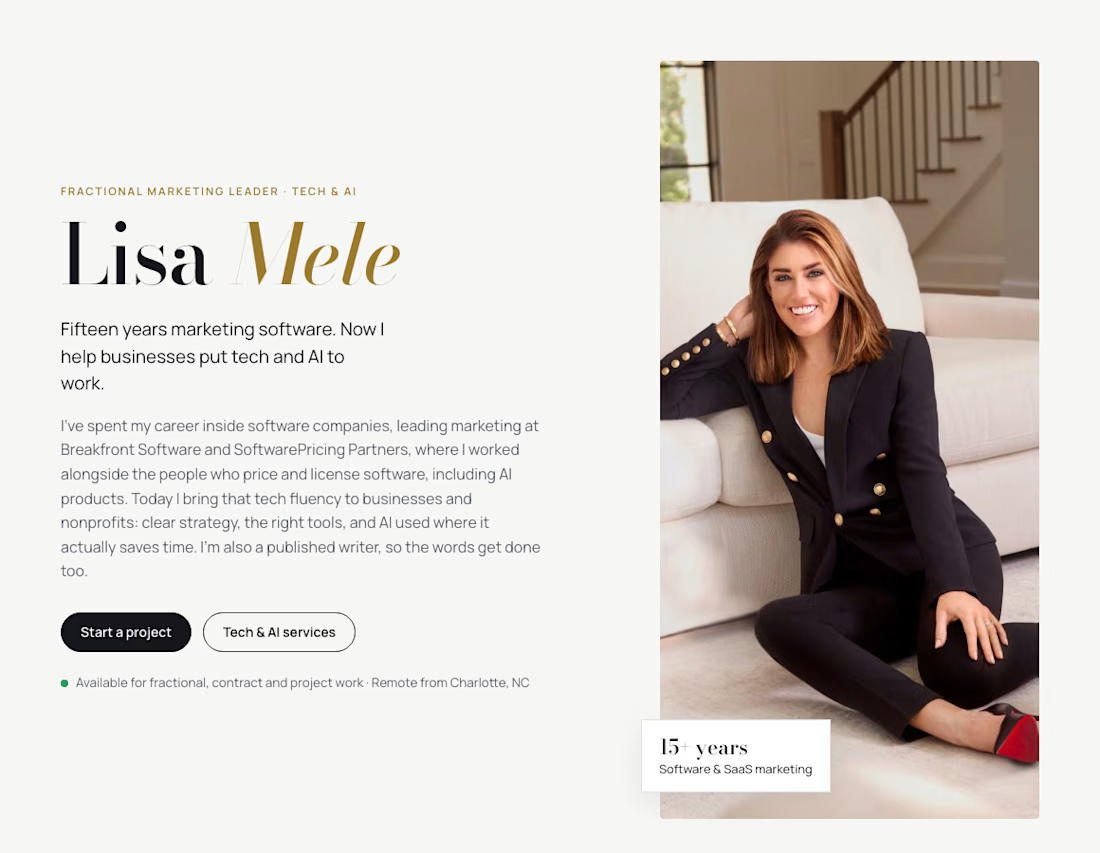
Hi Contra! 👋 I'm Lisa, a marketing strategist and writer.
I spent 15+ years leading marketing in tech. Most recently that was at SoftwarePricing Partners, a consultancy that advises software and AI companies, where I built the brand and thought leadership program and grew inbound pipeline 70%. Before that, I was one of HubSpot's first 50 customers.
That background shapes how I approach every client: clear strategy, real data, and an early read on where marketing is heading, especially AI search.
Now I bring that to businesses of all kinds: brand and messaging, content, email, SEO, and making sure customers (and AI tools) can find you. And because I'm also a published feature writer, the words get done too.
Open to new clients. Say hi!


15 years in tech marketing is a long run. whats next for you?

🚀 Built a Gmail AI-Tagging + Slack Alerts System — Because Important Emails Should Never Get Missed
The problem every B2B team faces:
❌ Client emails sit unanswered for days
❌ Bank or government emails get buried in the inbox
❌ Deadlines are missed because no one flags them
❌ No daily view of what's pending vs overdue
I built a system that fixes all of this:
🎯 WHAT IT DOES:
✅ Watches Gmail inbox every 5 minutes
✅ Uses AI to classify every email into 5 categories:
• URGENT (deadlines, overdue, time-sensitive)
• BANK_GOV (banks, .gov domains, tax authorities)
• CLIENT_ACTION (awaiting response)
• FOLLOW_UP (needs follow-up)
• FYI (informational)
✅ Pushes real-time Slack alerts to the right channel:
• #urgent — for time-sensitive items
• #finance-legal — for bank/gov emails
• Assignee DM — for client action items
✅ Sends a daily 8 AM digest with:
• Overdue items
• Awaiting client action
• Pending tasks
✅ Auto-applies Gmail labels (AI/Urgent, AI/Bank-Gov, etc.)
✅ Hourly overdue scanner with automatic escalation
⚙️ TECH STACK:
n8n | Gmail API | OpenAI GPT-4o-mini | Slack API | Google Sheets
📊 RESULT:
→ Zero missed urgent emails
→ 15+ minutes saved per team member per day
→ Complete audit trail in Google Sheets
→ Full visibility into what's stuck and where
Gmail stays the primary interface. Slack becomes the reminder layer that ensures nothing slips.
Want this deployed for your team? Let's talk.
#AIAutomation #GmailAutomation #SlackIntegration #n8n #B2BSaaS #Productivity #WorkflowAutomation


Splitting BANK_GOV out on its own is smart. Those are the emails that hurt most when they get buried. When GPT-4o-mini tags one wrong, does the corrected label feed back into the prompt, or is it fixed by hand?