The network for creativity
Join 1.25M professional creatives like you
Connect with clients, get discovered, and run your business 100% commission-free
Creatives on Contra have earned over $150M and we are just getting started
Back to feedPost

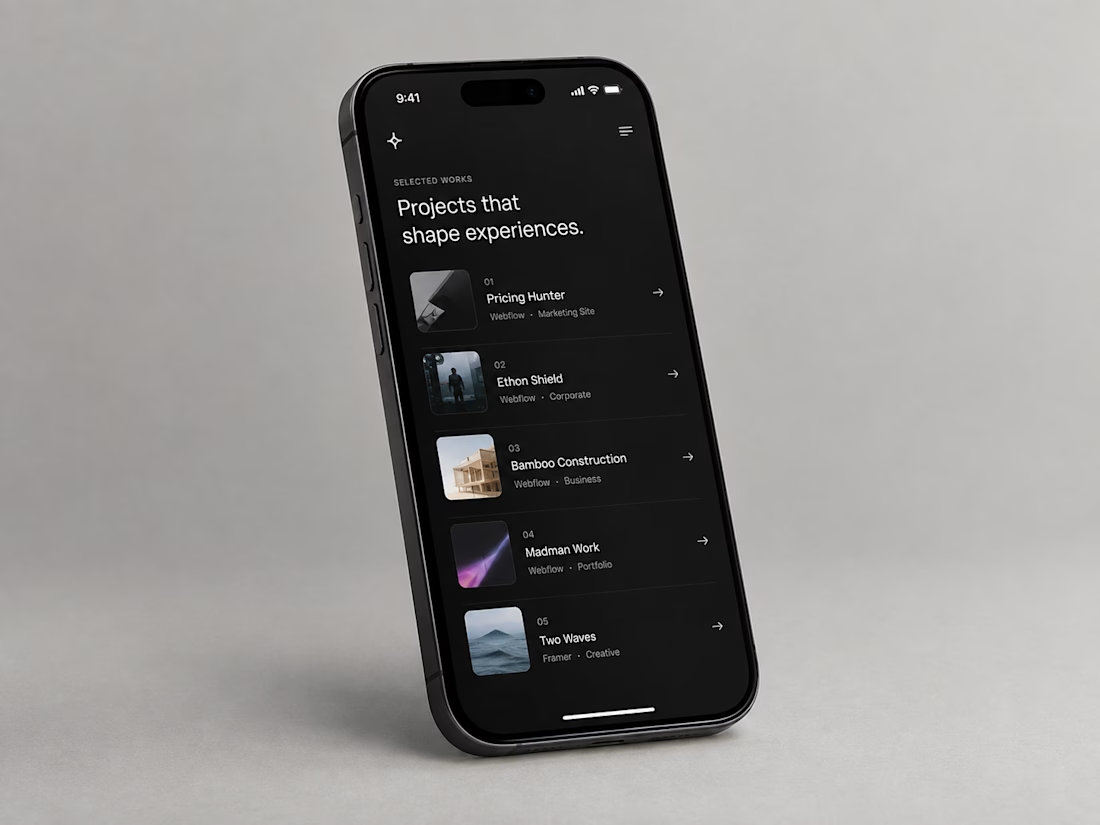
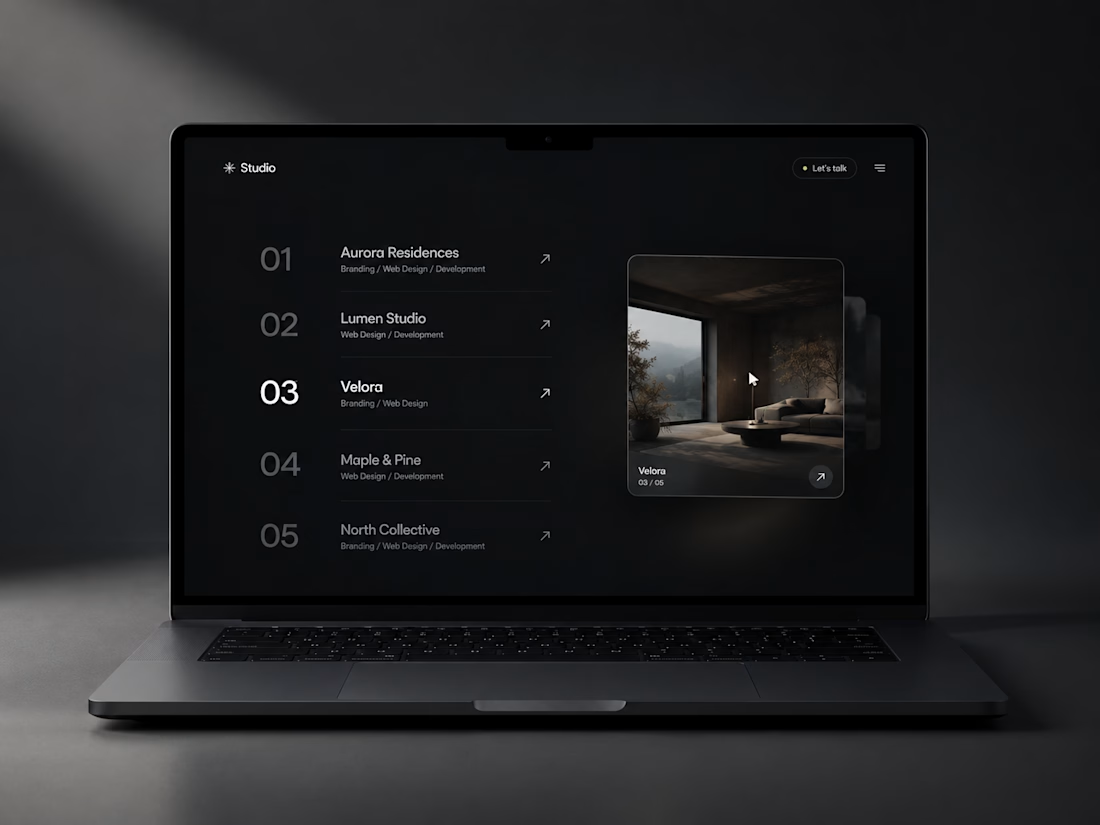
**Project Hover List** — Every row, a reveal. Hover a project, watch it come alive.
https://www.framer.com/marketplace/components/project-hover-list/
Project Hover List recreates the classic agency case-study index interaction — the numbered project list where a preview image follows your cursor — as a fully data-driven Framer code component, not a static demo.
**What it does:**
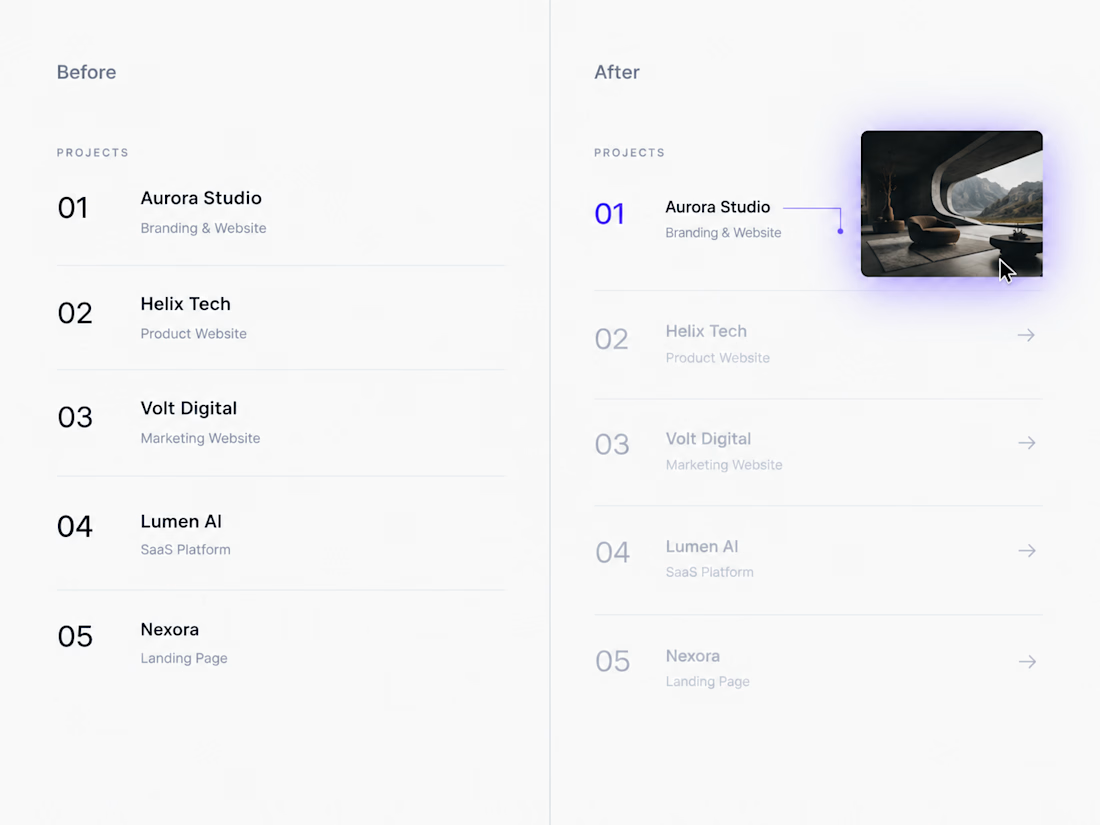
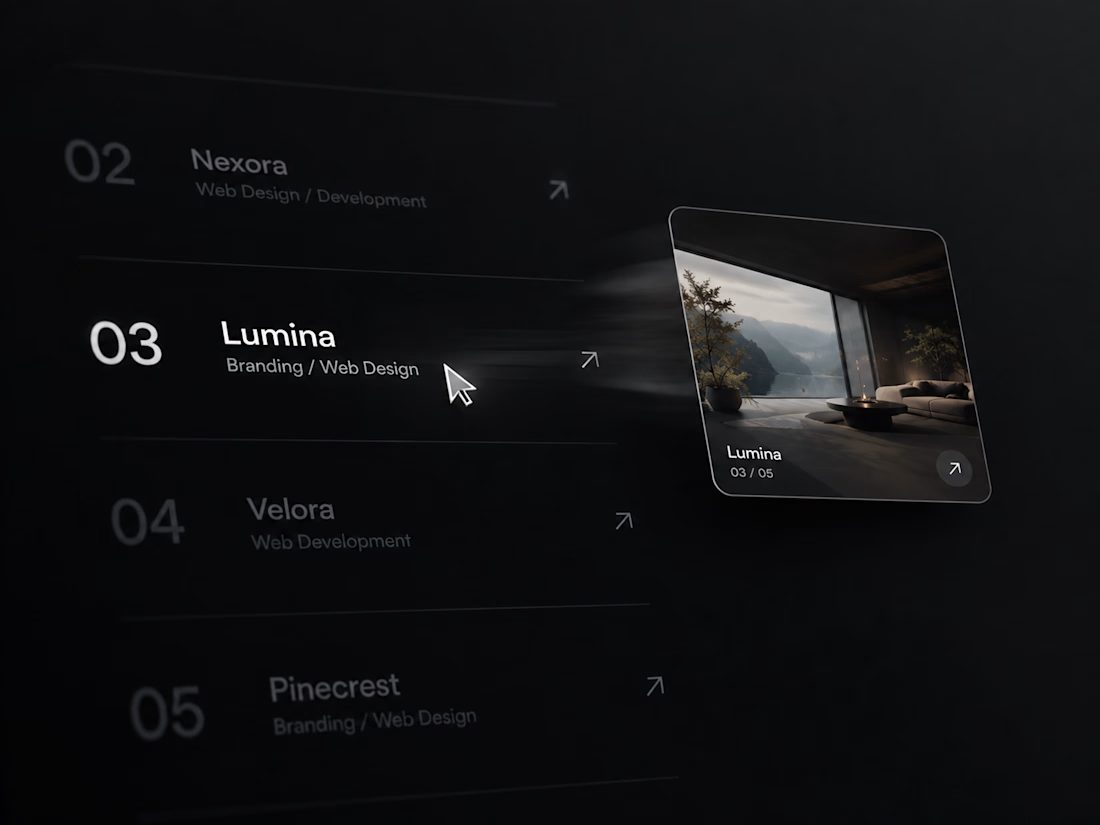
- Hovering a row floats a live image preview next to the cursor, spring-smoothed so it settles instead of snapping.
- Fast cursor movement adds a subtle velocity-based skew to the preview, the same micro-detail used on high-end portfolio sites.
- Non-hovered rows dim to create focus, and each row draws its own underline on hover.
- Images crossfade when moving quickly between rows instead of flashing.
- On mobile or any touch device, the cursor-follow preview is replaced with a clean inline thumbnail per row — detected automatically via container width and pointer type, no manual toggle needed.
- Respects `prefers-reduced-motion` and renders a clean static frame on the Framer Canvas and in exports.
**Fully editable via Property Controls:** project list (title, category, image, link per row), font, text/accent/divider colors, preview image size, corner radius, and the mobile breakpoint.

The network for creativity
Join 1.25M professional creatives like you
Connect with clients, get discovered, and run your business 100% commission-free
Creatives on Contra have earned over $150M and we are just getting started





Related posts


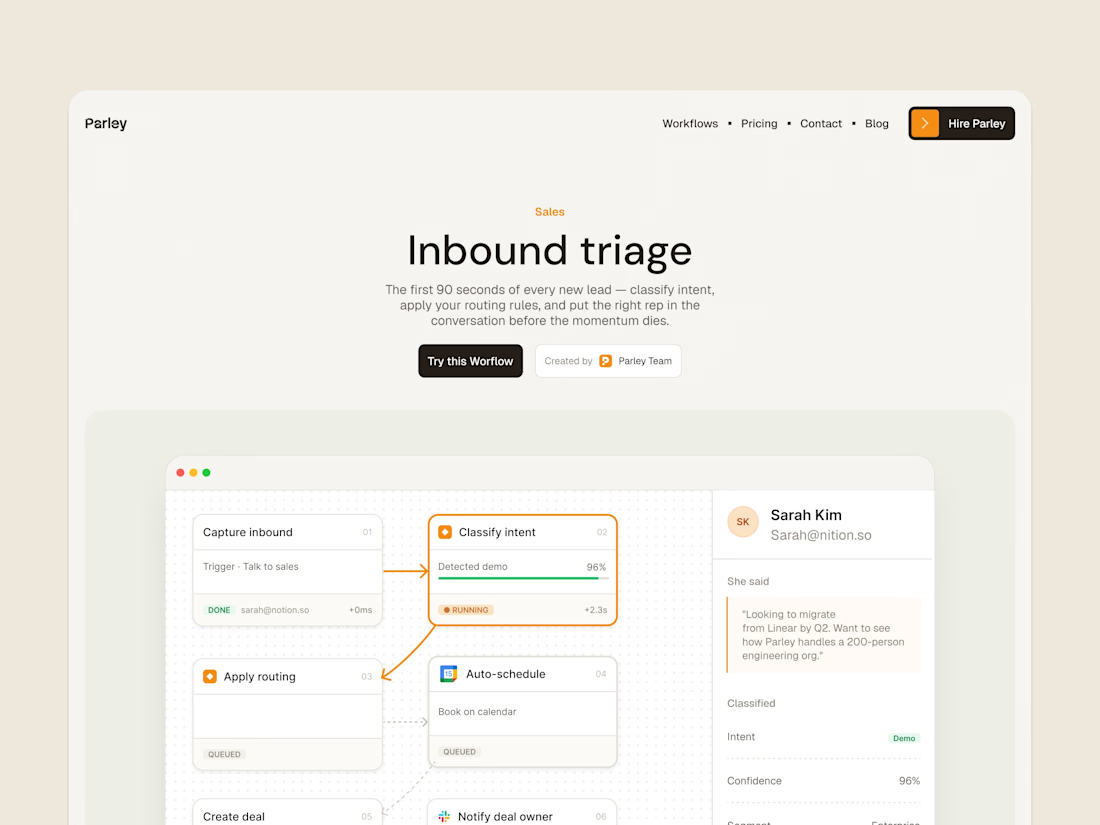
parley’s inbound triage page, with the workflow laid out below the introduction.
get it free now → https://framer.link/s1Llkdh

Nice work!

Just launched a new Framer template The MotionStudio Mograph, designed specifically for motion design studios and B2B SaaS marketing agencies.
Running Vixels and focusing heavily on Conversion Rate Optimization has shown me exactly where creative agency websites leak leads. I wanted to take those core CRO principles, clear visual hierarchy, strategic social proof, and frictionless user journeys & pack them into a ready-to-launch layout.
This template is structured to help creative founders sell high-ticket services, featuring:
A conversion-engineered project portfolio
Built-in trust badge and founder message sections
Flawless breakpoints across all viewports
If your studio builds next-gen tech products or SaaS explainer videos, your website should be your best salesperson.
Check out the live preview and grab the template here: https://proud-fade-319532.framer.app/




perfect visual balance

Just launched Framer Portfolio template!
And...it´s totally FREE! Enjoy! 🙌
https://www.framer.com/marketplace/templates/riwa-mini/
Killer execution