The network for creativity
Join 1.25M professional creatives like you
Connect with clients, get discovered, and run your business 100% commission-free
Creatives on Contra have earned over $150M and we are just getting started
Back to feedPost

Uninstalling a Shopify app doesn't always remove what it added to your theme. Old app snippets and script tags can stay in the theme code and keep loading on every page.
Quick check: open the theme code editor, search for the app's name, and see what's still referenced in theme.liquid and the snippets folder. Then compare your mobile speed in Shopify's Online Store speed report before and after clearing the leftovers.
Always duplicate the theme first and test the copy. Removing the wrong line can break the cart.

The network for creativity
Join 1.25M professional creatives like you
Connect with clients, get discovered, and run your business 100% commission-free
Creatives on Contra have earned over $150M and we are just getting started
Related posts

Open to work. 🧡
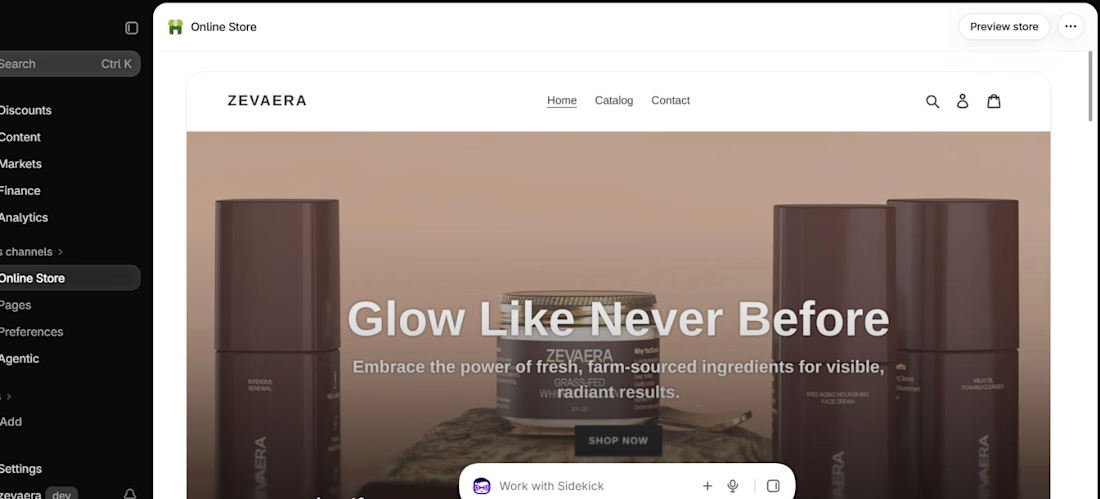
Shopify stores for brands & founders.
Partners (devs, designers, agencies), let's build together.
Latest: a skincare store ✨
DM "BUILD" or reply below.
https://cothefakas.framer.website/
#Shopify #Ecommerce

Good move opening up to partners. I design ad creatives for Shopify brands, so happy to team up when a store you build needs traffic assets. What size of store do you usually take on?

Redesigned the ModaZ fashion e-commerce storefront with a clean, modern shopping experience focused on product discovery and brand presentation. The project included a refreshed homepage, curated product collections, new arrivals, best-selling sections, and responsive layouts.
I also focused on improving navigation, product visibility, and the overall shopping journey to create a more engaging online store.
Have a fashion brand that needs a storefront upgrade? Let's talk.


I love the layout. Impressive work

Most people have never tasted honey wine, so the store has to explain it before it can sell it.
Keda is a honey wine brand reviving a traditional drink. I built their Shopify store.
What I did:
• Shopify theme customization built around the brand
• Product, collection and cart pages that make buying easy
• Mobile-first layouts, since most shoppers buy on their phones
• Speed and on-page SEO basics
The decision I'd defend: keep the design calm and elegant. A drink with a long tradition should feel crafted, so the layout gives the bottles and the story room instead of filling every gap with offers.
Stack: Shopify, Liquid, Figma
Live: kedahoneywine.com
Custom Shopify theme, or a premium theme you customize?
More builds, more breakdowns, no fluff. Follow for more.
Follow for more videos: instagram.com/sellwrightstudio · youtube.com/@sellwrightstudio

For a small brand I'd lean towards a customised theme, as long as the owner can still add products and change prices on their own afterwards. The calm layout makes sense here, because the story gets room instead of being squeezed between offers.