The network for creativity
Join 1.25M professional creatives like you
Connect with clients, get discovered, and run your business 100% commission-free
Creatives on Contra have earned over $150M and we are just getting started
Back to feedPost

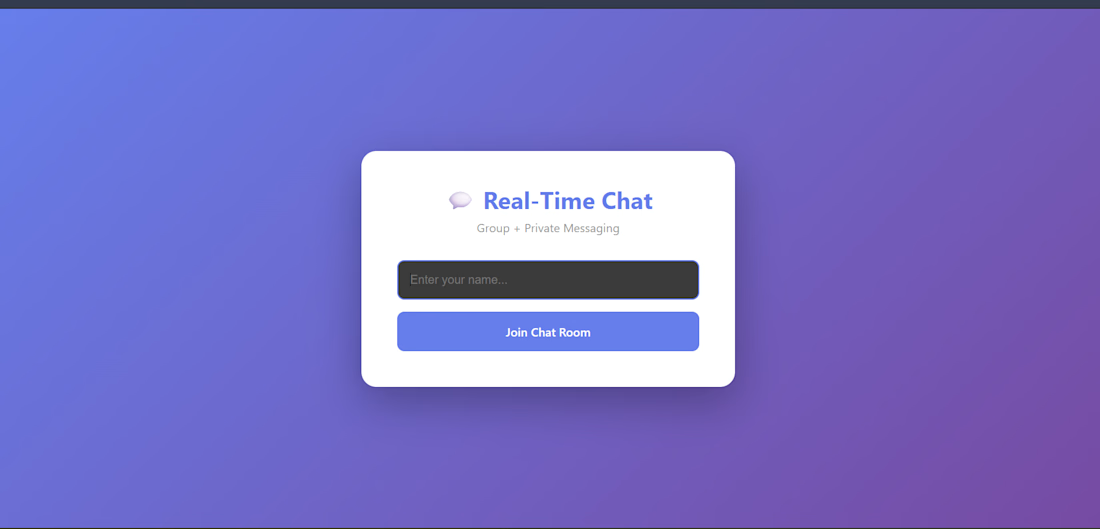
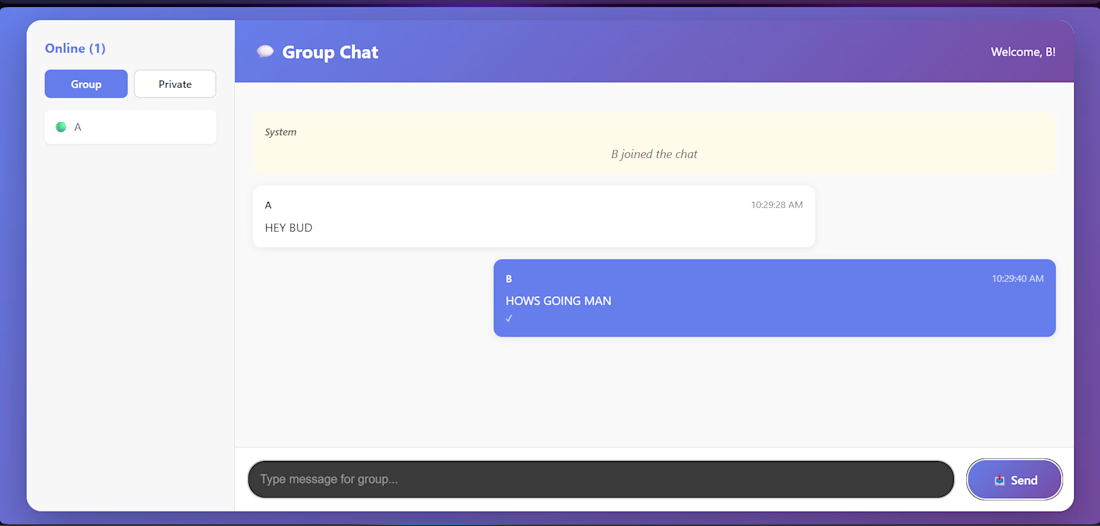
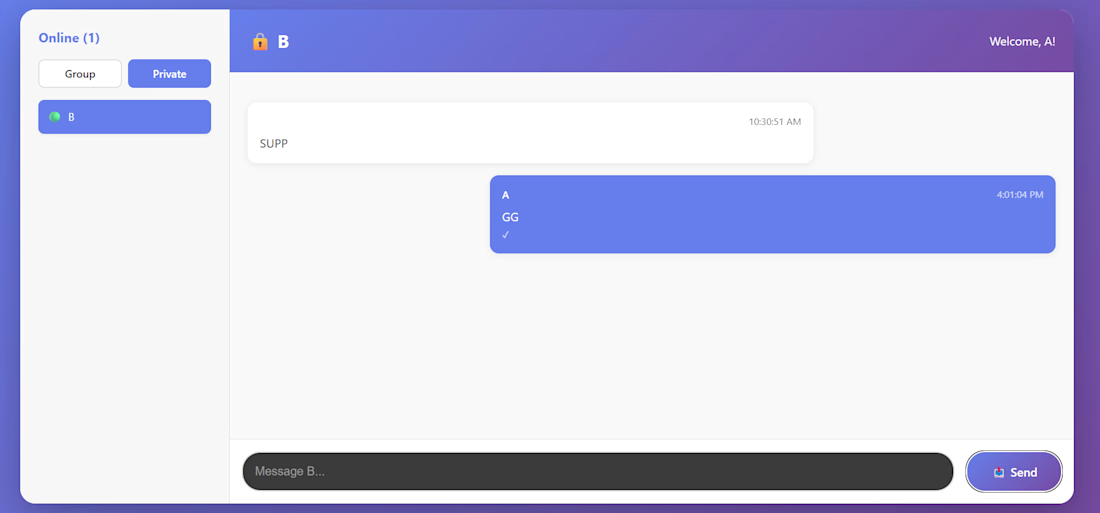
💬 Real-Time Chat Application - Backend
Socket.IO powered Node.js backend for group and private messaging with real-time updates.
🚀 Live Demo
Backend API: [https://chat-app-production-fe7c.up.railway.app/ ] Frontend App: [https://chat-app-frontend-beige-ten.vercel.app/ ]
✨ Features
✅ Real-time group chat (broadcast to all connected users)
✅ Private 1-on-1 messaging
✅ User presence tracking (online/offline)
✅ Typing indicators
✅ Read receipts (✓ sent, ✓✓ read)
✅ User list with live updates
✅ System notifications (user joins/leaves)
#Developer
[Rushikesh ] GitHub: @shidoariki Portfolio: [https://github.com/shidoariki ]


The network for creativity
Join 1.25M professional creatives like you
Connect with clients, get discovered, and run your business 100% commission-free
Creatives on Contra have earned over $150M and we are just getting started



Related posts

Healthcare AI Agent – Reschedule Appointments by Voice
AI Healthcare Assistant — Turn On Sound for the Best Experience.
Movexa AI Assistant helps physiotherapy clinics reschedule patient appointments in seconds, by text or by voice, without leaving the dashboard.
THE PROBLEM
Rescheduling a single session in a busy clinic means checking the therapist's calendar, finding a free slot, updating the booking and remembering to notify the patient. Front desk staff and therapists repeat this many times a day across different tools, and missed reminders lead to no-shows.
THE SOLUTION – THE FLOW
Ask – Open the AI search (⌘K) or tap the mic and say: "Reschedule Tezah's session tomorrow to 4 PM and remind her."
Understand – Voice mode transcribes live and shows exactly what the AI understood.
Check – Movexa checks the therapist's calendar and finds that 4:00 PM is free.
Confirm – The AI never acts silently. It shows a clear action card (patient, old time, new time, therapist, reminder) to confirm, edit or cancel.
Done – The appointment moves, the patient gets an SMS + app reminder, and the change is logged with one-tap Undo.
THE RESULT
A task that took several clicks and calls now takes one sentence, while the clinic team stays in full control of every action.


I built this to see if I could make a point-cloud museum that moves with your mouse and still stays smooth at 60 FPS without any framework. No libraries. No build steps. Just Canvas2D and a bunch of tiny floating lights.
WHAT I WAS TESTING:
I was testing how well I could keep point-cloud rendering alive under constant user motion while keeping the frame rate locked at 60. The system had to handle hundreds of thousands of points updating every frame, and I had to make sure the browser didn’t stutter from garbage collection or event throttling.
THE TECHNICAL SIDE:
Everything runs in the browser with Canvas2D. No WebGL. No Three.js. No external dependencies. I wrote custom shaders with GLSL to color and animate the point clouds. I hand-tuned the event loop to avoid frame drops during mouse moves, and used requestAnimationFrame with manual frame pacing to stay at 60. Memory is allocated per object and recycled on demand. No global state leaks. No third-party tracking.
WHAT I LEARNED:
The key was not making the math too tight or too loose. Too tight and the browser would freeze. Too loose and the frame rate would drop. I learned to profile frame times, adjust point update rates based on user velocity, and use a simple debounced event handler to keep mouse movement from overwhelming the system. It runs at 60 on an old laptop, and feels buttery on a mid-tier machine.
TRY IT YOURSELF:
Open it in your browser, it's hosted live on my JSFiddle. Move the mouse around. Watch how the clouds react. No lag. No freeze. No framework.😊


Professional, nice work👍


A calculator that runs by itself is a clever way to show the product without asking anyone to read. Watching a price turn into an invoice explains the value instantly.