The network for creativity
Join 1.25M professional creatives like you
Connect with clients, get discovered, and run your business 100% commission-free
Creatives on Contra have earned over $150M and we are just getting started
Back to feedPost
A PowerShell habit that has saved me more than once: start every admin script with Start-Transcript.
Start-Transcript -Path "C:\Logs\$(Get-Date -Format yyyyMMdd-HHmm)-mailbox-cleanup.txt"
It records every command and every line of output, errors included, until Stop-Transcript runs. When someone asks "what changed on Tuesday?", you have an answer instead of a guess.
A few tips:
- Put Stop-Transcript in a finally block so the log closes even if the script fails.
- Keep logs in one folder with the date in the file name.
- Never write passwords or tokens to the screen, because the transcript captures them too.
Small habit, big payoff when you need to retrace your steps.
The network for creativity
Join 1.25M professional creatives like you
Connect with clients, get discovered, and run your business 100% commission-free
Creatives on Contra have earned over $150M and we are just getting started



Related posts

PowerShell tip: make errors actually stop your script.
Many cmdlets throw "non-terminating" errors. Your try/catch never fires, the loop keeps going, and you find out later that a handful of mailboxes never got updated.
What I do in bulk Microsoft 365 scripts:
- Add -ErrorAction Stop to the cmdlet inside try, so a failure jumps to catch.
- In catch, log the item and $_.Exception.Message to a failures list instead of letting the script die.
- At the end, export the failures to CSV and print how many succeeded and how many failed.
- Fix the cause, then rerun only the failed CSV.
You get a clean retry list instead of guessing what got skipped.

Quick tip from client work: give every automation a Friday check. Fifteen minutes, once a week, open the run log and ask three questions: did it run, did it error, and did anyone actually use what it produced? Most agencies I audit have at least one automation that has been silently failing for weeks, and one that runs perfectly and produces something nobody opens. The Friday check costs fifteen minutes and it is the difference between a system you trust and a dashboard full of green ticks lying to you.


Most WooCommerce stores don't lose sales because of traffic. They lose them on pages nobody has looked at with fresh eyes in months.
So I built Webnotics CRO Audit for WooCommerce, a free plugin now live on WordPress.org.
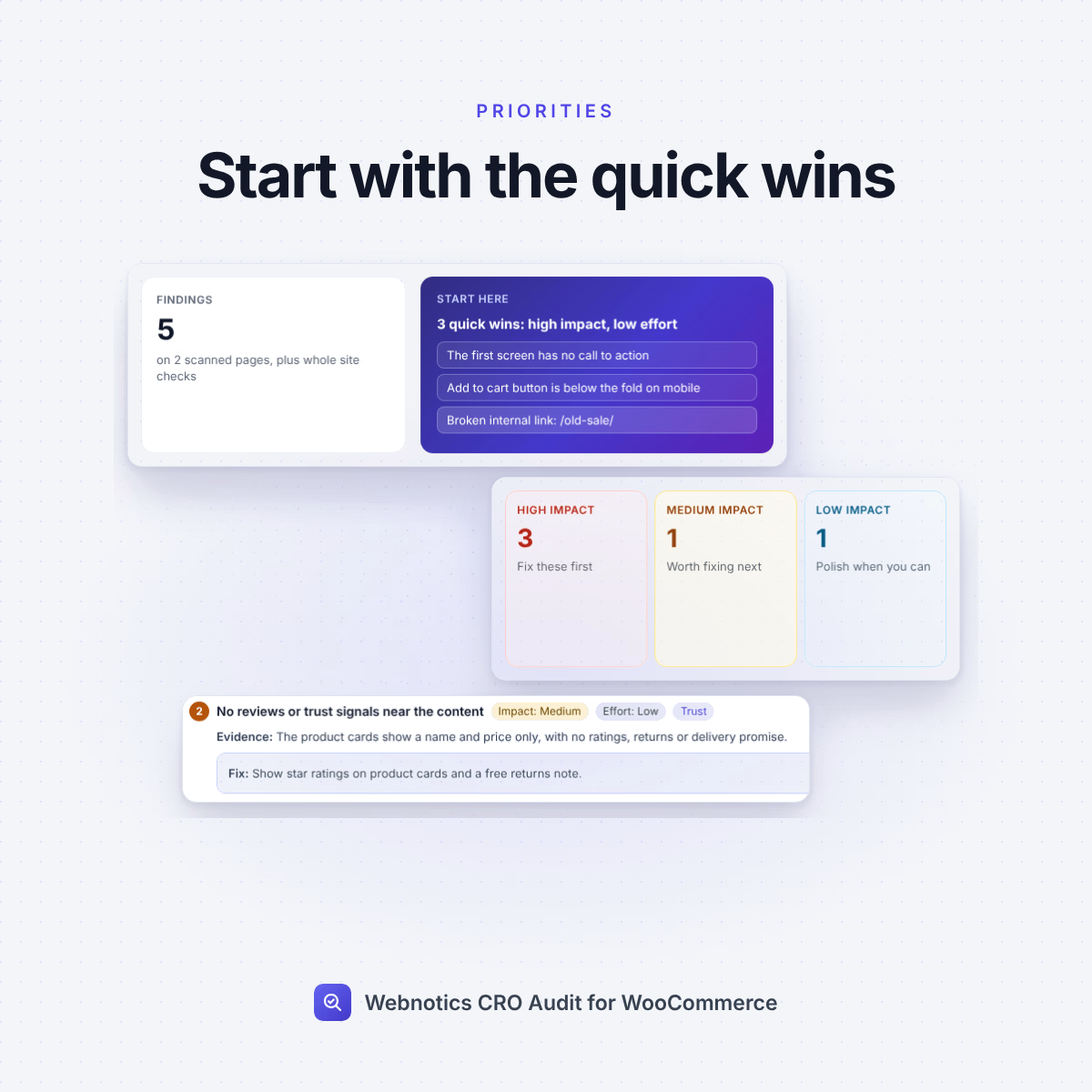
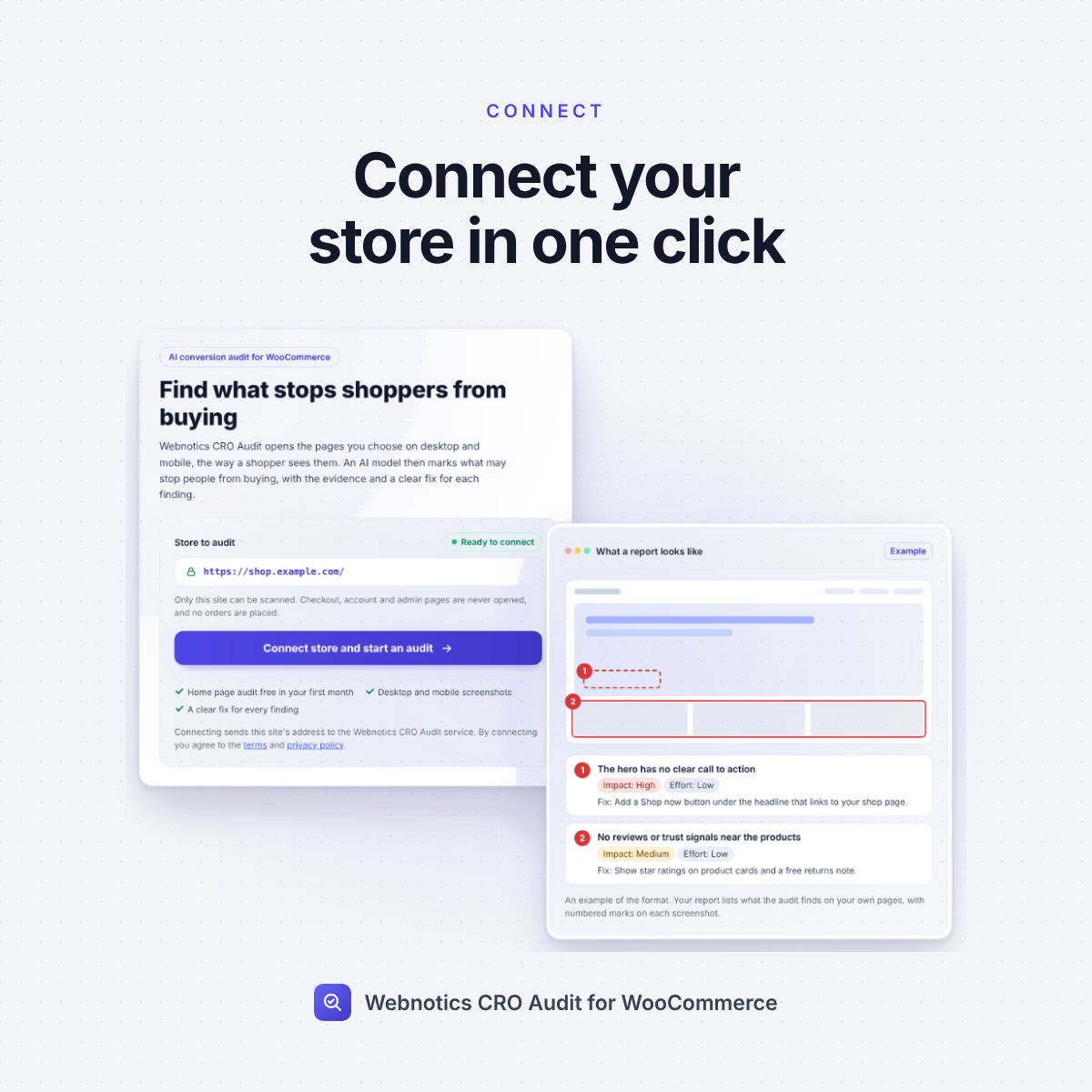
You choose the pages, it scans them the way a shopper sees them on desktop and mobile, and lists what may stop people from buying. Every finding comes with the evidence, its likely impact, the effort to fix it and a clear fix, marked on the screenshot.
Why this matters if you build stores for clients: a launch is a one time project, but a store keeps changing. A monthly audit gives your client a clear, prioritised list of fixes, and gives you a real reason to stay on as their maintenance partner instead of waiting for the next redesign.
It only scans your own site, never opens checkout or account pages, and follows robots.txt. The free plan includes one home page audit.
How do you turn finished store builds into ongoing work today?




Nice work!