The network for creativity
Join 1.25M professional creatives like you
Connect with clients, get discovered, and run your business 100% commission-free
Creatives on Contra have earned over $150M and we are just getting started
Back to feedPost

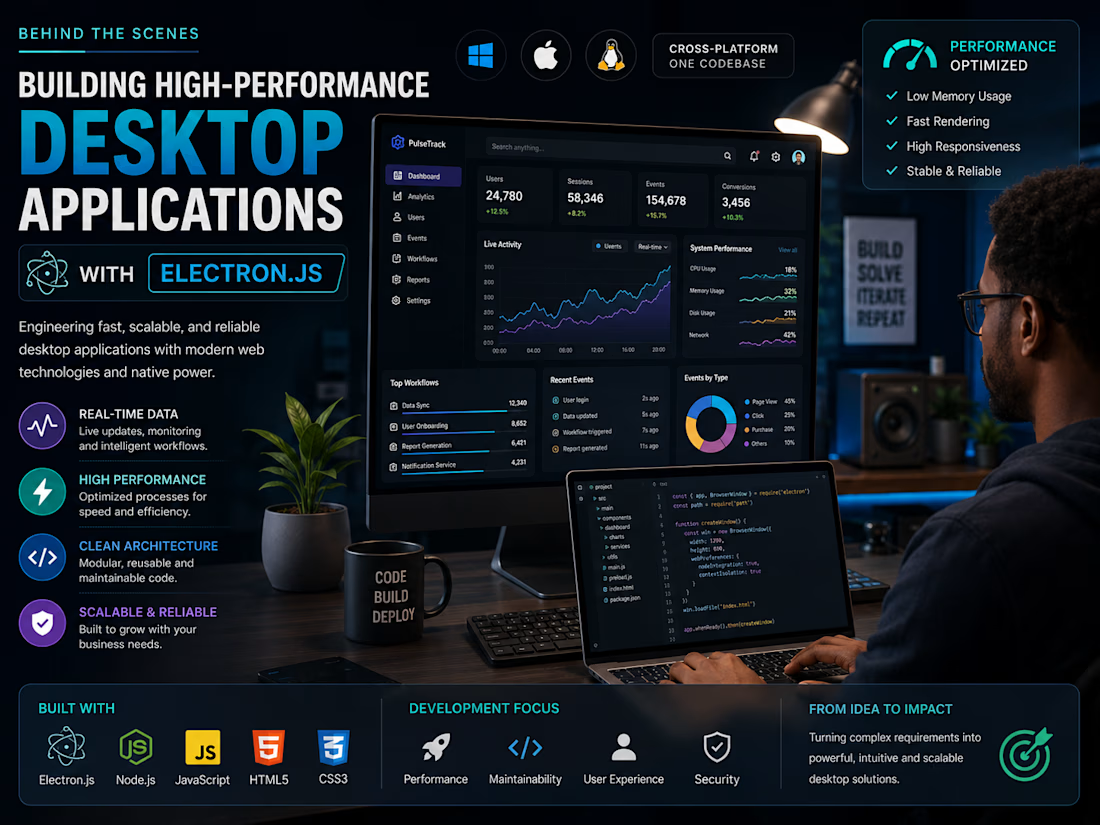
Behind the Scenes: Building High-Performance Desktop Applications with Electron.js
Electron has become one of my favorite technologies for creating powerful cross-platform desktop applications. It combines modern web development with native desktop capabilities, making it possible to build sophisticated software from a single codebase.
For one of my recent projects, I engineered a desktop application capable of processing live data, monitoring user interactions, and managing complex workflows in real time. Performance was a top priority, so every component—from rendering to background processes was optimized to reduce memory usage and improve responsiveness.
Instead of focusing only on functionality, I prioritize clean architecture, reusable components, and maintainable code. This approach allows applications to scale while remaining easy to update as business requirements evolve.
Whether it's automation software, analytics dashboards, or enterprise desktop tools, I believe great software should feel fast, intuitive, and reliable. That's the standard I bring to every project I build.



wow john you are doing well 🔥
The network for creativity
Join 1.25M professional creatives like you
Connect with clients, get discovered, and run your business 100% commission-free
Creatives on Contra have earned over $150M and we are just getting started






Related posts

Colours that refuse to mix, combed on water in a stone trough. The Mordant Vault guards colours that refuse to blend. Float them on water. Comb them. Never, under any circumstance, stir.
I built this project to test Colours that refuse to mix, combed on water in a stone trough. The Mordant Vault guards colours that refuse to blend. Float them on water. Comb them. Never, under any circumstance, stir. The core engineering challenge was sustaining uncompromised 60 FPS rendering using WebGL / GLSL Shaders while handling continuous user interaction without framework overhead.
WHAT I WAS TESTING:
I focused on two core engineering benchmarks:
Precision implementation of shader marbling under continuous interactive user input
Sustained 60 FPS render performance and zero-dependency browser execution
THE TECHNICAL SIDE:
Engineered directly in the browser with WebGL / GLSL Shaders, Canvas2D, Shader marbling. The application runs without third-party frameworks or build-step dependencies, using hardware-accelerated rendering and custom event loops to achieve zero-latency response.
Everything executes in the browser using WebGL / GLSL Shaders, Canvas2D, Shader marbling. No third-party frameworks, no heavy runtime bundles, and zero external tracking.
WHAT I LEARNED:
Balancing the mathematical rigors of shader marbling with tactile browser interaction required tuning event throttling and memory allocation to eliminate all garbage collection stutters.
Finding the sweet spot between mathematical precision and frame budget took careful profiling, but the result runs at a steady 60 FPS even on modest hardware.
TRY IT YOURSELF:
The live build is deployed on Netlify. Open it in your browser, test the controls, and observe the render response times.
If you are building high-performance 3D, physics, or creative web systems and want to collaborate, reach out here on Contra.


Anyone who wants the source code can check this in my JSFiddle : https://jsfiddle.net/Saminsami/ezy9k74t/4
jsfiddle.net
Mordant - Samin Sami
Mordant - Samin Sami - a HTML example you can edit and run in your browser on JSFiddle.

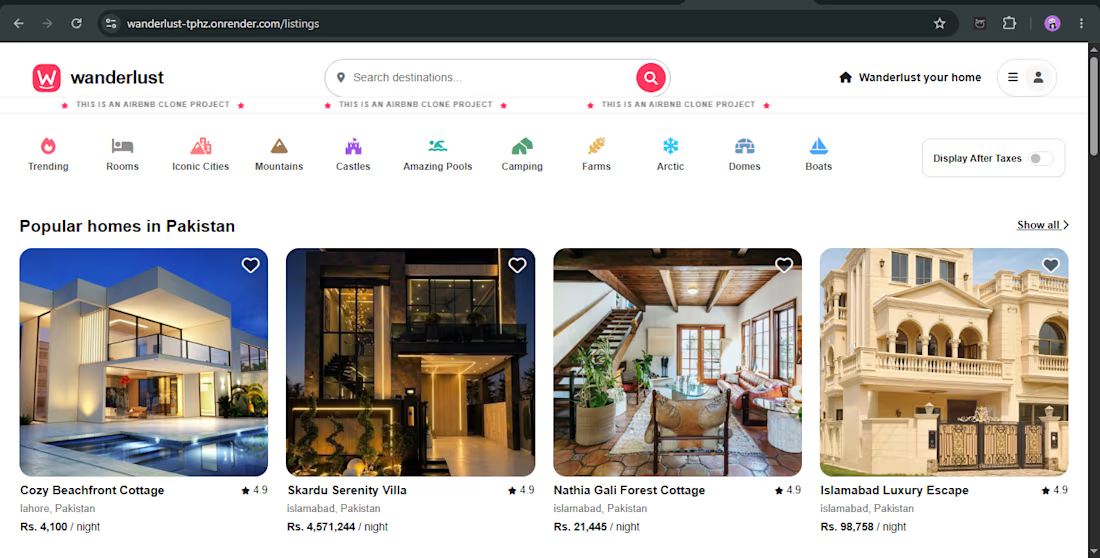
🚀 Introducing WanderLust — My Full-Stack Web Development Project
I built WanderLust, a full-stack booking web application using Node.js, Express.js, MongoDB, and EJS.
✨ Key features:
User authentication and authorization
Create, edit, and manage property listings
Reviews and booking functionality
Image uploads using Cloudinary
Interactive maps with Mapbox
Search and category filters
🛠️ Tech Stack: JavaScript, Node.js, Express.js, MongoDB, Mongoose, EJS, Passport.js, Cloudinary, and Mapbox.
This project helped me strengthen my backend development, database integration, authentication, and deployment skills.
I'm a junior full-stack developer interested in building useful web applications and collaborating on real-world projects.
🔗 Live Demo: https://wanderlust-tphz.onrender.com
💻 GitHub: https://github.com/Aabi-dev10/WanderLust
#FullStackDevelopment #MERNStack #JavaScript #WebDevelopment #NodeJS


did you build the reviews and booking flow first?

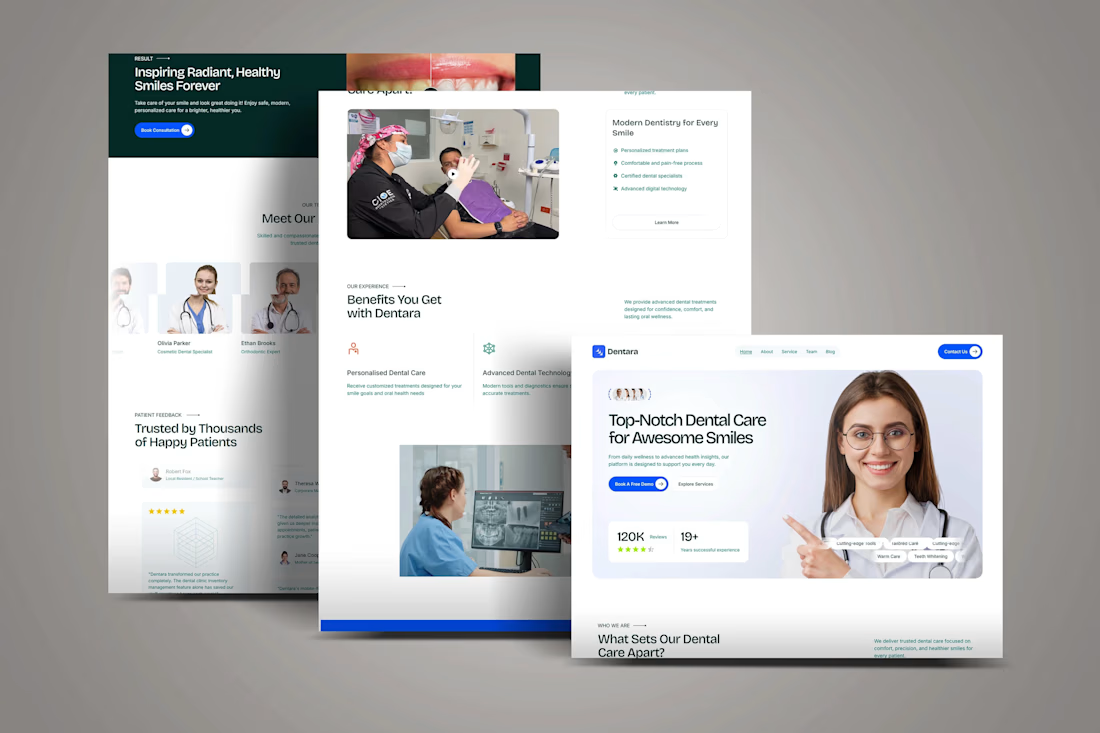
A modern digital Kajabi experience for a dental clinic

A modern digital experience for a dental clinic
A modern dental clinic website design and development concept focused on patient trust, appointment conversions, and a seamless user experience.
The website was designed with a clean and professional healthcare aesthetic, intuitive...


love you visual direction for the kajabi website