The network for creativity
Join 1.25M professional creatives like you
Connect with clients, get discovered, and run your business 100% commission-free
Creatives on Contra have earned over $150M and we are just getting started
Back to feedPost

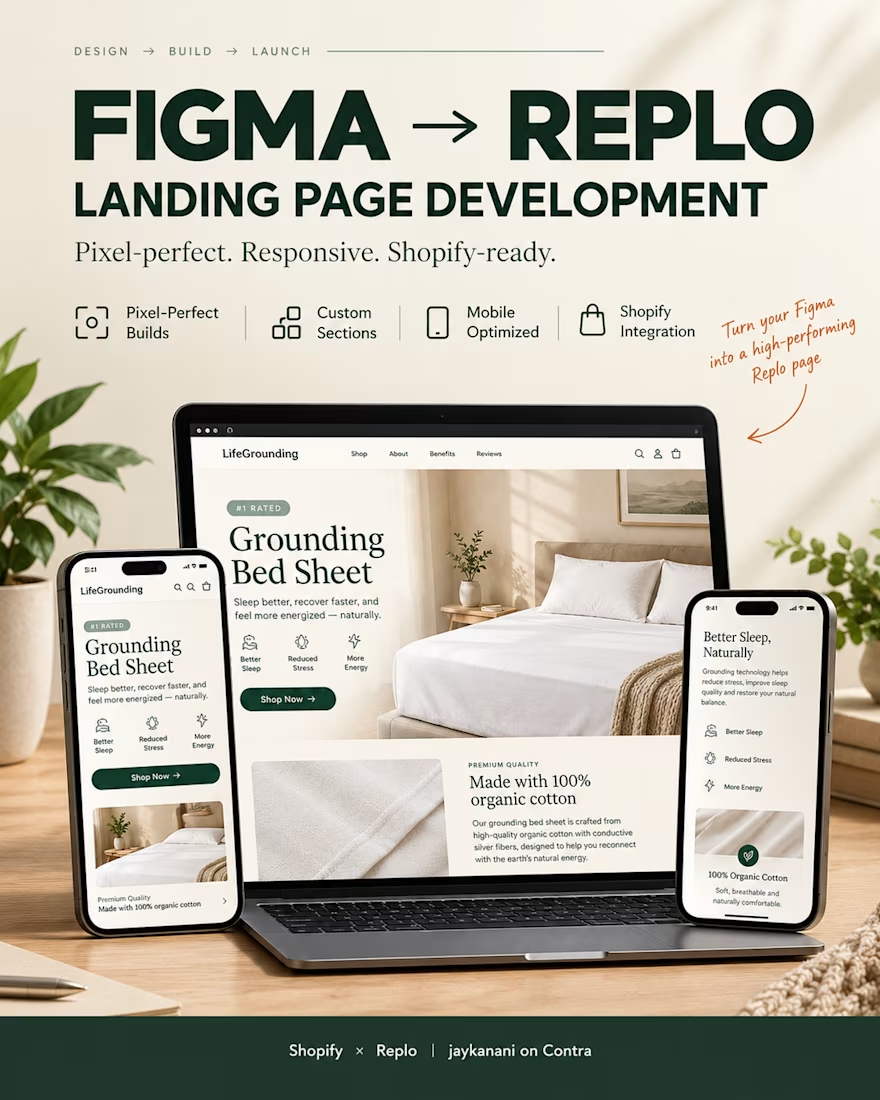
From Figma to a live Replo page: how I build Shopify pages that actually convert
Most ecommerce brands don't have a design problem. They have a handoff problem. The Figma file looks great, and somewhere between design and development the page loses its polish, its speed, or both.
Here's the process I use for every Shopify page I build in Replo:
1. Design audit :
I review the Figma file before touching a single component: layout, breakpoints, spacing, and which sections carry the conversion intent. If something won't hold up on mobile, I flag it before we build, not after.
2. Structure mapping :
I break the page into sections and map each one to a Replo component. This keeps the build fast and editable, so your team can swap copy or imagery later without a developer.
3. Responsive build :
Desktop first, then tablet, then mobile. Most product page traffic is mobile today, so I check every section at every width.
4. Hierarchy and CTA tuning :
Product imagery first, benefit messaging second, and one clear call to action per viewport. I strip out anything that competes with the buy button.
5. QA pass :
Link checks, form behavior, image compression, load speed. A page that looks good but loads slow will still lose the sale.
6. Handoff with tracking in place :
Analytics set up before launch, so you can actually measure what the page does and iterate.
Recent builds using this process: a premium landing page for Ledge Loungers, a product page for MoonBrew Sleep, and a PDP for Grounding. All live on Shopify, all built in Replo.
Have a Figma design that's ready to become a high-converting Shopify page? I'm taking on new projects right now. Send me an inquiry through my profile and let's talk.
#Shopify #Replo #FigmaToReplo #Ecommerce #LandingPageDesign #NoCode


The network for creativity
Join 1.25M professional creatives like you
Connect with clients, get discovered, and run your business 100% commission-free
Creatives on Contra have earned over $150M and we are just getting started










Related posts

Which gummy brand would make you stop scrolling?
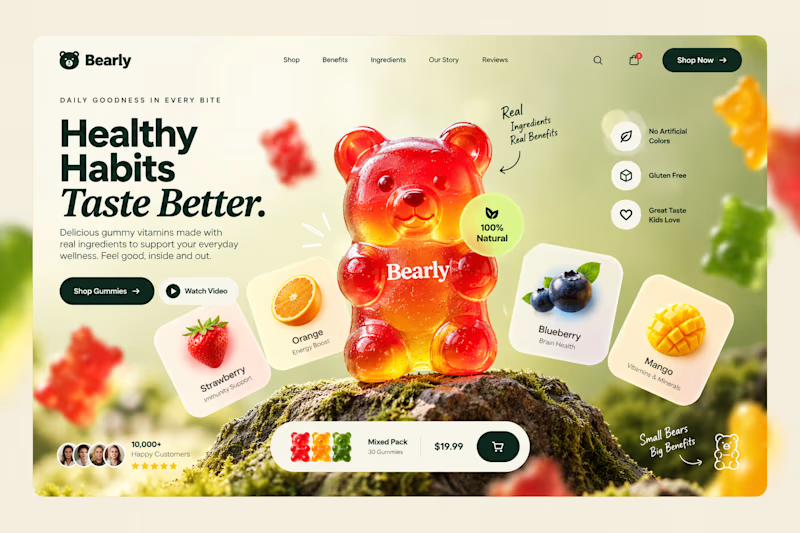
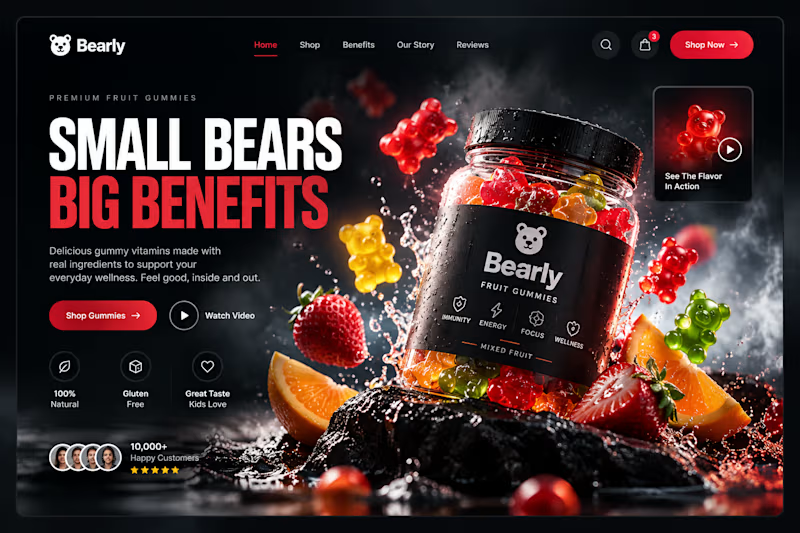
Two different directions for Bearly, a gummy candy brand concept.
One is bright, playful, and fruit-inspired. The other is bold, dark, and premium.
Same product, two completely different visual experiences.
Which one would you choose? Vote below! 👇
#BrandIdentity #WebDesign #UIUX #EcommerceDesign #Figma #DesignInspiration #ABTesting
9 voted
75%
3 voted
25%
12 votes
Closed

I will always love it playful cant lie

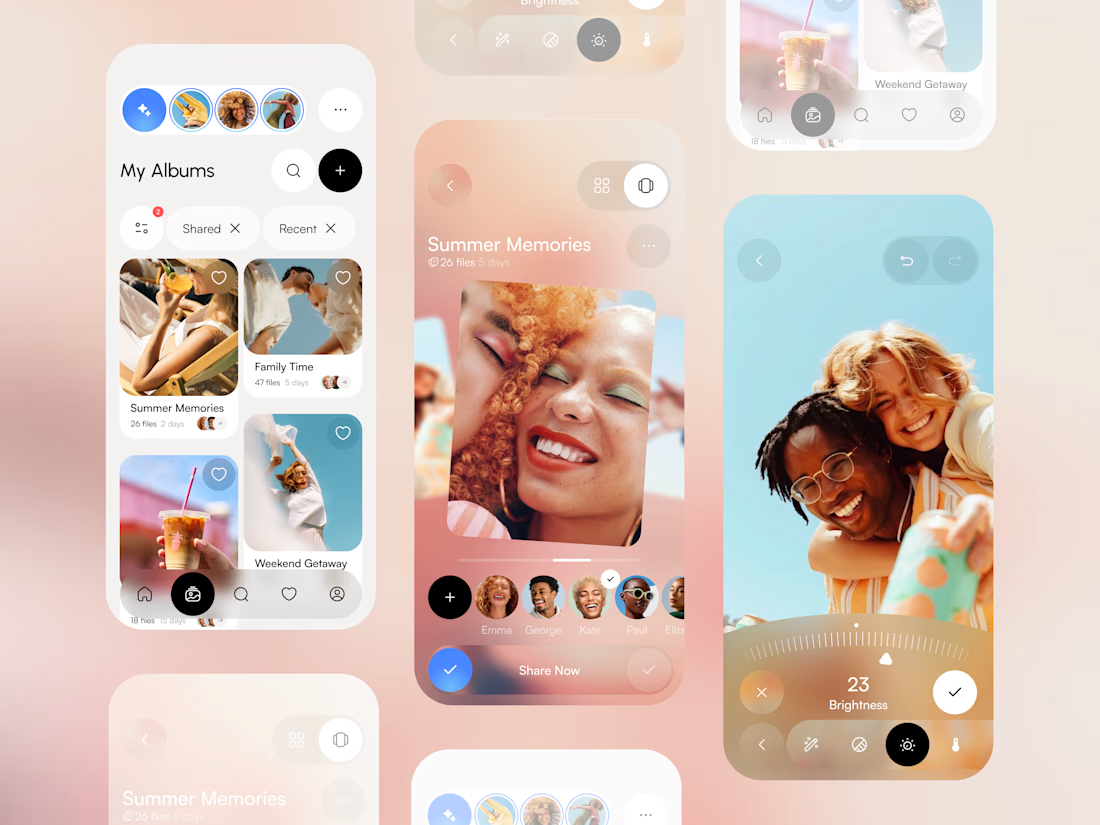
This liquid glass concept looks really cool.


What do you think about this photo gallery mobile app concept? 🖼️ Share your feedback

nice work

APPOINTLY — Built for barbershop growth.
A website built around the challenges barbershop owners face: empty chairs, missed calls, and clients who don’t return.
Bold editorial typography and direct messaging bring the offer into focus—from appointment handling and local visibility to review collection and client retention.
The design goal: make the value clear and give visitors a straightforward path to getting started.
Explore the website:
https://appointlyhq.com
#WebDesign #UIUX #WebsiteDesign

empty chairs, missed calls and clients who don't return is such a clear way to put it for barbers. are you going after shops in one us city first, or all over?