The network for creativity
Join 1.25M professional creatives like you
Connect with clients, get discovered, and run your business 100% commission-free
Creatives on Contra have earned over $150M and we are just getting started
Back to feedPost

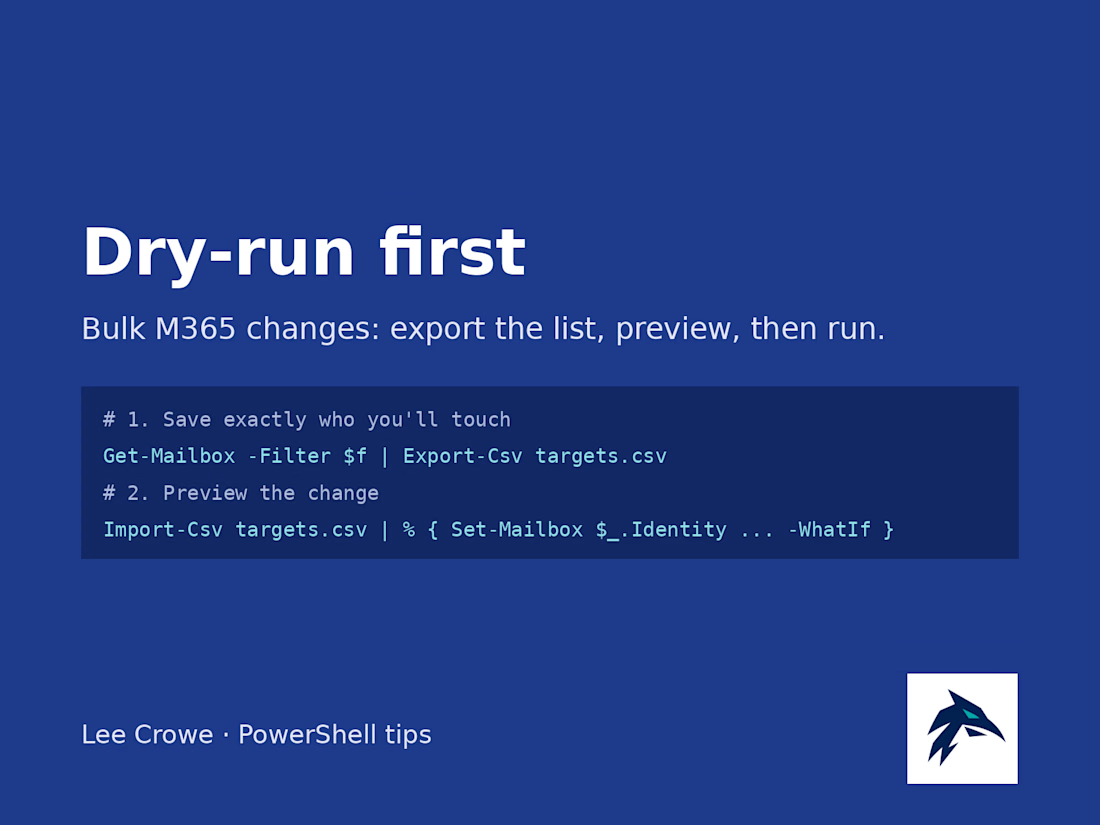
Before I run any bulk change in Microsoft 365, I do two boring things first.
1. Export the exact target list. Run your Get-Mailbox or Get-MgUser filter and pipe it to Export-Csv. Open the CSV and read it. If someone's on that list who shouldn't be, you just caught it for free.
2. Dry-run the change with -WhatIf. Feed the CSV back in with Import-Csv and add -WhatIf to the Set- command. PowerShell tells you what it would do without doing it.
Only then do I drop -WhatIf and run it for real, from that same CSV, so what I previewed is what actually changes. The CSV also doubles as a record of who got touched and when.
It adds maybe five minutes, and it's the cheapest insurance I know against a "why did everyone lose their forwarding rule" morning.
The network for creativity
Join 1.25M professional creatives like you
Connect with clients, get discovered, and run your business 100% commission-free
Creatives on Contra have earned over $150M and we are just getting started
Related posts

I'm testing a $79 report for Shopify merchants who want to see exactly what changed between their original product CSV and a proposed price-update file. It separates intended price changes from changes to other fields, so you can review both before deciding what to do next.
Here's a simple synthetic example: a mug's price changes from $20 to $22 as intended, but the proposed CSV also blanks its Vendor and changes its Status from active to draft. The report lists those differences separately from the price change. This is an invented demonstration, not client work or a customer result.
The proposed $79 report covers up to 1,000 matching products, with one row and one default variant per product, using supported columns only. It uses deterministic comparison with AI-assisted explanations.
This is a read-only comparison. It does not access your store, execute an import, correct files or certify that an import is safe.
Have both CSV files ready for an upcoming price update? Message me on Contra with your product count and intended change, and let me know whether you would request the report at $79 if scope, availability and terms can be confirmed. Start with a description only; don't send confidential files or store access. An inquiry does not place an order or request payment.


Catching accidental changes outside the price column is the part a plain spreadsheet compare never shows clearly. How are you testing the $79 price, DMs to merchants or a landing page?

Clients often start with the same request: "Let's build an AI agent."
My counter-question is always: which manual process actually costs you time, errors, or money right now?
My selection rule: remove it first. If it can't be removed, simplify it. If it's still needed, automate it with a plain script. Only then add an integration or an agent. Often the best result is the process that no longer exists.
Safe automation means real scenarios, error handling, and alerts. Without alerts, a workflow can silently lose data for weeks. I always define what stays with a human and what goes to the system.
Question for you: which process would you automate first, and why is it still manual?
Service for audit and implementation: https://contra.com/s/BmWLbgFU-ai-automation-from-your-dream-to-working-implementation?r=auto_booster




Buried in DMs? Let automation turn missed messages into organized, responded leads. 📲✨
Stay focused on selling while your system captures, tags, and follows up with every opportunity.
#RealEstate #RealEstateAgent #LeadManagement #CRM #RealEstateMarketing #Automation #BusinessGrowth #InstagramMarketing #Productivity #DigitalMarketing
Missed DMs turning into lost leads is a real problem for agents. What's the first automated reply you set up: an instant greeting or a qualifying question?