The network for creativity
Join 1.25M professional creatives like you
Connect with clients, get discovered, and run your business 100% commission-free
Creatives on Contra have earned over $150M and we are just getting started
Back to feedPost
Zendesk Customer Support | Ticket Management & Issue Resolution
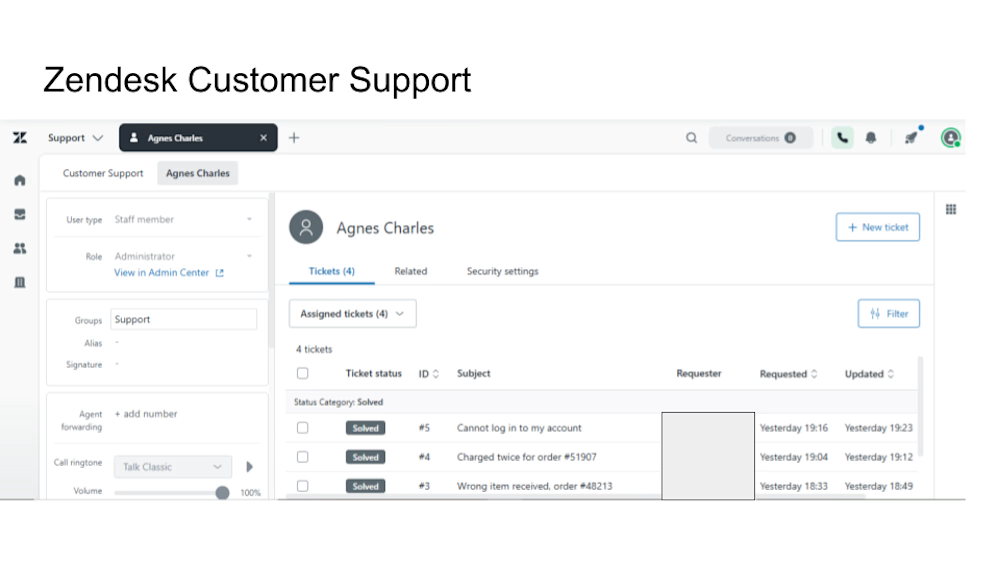
This portfolio project showcases my experience using Zendesk to manage customer support tickets, organize customer inquiries, and support efficient issue resolution.
The Zendesk dashboard demonstrates customer service ticket management across different support scenarios, including account login difficulties, duplicate billing charges, and incorrect product deliveries.
Key Responsibilities & Skills
Ticket Management: Organizing, tracking, and managing customer support requests through Zendesk.
Customer Issue Resolution: Handling inquiries related to account access, billing concerns, and order problems.
CRM Management: Using Zendesk to maintain organized customer support workflows.
Customer Communication: Providing professional, clear, and solution-focused assistance.
Support Workflow Management: Monitoring ticket statuses and maintaining organized support records.
Tools Used
Zendesk | Customer Support CRM | Ticket Management System
Project Goal
To demonstrate my ability to use Zendesk effectively, manage customer inquiries professionally, and contribute to efficient customer support operations.
Skills: Customer Support, Zendesk, CRM, Ticket Management, Problem-Solving, Customer Satisfaction.

The network for creativity
Join 1.25M professional creatives like you
Connect with clients, get discovered, and run your business 100% commission-free
Creatives on Contra have earned over $150M and we are just getting started










Related posts

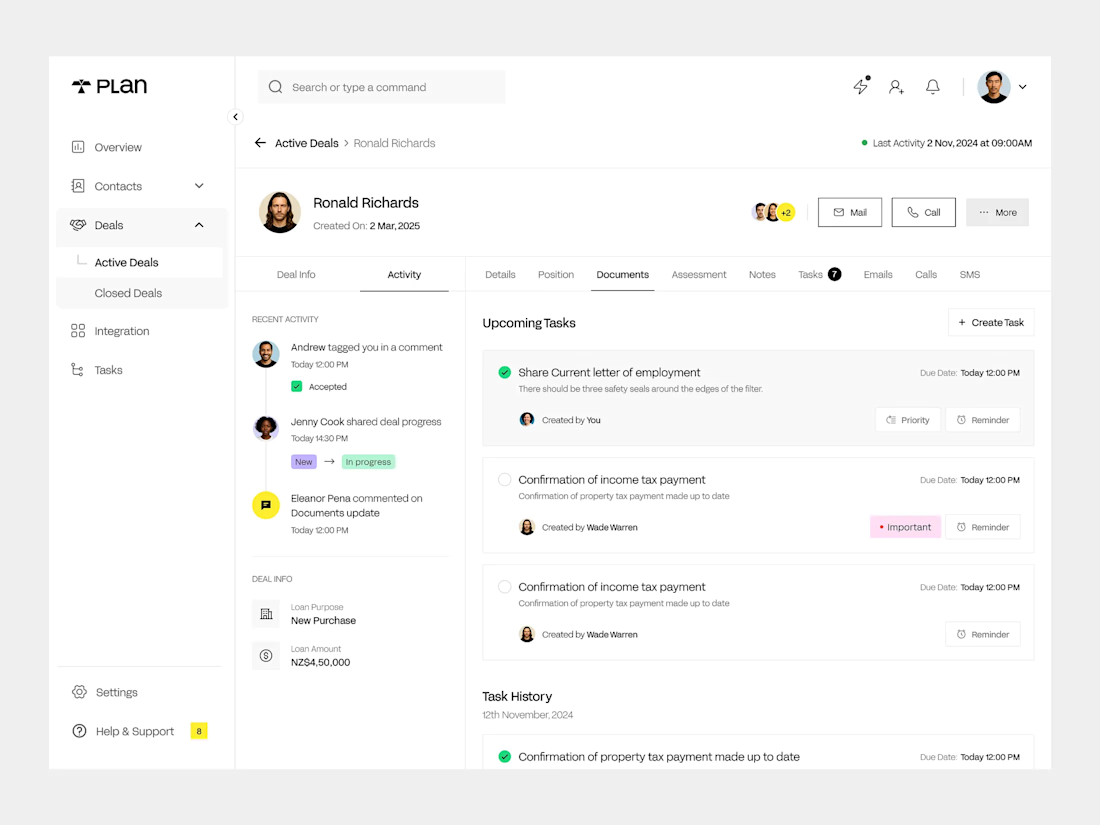
Built a clean CRM experience focused on what actually matters: deals, activity, documents, tasks, communication, and follow-ups in one place.
The goal was simple: reduce clicks, keep teams organized, and make every customer interaction easier to manage.
Designed for modern sales and operations teams.
#CRM #SaaS #ProductDesign #UXUI #WebApp #SoftwareDevelopment #MTECHUBLLC

Love how clean and organized this CRM looks! Everything feels easy to find and manage. Great work!

🚀 OPEN TO WORK | REMOTE CUSTOMER SUPPORT
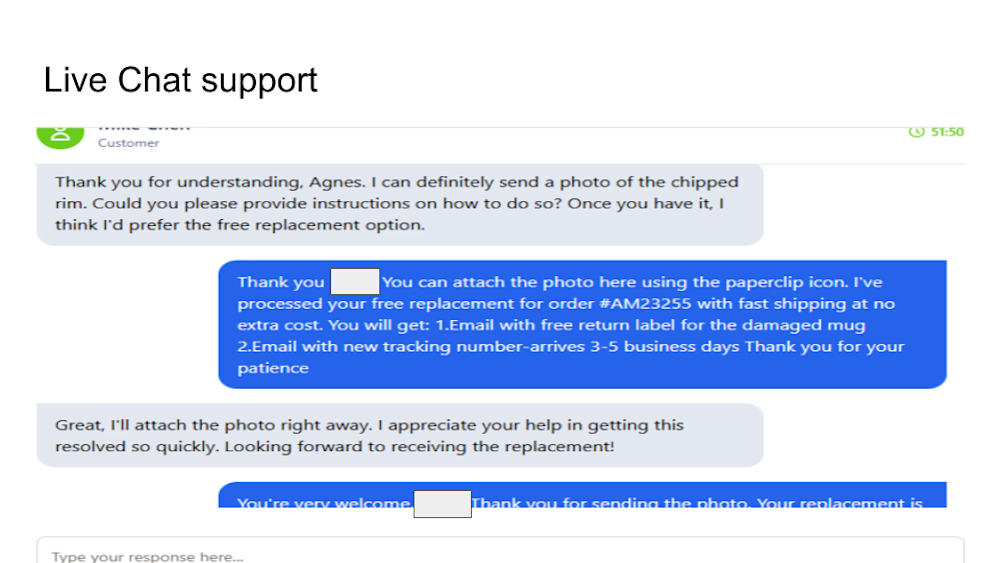
I'm currently seeking remote opportunities as a Customer Support Representative, Live Chat Agent, or Email Support Specialist.
💼 My Skills:
Live Chat & Email Support
Zendesk & CRM Management
Customer Complaint Resolution
Order Management & Follow-Ups
English & Swahili Communication
🌍 Based in Tanzania | Available for Worldwide Remote Opportunities
I'm reliable, detail-oriented, and passionate about delivering excellent customer experiences.
🤝 Are you hiring or know someone who is? Let's connect! Feel free to DM me.
#OpenToWork #RemoteJobs #CustomerSupport #Hiring #VirtualAssistant


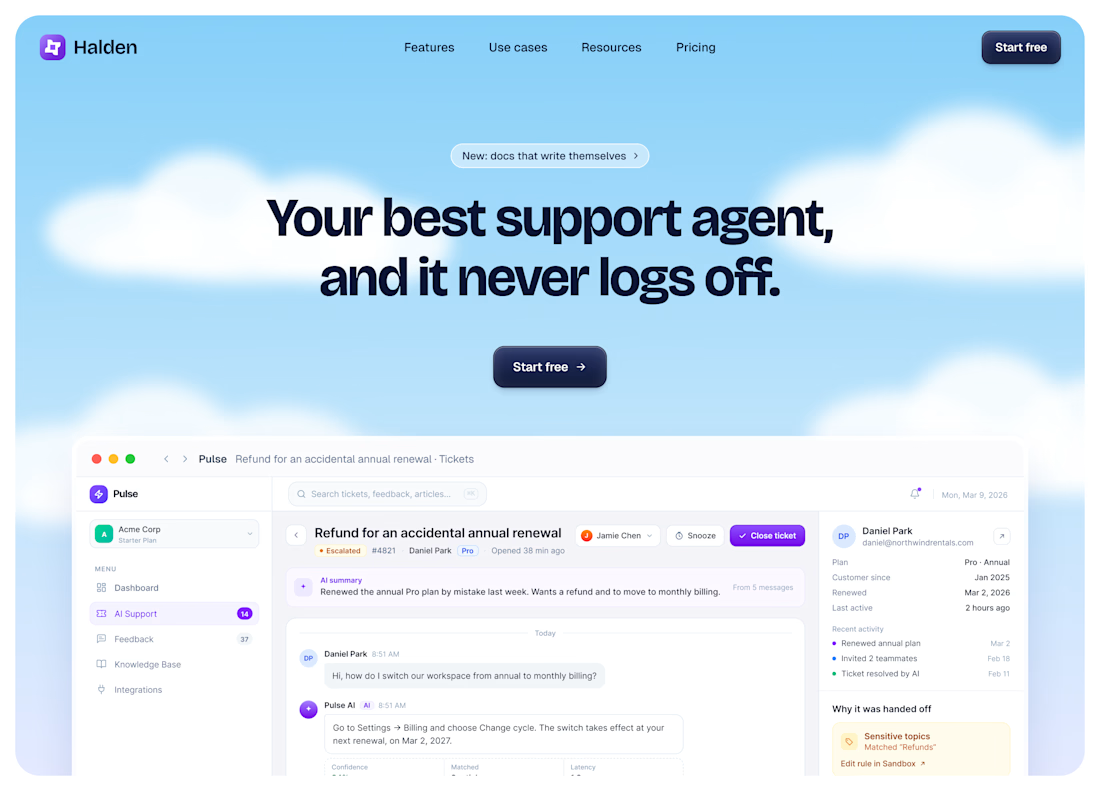
Designed the hero for an AI support platform that answers tickets and turns them into a knowledge base.
I went for calm confidence. Most support tools sell urgency with loud dashboards, so I used a soft sky, clouds, a big tight headline and one dark button. The page should feel like your support queue finally went quiet.
The product shot shows one real moment instead of a generic dashboard. A customer asks about billing, the AI answers, then flags a refund as sensitive and passes it to a human with the reason right on screen. That handoff is the whole pitch. Showing where the AI stops makes everything else believable.