The network for creativity
Join 1.25M professional creatives like you
Connect with clients, get discovered, and run your business 100% commission-free
Creatives on Contra have earned over $150M and we are just getting started
Back to feedPost

How to Integrate a Kitchen Display System With Restaurant POS
A modern restaurant needs more than a system for taking orders and processing payments. Orders must move quickly from the front counter or dining area to the right kitchen station. This is where a Kitchen Display System (KDS) integrated with a restaurant POS can make a significant difference.
A KDS replaces or works alongside printed kitchen tickets by displaying orders digitally. Modern systems can route items to specific preparation stations, show modifiers and special instructions, track preparation times, and provide kitchen performance data.
For businesses investing in restaurant POS software development, integrating KDS functionality should be considered an important part of the overall restaurant technology architecture.
What Is a Kitchen Display System?
A Kitchen Display System is a digital screen used by kitchen staff to receive and manage incoming orders. When a customer places an order through the POS, the relevant order information is sent to the appropriate kitchen display.
For example:
POS → Order Management → KDS Controller/API → Kitchen Station → Order Fulfillment
A restaurant may have separate screens for the grill, beverages, desserts, preparation area, and final assembly. Modern KDS platforms can route items to the appropriate stations rather than displaying every item on every screen.
How Does POS and KDS Integration Work?
A typical integration can be divided into several stages.
1. Capture the Order in the POS
The process starts when a cashier, server, kiosk, or online ordering system creates an order.
The POS should capture information such as:
Order ID
Menu items
Quantity
Modifiers
Special instructions
Dining type
Customer information
Payment status
Order timestamp
The POS then sends this information to the KDS through an API, messaging layer, or integrated KDS controller.
2. Send Order Data to the KDS
The integration layer transfers the order to the kitchen display system.
A restaurant POS API should support reliable communication and handle events such as:
New order
Order modification
Item cancellation
Order status update
Item completion
Order completion
Some enterprise restaurant platforms use a dedicated KDS controller to manage communication between POS clients and kitchen displays.
3. Route Items to Kitchen Stations
Not every kitchen employee needs to see every item.
For example:
Order Item Kitchen Station Burger Grill French Fries Fry Station Coffee Beverage Ice Cream Dessert
The POS or KDS routing engine can determine where each item should appear.
For complex restaurants, an item may move through multiple preparation stations in sequence. Modern KDS systems can support these assembly-line workflows.
4. Display Orders in Real Time
Once the order reaches the appropriate KDS screen, kitchen employees can see the required items, modifiers, special instructions, and preparation times.
The interface should make important information easy to identify during busy periods.
Useful features include:
Large order numbers
Color-coded statuses
Preparation timers
Item modifiers
Allergy information
Priority orders
Order type
Paid/unpaid status
Current KDS implementations also provide features such as production counts, prep-station routing, automated firing, and kitchen productivity reporting.
5. Synchronize Order Status
The integration should work in both directions.
When kitchen staff mark an item as Preparing, Ready, or Completed, that status should be synchronized with the POS or order management system.
This allows servers and customers to receive more accurate updates.
For example:
Order Received → Preparing → Ready → Served/Completed
This two-way synchronization is particularly important for restaurants handling dine-in, takeaway, delivery, and online orders.
6. Connect Online and Third-Party Orders
A restaurant may receive orders from its own website, mobile application, delivery platforms, kiosks, and in-store POS.
Instead of sending these orders through separate workflows, the integration should normalize them into a common order format before routing them to the KDS.
This helps kitchen staff manage orders from different channels on the same system. KDS platforms can be configured to display online and third-party orders when the appropriate dining options and prep stations are configured.
7. Design for Reliability and Offline Operation
Kitchen operations cannot simply stop because the internet connection becomes unstable.
For restaurant POS software development, businesses should consider local-network communication, transaction queues, retry mechanisms, and offline order handling.
Some modern KDS implementations can continue receiving in-store orders over the local network during certain internet outages, although online orders may not be available during the outage.
8. Add Security to the Integration
POS-to-KDS communication should be protected using secure APIs, authentication, authorization, encryption, and appropriate network controls.
Developers should also consider:
API authentication
Role-based access
Encrypted communication
Secure device registration
Audit logs
Session management
Data validation
Monitoring and error logging
Security becomes particularly important when the POS is connected to payment systems, customer information, loyalty platforms, and external ordering channels.
Benefits of Integrating KDS With Restaurant POS
A properly integrated system can help restaurants:
Reduce paper-based kitchen tickets
Improve order accuracy
Speed up kitchen communication
Route orders to the correct stations
Track preparation times
Manage online and in-house orders
Identify kitchen bottlenecks
Improve operational visibility
Support multiple kitchen stations
KDS systems can also capture preparation and fulfillment data, giving restaurant managers useful information for operational analysis.
Final Thoughts
Integrating a Kitchen Display System with a restaurant POS is about creating a connected workflow from order creation to kitchen preparation and fulfillment. The integration should combine reliable APIs, real-time communication, intelligent order routing, status synchronization, offline resilience, and strong security.
For businesses planning restaurant POS software development, designing KDS integration into the architecture from the beginning can make the platform more scalable and better suited to modern restaurant operations.
The network for creativity
Join 1.25M professional creatives like you
Connect with clients, get discovered, and run your business 100% commission-free
Creatives on Contra have earned over $150M and we are just getting started



Related posts


Which one would you sell the kitchen with?
The first is a travertine island with a waterfall edge and walnut fronts, brushed steel tap and sink, a stone bowl with an olive branch, morning sun throwing leaf shadows across the counter and a plaster wall.
The second is the same kitchen at dusk, warm strip light glowing under walnut cabinets onto a travertine splash, a bronze tap, pomegranates in a stone bowl, two wooden stools, the sky turning pink through tall black framed windows.
One sells the morning. The other sells the evening.
👇 #interiordesign #interiorbranding #brandconcept


3 votes
Ends in 18h


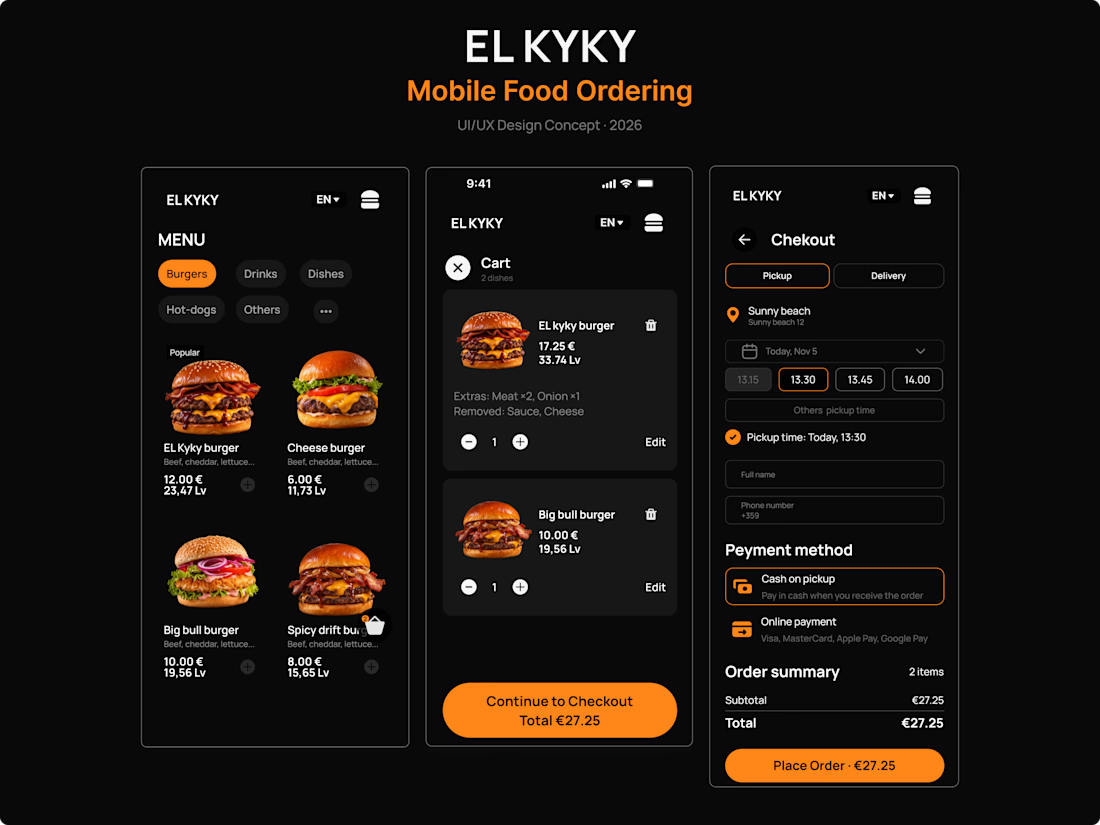
🍔 Introducing EL KYKY — Mobile Food Ordering Experience
I've been working on EL KYKY, a self-initiated UI/UX design concept for a mobile-first restaurant ordering website.
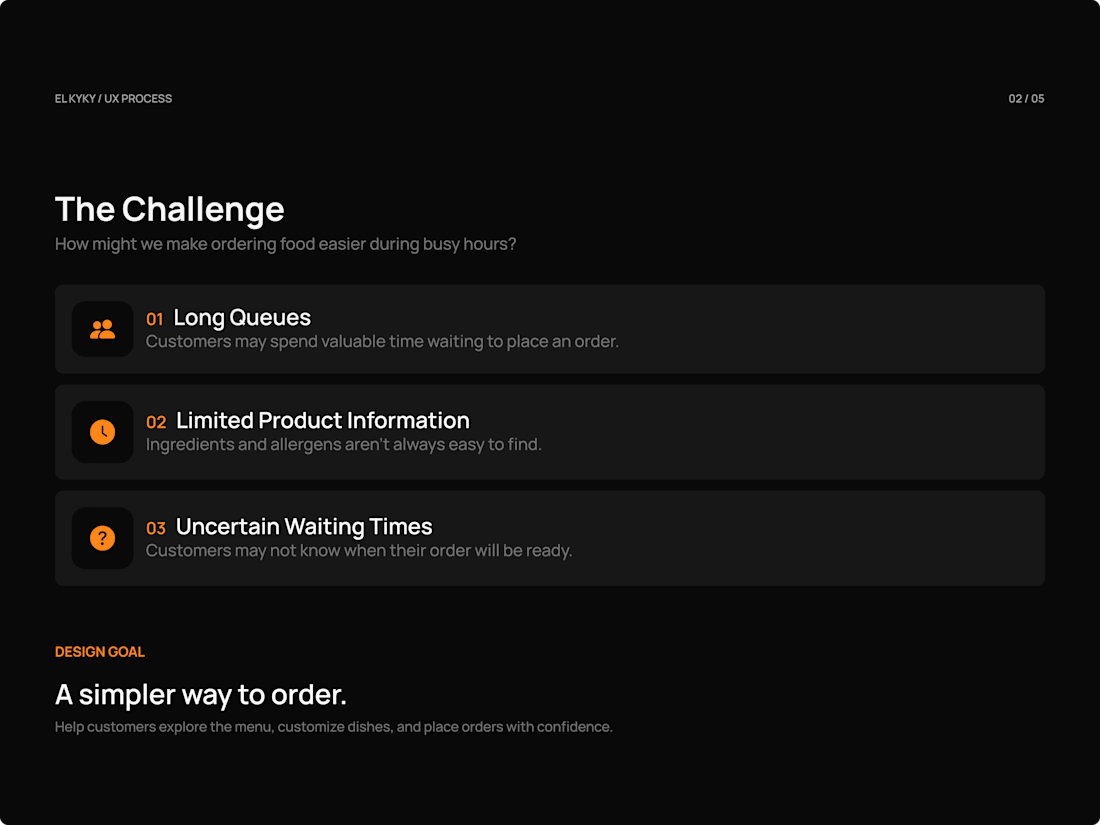
The idea started with a simple question:
How can we make ordering food easier and more convenient, especially during busy hours?
I focused on three key challenges:
→ Long queues during peak hours.
→ Limited information about ingredients and allergens.
→ Uncertainty around order preparation times.
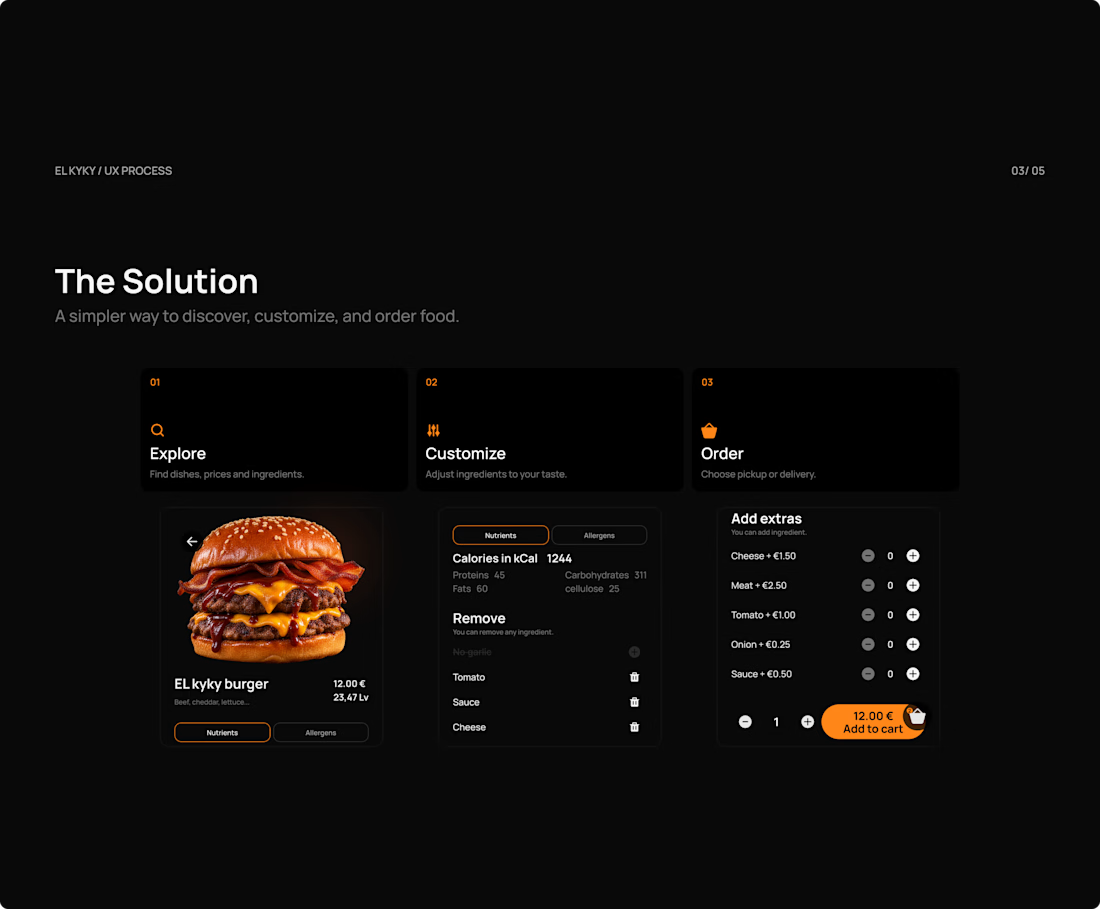
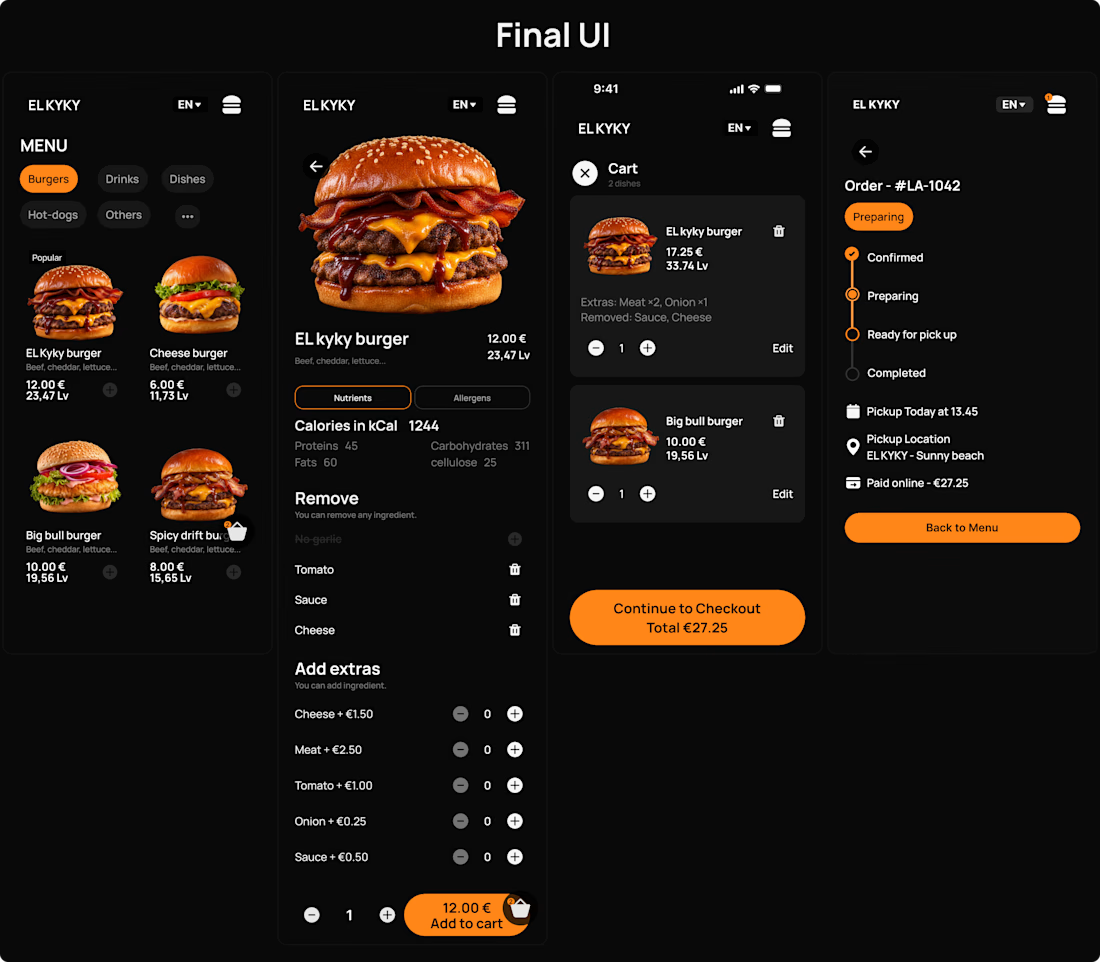
My goal was to create a simple ordering experience where customers can explore the menu, customize their food, choose pickup or delivery, and track their orders.
For the visual direction, I chose a minimal dark interface, bold food photography, and orange accents to highlight important actions.
The project includes UX exploration, user flows, wireframes, a design system, and an interactive prototype.
This is an independent design concept, and I'm currently preparing to test the experience with real users.
I'll be sharing more about the design process, decisions, and lessons learned in upcoming posts.
💬 I'd love to hear your thoughts!
#UIUXDesign #UIDesign #UXDesign #Figma #WebDesign

Smooth navigation for my luxury restaurant @Framer template – Bordo


This is a beautifully resolved layout