The network for creativity
Join 1.25M professional creatives like you
Connect with clients, get discovered, and run your business 100% commission-free
Creatives on Contra have earned over $150M and we are just getting started
Back to feedPost

Why Webflow Still Beats "Just Ask Claude to Build It"
AI can spin up a working website in minutes. That's genuinely impressive — and for a lot of projects, it's exactly the wrong tool for the job. If you're serious about a website you'll actually run a business on, here's the case for building it in Webflow instead.
1. You can see what you're making, as you make it
When you prompt an AI to build a site, you're describing a website in words and hoping the code matches your mental image. Webflow flips that: you're dragging, resizing, and styling the actual page in real time. There's no translation layer between "what I want" and "what I see." For anything design-sensitive — a portfolio, a brand site, an ecommerce store — that immediacy matters. Pixel-level control isn't a nice-to-have, it's the whole point.
2. No prompt-and-pray debugging loop
Ask an AI to "make the hero section bigger and move the nav," and you might get exactly that — or you might get three unrelated layout shifts you now have to describe your way out of. Every change becomes a new round of prompting, reviewing, and re-prompting. In Webflow, you click the element and change the value. The feedback loop is instant and the results are predictable, because you're not negotiating with a language model's interpretation of your request.
3. Built-in hosting, CMS, and SEO — not bolted on afterward
An AI-generated site is code. Code needs a place to live, a database if it has dynamic content, a way to manage blog posts or products, and someone to keep an eye on security patches. Webflow bundles hosting, a visual CMS, SEO settings, and automatic backups into the same platform where you design. You publish and it's live — no separate deployment pipeline to assemble and maintain.
4. Designed for handoff and collaboration
Marketing teams, designers, and non-technical founders can open a Webflow project and actually make changes — swap an image, edit copy, adjust a section — without touching code or writing a prompt precisely enough to avoid breaking something else. A codebase generated by AI is still a codebase; someone with dev skills (or a lot of patience) is the bottleneck for every future edit.
5. Consistency at scale
Webflow's style system (classes, components, variables) means a color or spacing change propagates predictably across the whole site. AI-generated code doesn't inherently have that discipline unless someone imposes it — and imposing it well is itself a design-systems skill, not a prompting skill.
6. It's built for websites, not adapted to build them
Webflow was purpose-built for responsive web design: breakpoints, interactions, animations, and accessibility considerations are first-class citizens in the tool. An AI model is a generalist — great at producing a first draft fast, but without the guardrails a dedicated design tool has for things like responsive behavior or animation timing.
To be fair: AI-assisted building has real strengths Webflow doesn't — it's faster for a rough first draft, cheaper to start, and doesn't require learning a tool. For prototypes, internal tools, or projects where custom logic matters more than visual polish, prompting an AI (or even having it write custom code) can be the better call. The honest answer is that they're suited to different jobs: Webflow for a polished, maintainable, visually controlled site you'll own for years; AI generation for speed, experimentation, or highly custom functionality.


The network for creativity
Join 1.25M professional creatives like you
Connect with clients, get discovered, and run your business 100% commission-free
Creatives on Contra have earned over $150M and we are just getting started










Related posts

The team is cooking
Motion design for the logo we are making for Nation e-commerce


Wou


EarthHub – A Platform for Nature Expeditions ⛰️
Stumbled upon this project in my hard drive, had to publish!


Top to bottom nice work

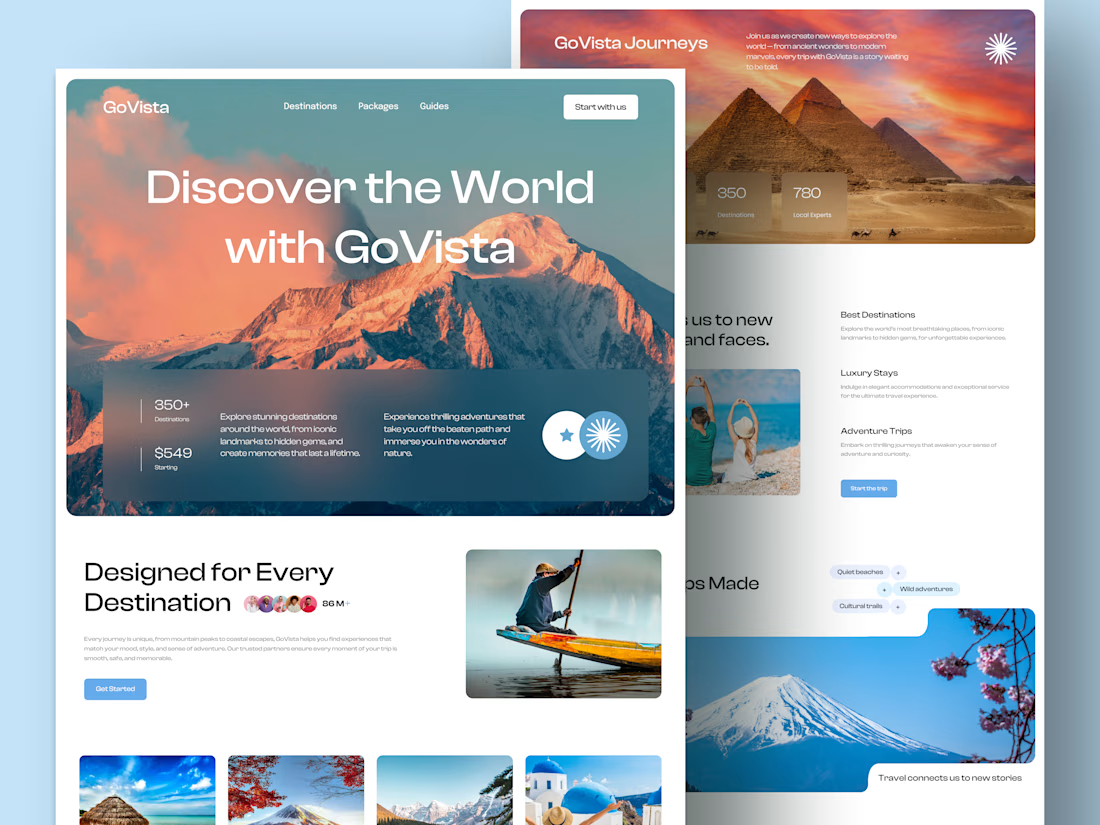
GoVista Journeys - A travel landing page designed to make people dream of their next destination.
A travel company based in Leicester, UK, needed a visually engaging landing page to showcase its destinations and travel experiences while its larger website was being prepared.
The goal was simple: make a strong first impression through beautiful travel imagery, a clean layout, and a design that makes people want to explore more.
Because in travel, the journey can begin long before the booking. ✈️
What catches your attention first on a travel website: the images, the destinations, or the overall design? 👇

I like this very much, very good concept