The network for creativity
Join 1.25M professional creatives like you
Connect with clients, get discovered, and run your business 100% commission-free
Creatives on Contra have earned over $150M and we are just getting started
Back to feedPost

Day 1 of 30 in my Webflow challenge
Koffi
I built this mini landing page with an element pop-in sequence, image auto-bounce, and card move effects. The focus was frankly on animating the cards in a way that allowed it to be moved randomly at any point within the section easily, and on a clean layout.
Here is what went into it:
Created a pop-in load animation
Hover animations for all CTA buttons with neo-brutalism
Hero-image auto-bounce
Card component auto-animation with click-drag ability to any position on the section
Shake animation for Mobile devices targeting the card components
Responsive build across all devices
Link here: challenges-30.webflow.io/koffi
I am currently open to freelance projects, contract roles, and full-time positions (remote or hybrid). I build in Webflow, design in Figma, and I deliver fast without cutting corners.
If you're a business owner, startup founder, or innovator, and you need someone who treats your website projects as if their own business were on the line and delivers on business goals.
Let's talk on a call here: https://cal.com/onyebuchi-omoigberale/30min
DM me or drop a comment. I respond to everyone.
#Webflow #UIDesign #FrontendDevelopment #WebDesign #30DayChallenge #OpenToWork #ConversionOptimisation #Figma #GSAP #JavaScript


The network for creativity
Join 1.25M professional creatives like you
Connect with clients, get discovered, and run your business 100% commission-free
Creatives on Contra have earned over $150M and we are just getting started








Related posts

Static web design is dead.
Designed this bento section for a Sales CRM Platform and turned it into an animated section with Claude.
I got to start including motion in my designs.


I’m curious, what prompt did you use to create this? The result looks really smooth, by the way!

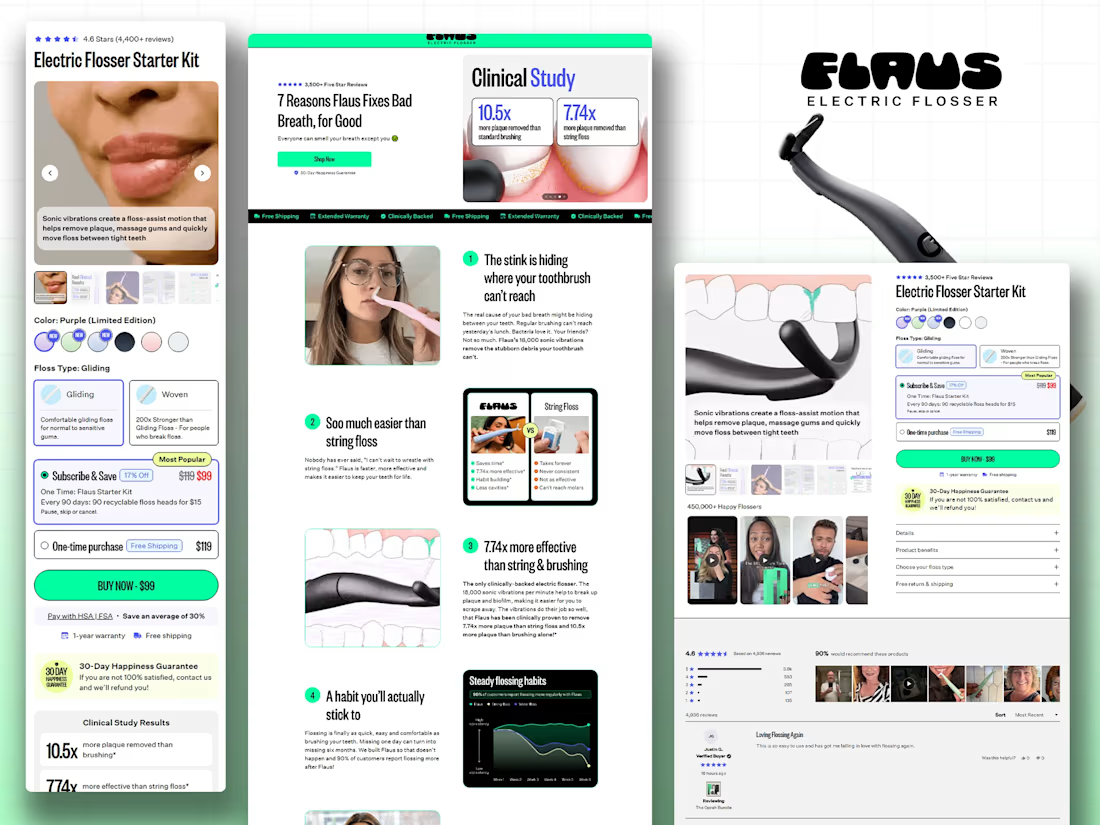
🚀 Figma to Shopify: Flaus Landing Page Development
Recently worked on the Flaus electric flosser project, combining native Shopify development with Replo to bring the Figma design to life.
🛍️ Custom Shopify product page development
⚙️ Shopify Liquid, HTML, CSS & JavaScript
🎨 Replo landing page development
📱 Responsive desktop and mobile layouts
🔄 Product options, subscription flows, and purchase functionality
I help e-commerce brands and agencies turn Figma designs into responsive Shopify experiences with custom functionality.
Looking for a Shopify developer for your next project? Feel free to connect!
#Shopify #Ecommerce #FigmaToShopify



Solid build Dhruv! Flaus is such a clean brand and bringing that Figma to life with native Shopify + Replo is the perfect stack. Custom product page for an electric flosser needs that education + conversion balance. Shopify Liquid + HTML/CSS/JS - proper custom work, not just theme tweaks. Love it! 🚀

A premium landing page concept for a luxury sauna brand, focused on warm visuals, refined typography, and a smooth interactive experience.

Great landing page 🎉🎉🔥🔥