The network for creativity
Join 1.25M professional creatives like you
Connect with clients, get discovered, and run your business 100% commission-free
Creatives on Contra have earned over $150M and we are just getting started
Back to feedPost
AI Chatbots Should Do More Than Just Answer Questions 🤖
I’ve been building AI chatbot solutions that go beyond basic Q&A.
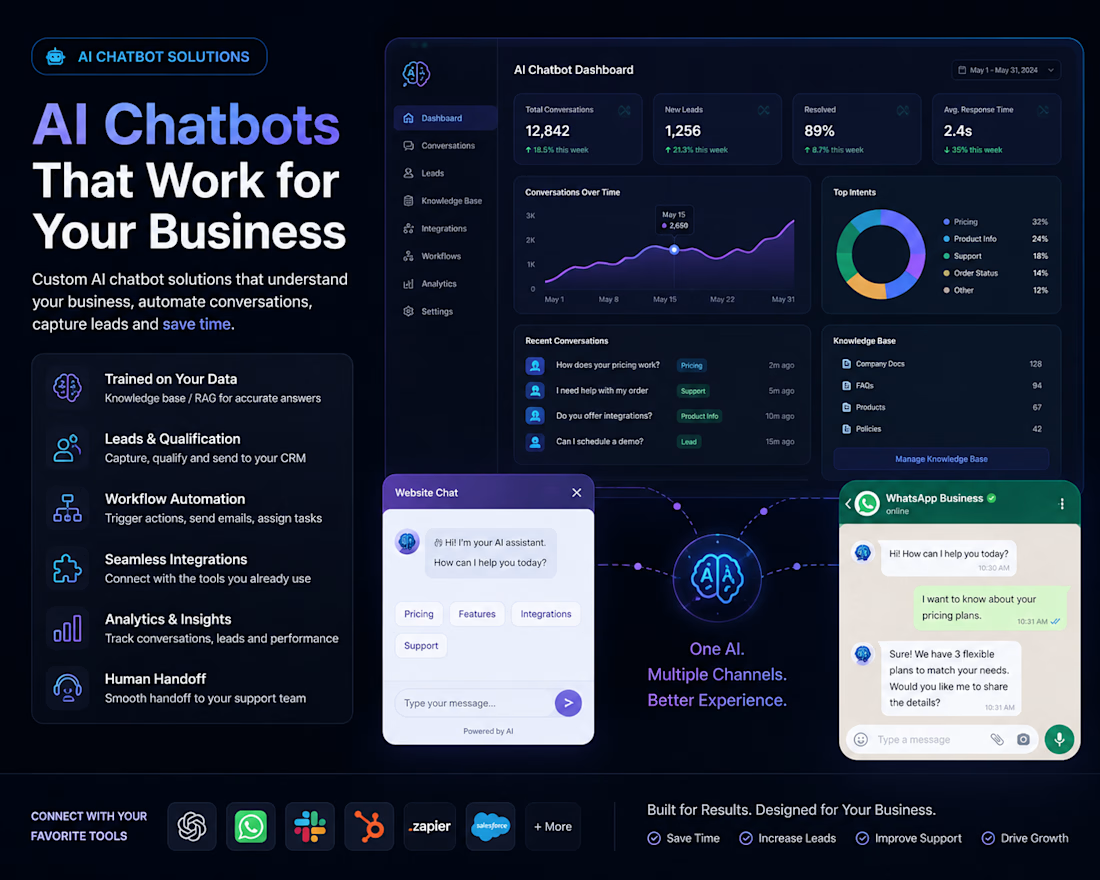
A useful business chatbot should be able to understand your company’s knowledge, answer customer questions accurately, capture and qualify leads, trigger workflows, and connect with the tools your team already uses.
Recent solutions I’ve worked on include:
→ Custom knowledge-base / RAG chatbots
→ OpenAI & LLM integrations
→ Website AI assistants
→ WhatsApp & messaging integrations
→ Lead capture and qualification
→ CRM & API integrations
→ Human handoff workflows
→ Conversation history & analytics
→ Custom admin dashboards
The goal is simple: turn AI into a practical business tool—not just another chat window.
If your business has repetitive customer questions, manual lead handling, or information scattered across documents and systems, a custom AI assistant can automate a significant part of that workflow.



Exactly, AI chatbot should sound real like human

Absolutely. The best AI chatbots should feel natural, understand context, and respond conversationally — not like a scripted bot.

This is wonderful. I fully buy into this content any day any time. Keep up the good work
Thank you so much! Really appreciate the support. I’ll keep sharing practical AI solutions and real-world development insights. 🙌
Looking forward to more from you

Super impressive work
The network for creativity
Join 1.25M professional creatives like you
Connect with clients, get discovered, and run your business 100% commission-free
Creatives on Contra have earned over $150M and we are just getting started
Related posts

Before you add AI to your product, find the screen where your users already copy and paste.
That's usually where the real AI feature lives. Not a chatbot in the corner, but a step people already do by hand: summarising a ticket, drafting a reply, tagging an upload, pulling fields out of a PDF.
Here's the order I follow when a founder asks me to add AI to an existing SaaS:
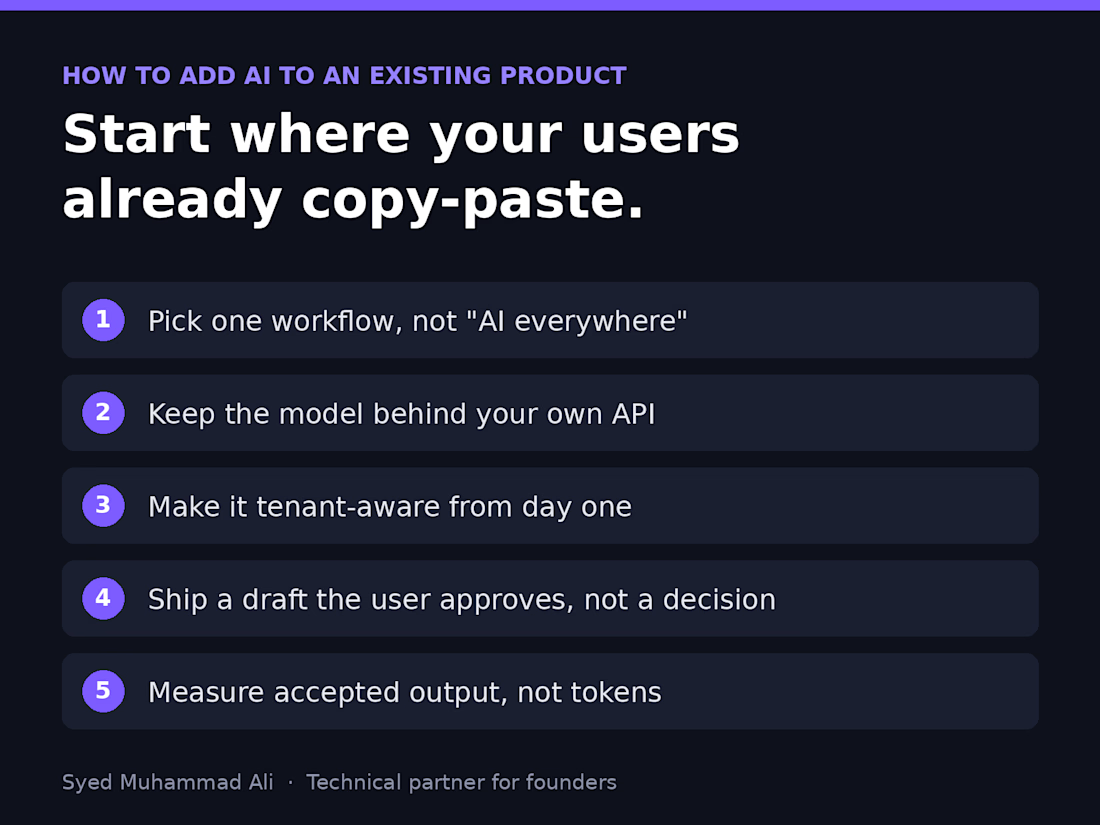
1. Pick one workflow, not "AI everywhere." Watch where users leave your app to paste something into ChatGPT and come back. That round trip is your feature.
2. Keep the model behind your own API. One service owns prompts, retries, logging and cost limits, so you can switch providers without touching the frontend.
3. Make it tenant-aware from day one. Each customer's data, prompts and usage stay scoped to their account, or the first enterprise security review will stop you.
4. Ship a draft, not a decision. Let the AI suggest and the user approve. You earn trust and get real feedback before you automate anything.
5. Measure accepted output, not tokens. If users rewrite most of what it produces, the prompt or the context is wrong, and that's your real roadmap.
Most AI features that flop didn't fail because of the model. They were bolted onto the wrong step.
What's the one task your users still copy into ChatGPT?

Watching where users paste into ChatGPT and come back is such a practical way to find the real feature. Most teams start with the chatbot instead.

A Gentle Rhythm
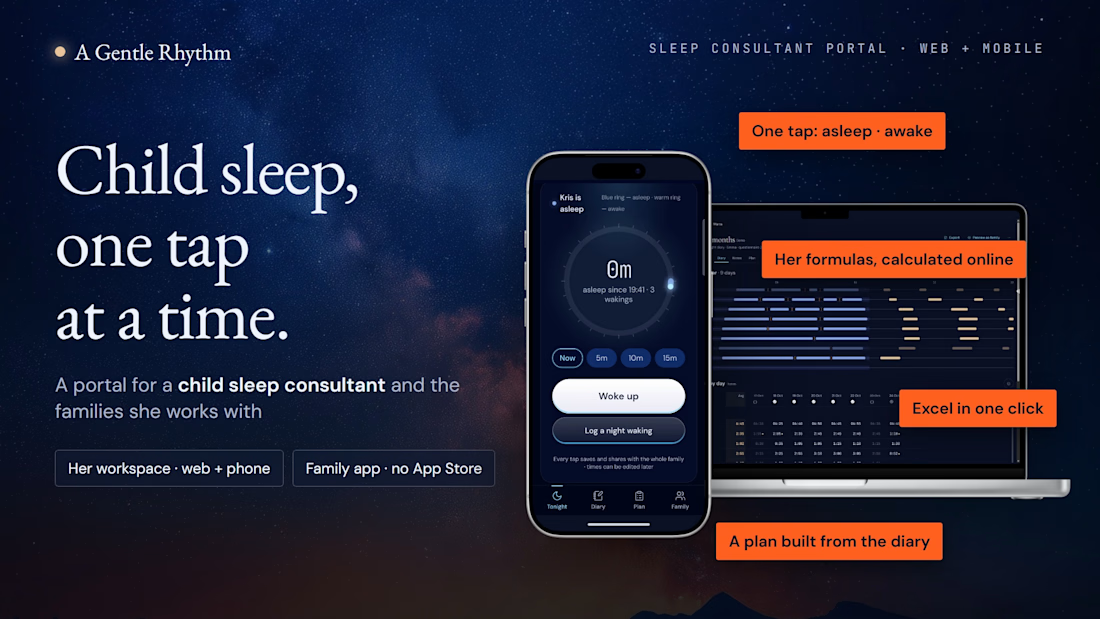
A calm portal for a child sleep consultant and the families she works with
One workspace instead of a pile of spreadsheets for every client.
Parents log sleep with one tap on their phone. The consultant sees the questionnaire, diary, calculations and plan in one place.
Why I built it
Right when the Base44 Challenge started, I got a new client: a child sleep consultant who needed a website.
My first thought was that she needed more than a website. She needed a real workspace.
Her work with each family involved:
An intake questionnaire in Google Forms.
A paper sleep diary that parents fill in, often at 3 a.m. with a baby in their arms.
An Excel spreadsheet with her own formulas, where she manually copies diary entries and calculates wake windows, naps and night sleep.
A new set of files for every new client.
I looked for a ready-made platform for this niche and couldn’t find one that fit her workflow. She needed more than a generic CRM or a parent-facing sleep tracker.
So I built A Gentle Rhythm.
Two connected spaces
01 · The consultant’s workspace
Available on the web and on her phone.
All families appear in one list, with clear statuses: waiting for the family, questionnaire to review, diary in progress.
Each child’s case brings together:
The intake questionnaire.
The sleep diary.
Sleep calculations and averages.
Private consultant notes.
The plan and its versions.
02 · The family’s space
A simple, invite-only space shared by both parents—and a grandparent, if needed.
Parents can add it to their phone’s home screen and open it like an app, without downloading it from the App Store or Google Play.
Each family sees only its own child.
How it works
Step 0 · Create a space for the family
The consultant creates a case with the child’s name, date of birth and programme length: 7, 14 or 28 days.
She sends an invitation link. The parent sets a password and confirms their email with a six-digit code.
Step 1 · Get to know the family
The intake questionnaire has five chapters: General, Sleep, Temperament, Expectations and Consent.
Parents answer one question at a time, using answer chips or their own words. Their progress is saved as they go.
Before submitting, they can review all their answers. The consultant then reads the questionnaire chapter by chapter and either marks it reviewed or returns it for changes.
Step 2 · Log sleep with one tap
Parents tap “Fell asleep” and “Woke up.”
The ring turns blue while the child sleeps and warm while awake. A short follow-up asks what helped the child fall asleep: two taps, or Skip.
Both parents see the same timer live. Accidental taps can be undone, and each entry shows who logged it.
Step 3 · Let the diary do the calculations
The diary builds itself, with one line per day running from 18:00 to 18:00.
Using the consultant’s own Excel formulas, the app calculates:
Wake windows.
Naps.
Night sleep.
The longest sleep stretch.
Total sleep over 24 hours.
Averages include only complete days selected by the consultant.
She can review the Durations table on her computer or phone. If a family has a question, “Preview as family” opens their space so she can see exactly what they see.
When she needs a spreadsheet, she can export a real .xlsx file in one click.
Step 4 · Write the plan beside the diary
The consultant writes the plan alongside the diary: a letter to the family, target wake windows and tasks for the week.
Drafts stay private. When she publishes a new version, the family sees it immediately.
Step 5 · Follow progress day by day
The family keeps logging sleep. The week view brings together nights, wake windows against the plan and “before → now” progress as the programme continues.
What it saves
For the consultant
No copying paper diaries into Excel. No manual wake-window calculations. No separate set of files for every client. No chasing photos of diary pages in messengers.
One workspace for all her families.
For parents
No tables to fill in at night.
One tap. One hand. In the dark.
How I built it
Her real materials came first
I started with the consultant’s Google Form, paper diary and Excel spreadsheet.
I worked through every formula, built a test day and checked the app against her spreadsheet, number by number, until the results matched.
Design before code
Before building the app, I created a design system with:
Night and day themes.
One consistent colour rule: blue means asleep, warm means awake.
The night and dawn sky backgrounds are my own images, created with Midjourney.
Built with Base44 and Claude Code
Base44 built the application: the database, authentication, access rules and screens.
Claude Code was my design partner. It helped write the design system and implementation prompts, analyse the spreadsheets and test the live site in a real browser—checking screens, console errors and calculations.
21 batches of improvements
Credits were limited, so I grouped each round of fixes into one structured batch for Base44.
The first working version took 21 batches.
Privacy
Families join only by invitation.
Database access rules restrict parents to their own family’s records. I tested this with a second account.
The consultant’s private notes and unpublished plan drafts remain visible only to her.
All names and data in the demo are fictional.
Current stage and what’s next
This is the first working version.
The next step is for the consultant to start using it with real clients.
Longer term, A Gentle Rhythm could become a platform for other sleep consultants, each with their own practice and families.
Access for judges
1 · Explore as the consultant
Open https://gentle-rhythm-sleep.base44.app and select “Log in.”
Email: usertestanya@gmail.com
Password: Base4444
Open Marta’s case, which includes nine days of diary data.
Explore:
Questionnaire.
Diary, including the star calendar and daily Durations.
Plan, including versions and Write / Preview.
Private Notes.
Try “Preview as family” to see the parent experience, and “Export → Download for Excel” to download the spreadsheet.
2 · Explore as a parent
For the best experience, use a phone.
Open the same website and select “Log in.”
Email: usertestpavlo@gmail.com
Password: Base4444
In Kris family space:
Tap “Fell asleep.”
Choose what helped, or tap Skip.
Tap “Woke up.”
Explore Diary and Plan.
For an app-like experience, add the site to your home screen:
iPhone: Safari → Share → Add to Home Screen.
Android: Chrome → ⋮ → Add to Home screen.
3 · See both sides together
Keep the consultant’s workspace open on a computer and log sleep from the parent account on a phone.
The new entry appears in the consultant’s workspace.
All demo names and data are fictional. Please do not delete the demo family.
Links



So cool project 🚀🚀 good luck 🤞🏻

The concept is finished! ☺️🖤
Melting Point — a website concept about global warming. An attempt to turn a huge topic into something you can explore on screen 🌍
You can click around the live demo here 👀
https://melting-point-ten.vercel.app/
What do you think?


Great concept work