The network for creativity
Join 1.25M professional creatives like you
Connect with clients, get discovered, and run your business 100% commission-free
Creatives on Contra have earned over $150M and we are just getting started
Back to feedPost

A cleaner dashboard can sometimes be a slower dashboard.
Especially when it's designed for people who work with complex information every day.
Imagine a financial analyst reviewing hundreds of transactions.
They need to compare data, identify exceptions, apply filters, and move between different records throughout the day.
Now imagine simplifying that interface by hiding most of the information behind expandable sections, secondary menus, and separate pages.
The result might look considerably cleaner.
But the analyst now needs more interactions to access information that was previously available at a glance.
And when those actions are repeated dozens of times a day, the difference becomes significant.
This is something I find particularly interesting about designing for experienced users.
There's a distinction between an interface that's unnecessarily complicated and one that supports genuinely complex work.
Data density isn't automatically a usability problem.
Neither are advanced controls, detailed tables, or multiple pieces of information displayed together.
Sometimes they're exactly what makes a professional tool efficient.
Of course, that doesn't justify cluttered interfaces or poorly organized information.
The challenge is understanding what needs to remain visible, what can be progressively disclosed, and where customization or saved views might help different users work more effectively.
A first-time user may benefit from additional guidance and a more focused experience.
Someone who has been using the product every day for years may value direct access, shortcuts, and the ability to work without unnecessary interruptions.
Both perspectives matter.
But designing for experts means understanding their workflows well enough to know which complexity serves a purpose.
Sometimes simplifying an experience isn't about removing information.
It's about removing the effort required to work with it.

The repeat count is the part people miss. One extra click looks harmless in a design review, but across hundreds of transactions a day it adds up fast. Do you check how often each action is used before deciding what can hide behind a menu?
The network for creativity
Join 1.25M professional creatives like you
Connect with clients, get discovered, and run your business 100% commission-free
Creatives on Contra have earned over $150M and we are just getting started





Related posts

Dashboard design for AllWays Holiday.
Clarity is what makes a good dashboard.
Every section, metric and action should help users understand what's happening and what needs their attention.
Designed to make managing travel operations easier.

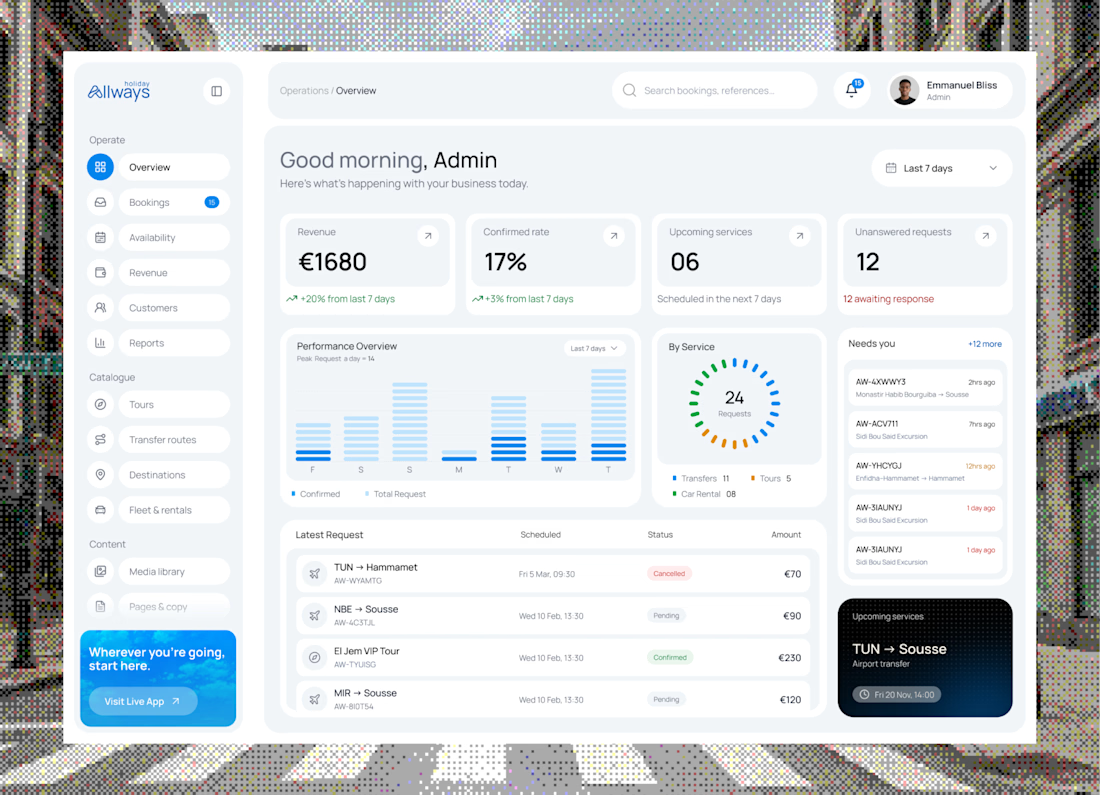

"What needs their attention" is the part most dashboards miss. Clean KPI cards up top, then the list below makes it easy to act. Did you consider pulling urgent bookings or issues into their own highlighted block, so ops teams see problems before they scroll?


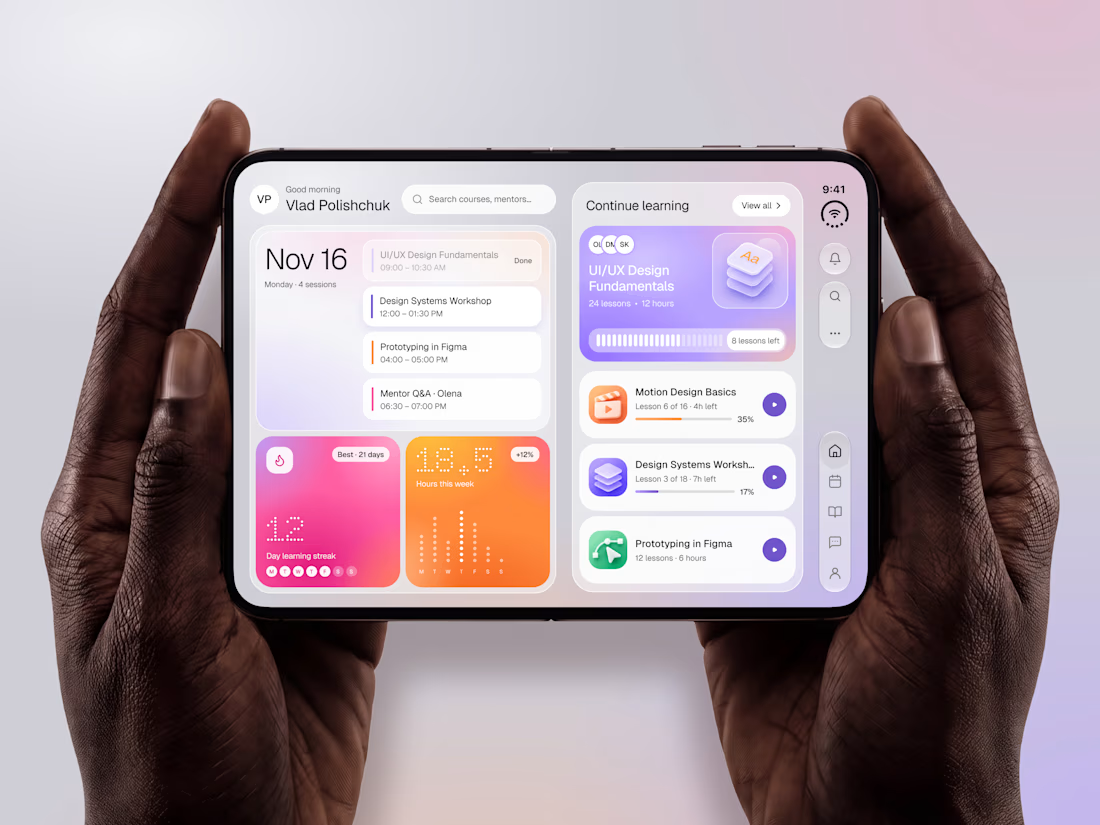

The purple gradients keep learning lively and fun.

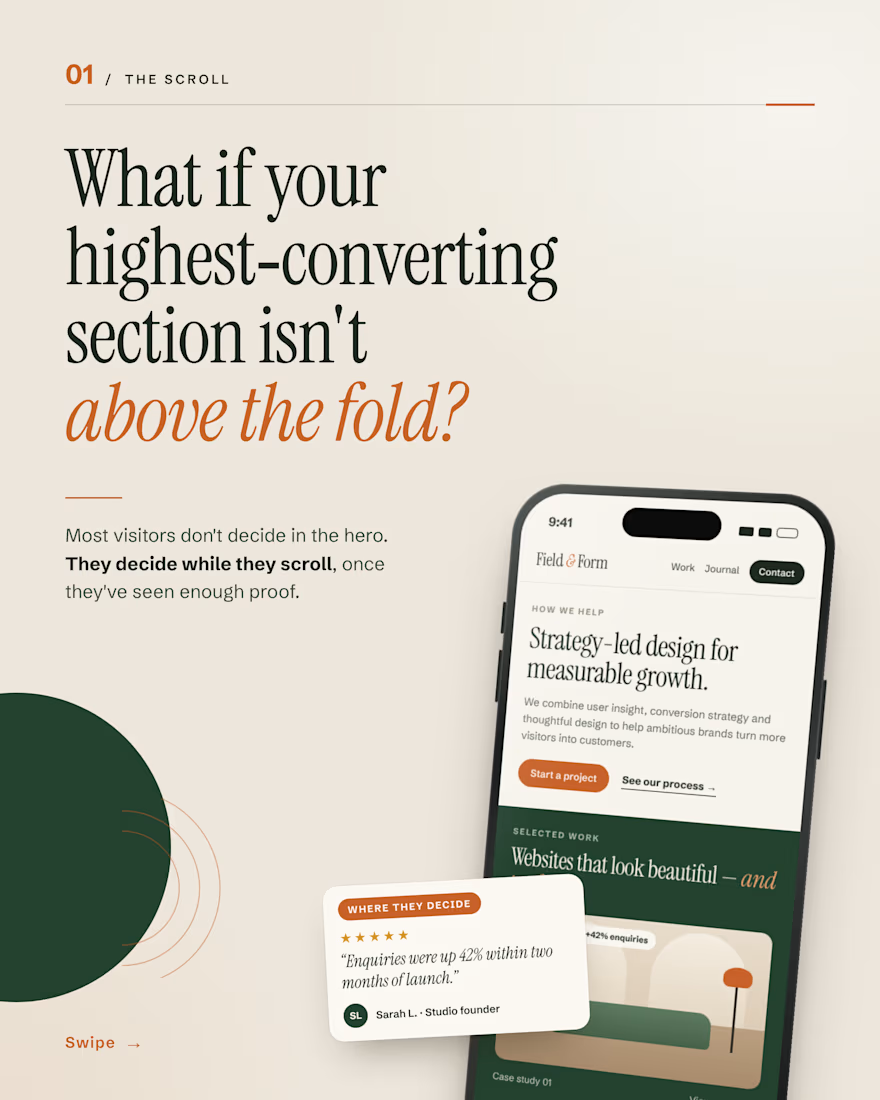
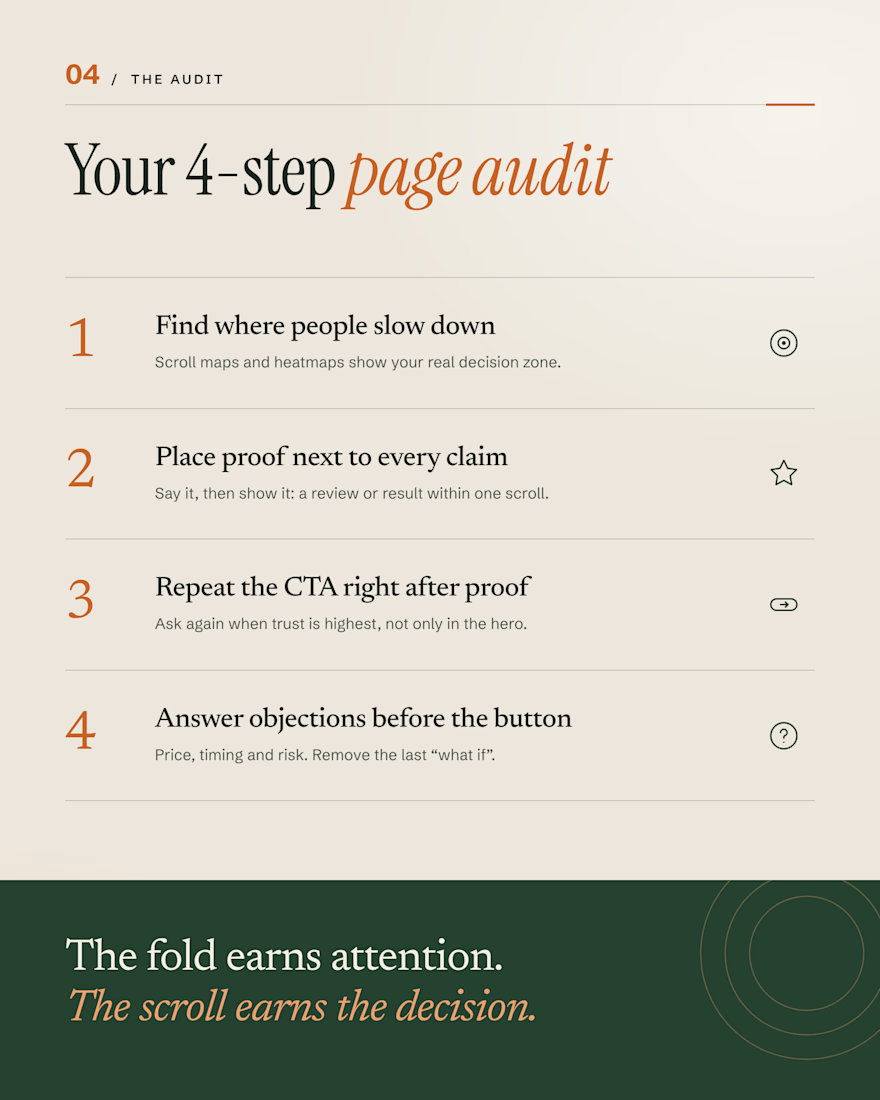
Your hero gets the first look. But most visitors don’t decide there.
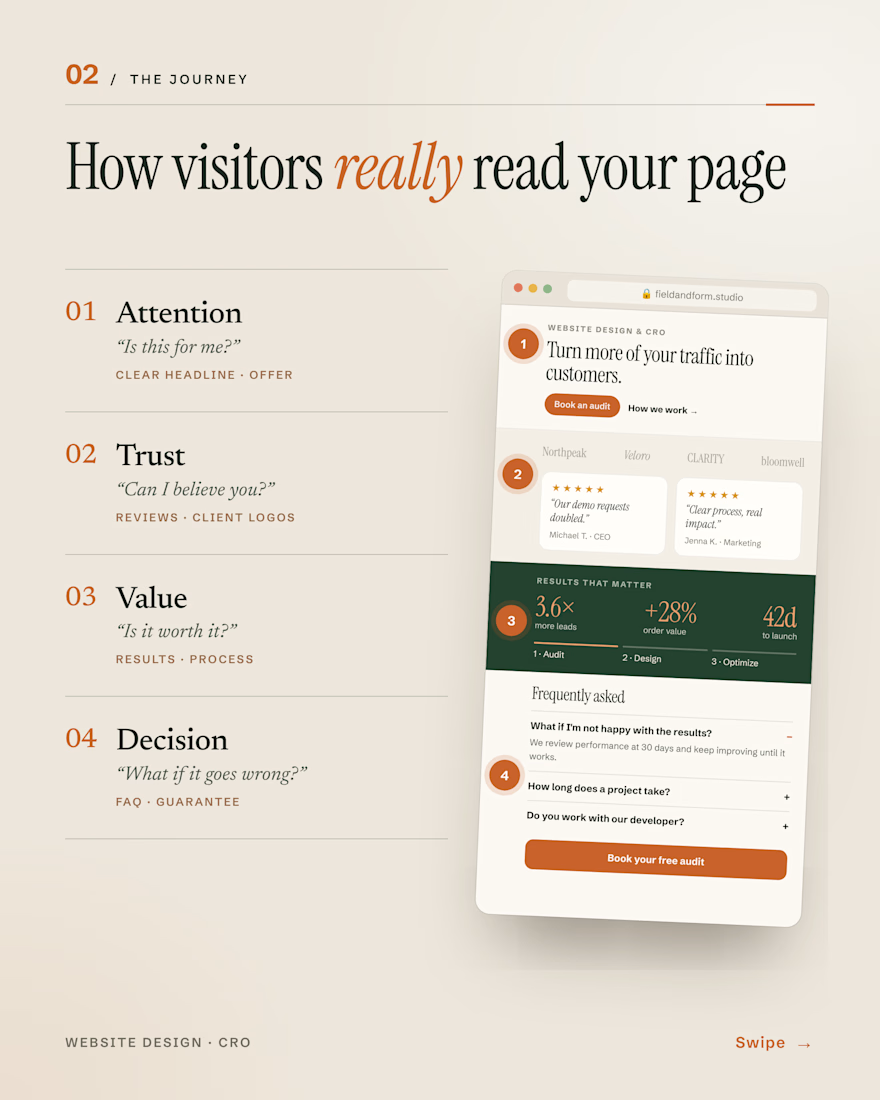
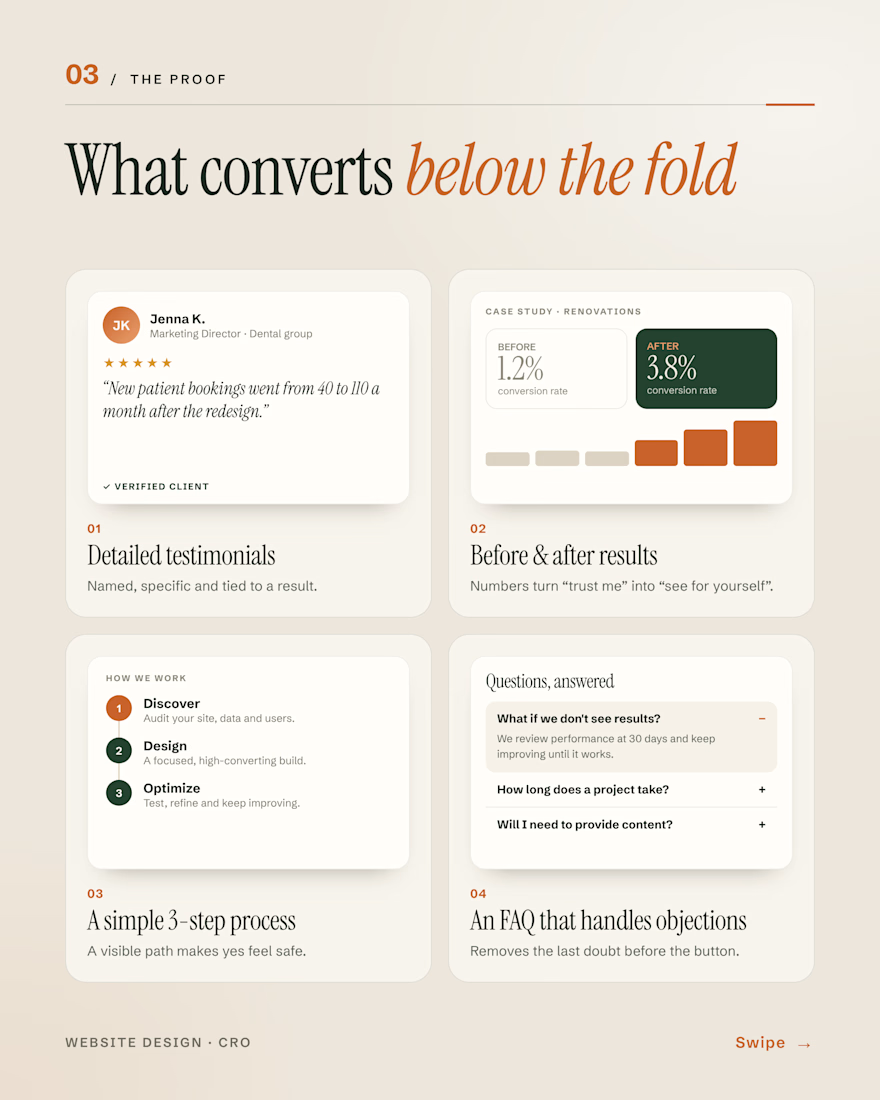
They scroll and question you: Is this for me? Can I trust you? Is it worth it? What if it goes wrong?
The sections that answer those (reviews, real results, a clear process, an honest FAQ) are often the ones doing the selling.
The fold earns attention. The scroll earns the decision.
#WebDesign #CRO #ConversionRateOptimization #LandingPages #UXDesign

Agree that the FAQ is where a lot of doubt gets settled. When you build these sections, do you put reviews before the process or after it?