The network for creativity
Join 1.25M professional creatives like you
Connect with clients, get discovered, and run your business 100% commission-free
Creatives on Contra have earned over $150M and we are just getting started
Back to feedPost

N8N HR Document Automation Flow — Portfolio Explanation
Overview
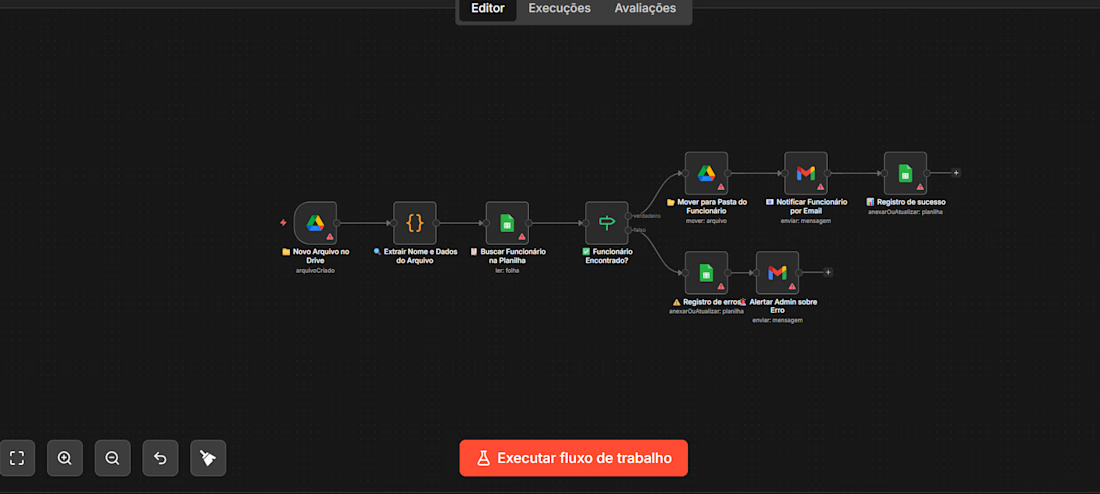
This workflow automates the process of onboarding new employee files into an organized Google Drive structure. Whenever a new file is uploaded to Drive, the system automatically identifies the employee, validates them against a roster, notifies them by email, and logs everything — all without any manual intervention.
Integrations Used
IntegrationPurposeGoogle DriveDetects new files and moves them to the correct folderGoogle SheetsStores the employee registry for lookupGmailSends notifications and admin alertsN8N Code NodeExtracts and parses data from the file
Flow Breakdown
1. Trigger — New File on Drive
Novo Arquivo no Drive
The flow is triggered automatically whenever a new file is created in a monitored Google Drive folder. This is the entry point — no manual action needed.
2. Extract Name & Data from File
Extrair Nome e Dados do Arquivo
A Code node parses the uploaded file to extract key information — primarily the employee's name and any relevant metadata embedded in the file name or content.
3. Search Employee in Spreadsheet
Buscar Funcionário na Planilha
Using the extracted name, the flow queries a Google Sheets spreadsheet (the employee registry) to check whether this person exists in the system.
4. Employee Found? (Conditional Branch)
Funcionário Encontrado?
A Switch/Router node evaluates the lookup result and splits the flow into two paths:
✅ Path A — Employee Found (True)
StepActionMove to Employee FolderThe file is moved to that employee's dedicated Google Drive folderNotify Employee by EmailA Gmail message is sent to the employee confirming the file was receivedSuccess LogA record is written to a Google Sheets log (append/update)
❌ Path B — Employee Not Found (False)
StepActionError LogThe failed attempt is recorded in a separate Google Sheets error logAlert Admin by EmailGmail sends an alert to the administrator reporting the unrecognized file
Key Features
✅ Fully automated — triggered by file upload, zero manual steps
✅ Smart file routing — files land in the right employee folder automatically
✅ Validation layer — cross-references a live employee spreadsheet before acting
✅ Dual-path error handling — failures are logged and the admin is immediately notified
✅ Audit trail — both successes and errors are recorded in Google Sheets
✅ Email notifications — employees and admins are kept in the loop automatically


The network for creativity
Join 1.25M professional creatives like you
Connect with clients, get discovered, and run your business 100% commission-free
Creatives on Contra have earned over $150M and we are just getting started




Related posts



Obviously automated

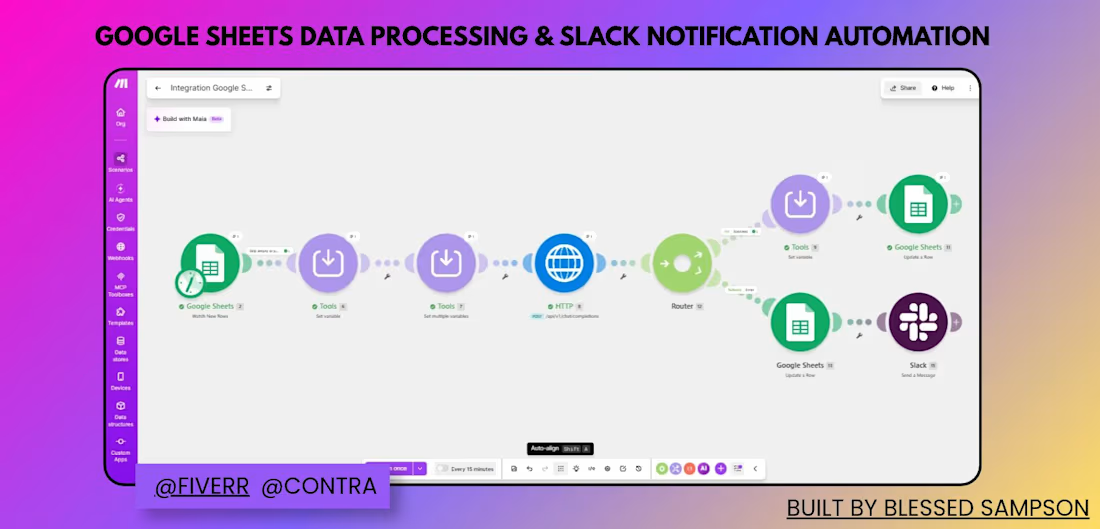
Automated a manual Google Sheets → Slack workflow to eliminate repetitive data entry and give the team instant notifications.
Previously, new data had to be manually checked, processed, and shared across the team — slow and easy to miss. I built a Make.com scenario that:
Watches Google Sheets for new/updated rows
Processes and routes the data through a router based on conditions
Creates corresponding Trello cards for task tracking
Logs processed records back to Google Sheets
Sends real-time Slack notifications so the team is instantly updated
Result: What used to be manual checking and updating is now fully automated — saving hours weekly and removing room for human error.
Tools: Make.com, Google Sheets, Trello, Slack



wow love this
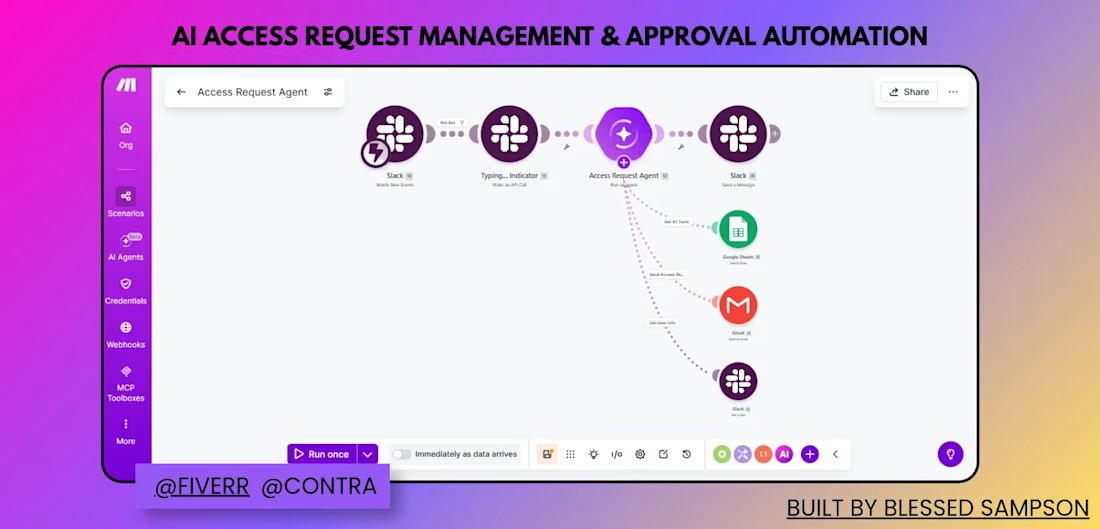
Built an AI agent that handles access requests end-to-end inside Slack — reviewing, approving, and notifying automatically.
Manually tracking who requested access to what (and following up over email) was slow and easy to lose track of. I built a Make.com scenario that:
Watches Slack for new access request messages
Shows a typing indicator while the AI Agent processes the request
The AI Agent (Access Request Agent) evaluates the request and decides the next action
Depending on the decision, it logs the request in Google Sheets, sends an email via Gmail, or replies in Slack
Sends a confirmation message back to the requester in Slack
Result: Access requests are now reviewed and routed automatically — no manual follow-up, and every request is logged and answered consistently.
Tools: Slack, Make AI Agents, Google Sheets, Gmail (built on Make.com)