
Hana Lim
Fast-Paced Expert UX/UI Designer | Mobile App & Web Design


I Built a Figma Plugin with AI ✨
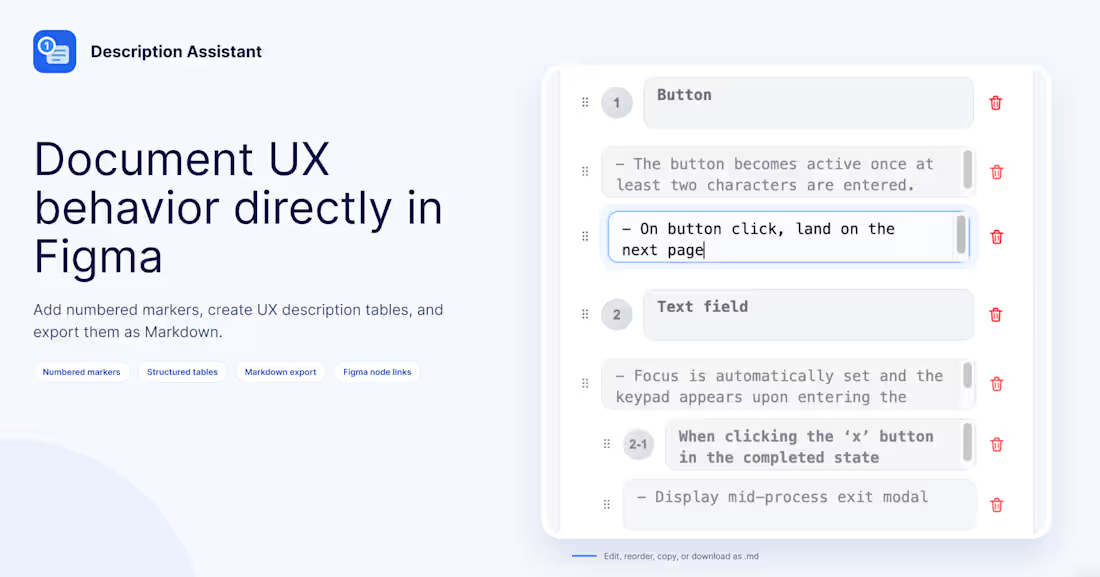
I built UX Description Assistant, a Figma plugin designed to make UX documentation and developer handoff easier.
🔷 The Problem
Designs can communicate how an interface looks, but they don't always explain how it behaves.
Interaction rules, conditions, edge cases, and system responses often require additional documentation. In environments where AI tools are restricted, writing and organizing these details can still take considerable time.
I wanted to create a more structured way to document UX behavior directly in Figma.
🔷 The Solution
UX Description Assistant helps designers write, organize, and share UX descriptions without relying on AI-generated content.
🔷 Key features
- Add numbered markers and sub-markers to selected Figma elements
- Document interaction rules, conditions, policies, and behaviors
- Create and edit structured description tables on the canvas
- Reorder descriptions with drag-and-drop
- Export Markdown documentation with Figma node links
🔷 Who Is It For?
This plugin is designed for product and UX designers who collaborate with developers, work in environments with restrictions on external AI tools, or prefer writing and managing UX documentation themselves.
🔷 The Goal
My goal was to make UX documentation more structured and convenient—from describing interface behavior to handing off designs to developers.
AI can be useful, but not every workflow needs to depend on it. Sometimes, a practical tool that helps you organize your own thinking is exactly what you need.
🔗 Try UX Description Assistant on Figma Community:
https://www.figma.com/community/plugin/1685428879323455650/description-assistant
🎥 Watch a guide video : https://youtu.be/flSYHJ0F718?si=BYzCpM4sao75Oa8Q
Built with AI-assisted development, inspired by a real UX documentation challenge.
0
1
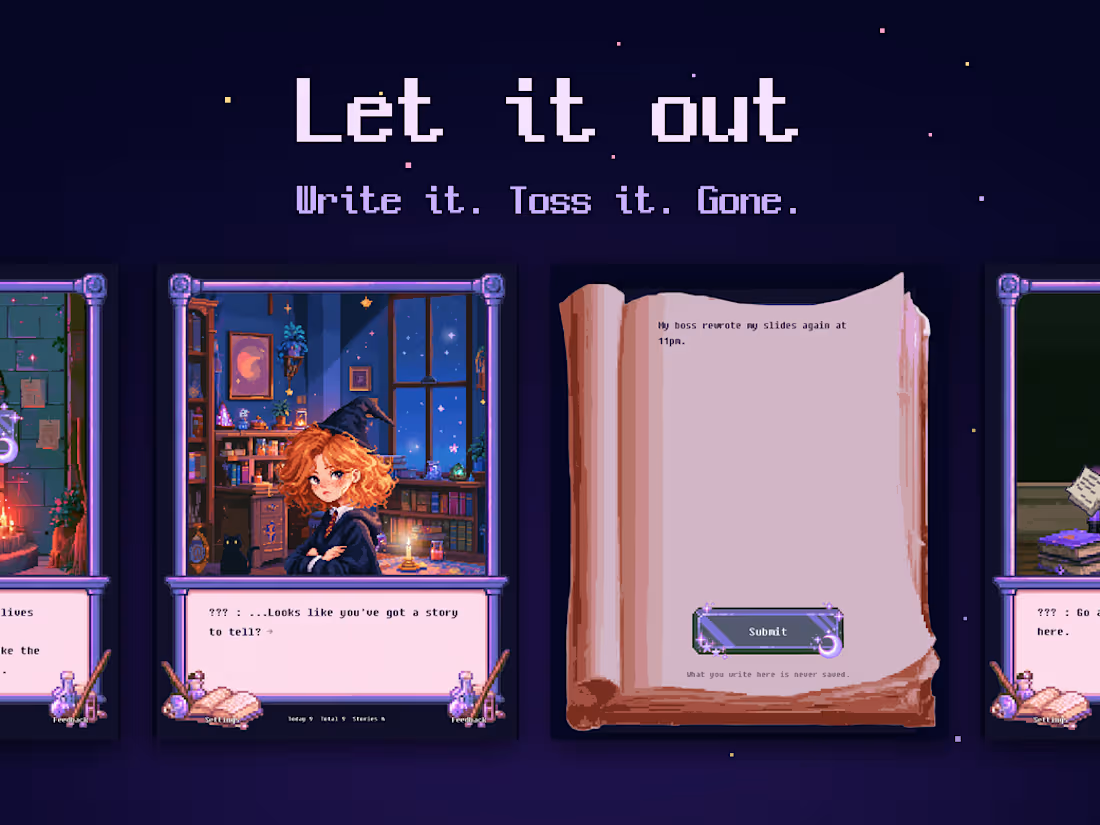
I spent three days building a mini-website using Vibe Coding.
I didn’t know any code, and this was my first time working on pixel art or a game.
I went through the entire process—from the initial idea to deployment—with the help of AI, and this experience allowed me to fully understand why it’s called Vibe Coding.
“Let it out” is a small space where you can comfortably share stories that are hard to tell to others.
But you actually tell them to a wizard. (laughs)
It’s a very simple product with no sign-up or logging features, but I paid close attention to the details so users can fully experience the concept from start to finish.
“Let it out” is available for free.
🔮 https://lnkd.in/esfWhUFE
(https://lnkd.in/esfWhUFE)No sign-up, no install, no cost. Available in English and Korean, on phone or laptop.
I also wrote up the full process, from idea to deploy.
Curious? Take a look here.👇
- Eng : https://lnkd.in/eZMY5nBX
(https://lnkd.in/eZMY5nBX)- KR : https://lnkd.in/eaktm2HF
Feedback is always welcome. 😁
0
44
UI UX Designer for Counselling Health & Fitness App
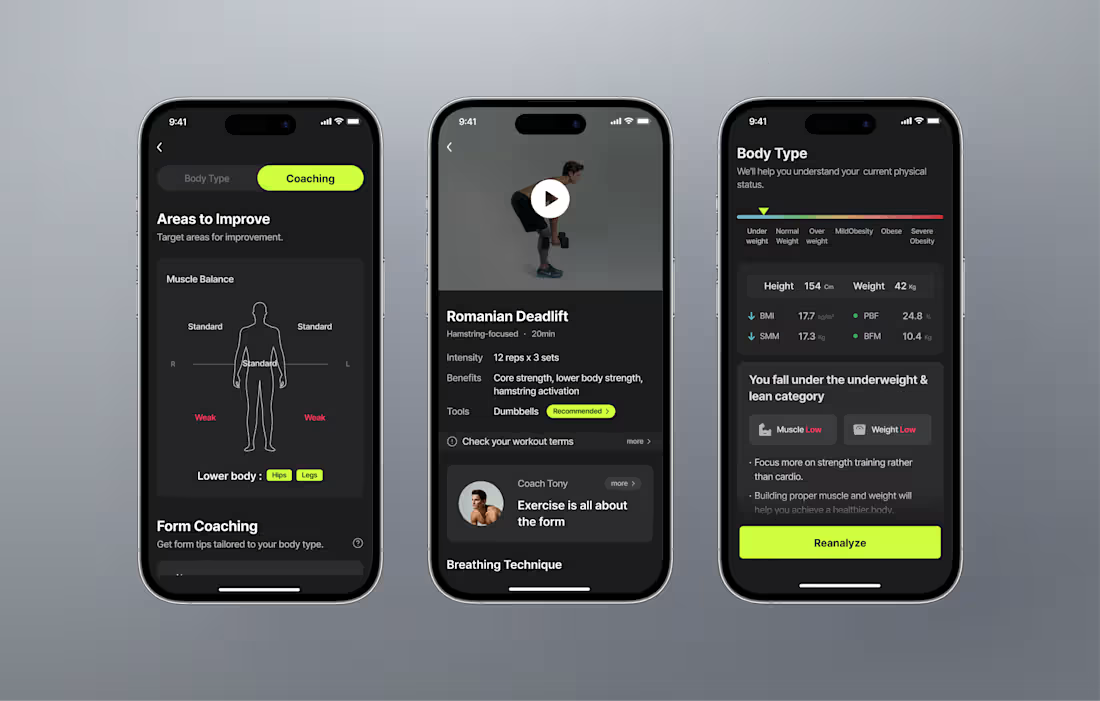
This was the first healthcare product project I ever worked on. At the time, I put a great deal of thought into how to present a large amount of information clearly and engagingly. Although I currently manage various healthcare products, I still feel a special attachment to this first one. 🥹
I collaborated with developers to design a mobile app from the ground up that provides fitness consulting services for beginners.
The app utilizes smartphone cameras and AI-based motion analysis technology to assess the user's body alignment and detect any imbalances. Based on the analysis, it recommends personalized workout content and carefully selected equipment to help improve posture and mobility, allowing users to experience the entire journey from physical assessment to improvement.
Our focus was on creating a professional yet user-friendly service that offers genuine, practical value to users.
3
88
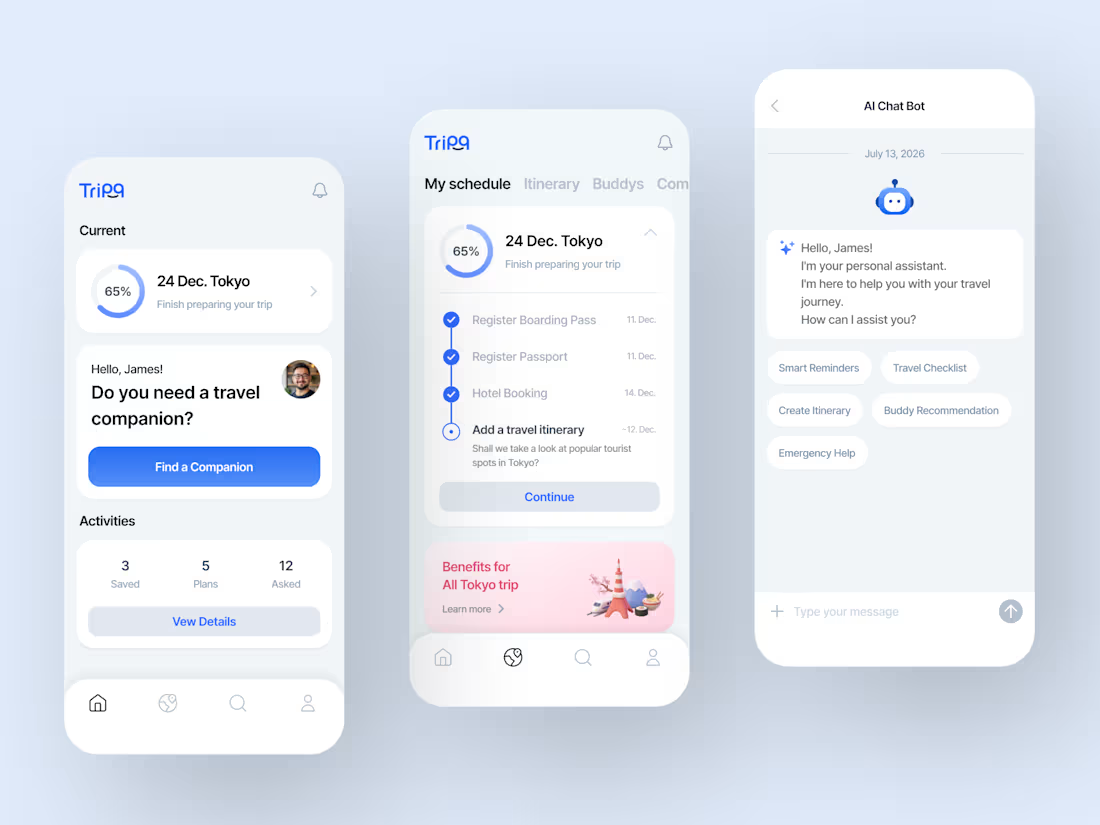
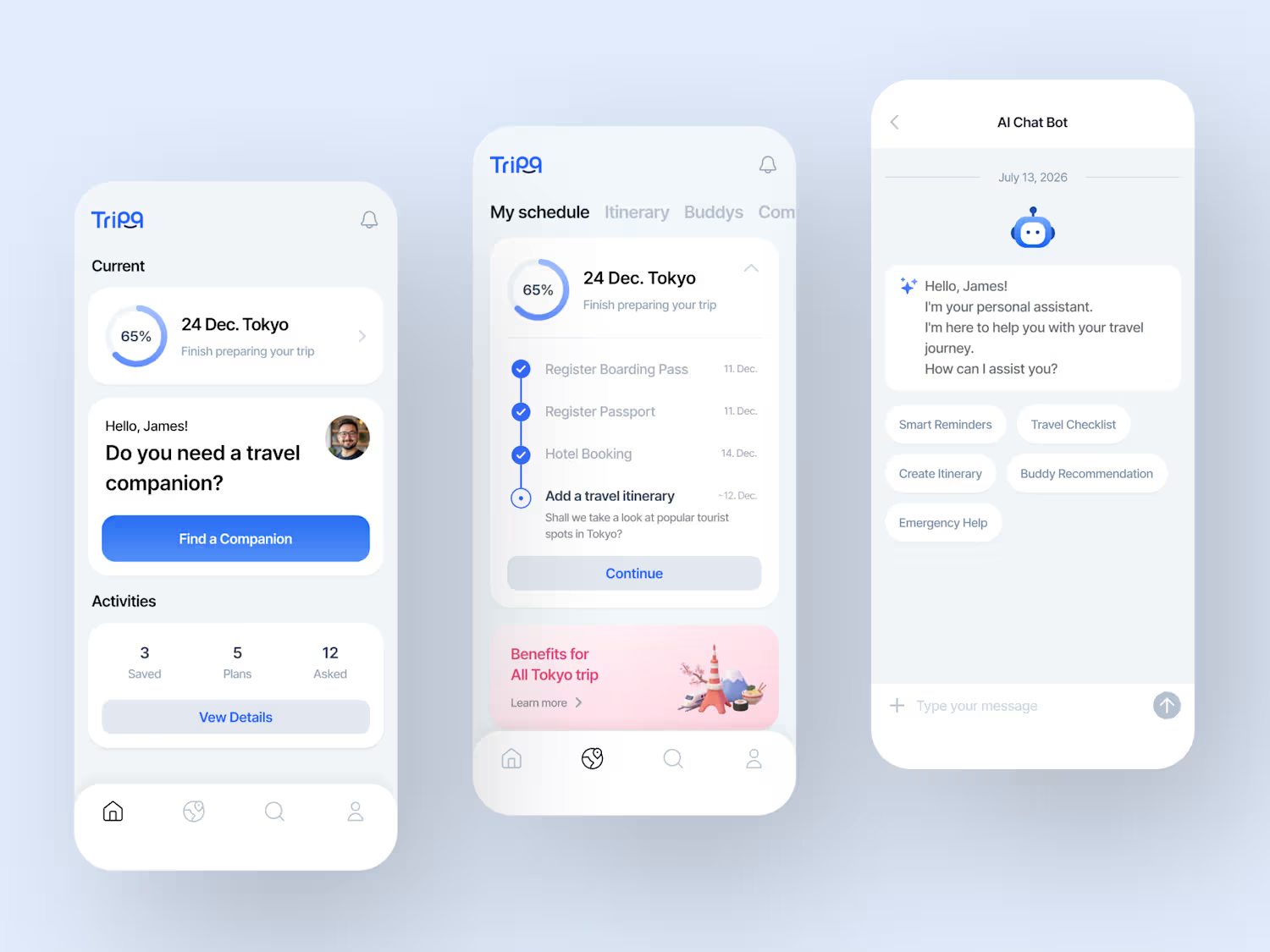
This is a travel service app that utilizes AI chatbots and recommendation features to provide personalized travel experiences. We redesigned the UI and UX to be clean and intuitive, ensuring that key information and processes are clearly visible.
🤔
I prefer designs that are clean and present information clearly.
While flashy designs are nice, I think I’m actually best at creating clean designs. 😁
2
133