
Bhagirathsinh Chauhan
Web application developer (PHP, Laravel, Mysql, React)
New to Contra
Bhagirathsinh is ready for their next project!


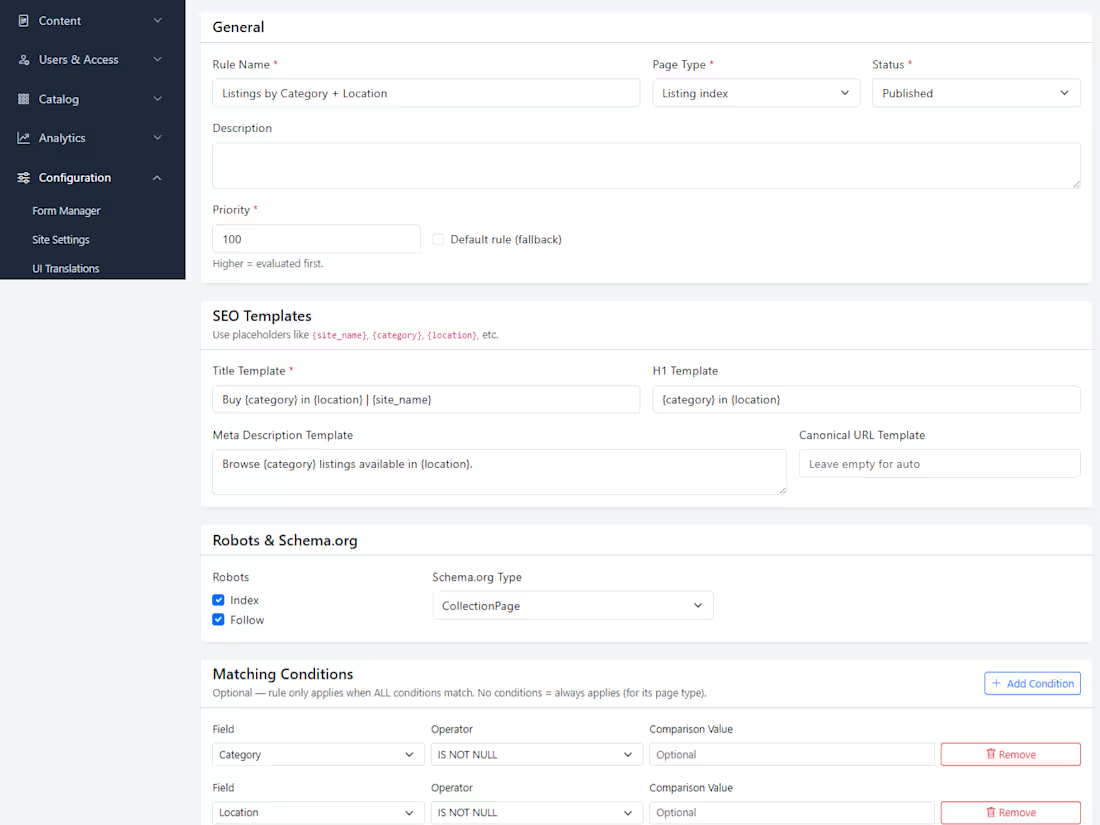
https://cubiqweb.com/articles/cubiqweb-marketplace-seo-tool-without-code-31/
0
3

🚀 Laravel Modular Development: Internal Modules or Reusable Packages?
As a Laravel application grows, keeping everything inside the default Models, Controllers and Services directories can make the codebase difficult to maintain.
This raises an important question:
Should we create modules inside one Laravel application or develop separate Laravel packages?
Both approaches are useful—but at different stages.
1️⃣ Start Simple
During early development, requirements frequently change. A conventional Laravel structure helps us build faster without prematurely defining package boundaries.
⚠️ However, starting simple should not mean placing all business logic inside controllers. Services, actions, events, contracts and policies should still separate responsibilities.
2️⃣ Modularize as the Application Grows
Once domain boundaries become clear, related code can be moved into internal modules such as:
✔️ Identity and Access Control
✔️ Catalog
✔️ Listings and Moderation
✔️ CMS and Form Builder
✔️ Monetization
✔️ Search, Analytics and SEO
Each module can own its models, migrations, routes, controllers, services, requests, policies, events, enums, seeders and tests.
Modules should communicate through ✅ services, contracts or events instead of ❌ accessing one another’s internal implementation.
This creates a modular monolith: strong separation while retaining the simplicity of developing and deploying one application.
3️⃣ Let the First Application Reveal Patterns
While building the first application, it is difficult to predict which components will be reusable.
Something that appears generic may eventually depend heavily on product-specific rules, workflows or database structures. Completing the first application reveals the real module boundaries.
4️⃣ Confirm Reuse in Another Application
When building a second application, repeated patterns become visible. A module may be suitable for extraction when:
♻️ Multiple applications require it.
🔁 Its core behaviour remains similar.
⚙️ Differences can be configured.
🔌 It provides a stable public API.
🧩 It has few application-specific dependencies.
📦 Independent versioning provides value.
A Form Builder, Media Manager, Audit Log or Payment Gateway abstraction may become a reusable package.
However, marketplace-specific Listings, Dealers or Moderation modules may remain internal because their rules are closely connected to that product.
🛠️ Practical Progression
Conventional Laravel Application
➡️ Internal Domain Modules
➡️ Modular Monolith
➡️ Reuse Confirmed
➡️ Reusable Laravel Package
💡 My preferred principle:
“Start simple, modularize when boundaries become clear, and extract packages only when reuse is proven.”
The first application reveals the boundaries. The second proves what is genuinely reusable.
🎯 Reuse should be observed—not predicted.
How do you structure large Laravel applications: internal modules, packages or both?
0
45
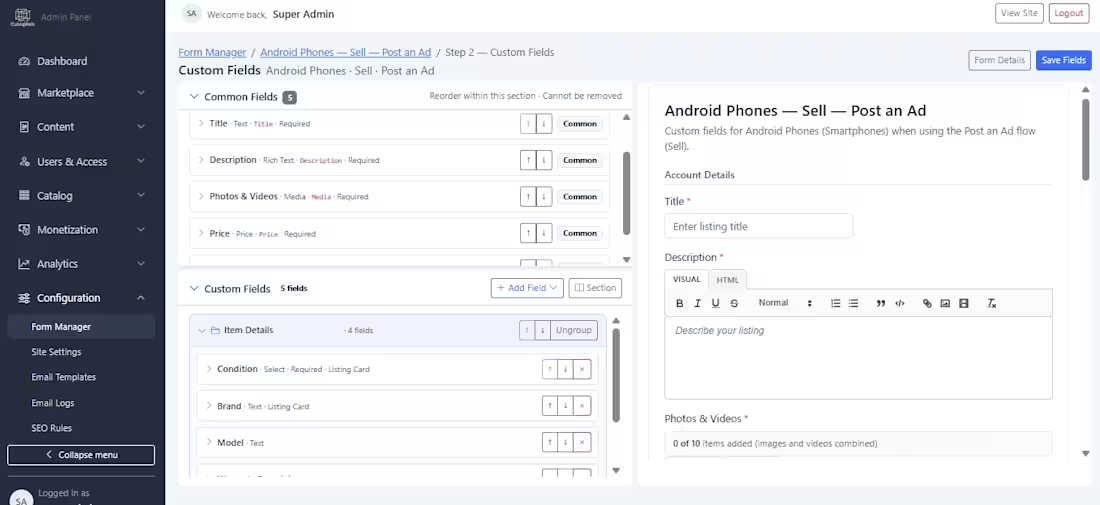
One of the features I’m most proud of in my marketplace platform is this custom form builder.
Building it required significant software-engineering work, particularly around database architecture, dynamic field rendering, validation, conditional logic, and marketplace integration. I’m very happy with the result—it has become one of the platform’s strongest features and a valuable selling point for potential clients.
The builder currently supports:
• A wide variety of field types—from basic inputs to autocomplete, rich-text editing, multi-select fields, and media uploads with image cropping
• Custom validation rules for every field
• Field grouping with drag-and-drop sorting for both groups and individual fields
• A live, side-by-side form preview
• Separation between common marketplace fields and category-specific dynamic fields
• Conditional visibility based on the value selected in another field
• Control over whether a field’s value appears on marketplace listing cards
The functionality is powerful, but the interface currently feels a little crowded. I have therefore started redesigning it to make it cleaner, more spacious, and easier to use—while creating room for additional capabilities.
The next improvements I’m considering include:
• Multilingual labels, placeholders, help text, and validation messages
• Display controls for deciding whether each field appears in advanced search, listing cards (i already have this), listing details, comparison pages, and other areas of the marketplace
The multilingual functionality itself is technically straightforward. The more interesting design challenge is finding an intuitive way to accommodate translations without making the builder feel even more crowded.
I’d love to hear your thoughts: how would you organize multilingual inputs and field-display settings while keeping this interface simple and user-friendly?:
0
44
A Custom Form Builder usng Laravel, React and Mysql with preview in side
0
42