
Mobile Apps DesignAlexander Sevilla
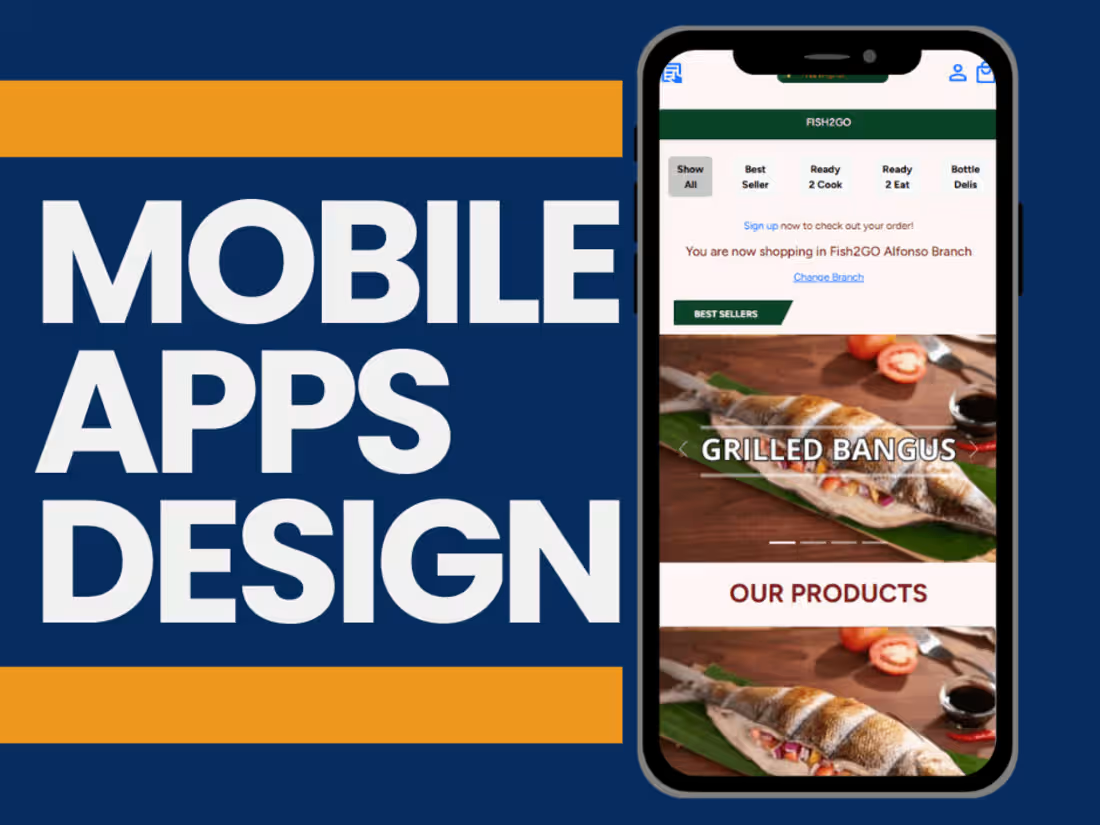
A mobile application is necessary these days to reach more customers and achieve the goals of your business. We will work on the app design from scratch to the final tested prototype.
What's included
Research & Planning Phase
Project Brief Document:
A summary of the app's purpose, target audience, goals, and key features.
User Personas:
Profiles of typical users, including demographics, needs, and behavior.
Competitive Analysis:
Research on competitors’ apps, strengths, and weaknesses.
User Journey Map:
A visualization of how users will interact with the app, from start to end.
Wireframes & Prototyping
Low-Fidelity Wireframes:
Basic sketches or digital layouts of the app’s screens to map structure and flow.
Clickable Prototype:
An interactive version of the wireframes to test navigation and functionality.
Visual Design
High-Fidelity Mockups:
Pixel-perfect designs for all app screens, including visual elements like buttons, icons, and typography.
Style Guide:
A document outlining the app’s branding, including:
Color palette
Typography (font styles and sizes)
UI components (buttons, forms, etc.)
Iconography guidelines
Interaction Design
Micro-Interactions & Animations:
Details for animations such as button presses, loading spinners, or page transitions.
Animation Prototypes (Optional):
Videos or interactive files showing the exact look of animations.
UX Testing Deliverables
Usability Testing Reports:
Feedback was gathered from real users to identify issues and validate the design.
Revised Design Screens:
Updated designs based on user feedback and testing.
Development Handoff
Design System or Component Library:
Organized UI elements provided for developers (e.g., Figma, Sketch, or Adobe XD files).
Exported Assets:
Optimized images, icons, and other graphical elements in required formats (PNG, SVG, etc.).
Design-to-Code Guidelines:
Documentation for developers to implement designs accurately, including spacing, font sizes, and behavior.
Responsive Designs:
Screens are designed for various resolutions (mobile, tablet, etc.).
Post-Launch Design Support (Optional)
Updated Design Screens:
For post-launch feedback or app updates.
Feature Expansion Mockups:
Designs for new features planned after the initial launch.
Alexander's other services
Contact for pricing
Tags
Android Studio

HTML5

JavaScript

PHP

SwiftUI

Desktop Apps Development
Mobile Designer
Web Developer
Service provided by
Alexander Sevilla Bacoor, Philippines
Mobile Apps DesignAlexander Sevilla
Contact for pricing
Tags
Android Studio
HTML5
JavaScript
PHP
SwiftUI
Desktop Apps Development
Mobile Designer
Web Developer
A mobile application is necessary these days to reach more customers and achieve the goals of your business. We will work on the app design from scratch to the final tested prototype.
What's included
Research & Planning Phase
Project Brief Document:
A summary of the app's purpose, target audience, goals, and key features.
User Personas:
Profiles of typical users, including demographics, needs, and behavior.
Competitive Analysis:
Research on competitors’ apps, strengths, and weaknesses.
User Journey Map:
A visualization of how users will interact with the app, from start to end.
Wireframes & Prototyping
Low-Fidelity Wireframes:
Basic sketches or digital layouts of the app’s screens to map structure and flow.
Clickable Prototype:
An interactive version of the wireframes to test navigation and functionality.
Visual Design
High-Fidelity Mockups:
Pixel-perfect designs for all app screens, including visual elements like buttons, icons, and typography.
Style Guide:
A document outlining the app’s branding, including:
Color palette
Typography (font styles and sizes)
UI components (buttons, forms, etc.)
Iconography guidelines
Interaction Design
Micro-Interactions & Animations:
Details for animations such as button presses, loading spinners, or page transitions.
Animation Prototypes (Optional):
Videos or interactive files showing the exact look of animations.
UX Testing Deliverables
Usability Testing Reports:
Feedback was gathered from real users to identify issues and validate the design.
Revised Design Screens:
Updated designs based on user feedback and testing.
Development Handoff
Design System or Component Library:
Organized UI elements provided for developers (e.g., Figma, Sketch, or Adobe XD files).
Exported Assets:
Optimized images, icons, and other graphical elements in required formats (PNG, SVG, etc.).
Design-to-Code Guidelines:
Documentation for developers to implement designs accurately, including spacing, font sizes, and behavior.
Responsive Designs:
Screens are designed for various resolutions (mobile, tablet, etc.).
Post-Launch Design Support (Optional)
Updated Design Screens:
For post-launch feedback or app updates.
Feature Expansion Mockups:
Designs for new features planned after the initial launch.
Alexander's other services
Contact for pricing