
Switch from WooCommerce Product Vendors to Vendor WorkspaceJuhan Lee
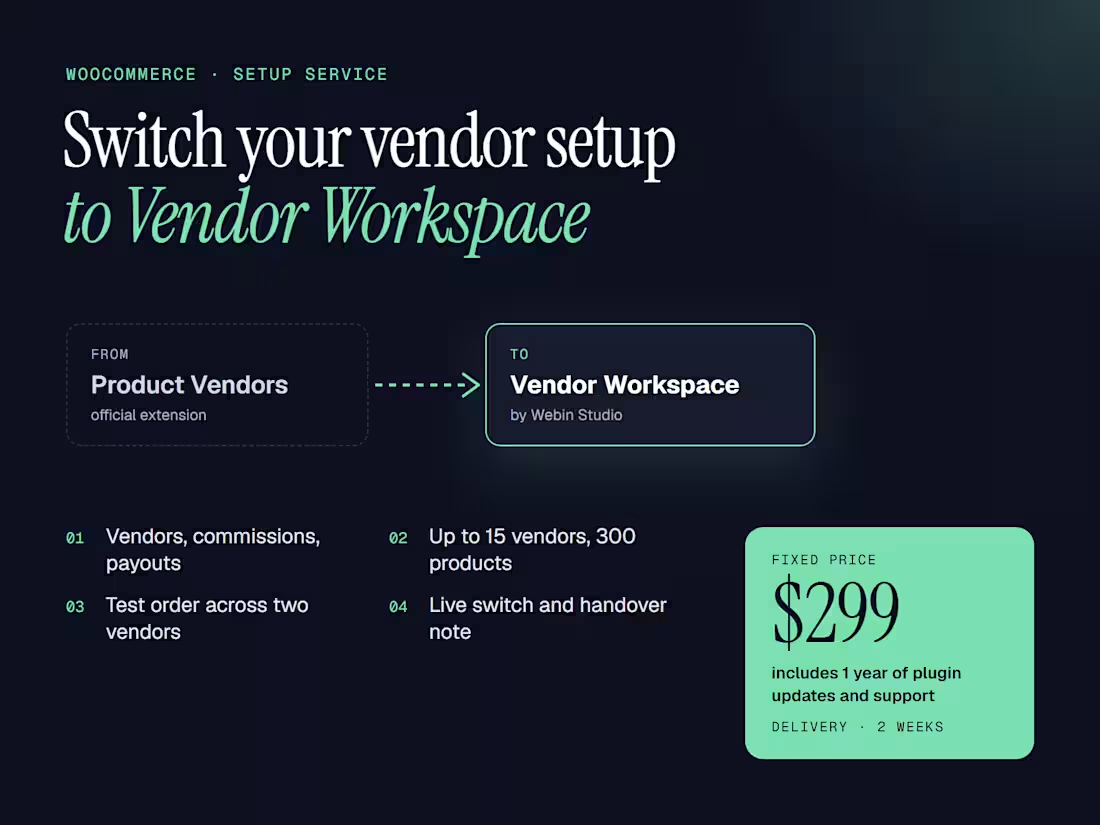
I'll move your marketplace from the official WooCommerce Product Vendors extension to Vendor Workspace, the vendor plugin we build and sell, and set it up for you. The price includes one year of Vendor Workspace updates and support, which is $99 on its own.
What I do
Review your vendors, commission rates, product assignments and how you pay vendors now.
Install Vendor Workspace on a staging copy of your store, set the store default commission with any vendor or product rules, and create the vendor portal pages for applications, products, orders, balances and payout accounts.
Set up to 15 existing vendors on their current WordPress accounts and assign up to 300 existing products to them.
Run a test order with products from two vendors plus a partial refund, and check that each vendor sees only their own lines and the commission you expect.
Connect PayPal Payouts in Sandbox if you pay vendors through PayPal, or set up manual payout records if you pay them another way.
Repeat the setup on your live store on the switch date you approve, then send a handover note.
Please read before ordering
Past orders and commission history from Product Vendors are not imported. Pay out the balances earned there before the switch. Orders placed after the switch use Vendor Workspace.
Vendors work in a front-end portal on your site instead of the WordPress admin.
This version assigns products to vendors one at a time, which is why the service covers up to 300 products. For a larger catalog, message me for a quote.
Live PayPal payouts depend on your PayPal account being eligible for Payouts.
WooCommerce Subscriptions and Bookings integrations are not included.
You need WordPress 7.0.7 or later, WooCommerce, PHP 8.1 or later, and a staging site (or permission for me to create one).
FAQs
Juhan's other services
Starting at$299
Duration2 weeks
Tags
WooCommerce

WordPress

Service provided by
Juhan Lee Busan, South Korea
Switch from WooCommerce Product Vendors to Vendor WorkspaceJuhan Lee
Starting at$299
Duration2 weeks
Tags
WooCommerce
WordPress
I'll move your marketplace from the official WooCommerce Product Vendors extension to Vendor Workspace, the vendor plugin we build and sell, and set it up for you. The price includes one year of Vendor Workspace updates and support, which is $99 on its own.
What I do
Review your vendors, commission rates, product assignments and how you pay vendors now.
Install Vendor Workspace on a staging copy of your store, set the store default commission with any vendor or product rules, and create the vendor portal pages for applications, products, orders, balances and payout accounts.
Set up to 15 existing vendors on their current WordPress accounts and assign up to 300 existing products to them.
Run a test order with products from two vendors plus a partial refund, and check that each vendor sees only their own lines and the commission you expect.
Connect PayPal Payouts in Sandbox if you pay vendors through PayPal, or set up manual payout records if you pay them another way.
Repeat the setup on your live store on the switch date you approve, then send a handover note.
Please read before ordering
Past orders and commission history from Product Vendors are not imported. Pay out the balances earned there before the switch. Orders placed after the switch use Vendor Workspace.
Vendors work in a front-end portal on your site instead of the WordPress admin.
This version assigns products to vendors one at a time, which is why the service covers up to 300 products. For a larger catalog, message me for a quote.
Live PayPal payouts depend on your PayPal account being eligible for Payouts.
WooCommerce Subscriptions and Bookings integrations are not included.
You need WordPress 7.0.7 or later, WooCommerce, PHP 8.1 or later, and a staging site (or permission for me to create one).
FAQs
Juhan's other services
$299