
Business document formatting repair: editable DOCX + checked PDFVarysDrogo Studio
The displayed one-week duration is indicative only. Final scope, USD quote and delivery date are agreed after reviewing your files, before booking.
I tidy the formatting of ordinary, non-sensitive business documents while preserving your approved wording. A 5–10 page document can be considered after I inspect the source file and confirm the scope.
What you receive
An editable DOCX with consistent headings, spacing, table layout and page numbers.
A PDF checked page by page for clipping, overflow and broken table rows.
One consolidated formatting-correction round within the agreed scope; the correction window is agreed before booking. New wording or redesign requires a separate scope.
How it works
Start with a short description, approximate page count, desired formatting changes and deadline. Include the intended use, tables and target application. For an initial review, share only a redacted sample with personal, confidential and sensitive information removed, not the full document. Confirm that you have permission to use the wording and any brand assets. Any source files needed for the agreed work are discussed after this review.
We agree the page count, supported features, target application, price in USD and delivery timing after file inspection, before booking. This listing is an invitation to discuss a project, not a fixed quote or delivery commitment.
Boundaries
Formatting only: no substantive copywriting, specialist content review, legal, financial or medical documents, scanned-document reconstruction, macros, Quick Parts or signatures. Confidential files are not uploaded to external AI services. Accessibility certification and native Microsoft Word compatibility certification are not included.
Sample and checks
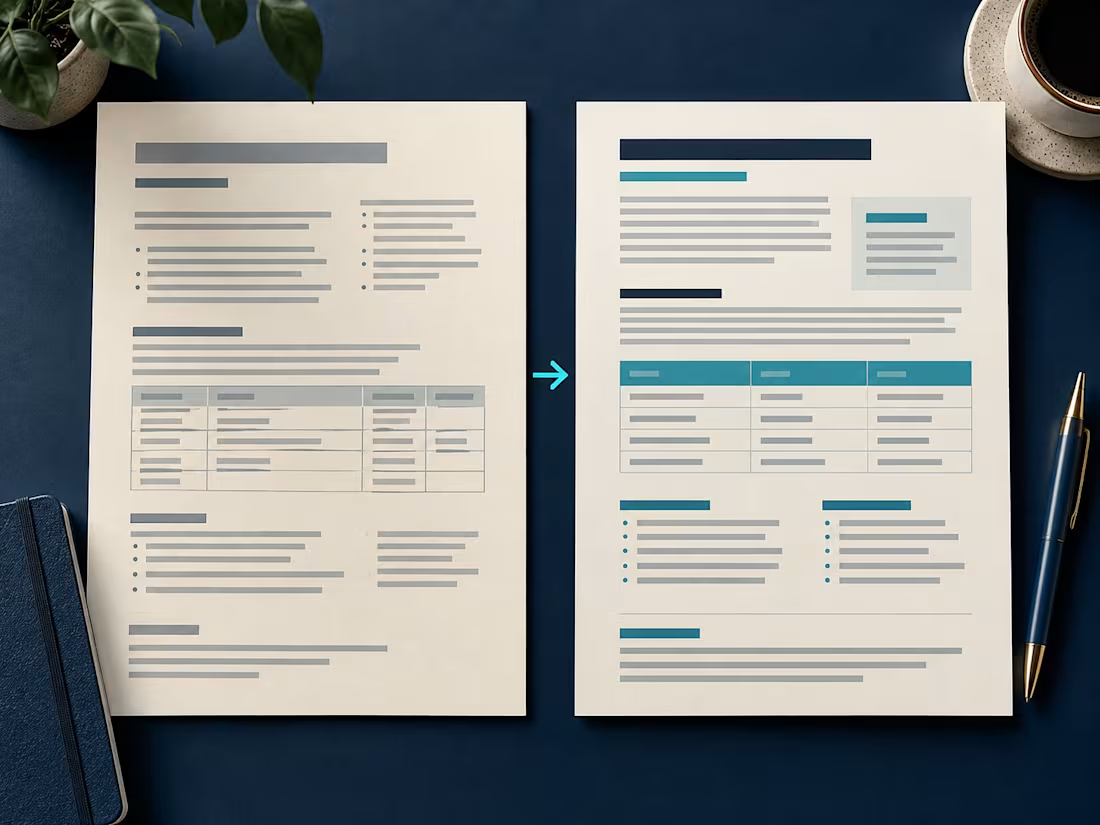
The Juniper Workshop preview is an AI-assisted, self-produced fictional portfolio demonstration, not client work. Both the deliberately uneven source and repaired layout were created for the sample; no client files or third-party logos were used. The same 36 body paragraphs and 44 table cells were preserved while the layout changed from four pages to three.
The repaired sample was reopened, saved and rendered in LibreOffice, and its PDF was visually checked. It was not tested in native Microsoft Word. Layout can vary with the application, fonts and later edits; the PDF is the checked visual reference. AI-assisted tools support the workflow, with file and visual checks.
Watch a focused page-break repair example: an original fictional demonstration with AI-generated preset narration and captions. It shows one targeted repair in LibreOffice using real before-and-after PDF crops; it is not paid-client work or native Microsoft Word testing.
VarysDrogo's other services

Contact for pricing
Duration1 week
Tags
Document Formatting
LibreOffice

Service provided by
VarysDrogo Studio Johannesburg, South Africa
- 1
- Followers
Business document formatting repair: editable DOCX + checked PDFVarysDrogo Studio
Contact for pricing
Duration1 week
Tags
Document Formatting
LibreOffice
The displayed one-week duration is indicative only. Final scope, USD quote and delivery date are agreed after reviewing your files, before booking.
I tidy the formatting of ordinary, non-sensitive business documents while preserving your approved wording. A 5–10 page document can be considered after I inspect the source file and confirm the scope.
What you receive
An editable DOCX with consistent headings, spacing, table layout and page numbers.
A PDF checked page by page for clipping, overflow and broken table rows.
One consolidated formatting-correction round within the agreed scope; the correction window is agreed before booking. New wording or redesign requires a separate scope.
How it works
Start with a short description, approximate page count, desired formatting changes and deadline. Include the intended use, tables and target application. For an initial review, share only a redacted sample with personal, confidential and sensitive information removed, not the full document. Confirm that you have permission to use the wording and any brand assets. Any source files needed for the agreed work are discussed after this review.
We agree the page count, supported features, target application, price in USD and delivery timing after file inspection, before booking. This listing is an invitation to discuss a project, not a fixed quote or delivery commitment.
Boundaries
Formatting only: no substantive copywriting, specialist content review, legal, financial or medical documents, scanned-document reconstruction, macros, Quick Parts or signatures. Confidential files are not uploaded to external AI services. Accessibility certification and native Microsoft Word compatibility certification are not included.
Sample and checks
The Juniper Workshop preview is an AI-assisted, self-produced fictional portfolio demonstration, not client work. Both the deliberately uneven source and repaired layout were created for the sample; no client files or third-party logos were used. The same 36 body paragraphs and 44 table cells were preserved while the layout changed from four pages to three.
The repaired sample was reopened, saved and rendered in LibreOffice, and its PDF was visually checked. It was not tested in native Microsoft Word. Layout can vary with the application, fonts and later edits; the PDF is the checked visual reference. AI-assisted tools support the workflow, with file and visual checks.
Watch a focused page-break repair example: an original fictional demonstration with AI-generated preset narration and captions. It shows one targeted repair in LibreOffice using real before-and-after PDF crops; it is not paid-client work or native Microsoft Word testing.
VarysDrogo's other services
Contact for pricing