
SaaS Application • Web • FigmaSourav Maity
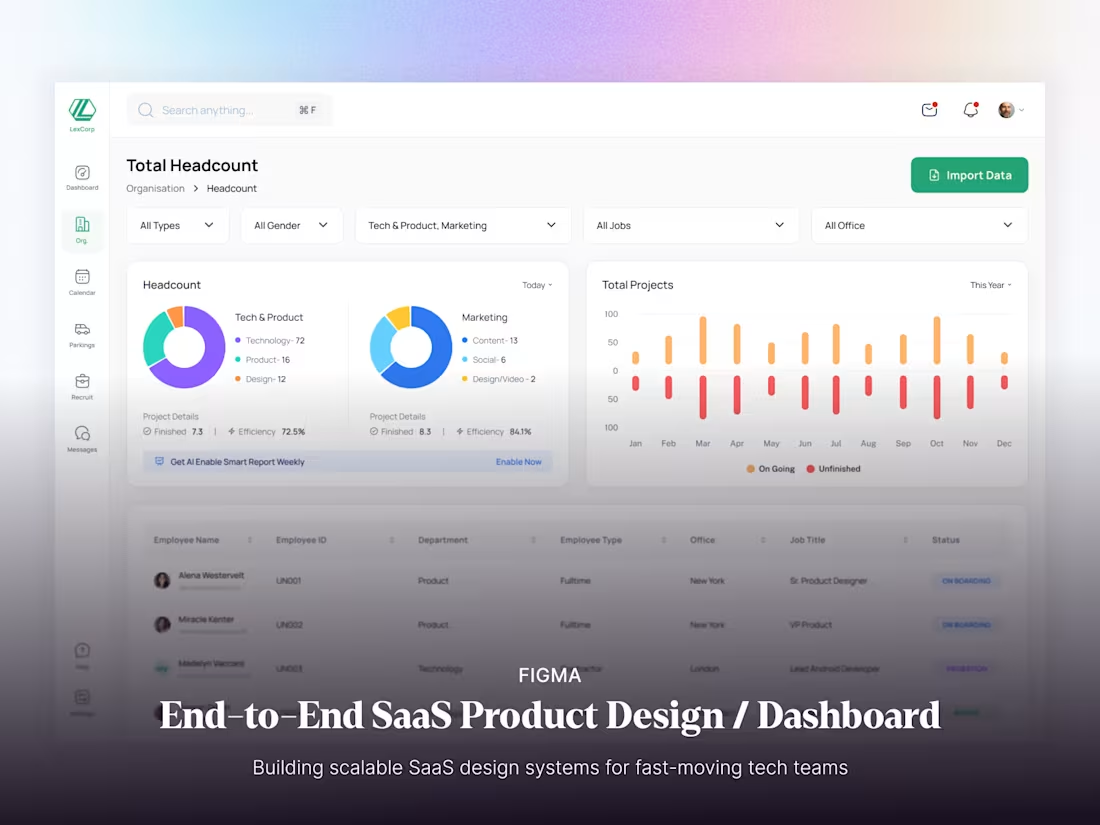
Designing a powerful SaaS product isn’t just about clean screens — it’s about clarity, structure, and scalability. I help teams transform complex workflows into intuitive, conversion-focused digital products built entirely in Figma. From first concept to polished dashboards, every screen is crafted to make your product easy to use, easy to scale, and easy to love.
✦ What’s Included
Discovery & Strategy – Understanding your product goals, target users, and unique value proposition.
UX Flow Mapping – Defining core journeys and edge cases to build clarity around structure and functionality.
Wireframes – Translating logic into low-fidelity visuals that establish layout, hierarchy, and usability.
Visual Design – Crafting pixel-perfect UI that blends brand personality with data-driven clarity.
Design System – Building reusable components, tokens, and documentation to keep your product consistent and scalable.
Figma Handoff – Delivering well-organized design files and ready-to-build specifications for your development team.
Post-Handoff Collaboration – Ongoing design support to ensure smooth implementation and quality assurance.
✦ Why Work With Me?
I design data-driven, scalable, and user-centric SaaS products that empower teams and delight users. My approach combines strategic UX thinking with modular UI systems — ensuring every decision is intentional, measurable, and aligned with business outcomes.
Whether you’re building from scratch or redesigning an existing platform, I help you craft a SaaS experience that feels effortless yet powerful.
What's included
Figma Files
Your project lives fully in Figma — from wireframes to high-fidelity designs. Every interaction, comment, and iteration happens in real time.
FigJam
Collaborative user flows, sitemap planning, and feature brainstorming sessions to align product vision before design begins.
Jitter / Lottie (Optional)
Micro-interaction prototypes or motion animations can be delivered as separate assets to elevate user experience.
Screens
1. Desktop (Primary)
2. Tablet (If required)
3. Mobile Responsive (If required)
FAQs
Example work
Contact for pricing
Tags
FigJam

Figma
Figma Make

Jitter

Lottie

Product Designer
UI Designer
UX Designer
Service provided by
Sourav Maity India
- 5.00
- Rating
- 5
- Followers
SaaS Application • Web • FigmaSourav Maity
Contact for pricing
Tags
FigJam
Figma
Figma Make
Jitter
Lottie
Product Designer
UI Designer
UX Designer
Designing a powerful SaaS product isn’t just about clean screens — it’s about clarity, structure, and scalability. I help teams transform complex workflows into intuitive, conversion-focused digital products built entirely in Figma. From first concept to polished dashboards, every screen is crafted to make your product easy to use, easy to scale, and easy to love.
✦ What’s Included
Discovery & Strategy – Understanding your product goals, target users, and unique value proposition.
UX Flow Mapping – Defining core journeys and edge cases to build clarity around structure and functionality.
Wireframes – Translating logic into low-fidelity visuals that establish layout, hierarchy, and usability.
Visual Design – Crafting pixel-perfect UI that blends brand personality with data-driven clarity.
Design System – Building reusable components, tokens, and documentation to keep your product consistent and scalable.
Figma Handoff – Delivering well-organized design files and ready-to-build specifications for your development team.
Post-Handoff Collaboration – Ongoing design support to ensure smooth implementation and quality assurance.
✦ Why Work With Me?
I design data-driven, scalable, and user-centric SaaS products that empower teams and delight users. My approach combines strategic UX thinking with modular UI systems — ensuring every decision is intentional, measurable, and aligned with business outcomes.
Whether you’re building from scratch or redesigning an existing platform, I help you craft a SaaS experience that feels effortless yet powerful.
What's included
Figma Files
Your project lives fully in Figma — from wireframes to high-fidelity designs. Every interaction, comment, and iteration happens in real time.
FigJam
Collaborative user flows, sitemap planning, and feature brainstorming sessions to align product vision before design begins.
Jitter / Lottie (Optional)
Micro-interaction prototypes or motion animations can be delivered as separate assets to elevate user experience.
Screens
1. Desktop (Primary)
2. Tablet (If required)
3. Mobile Responsive (If required)
FAQs
Example work
Contact for pricing