
Framer MigrationEaxi Agu
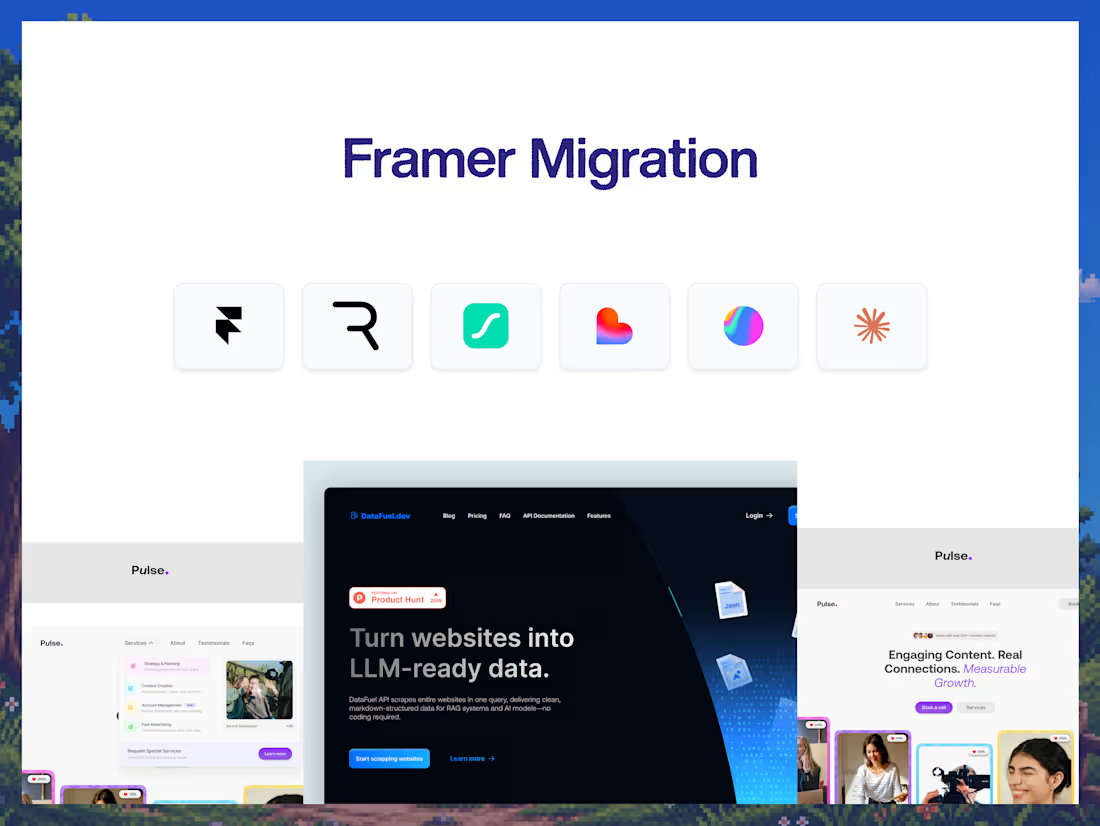
Moving your website to Framer shouldn't mean rebuilding everything from scratch.
But migration is more than copying pages from one platform to another. Layouts need to be recreated, responsive behavior needs to be checked, CMS content needs to move, redirects need to be considered, and the final Framer site needs to feel like the same website — only better to manage.
This engagement moves your existing website to Framer while preserving the important parts of your current experience.
I handle the page recreation, responsive layouts, CMS migration, interactions, SEO foundations, integrations, and launch.
Same website. New Framer foundation.
Why this engagement model exists
Framer is a great fit for teams that want a faster, more visual, and easier-to-manage marketing website.
But migrating platforms can become messy when it's treated as a simple copy-and-paste job.
I approach migration as a rebuild with continuity in mind.
Your existing structure, visual language, content, URLs, and important functionality are reviewed before anything is moved. Then the site is recreated in Framer with cleaner components and responsive behavior.
The goal is to make the transition feel seamless — not like you've started over.
Who this is for
Businesses moving from Webflow, WordPress, Wix, Squarespace, or another website platform to Framer.
Startups that want a simpler marketing website workflow. Teams frustrated with their current CMS. Founders who want to take ownership of their website. Businesses looking to modernize an existing website without redesigning everything from scratch.
Teams that already have a website they like but want the speed, editing experience, and flexibility of Framer.
Not for: complex e-commerce platforms, web applications, or websites with highly customized backend functionality that Framer cannot replace.
What you walk away with
A complete Framer recreation of your existing website, based on the agreed migration scope.
Responsive layouts optimized for desktop, tablet, and mobile.
Reusable Framer components for recurring sections, buttons, navigation, cards, and other website elements.
CMS migration for supported content such as blog posts, case studies, projects, testimonials, or team members.
Existing content migrated into the new Framer structure.
Animations and interactions recreated where appropriate.
SEO foundation including page titles, meta descriptions, heading structure, Open Graph settings, sitemap, and robots.txt.
URL and redirect planning to help preserve existing page paths and search visibility.
Forms and integrations connected to the new Framer site.
Image and asset optimization for the new platform.
Domain connection and launch support.
A fully editable Framer project with access and handoff so your team can manage the website after migration.
How it ships
Days 1–2: Audit & migration planning — I review the existing website, page structure, CMS, content, integrations, URLs, assets, and technical requirements.
Days 3–5: Framer rebuild — Pages, components, navigation, content, imagery, and responsive layouts are recreated in Framer.
Days 6–7: CMS & functionality — CMS content, forms, integrations, interactions, animations, and other required functionality are implemented.
Days 8–9: QA & optimization — Responsive testing, browser checks, SEO setup, redirects, performance optimization, and content verification.
Day 10: Launch & handoff — Domain connection, final QA, publishing, Framer access, and handoff.
Typical turnaround: 10 business days.
The migration advantage
You don't have to choose between keeping your existing website and moving to a better platform.
The migration preserves what matters while giving you a cleaner Framer foundation.
Existing Website → Audit → Framer Rebuild → CMS → QA → Launch
Your website keeps its identity and content while becoming easier to manage, edit, and evolve.
FAQs
Eaxi's other services
Contact for pricing
Duration1 week
Tags
Framer

Framer Commerce

Framer Designer
Framer Developer
Service provided by
Eaxi Agu proNigeria
- $25k+
- Earned
- 9
- Paid projects
- 5.00
- Rating
- 32
- Followers
Framer MigrationEaxi Agu
Contact for pricing
Duration1 week
Tags
Framer
Framer Commerce
Framer Designer
Framer Developer
Moving your website to Framer shouldn't mean rebuilding everything from scratch.
But migration is more than copying pages from one platform to another. Layouts need to be recreated, responsive behavior needs to be checked, CMS content needs to move, redirects need to be considered, and the final Framer site needs to feel like the same website — only better to manage.
This engagement moves your existing website to Framer while preserving the important parts of your current experience.
I handle the page recreation, responsive layouts, CMS migration, interactions, SEO foundations, integrations, and launch.
Same website. New Framer foundation.
Why this engagement model exists
Framer is a great fit for teams that want a faster, more visual, and easier-to-manage marketing website.
But migrating platforms can become messy when it's treated as a simple copy-and-paste job.
I approach migration as a rebuild with continuity in mind.
Your existing structure, visual language, content, URLs, and important functionality are reviewed before anything is moved. Then the site is recreated in Framer with cleaner components and responsive behavior.
The goal is to make the transition feel seamless — not like you've started over.
Who this is for
Businesses moving from Webflow, WordPress, Wix, Squarespace, or another website platform to Framer.
Startups that want a simpler marketing website workflow. Teams frustrated with their current CMS. Founders who want to take ownership of their website. Businesses looking to modernize an existing website without redesigning everything from scratch.
Teams that already have a website they like but want the speed, editing experience, and flexibility of Framer.
Not for: complex e-commerce platforms, web applications, or websites with highly customized backend functionality that Framer cannot replace.
What you walk away with
A complete Framer recreation of your existing website, based on the agreed migration scope.
Responsive layouts optimized for desktop, tablet, and mobile.
Reusable Framer components for recurring sections, buttons, navigation, cards, and other website elements.
CMS migration for supported content such as blog posts, case studies, projects, testimonials, or team members.
Existing content migrated into the new Framer structure.
Animations and interactions recreated where appropriate.
SEO foundation including page titles, meta descriptions, heading structure, Open Graph settings, sitemap, and robots.txt.
URL and redirect planning to help preserve existing page paths and search visibility.
Forms and integrations connected to the new Framer site.
Image and asset optimization for the new platform.
Domain connection and launch support.
A fully editable Framer project with access and handoff so your team can manage the website after migration.
How it ships
Days 1–2: Audit & migration planning — I review the existing website, page structure, CMS, content, integrations, URLs, assets, and technical requirements.
Days 3–5: Framer rebuild — Pages, components, navigation, content, imagery, and responsive layouts are recreated in Framer.
Days 6–7: CMS & functionality — CMS content, forms, integrations, interactions, animations, and other required functionality are implemented.
Days 8–9: QA & optimization — Responsive testing, browser checks, SEO setup, redirects, performance optimization, and content verification.
Day 10: Launch & handoff — Domain connection, final QA, publishing, Framer access, and handoff.
Typical turnaround: 10 business days.
The migration advantage
You don't have to choose between keeping your existing website and moving to a better platform.
The migration preserves what matters while giving you a cleaner Framer foundation.
Existing Website → Audit → Framer Rebuild → CMS → QA → Launch
Your website keeps its identity and content while becoming easier to manage, edit, and evolve.
FAQs
Eaxi's other services
Contact for pricing