
Full Mobile App DesignIsmail Ibrahim
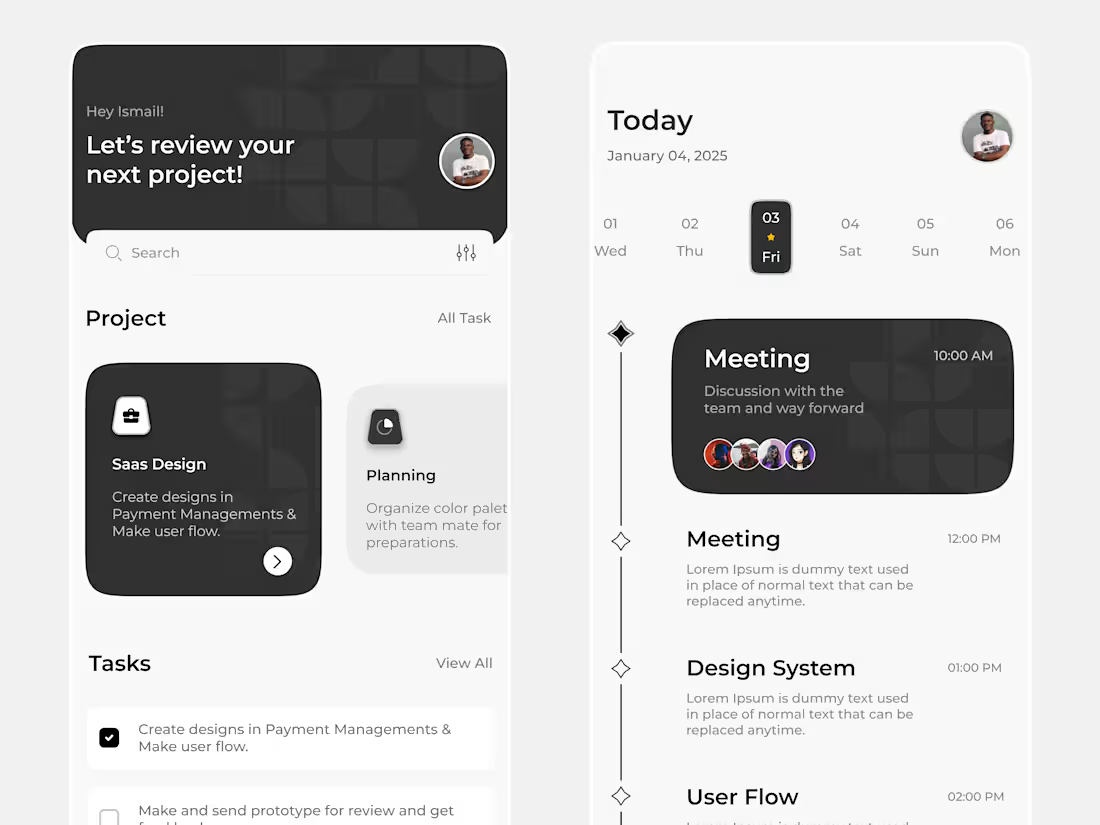
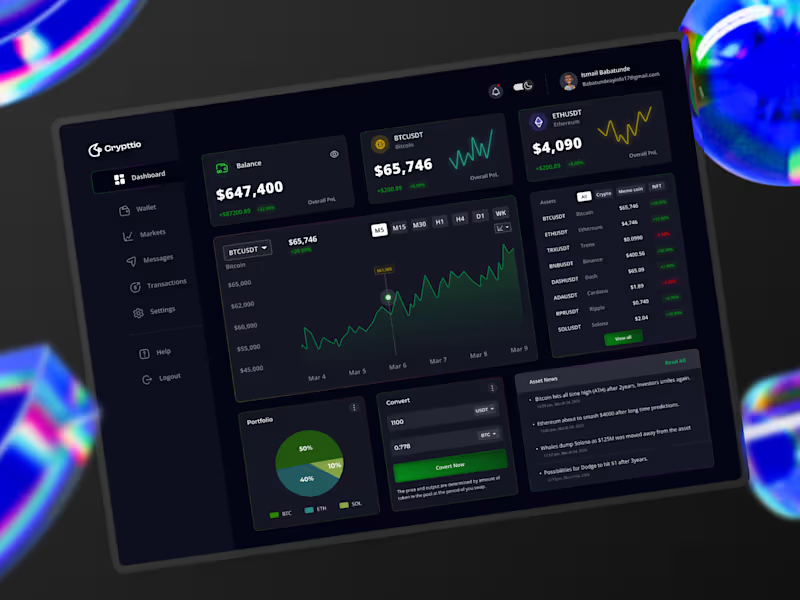
I design intuitive and visually engaging mobile apps that not only look great but also solve real user problems through thoughtful UX. What sets me apart is my user-centered approach, every design decision is backed by research, usability principles, and a focus on delivering seamless experiences across platforms. I don’t just design screens. I craft journeys that align with your brand and your users’ needs.
What's included
1. Design Assets
• High-Fidelity Screens (in Light/Dark mode if needed)
• Complete UI designs for all app screens (e.g, Onboarding, Home, Profile, Settings)
• Optimised for different screen sizes (iOS, Android)
• Design System / Style Guide
• Color palette
• Typography
• Spacing/grid system
• UI components (buttons, inputs, cards, etc.)
• Icon set
• Exported Assets
• PNG, SVG, or WebP assets for development (icons, logos, images)
• App logo and branding elements (if included in the scope)
2. Interactive Prototypes
• Clickable Prototype (e.g., Figma, Adobe XD, ProtoPie)
• For demonstrating navigation and user flow
• Usable for user testing or investor presentation
3. User Experience Documentation
• User Flow Diagrams
• Visualisation of user navigation paths through the app
• Wireframes
Low-fidelity sketches or mockups showing layout and structure
• Information Architecture (IA)
• Structure of the app content and navigation hierarchy
4. Developer Handoff Package
• Design Files
• Figma, Adobe XD, Sketch, or whichever tool was used.
• Properly labeled and grouped layers.
•Design Specs
• Measurements, spacing, font sizes, colour codes, etc.
• Automatically available in tools like Figma
• Design Tokens (optional)
• JSON or CSS variables for easier integration with code
5. Supporting Documentation
• Design Rationale / Notes
• Explains design decisions and usability considerations
• Accessibility Guidelines
• Notes on ensuring app accessibility (contrast, tap sizes, etc.)
• Branding Guidelines (if branding was part of the scope)
• Logo usage, voice & tone, and visual identity rules
6. Optional Deliverables
• App Store Preview Designs
• Screenshots and promotional visuals for App Store / Google Play
• Usability Testing Report
• Insights from user testing with recommendations
• Marketing Materials
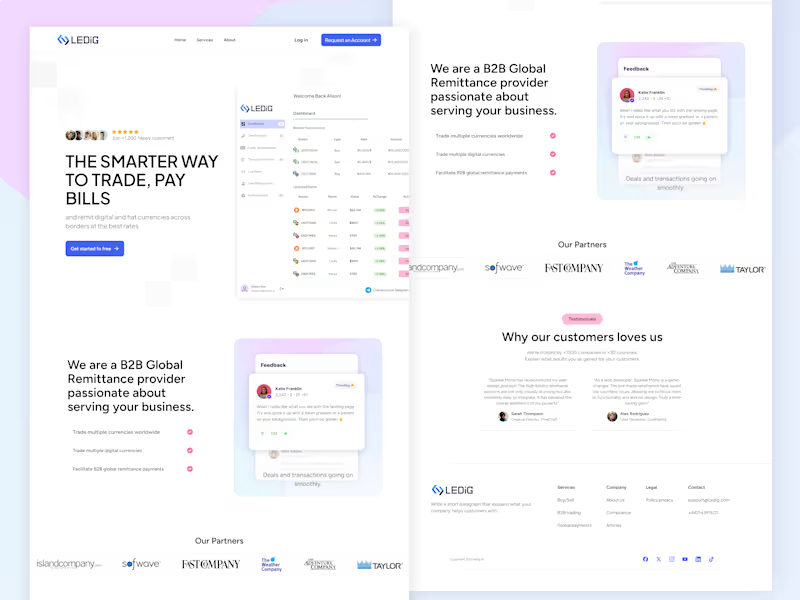
• Landing page mockup or app promo materials
• Pitch Deck (for startup clients)
FAQs

Ismail's other services
Starting at$2,439
Duration4 weeks
Tags
Figma

Jitter

ProtoPie

Sketch

Smartmockups

UI Designer
User Researcher
UX Designer
Service provided by
Ismail Ibrahim Ibadan, Nigeria
- 5.00
- Rating
- 7
- Followers
Full Mobile App DesignIsmail Ibrahim
Starting at$2,439
Duration4 weeks
Tags
Figma
Jitter
ProtoPie
Sketch
Smartmockups
UI Designer
User Researcher
UX Designer
I design intuitive and visually engaging mobile apps that not only look great but also solve real user problems through thoughtful UX. What sets me apart is my user-centered approach, every design decision is backed by research, usability principles, and a focus on delivering seamless experiences across platforms. I don’t just design screens. I craft journeys that align with your brand and your users’ needs.
What's included
1. Design Assets
• High-Fidelity Screens (in Light/Dark mode if needed)
• Complete UI designs for all app screens (e.g, Onboarding, Home, Profile, Settings)
• Optimised for different screen sizes (iOS, Android)
• Design System / Style Guide
• Color palette
• Typography
• Spacing/grid system
• UI components (buttons, inputs, cards, etc.)
• Icon set
• Exported Assets
• PNG, SVG, or WebP assets for development (icons, logos, images)
• App logo and branding elements (if included in the scope)
2. Interactive Prototypes
• Clickable Prototype (e.g., Figma, Adobe XD, ProtoPie)
• For demonstrating navigation and user flow
• Usable for user testing or investor presentation
3. User Experience Documentation
• User Flow Diagrams
• Visualisation of user navigation paths through the app
• Wireframes
Low-fidelity sketches or mockups showing layout and structure
• Information Architecture (IA)
• Structure of the app content and navigation hierarchy
4. Developer Handoff Package
• Design Files
• Figma, Adobe XD, Sketch, or whichever tool was used.
• Properly labeled and grouped layers.
•Design Specs
• Measurements, spacing, font sizes, colour codes, etc.
• Automatically available in tools like Figma
• Design Tokens (optional)
• JSON or CSS variables for easier integration with code
5. Supporting Documentation
• Design Rationale / Notes
• Explains design decisions and usability considerations
• Accessibility Guidelines
• Notes on ensuring app accessibility (contrast, tap sizes, etc.)
• Branding Guidelines (if branding was part of the scope)
• Logo usage, voice & tone, and visual identity rules
6. Optional Deliverables
• App Store Preview Designs
• Screenshots and promotional visuals for App Store / Google Play
• Usability Testing Report
• Insights from user testing with recommendations
• Marketing Materials
• Landing page mockup or app promo materials
• Pitch Deck (for startup clients)
FAQs
Ismail's other services
$2,439