
Mobile App designNancy Abuga
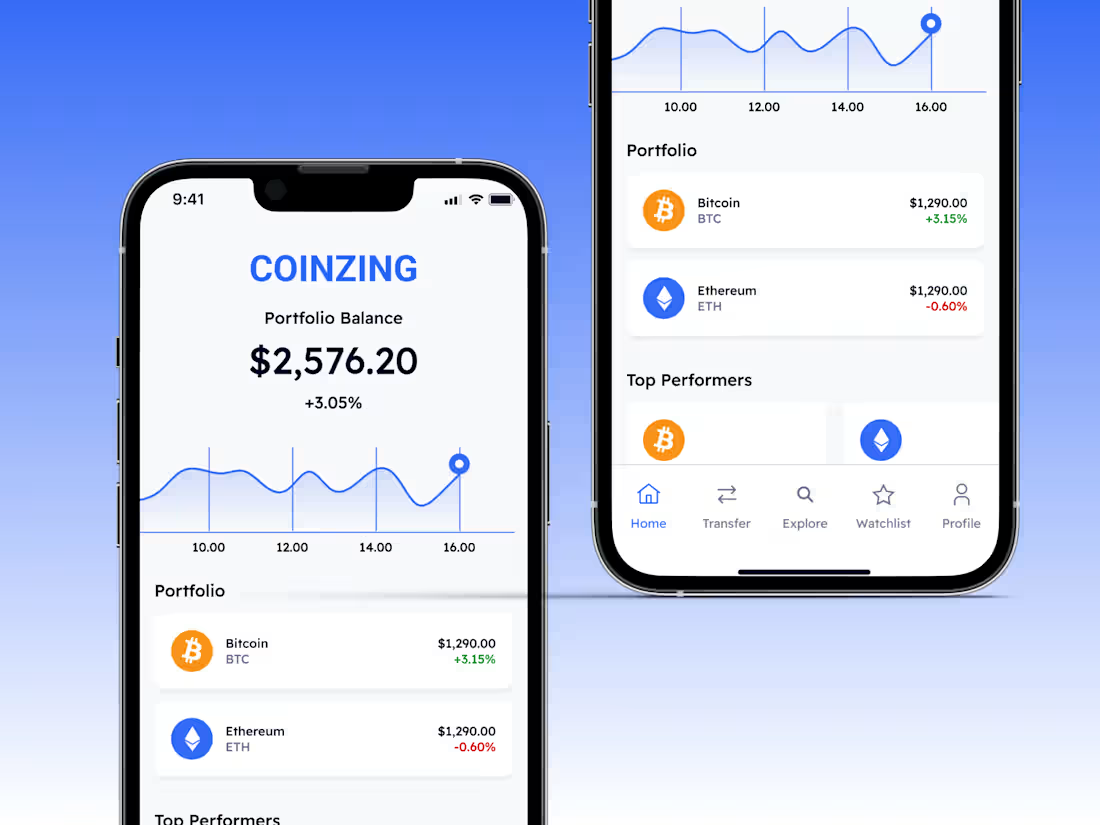
I design intuitive, visually engaging apps that solve real user problems and drive business growth. Every design is tailored to your brand, backed by solid UX research, and optimized to work seamlessly across devices. You’ll get solutions that not only look great but also deliver measurable results.
What's included
High-Fidelity Mobile App Design
Pixel-perfect, user-centered mobile app screens created in Figma or your preferred design tool, showcasing the final look, layout, and styling of your proposed app.
Cross-Platform Variations
Designs optimized for both iOS and Android platforms, ensuring consistency while adhering to the platform-specific guidelines.
Interactive Prototypes
Clickable Figma prototypes that simulate real user interaction, allowing you to experience navigation flows, transitions, and app functionality before development.
Style Guide & Assets
An accompanying style guide detailing color codes, typography, and reusable design components, along with all visual assets in ready-to-use formats (PNG, SVG, etc.).
Developer Handoff Package
Organized design files with annotations, spacing details, and component documentation for smooth developer implementation via tools like Zeplin or Figma Inspect.
2 Rounds of Revisions
Up to two rounds of revisions are included to refine and perfect the design based on your feedback. The first for structural/flow changes, and the second for fine-tuning UI details like icons, colors, and typography.
FAQs
Nancy's other services
Starting at$50 /hr
Tags
Adobe XD

FigJam

Figma
Mobile Designer
UI Designer
UX Designer
Service provided by
Nancy Abuga Nairobi, Kenya
Mobile App designNancy Abuga
I design intuitive, visually engaging apps that solve real user problems and drive business growth. Every design is tailored to your brand, backed by solid UX research, and optimized to work seamlessly across devices. You’ll get solutions that not only look great but also deliver measurable results.
What's included
High-Fidelity Mobile App Design
Pixel-perfect, user-centered mobile app screens created in Figma or your preferred design tool, showcasing the final look, layout, and styling of your proposed app.
Cross-Platform Variations
Designs optimized for both iOS and Android platforms, ensuring consistency while adhering to the platform-specific guidelines.
Interactive Prototypes
Clickable Figma prototypes that simulate real user interaction, allowing you to experience navigation flows, transitions, and app functionality before development.
Style Guide & Assets
An accompanying style guide detailing color codes, typography, and reusable design components, along with all visual assets in ready-to-use formats (PNG, SVG, etc.).
Developer Handoff Package
Organized design files with annotations, spacing details, and component documentation for smooth developer implementation via tools like Zeplin or Figma Inspect.
2 Rounds of Revisions
Up to two rounds of revisions are included to refine and perfect the design based on your feedback. The first for structural/flow changes, and the second for fine-tuning UI details like icons, colors, and typography.
FAQs
Nancy's other services
$50 /hr