
Product Design (Mobile & Web app | UI&UX | Figma)Ikeogoli Ishie
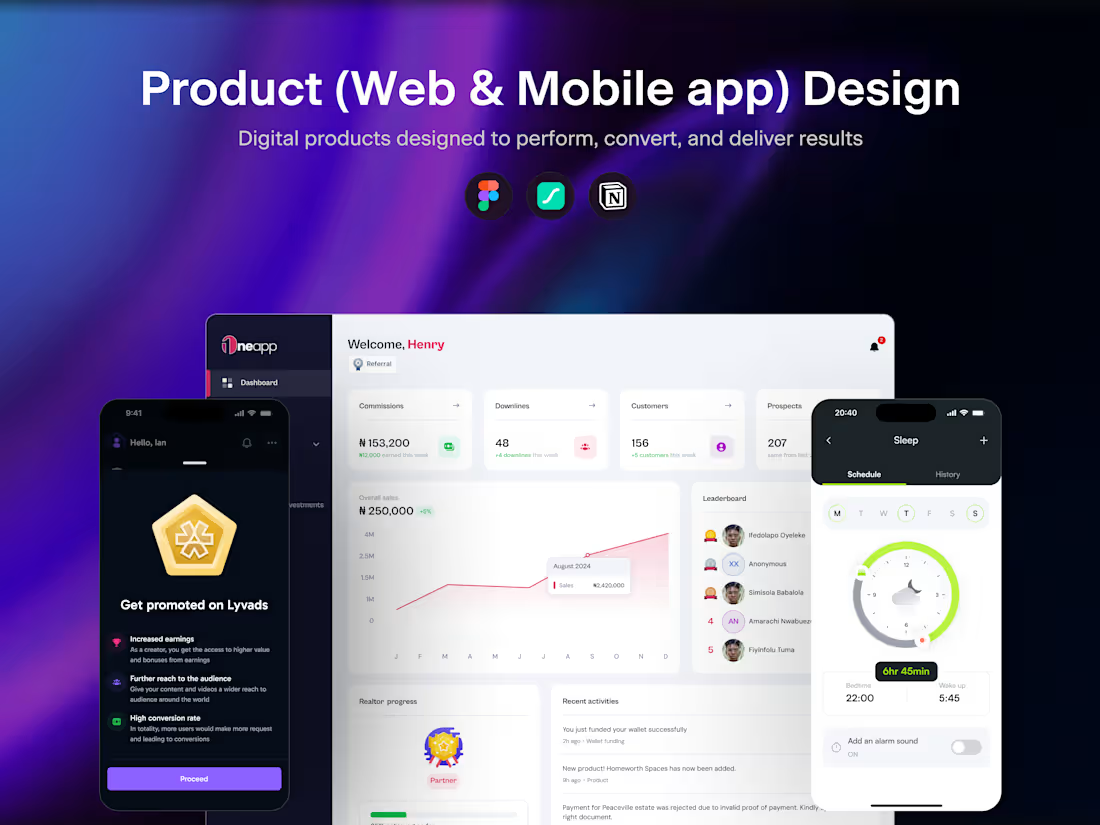
I deliver end-to-end product design for web and mobile apps, from user research and wireframes through polished, interactive prototypes in Figma. What sets me apart is my comprehensive approach that combines deep user insights with a complete design system, ensuring your product isn't just visually stunning but strategically designed to solve real user problems and scale efficiently. You'll receive everything your development team needs to build confidently, with clear documentation and handoff files that eliminate guesswork.
What's included
User Research & Insights
Comprehensive findings from user interviews, surveys, competitive analysis, and market research. This includes pain points, user needs, opportunities for innovation, and strategic recommendations that shaped the design direction.
Information Architecture
A complete sitemap and content structure showing how your app is organized, how different sections relate to each other, and the navigation hierarchy. This ensures users can find what they need intuitively.
User Flow Diagrams
Detailed visual maps showing step-by-step how users navigate through key tasks like onboarding, completing purchases, managing accounts, or any critical features. These flows identify potential friction points and optimize the user journey.
Wireframes
Low-fidelity layouts for all major screens across web and mobile, showing content placement, functionality, and basic interactions before visual design is applied. This allows us to validate the structure and user experience early.
Design System
Your complete UI kit including brand colors with hex codes, typography scale, reusable components (buttons, cards, modals, navigation), form elements, iconography, spacing system, and usage guidelines. This ensures visual consistency and speeds up future development.
High-Fidelity Mockups
Pixel-perfect, production-ready designs of every screen in your app for both web and mobile platforms. These mockups display the final look, including colors, imagery, typography, and all interactive states, such as hover, active, and disabled.
Interactive Prototype
A fully clickable prototype in Figma that simulates the real app experience. Stakeholders and developers can navigate through user flows, test interactions, and experience the product before a single line of code is written.
Design Handoff Files
Perfectly organized Figma files with clean layer naming, grouped components, developer-friendly annotations, CSS properties, spacing measurements, and all assets exported in multiple formats ready for implementation.
FAQs
Starting at$30 /hr
Tags
Adobe Illustrator

Adobe Photoshop

Figma

LottieFiles

Notion

Interaction Designer
Product Designer
UX Designer
Service provided by
Ikeogoli Ishie proLagos, Nigeria
- 5.00
- Rating
- 6
- Followers
Product Design (Mobile & Web app | UI&UX | Figma)Ikeogoli Ishie
Starting at$30 /hr
Tags
Adobe Illustrator
Adobe Photoshop
Figma
LottieFiles
Notion
Interaction Designer
Product Designer
UX Designer
I deliver end-to-end product design for web and mobile apps, from user research and wireframes through polished, interactive prototypes in Figma. What sets me apart is my comprehensive approach that combines deep user insights with a complete design system, ensuring your product isn't just visually stunning but strategically designed to solve real user problems and scale efficiently. You'll receive everything your development team needs to build confidently, with clear documentation and handoff files that eliminate guesswork.
What's included
User Research & Insights
Comprehensive findings from user interviews, surveys, competitive analysis, and market research. This includes pain points, user needs, opportunities for innovation, and strategic recommendations that shaped the design direction.
Information Architecture
A complete sitemap and content structure showing how your app is organized, how different sections relate to each other, and the navigation hierarchy. This ensures users can find what they need intuitively.
User Flow Diagrams
Detailed visual maps showing step-by-step how users navigate through key tasks like onboarding, completing purchases, managing accounts, or any critical features. These flows identify potential friction points and optimize the user journey.
Wireframes
Low-fidelity layouts for all major screens across web and mobile, showing content placement, functionality, and basic interactions before visual design is applied. This allows us to validate the structure and user experience early.
Design System
Your complete UI kit including brand colors with hex codes, typography scale, reusable components (buttons, cards, modals, navigation), form elements, iconography, spacing system, and usage guidelines. This ensures visual consistency and speeds up future development.
High-Fidelity Mockups
Pixel-perfect, production-ready designs of every screen in your app for both web and mobile platforms. These mockups display the final look, including colors, imagery, typography, and all interactive states, such as hover, active, and disabled.
Interactive Prototype
A fully clickable prototype in Figma that simulates the real app experience. Stakeholders and developers can navigate through user flows, test interactions, and experience the product before a single line of code is written.
Design Handoff Files
Perfectly organized Figma files with clean layer naming, grouped components, developer-friendly annotations, CSS properties, spacing measurements, and all assets exported in multiple formats ready for implementation.
FAQs
$30 /hr