
Mobile App DesignAdewole Kemisola
✨ What I Offer
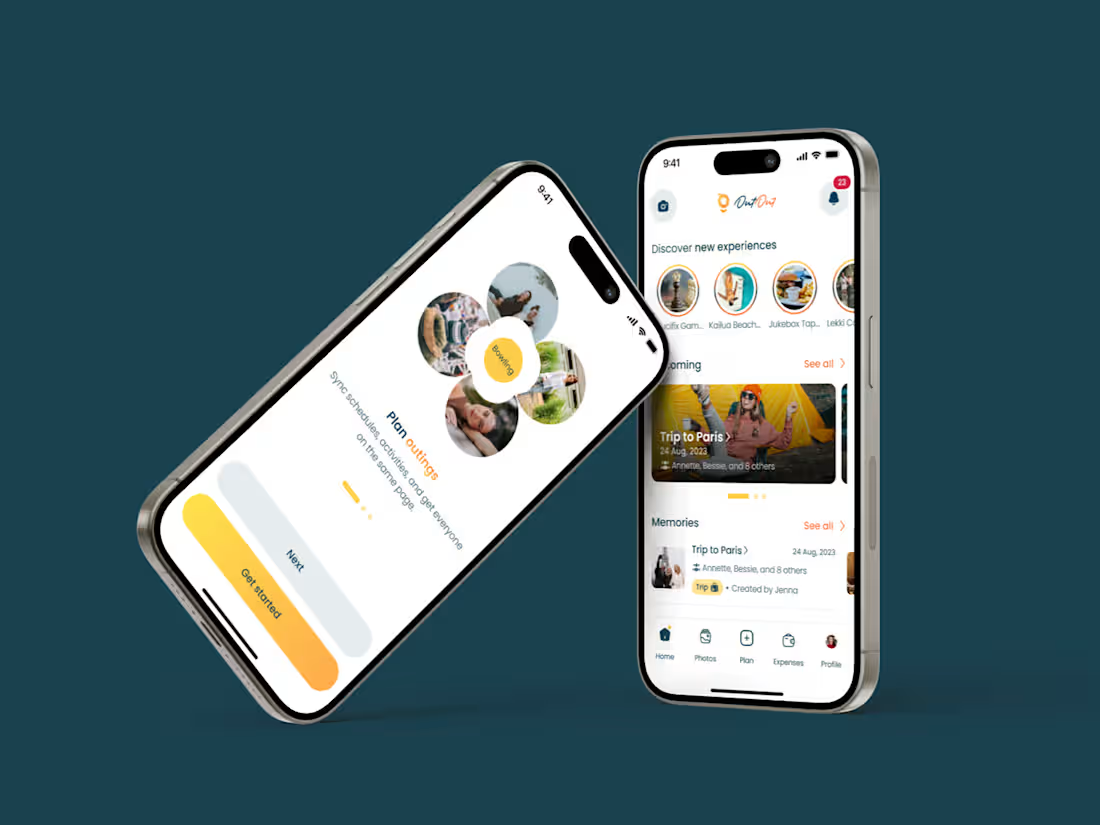
I turn ideas into flawless, user-centered mobile app designs—from concept to developer-ready files. My process is rooted in research, usability, and design thinking, ensuring every screen not only looks great but also works effortlessly for the people using it.
🚫 What I Don’t Do
I don’t offer HTML, CSS, or coding services. My role ends at design what I create is exactly what your developers need to bring your product to life, efficiently and accurately.
💡 What Makes Me Unique
Human-first mindset: I see design as a way to understand people. My background in usability research and accessibility ensures every solution considers real-world users especially those often overlooked.
Function-first creativity: My designs aren’t just beautiful—they solve real problems, backed by research and accessibility principles.
Cross-functional collaboration: I bridge the gap between design, development, and stakeholders. I’ve worked in remote teams and start-ups, so I thrive in fast-paced, adaptable environments. I’m easy to work with and clear in my communication.
Detailed- Clean, intuitive results: From wireframes to developer handoff, I balance craft and clarity. Whether it’s creating component libraries or testing user journeys, I deliver with both precision and purpose. I care about details that matter spacing, hierarchy, flow and it shows in the user experience.
What's included
User Flow
This is a visual representation of how users navigate through the app to complete tasks.
Example: A diagram showing steps a user takes to sign up → verify email → set preferences → reach the home screen.
Information Architecture (IA)
This is the structure and organisation of content within the app.
Example: A sitemap showing main sections like Home, Profile, Settings, Notifications, with subpages beneath each.
Wireframes (Low-fidelity)
A basic layout sketches showing content placement and functionality without detailed design like colours and the likes.
Example: Black-and-white screens showing where buttons, images, and text fields go on the login or home screen.
Design System or Style Guide
This is a reusable set of UI components, colors, typography, icons, and spacing rules.
Example: Button styles (primary, secondary), font sizes, colour palette, and spacing units defined in a shared Figma file.
High-fidelity Designs (UI Design)
This is a fully designed, pixel-perfect screens with brand colours, typography, and UI elements.
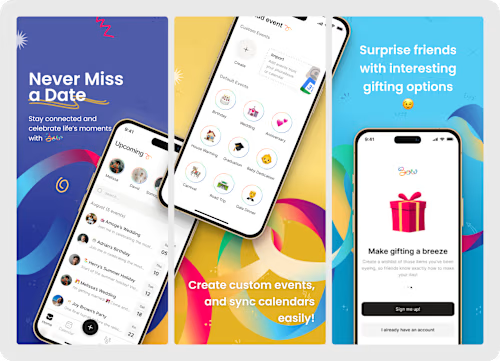
Example: Designed screens for onboarding, dashboard, and settings in the app's actual look and feel.
Interaction Design
This defines how the app behaves in response to user input (animations, gestures, transitions).
Example: A tap on a card expands it with a smooth animation, or a swipe left deletes a list item.
Developer Handoff Files
Organised files and specs ready for development, often using tools like Figma, Framer, or XD.
Example: Figma file with inspect mode enabled so developers can see spacing, styles, and download assets.
Design Research
This is my foundational research that informs design decisions by understanding users, their needs, behaviours, and pain points.
FAQs
Example work
Starting at$30 /hr
Tags
Adobe XD

Figma

Framer

Miro

Sketch

Interaction Designer
Mobile Designer
Web Designer
Service provided by
Adewole Kemisola Manchester, UK
Mobile App DesignAdewole Kemisola
Starting at$30 /hr
Tags
Adobe XD
Figma
Framer
Miro
Sketch
Interaction Designer
Mobile Designer
Web Designer
✨ What I Offer
I turn ideas into flawless, user-centered mobile app designs—from concept to developer-ready files. My process is rooted in research, usability, and design thinking, ensuring every screen not only looks great but also works effortlessly for the people using it.
🚫 What I Don’t Do
I don’t offer HTML, CSS, or coding services. My role ends at design what I create is exactly what your developers need to bring your product to life, efficiently and accurately.
💡 What Makes Me Unique
Human-first mindset: I see design as a way to understand people. My background in usability research and accessibility ensures every solution considers real-world users especially those often overlooked.
Function-first creativity: My designs aren’t just beautiful—they solve real problems, backed by research and accessibility principles.
Cross-functional collaboration: I bridge the gap between design, development, and stakeholders. I’ve worked in remote teams and start-ups, so I thrive in fast-paced, adaptable environments. I’m easy to work with and clear in my communication.
Detailed- Clean, intuitive results: From wireframes to developer handoff, I balance craft and clarity. Whether it’s creating component libraries or testing user journeys, I deliver with both precision and purpose. I care about details that matter spacing, hierarchy, flow and it shows in the user experience.
What's included
User Flow
This is a visual representation of how users navigate through the app to complete tasks.
Example: A diagram showing steps a user takes to sign up → verify email → set preferences → reach the home screen.
Information Architecture (IA)
This is the structure and organisation of content within the app.
Example: A sitemap showing main sections like Home, Profile, Settings, Notifications, with subpages beneath each.
Wireframes (Low-fidelity)
A basic layout sketches showing content placement and functionality without detailed design like colours and the likes.
Example: Black-and-white screens showing where buttons, images, and text fields go on the login or home screen.
Design System or Style Guide
This is a reusable set of UI components, colors, typography, icons, and spacing rules.
Example: Button styles (primary, secondary), font sizes, colour palette, and spacing units defined in a shared Figma file.
High-fidelity Designs (UI Design)
This is a fully designed, pixel-perfect screens with brand colours, typography, and UI elements.
Example: Designed screens for onboarding, dashboard, and settings in the app's actual look and feel.
Interaction Design
This defines how the app behaves in response to user input (animations, gestures, transitions).
Example: A tap on a card expands it with a smooth animation, or a swipe left deletes a list item.
Developer Handoff Files
Organised files and specs ready for development, often using tools like Figma, Framer, or XD.
Example: Figma file with inspect mode enabled so developers can see spacing, styles, and download assets.
Design Research
This is my foundational research that informs design decisions by understanding users, their needs, behaviours, and pain points.
FAQs
Example work
$30 /hr