
Custom SaaS UI/UX DesignMir Ashfaque
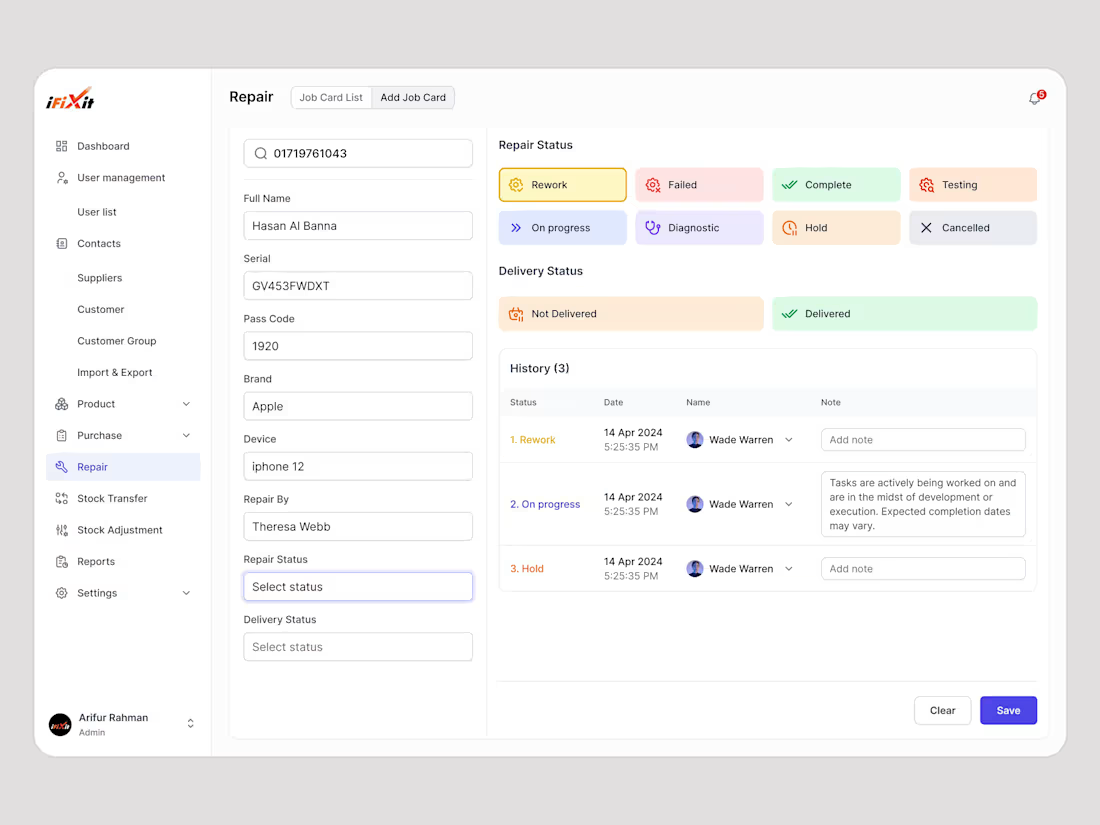
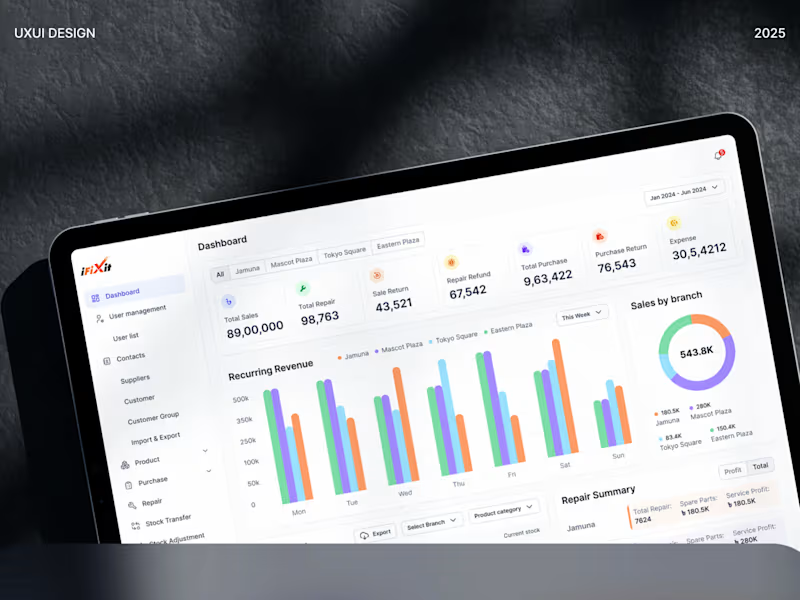
I turn cluttered, complex data into clean, intuitive, and scalable SaaS dashboards that your team will actually enjoy using. This service provides a complete, developer-ready design focused on boosting productivity and enabling faster, data-driven decision-making.
What's included
Color Variables
A well-defined color palette with accessible primary, secondary, and accent shades to maintain visual consistency and enhance brand recognition across the interface.
Spacing & Layout Guidelines
A structured layout and spacing system that ensures visual balance, scalability, and alignment across all screens - improving overall readability and user experience.
User Flow Diagrams
Clear, easy-to-understand flow diagrams that map user journeys, helping stakeholders visualize navigation paths and key user interactions within the product.
Typography System
A complete type hierarchy including font pairings, sizes, and weights to ensure readability, visual harmony, and consistency across digital platforms.
Icon Set (.svg)
A cohesive, scalable icon set in SVG format — optimized for clarity, minimalism, and alignment with the product’s visual identity.
Component Library (Buttons, Inputs, Cards, etc.)
A reusable library of UI components designed for consistency and speed — enabling seamless collaboration between designers and developers in Figma.
High-Fidelity Screens (Desktop & Mobile)
Pixel-perfect UI screens that showcase the final visual design for both desktop and mobile devices ready for stakeholder presentation and development.
Developer Handoff Files (Figma)
Organized and annotated Figma files prepared for smooth developer handoff, including design specs, spacing details, and asset exports for accurate implementation.
Mobile Responsive Design
Adaptive layouts designed to perform flawlessly across all screen sizes, ensuring an optimal user experience on mobile, tablet, and desktop devices.
Prototyping (on-demand)
Interactive prototypes built in Figma to simulate real user interactions, ideal for usability testing, stakeholder demos, and design validation.
FAQs
Mir's other services
Starting at$5,000
Duration5 weeks
Tags
Adobe Photoshop

Figma

Framer

Interaction Designer
UI Designer
UX Designer
Service provided by
Mir Ashfaque proDhaka, Bangladesh
- 5.00
- Rating
- 149
- Followers
Custom SaaS UI/UX DesignMir Ashfaque
Starting at$5,000
Duration5 weeks
Tags
Adobe Photoshop
Figma
Framer
Interaction Designer
UI Designer
UX Designer
I turn cluttered, complex data into clean, intuitive, and scalable SaaS dashboards that your team will actually enjoy using. This service provides a complete, developer-ready design focused on boosting productivity and enabling faster, data-driven decision-making.
What's included
Color Variables
A well-defined color palette with accessible primary, secondary, and accent shades to maintain visual consistency and enhance brand recognition across the interface.
Spacing & Layout Guidelines
A structured layout and spacing system that ensures visual balance, scalability, and alignment across all screens - improving overall readability and user experience.
User Flow Diagrams
Clear, easy-to-understand flow diagrams that map user journeys, helping stakeholders visualize navigation paths and key user interactions within the product.
Typography System
A complete type hierarchy including font pairings, sizes, and weights to ensure readability, visual harmony, and consistency across digital platforms.
Icon Set (.svg)
A cohesive, scalable icon set in SVG format — optimized for clarity, minimalism, and alignment with the product’s visual identity.
Component Library (Buttons, Inputs, Cards, etc.)
A reusable library of UI components designed for consistency and speed — enabling seamless collaboration between designers and developers in Figma.
High-Fidelity Screens (Desktop & Mobile)
Pixel-perfect UI screens that showcase the final visual design for both desktop and mobile devices ready for stakeholder presentation and development.
Developer Handoff Files (Figma)
Organized and annotated Figma files prepared for smooth developer handoff, including design specs, spacing details, and asset exports for accurate implementation.
Mobile Responsive Design
Adaptive layouts designed to perform flawlessly across all screen sizes, ensuring an optimal user experience on mobile, tablet, and desktop devices.
Prototyping (on-demand)
Interactive prototypes built in Figma to simulate real user interactions, ideal for usability testing, stakeholder demos, and design validation.
FAQs
Mir's other services
$5,000