
Next js, React js Front-End Custom Website/Software DevelopmentToukir Rahman
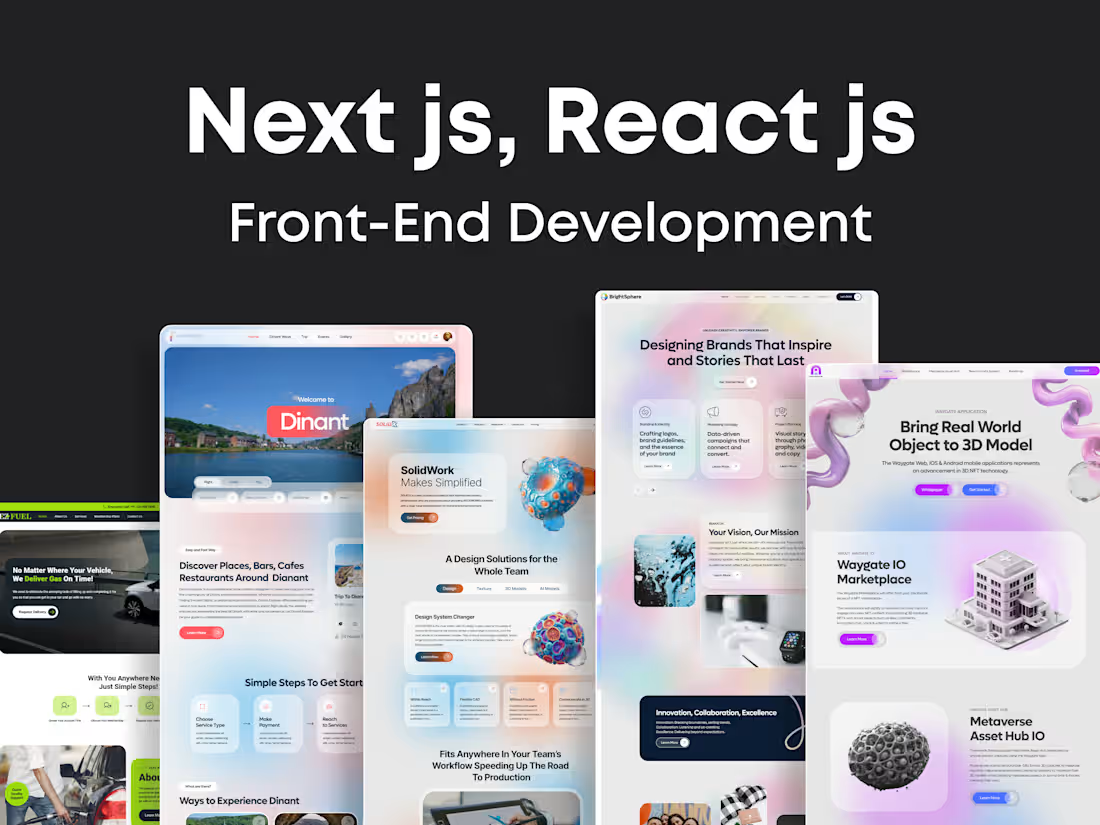
React front-end development begins with setting up the environment using tools like Create React App or Next.js. The UI is broken into reusable components based on the design. Components are then built with JSX and styled using CSS, Tailwind, or other tools. State is managed with React hooks or libraries like Redux, and routing is handled via react-router-dom. API integration is used to fetch and display dynamic data. Testing ensures reliability and performance and is optimized through lazy loading and memoization. Finally, the app is deployed using platforms like Vercel or Netlify for live access.
What's included
Project Setup
Start by setting up the development environment using tools like Create React App, Vite, or Next.js. This step includes installing Node.js, setting up a code editor (like VS Code), and initializing your project with essential dependencies and folder structure.
Implementing Components
Build components using JSX and functional programming. Each component handles its own UI and logic, often using React hooks like useState and useEffect to manage state and side effects.
Styling the UI
Apply styles to components using CSS, Tailwind, Styled Components, or CSS Modules. Ensure a consistent and responsive design across all devices while aligning with the UX/UI mockups.
Routing Setup
Use react-router-dom to create navigation between different pages or views in your app. This step enables users to move seamlessly through various parts of the application.
Testing & Deployment
Test your components and application flow using tools like Jest and React Testing Library. This ensures your app behaves as expected and helps catch bugs early in development. Deploy your app using platforms like Vercel, Netlify, or traditional web hosts. This includes building the app (npm run build) and hosting it for public access.
Example work

Starting at$25 /hr
Tags
CSS3

HTML5

Next.js

React

Tailwind CSS

Frontend Engineer
UX Designer
Web Developer
Service provided by
Toukir Rahman Dhaka, Bangladesh
- 1
- Paid projects
- 5.00
- Rating
- 355
- Followers
Next js, React js Front-End Custom Website/Software DevelopmentToukir Rahman
Starting at$25 /hr
Tags
CSS3
HTML5
Next.js
React
Tailwind CSS
Frontend Engineer
UX Designer
Web Developer
React front-end development begins with setting up the environment using tools like Create React App or Next.js. The UI is broken into reusable components based on the design. Components are then built with JSX and styled using CSS, Tailwind, or other tools. State is managed with React hooks or libraries like Redux, and routing is handled via react-router-dom. API integration is used to fetch and display dynamic data. Testing ensures reliability and performance and is optimized through lazy loading and memoization. Finally, the app is deployed using platforms like Vercel or Netlify for live access.
What's included
Project Setup
Start by setting up the development environment using tools like Create React App, Vite, or Next.js. This step includes installing Node.js, setting up a code editor (like VS Code), and initializing your project with essential dependencies and folder structure.
Implementing Components
Build components using JSX and functional programming. Each component handles its own UI and logic, often using React hooks like useState and useEffect to manage state and side effects.
Styling the UI
Apply styles to components using CSS, Tailwind, Styled Components, or CSS Modules. Ensure a consistent and responsive design across all devices while aligning with the UX/UI mockups.
Routing Setup
Use react-router-dom to create navigation between different pages or views in your app. This step enables users to move seamlessly through various parts of the application.
Testing & Deployment
Test your components and application flow using tools like Jest and React Testing Library. This ensures your app behaves as expected and helps catch bugs early in development. Deploy your app using platforms like Vercel, Netlify, or traditional web hosts. This includes building the app (npm run build) and hosting it for public access.
Example work
$25 /hr