
Creative Ops System: File/Asset Management & Team Workflow SetupJaden Terrance
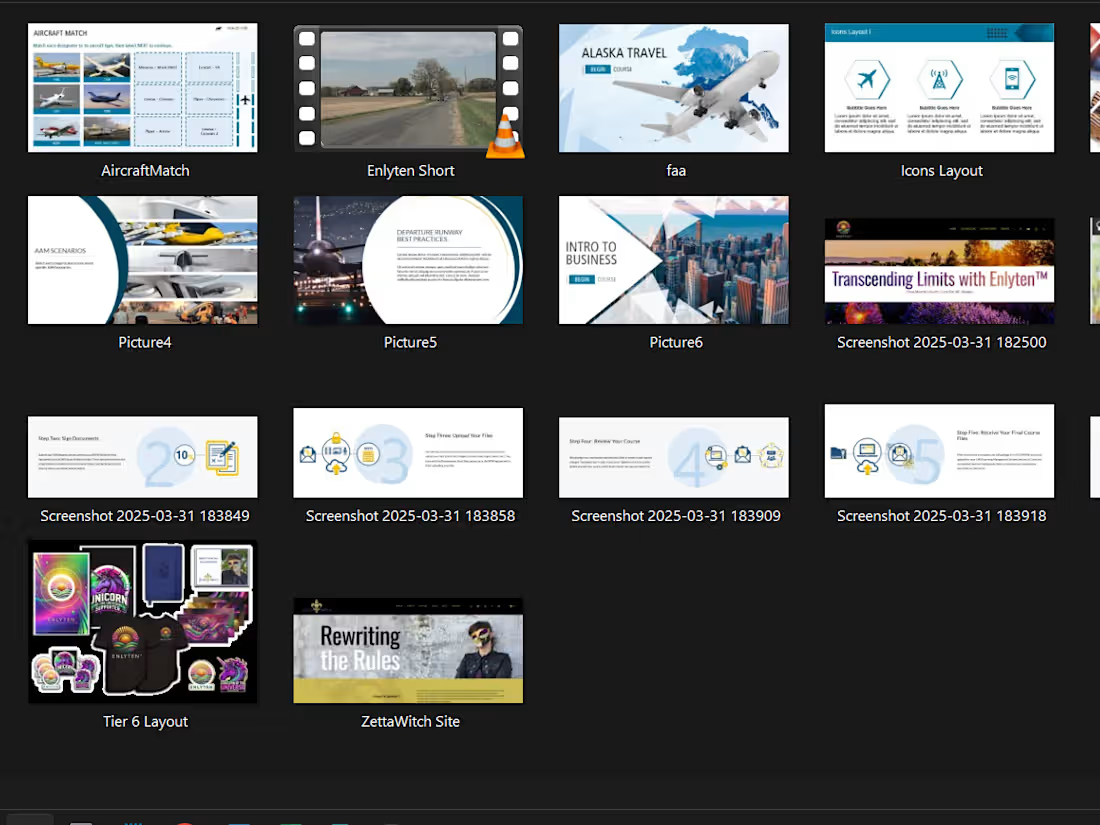
I’ll organize your team’s design or learning assets into a clean, searchable system—complete with folder structures, tags, naming conventions, and team-friendly documentation. Built in Notion, Google Drive, or Dropbox, SharePoint, etc. (whatever your team uses) this system helps reduce clutter, improve searchability, and boost team efficiency. No more "final_final_v2_draftREVISED.png."
Basic — $460 | €400
A starter system for solo users or small teams.
Includes:
Folder hierarchy setup in 1 platform (Drive, Dropbox, Notion, etc.)
Naming conventions + tagging suggestions
Up to 50 files renamed/sorted
1-page reference doc
Standard — $750 | €650
For growing teams managing lots of content or handoffs.
Includes:
Full file audit and reorganization (up to 200 files)
Folder structure + tagging taxonomy
Naming conventions guide
Branded quickstart doc (PDF or Notion)
Loom walkthrough
Premium — $1040 | €900
Full creative ops system for distributed teams or content-heavy orgs.
Includes:
Complete restructure of up to 400 files
Taxonomy + filter logic for multiple audiences/projects
Admin dashboard setup (in Notion, Monday, Airtable, or Drive)
Custom roles or ownership fields (if supported by platform)
Branded PDF + system diagram
Team-facing Loom walkthrough
Every project is different—I'm happy to adapt or create a custom plan based on your needs.
What's included
Custom Folder Hierarchy Setup
A clean, intuitive folder hierarchy built inside your chosen platform for asset management (Google Drive, Dropbox, Notion, etc.).
Asset Naming Conventions Guide
A PDF or Notion doc that outlines how to name assets consistently (including versioning, project codes, formats, etc.).
Taxonomy & Tagging Schema
Metadata model (topics, file types, products, audiences, etc.) applied directly or documented for team use.
Sorted, Renamed, and Categorized Files
Implementation of the new system — no more “final_final_V3_draftREVISED.png.”
Reference Manual / Quickstart Guide
A branded PDF or Notion page that explains the system to the team (how to add files, naming rules, where to find things, etc.).
(Optional) Loom Walkthrough
A short video walking through the system to onboard the team or hand off the workflow.


Starting at$460
Duration2 weeks
Tags
Google Drive
Microsoft Office 365

monday.com

Notion

OneDrive

Business Administration
Data Analyst
Service provided by
Jaden Terrance Belgium
- 6
- Followers
Creative Ops System: File/Asset Management & Team Workflow SetupJaden Terrance
Starting at$460
Duration2 weeks
Tags
Google Drive
Microsoft Office 365
monday.com
Notion
OneDrive
Business Administration
Data Analyst
I’ll organize your team’s design or learning assets into a clean, searchable system—complete with folder structures, tags, naming conventions, and team-friendly documentation. Built in Notion, Google Drive, or Dropbox, SharePoint, etc. (whatever your team uses) this system helps reduce clutter, improve searchability, and boost team efficiency. No more "final_final_v2_draftREVISED.png."
Basic — $460 | €400
A starter system for solo users or small teams.
Includes:
Folder hierarchy setup in 1 platform (Drive, Dropbox, Notion, etc.)
Naming conventions + tagging suggestions
Up to 50 files renamed/sorted
1-page reference doc
Standard — $750 | €650
For growing teams managing lots of content or handoffs.
Includes:
Full file audit and reorganization (up to 200 files)
Folder structure + tagging taxonomy
Naming conventions guide
Branded quickstart doc (PDF or Notion)
Loom walkthrough
Premium — $1040 | €900
Full creative ops system for distributed teams or content-heavy orgs.
Includes:
Complete restructure of up to 400 files
Taxonomy + filter logic for multiple audiences/projects
Admin dashboard setup (in Notion, Monday, Airtable, or Drive)
Custom roles or ownership fields (if supported by platform)
Branded PDF + system diagram
Team-facing Loom walkthrough
Every project is different—I'm happy to adapt or create a custom plan based on your needs.
What's included
Custom Folder Hierarchy Setup
A clean, intuitive folder hierarchy built inside your chosen platform for asset management (Google Drive, Dropbox, Notion, etc.).
Asset Naming Conventions Guide
A PDF or Notion doc that outlines how to name assets consistently (including versioning, project codes, formats, etc.).
Taxonomy & Tagging Schema
Metadata model (topics, file types, products, audiences, etc.) applied directly or documented for team use.
Sorted, Renamed, and Categorized Files
Implementation of the new system — no more “final_final_V3_draftREVISED.png.”
Reference Manual / Quickstart Guide
A branded PDF or Notion page that explains the system to the team (how to add files, naming rules, where to find things, etc.).
(Optional) Loom Walkthrough
A short video walking through the system to onboard the team or hand off the workflow.
$460