
Stop Drowning in Email- AI Filters Spam, Routes Real LeadsPATHAKHRK INC
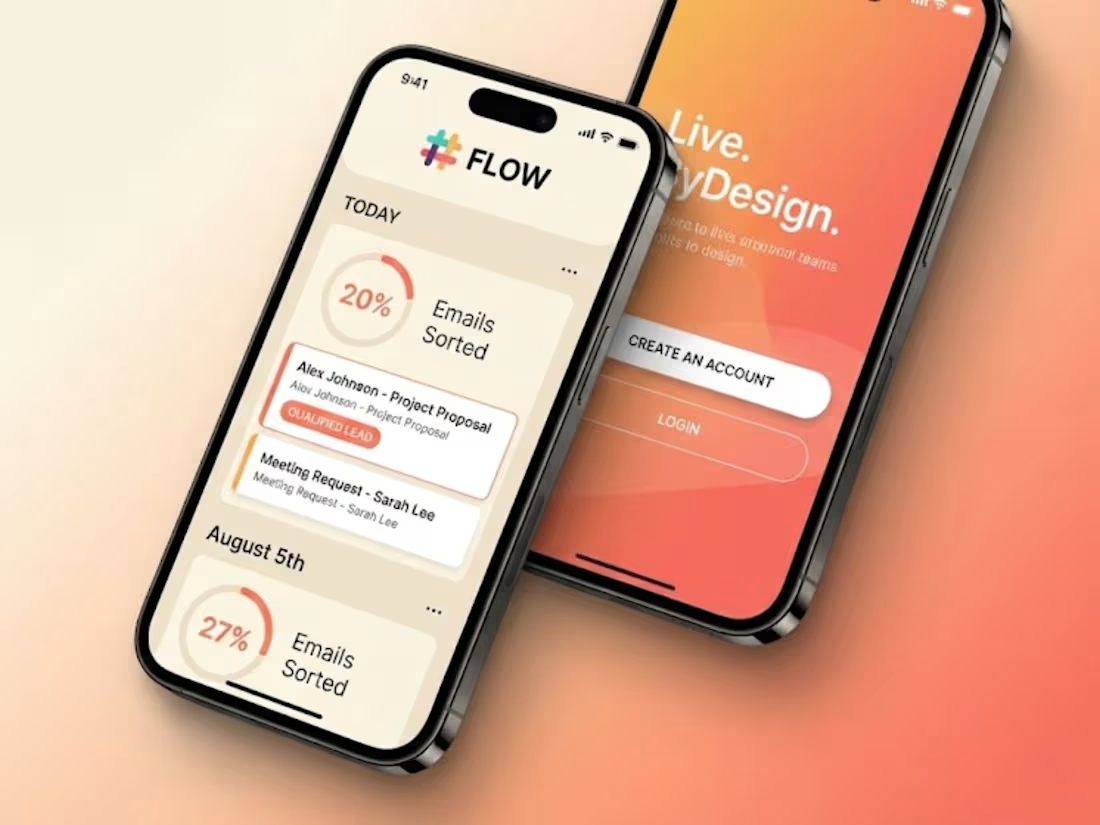
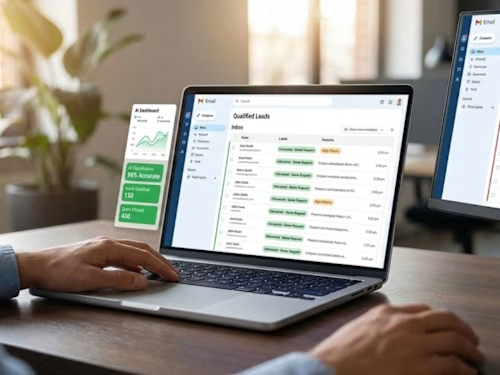
I'll build you an AI email system that filters out 95% of the spam and promotional garbage flooding your inbox, automatically recognizes which emails are actual sales opportunities, and routes them to the right team member with instant notifications—all while capturing everything in your CRM so nothing gets lost. Your sales team stops wasting 3-4 hours daily sorting through junk and instead focuses only on emails worth their time, while every real lead gets instant acknowledgment and proper follow-up. This is for businesses drowning in email noise who need to reclaim their team's time and stop missing opportunities buried in spam.
What's included
AI Spam Detection Engine
Intelligent spam filter that actually works, built specifically for your business. This isn't your standard Gmail filter—it's trained to understand the difference between legitimate sales inquiries and promotional garbage. The AI looks at sender patterns, email structure, content analysis, and behavioral signals to catch 95%+ of spam while letting real opportunities through. It learns from your feedback too, getting smarter over time about what's junk for your specific business.
Sales Intent Recognition System
Smart classification that identifies genuine buying signals in emails. The system recognizes when someone's asking for pricing, requesting a demo, inquiring about specific products, or showing real purchase intent—not just browsing. It understands urgency indicators like "need this ASAP" versus casual "just exploring options" and scores each inquiry based on how hot the lead actually is. Your sales team sees quality scores before they even open the email.
Intelligent Email Routing & Assignment
Automatic routing that gets the right emails to the right people instantly. Product A questions go to that specialist, enterprise inquiries go to senior sales, technical questions go to engineers, partnership proposals go to biz dev. The system can route based on product interest, company size, geography, deal value, or whatever logic makes sense for your org. No more "who should handle this?" confusion—the AI figures it out and routes it automatically.
Automated Response System
Professional auto-responses that go out the second an email arrives. But these aren't generic "we got your email" messages—they're contextually appropriate based on what the person asked. Demo request gets "We'll schedule that within 24 hours." Pricing inquiry gets "Our team will send detailed pricing for your needs shortly." Support question gets "Your request is with our technical team." The AI the response to match the inquiry type, setting proper expectations.
CRM Integration & Lead Capture
Every qualified email automatically creates a proper lead record in your CRM with all the context. The system extracts key information—company name, contact details, specific interests, urgency level, questions asked—and populates your CRM fields correctly. Your sales team opens their CRM and sees complete lead profiles with the original email attached, no manual data entry required. Works with Salesforce, HubSpot, Pipedrive, or whatever you use.
Priority Flagging & Notification System
Hot leads get flagged and your team gets notified immediately. VIP customers emailing? Instant alert. High-value opportunity language detected? Priority flag. Frustrated customer needing help? Escalated right away. You choose notification methods—email, Slack, SMS, whatever works for your team. The system knows what's urgent and makes sure it gets attention fast, while routine stuff doesn't interrupt everyone.
Email Analytics Dashboard
Clear visibility into what's happening in your inbox. See how many emails you're receiving daily, what percentage is spam versus legit, how leads are being categorized and routed, response times by team member, conversion rates from email inquiries, and common inquiry types. Spot trends like "we're getting lots of questions about Feature X" or "spam volume spiked this week." Data that helps you optimize your entire email operation.
Quarantine Review & False Positive Recovery
Safety net for emails the AI wasn't sure about. Instead of auto-deleting uncertain emails, they go into a quarantine folder for quick human review. Takes 30 seconds to scan through and catch any false positives. The system learns from your corrections—mark something as "actually spam" or "actually legit" and it gets smarter about similar emails in the future. You stay in control while automation does the heavy lifting.
Team Performance Tracking
Insights into how your sales team is handling email leads. See average response times per person, conversion rates from email inquiries, lead volume by team member, and follow-up effectiveness. Not about micromanaging—about identifying training opportunities and ensuring leads don't fall through the cracks. If someone's inbox is overflowing while another has capacity, you'll know and can rebalance.
Custom Classification Rules & Exceptions
Flexibility to add your own business logic on top of the AI. Want emails from specific domains always flagged VIP? Done. Need certain inquiry types to always go to a particular person? Easy. Got a list of competitor domains to auto-filter? No problem. The system combines smart AI with your business knowledge for optimal results. You can adjust rules anytime through the admin panel.
Email Thread Intelligence
The system understands email conversations, not just individual messages. If someone replies to a previous inquiry, the AI recognizes it's a continuation and maintains context. Threads stay together, conversation history is preserved, and routing stays consistent. No more fragmented conversations where different team members respond to different emails from the same person because they didn't know about previous exchanges.
45-Day Optimization & Support Period
6 weeks of active monitoring and optimization after launch. I'll watch how the system performs with your real email volume, tune the spam detection based on what's getting through or incorrectly filtered, adjust routing logic based on your feedback, and train your team on best practices for managing the system. We'll refine it together until it's working perfectly for your specific business and email patterns.
FAQs

Starting at$4,500
Duration2 weeks
Tags
ChatGPT

N8N

NLTK

Salesforce

Zapier

AI Chatbot Developer
Email Automation
Prompt Writer
Service provided by
PATHAKHRK INC Kangra, India
- 2
- Followers
Stop Drowning in Email- AI Filters Spam, Routes Real LeadsPATHAKHRK INC
Starting at$4,500
Duration2 weeks
Tags
ChatGPT
N8N
NLTK
Salesforce
Zapier
AI Chatbot Developer
Email Automation
Prompt Writer
I'll build you an AI email system that filters out 95% of the spam and promotional garbage flooding your inbox, automatically recognizes which emails are actual sales opportunities, and routes them to the right team member with instant notifications—all while capturing everything in your CRM so nothing gets lost. Your sales team stops wasting 3-4 hours daily sorting through junk and instead focuses only on emails worth their time, while every real lead gets instant acknowledgment and proper follow-up. This is for businesses drowning in email noise who need to reclaim their team's time and stop missing opportunities buried in spam.
What's included
AI Spam Detection Engine
Intelligent spam filter that actually works, built specifically for your business. This isn't your standard Gmail filter—it's trained to understand the difference between legitimate sales inquiries and promotional garbage. The AI looks at sender patterns, email structure, content analysis, and behavioral signals to catch 95%+ of spam while letting real opportunities through. It learns from your feedback too, getting smarter over time about what's junk for your specific business.
Sales Intent Recognition System
Smart classification that identifies genuine buying signals in emails. The system recognizes when someone's asking for pricing, requesting a demo, inquiring about specific products, or showing real purchase intent—not just browsing. It understands urgency indicators like "need this ASAP" versus casual "just exploring options" and scores each inquiry based on how hot the lead actually is. Your sales team sees quality scores before they even open the email.
Intelligent Email Routing & Assignment
Automatic routing that gets the right emails to the right people instantly. Product A questions go to that specialist, enterprise inquiries go to senior sales, technical questions go to engineers, partnership proposals go to biz dev. The system can route based on product interest, company size, geography, deal value, or whatever logic makes sense for your org. No more "who should handle this?" confusion—the AI figures it out and routes it automatically.
Automated Response System
Professional auto-responses that go out the second an email arrives. But these aren't generic "we got your email" messages—they're contextually appropriate based on what the person asked. Demo request gets "We'll schedule that within 24 hours." Pricing inquiry gets "Our team will send detailed pricing for your needs shortly." Support question gets "Your request is with our technical team." The AI the response to match the inquiry type, setting proper expectations.
CRM Integration & Lead Capture
Every qualified email automatically creates a proper lead record in your CRM with all the context. The system extracts key information—company name, contact details, specific interests, urgency level, questions asked—and populates your CRM fields correctly. Your sales team opens their CRM and sees complete lead profiles with the original email attached, no manual data entry required. Works with Salesforce, HubSpot, Pipedrive, or whatever you use.
Priority Flagging & Notification System
Hot leads get flagged and your team gets notified immediately. VIP customers emailing? Instant alert. High-value opportunity language detected? Priority flag. Frustrated customer needing help? Escalated right away. You choose notification methods—email, Slack, SMS, whatever works for your team. The system knows what's urgent and makes sure it gets attention fast, while routine stuff doesn't interrupt everyone.
Email Analytics Dashboard
Clear visibility into what's happening in your inbox. See how many emails you're receiving daily, what percentage is spam versus legit, how leads are being categorized and routed, response times by team member, conversion rates from email inquiries, and common inquiry types. Spot trends like "we're getting lots of questions about Feature X" or "spam volume spiked this week." Data that helps you optimize your entire email operation.
Quarantine Review & False Positive Recovery
Safety net for emails the AI wasn't sure about. Instead of auto-deleting uncertain emails, they go into a quarantine folder for quick human review. Takes 30 seconds to scan through and catch any false positives. The system learns from your corrections—mark something as "actually spam" or "actually legit" and it gets smarter about similar emails in the future. You stay in control while automation does the heavy lifting.
Team Performance Tracking
Insights into how your sales team is handling email leads. See average response times per person, conversion rates from email inquiries, lead volume by team member, and follow-up effectiveness. Not about micromanaging—about identifying training opportunities and ensuring leads don't fall through the cracks. If someone's inbox is overflowing while another has capacity, you'll know and can rebalance.
Custom Classification Rules & Exceptions
Flexibility to add your own business logic on top of the AI. Want emails from specific domains always flagged VIP? Done. Need certain inquiry types to always go to a particular person? Easy. Got a list of competitor domains to auto-filter? No problem. The system combines smart AI with your business knowledge for optimal results. You can adjust rules anytime through the admin panel.
Email Thread Intelligence
The system understands email conversations, not just individual messages. If someone replies to a previous inquiry, the AI recognizes it's a continuation and maintains context. Threads stay together, conversation history is preserved, and routing stays consistent. No more fragmented conversations where different team members respond to different emails from the same person because they didn't know about previous exchanges.
45-Day Optimization & Support Period
6 weeks of active monitoring and optimization after launch. I'll watch how the system performs with your real email volume, tune the spam detection based on what's getting through or incorrectly filtered, adjust routing logic based on your feedback, and train your team on best practices for managing the system. We'll refine it together until it's working perfectly for your specific business and email patterns.
FAQs
$4,500