
Emails Going to Spam? SPF, DKIM and DMARC Fixed and VerifiedZakaria MAMOUMI
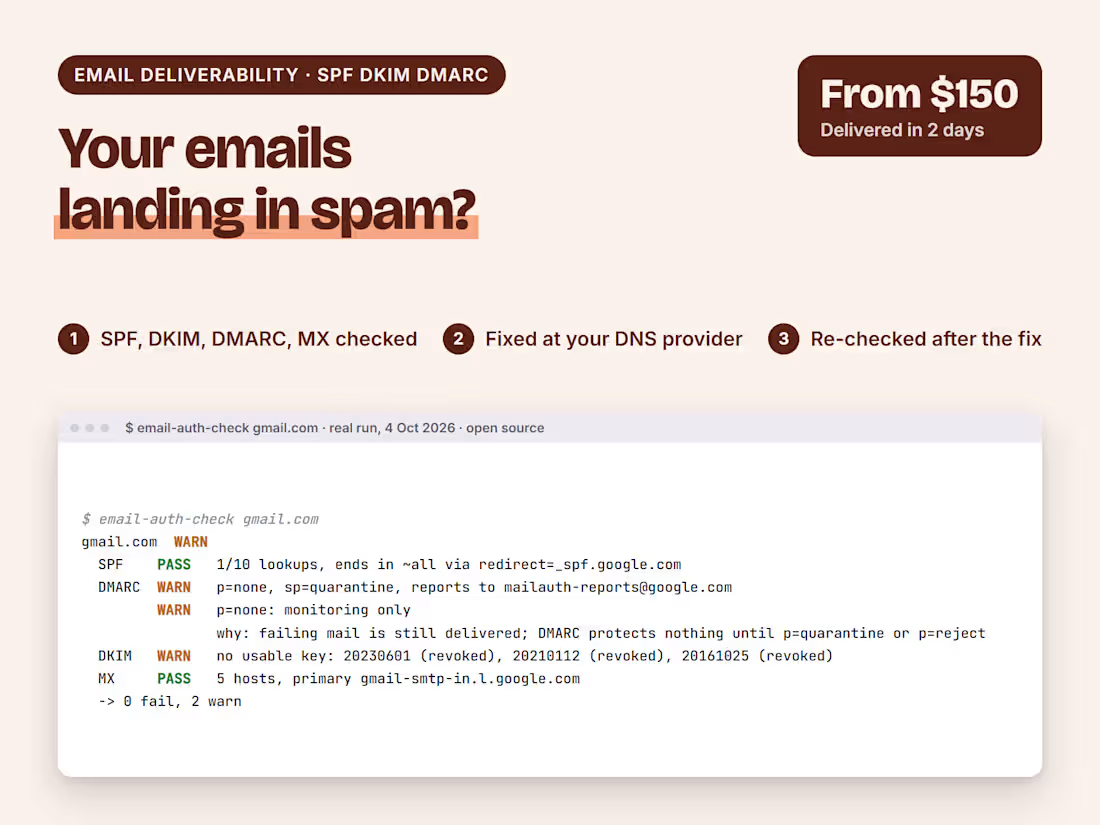
If your emails land in spam, or a provider rejects them, the cause is usually in four DNS records: SPF, DKIM, DMARC and MX. Most of the ways they fail are silent. The records look fine at a glance, and mail still fails for some senders.
I check all four, fix them, and check again after the change. I wrote an open-source checker for exactly this job (email-auth-checker, on my GitHub).
What's included
SPF, DKIM, DMARC and MX checked for your domain and for every service that sends email for you
The silent failures handled: SPF over 10 lookups, DMARC left at p=none, missing or revoked DKIM keys
The fix applied at your DNS provider, or the exact records for you to paste
A short written report: what was wrong, what changed and what to watch
How it works
You send your domain and the tools that send email for you (Google Workspace, Microsoft 365, Mailchimp, your store)
I send the diagnosis and a fixed price in writing
I apply the fix and run the same checks again, so you see the result
Everything happens in writing, no calls needed. Your passwords and keys stay on your own accounts.
FAQs

Starting at$150
Duration2 days
Tags
DNS
Email Deliverability
Email Marketer
Service provided by
Zakaria MAMOUMI proBlanquefort, France
- 1
- Followers
Emails Going to Spam? SPF, DKIM and DMARC Fixed and VerifiedZakaria MAMOUMI
Starting at$150
Duration2 days
Tags
DNS
Email Deliverability
Email Marketer
If your emails land in spam, or a provider rejects them, the cause is usually in four DNS records: SPF, DKIM, DMARC and MX. Most of the ways they fail are silent. The records look fine at a glance, and mail still fails for some senders.
I check all four, fix them, and check again after the change. I wrote an open-source checker for exactly this job (email-auth-checker, on my GitHub).
What's included
SPF, DKIM, DMARC and MX checked for your domain and for every service that sends email for you
The silent failures handled: SPF over 10 lookups, DMARC left at p=none, missing or revoked DKIM keys
The fix applied at your DNS provider, or the exact records for you to paste
A short written report: what was wrong, what changed and what to watch
How it works
You send your domain and the tools that send email for you (Google Workspace, Microsoft 365, Mailchimp, your store)
I send the diagnosis and a fixed price in writing
I apply the fix and run the same checks again, so you see the result
Everything happens in writing, no calls needed. Your passwords and keys stay on your own accounts.
FAQs
$150