
Social Media Content Automation.Jonathan Bayo

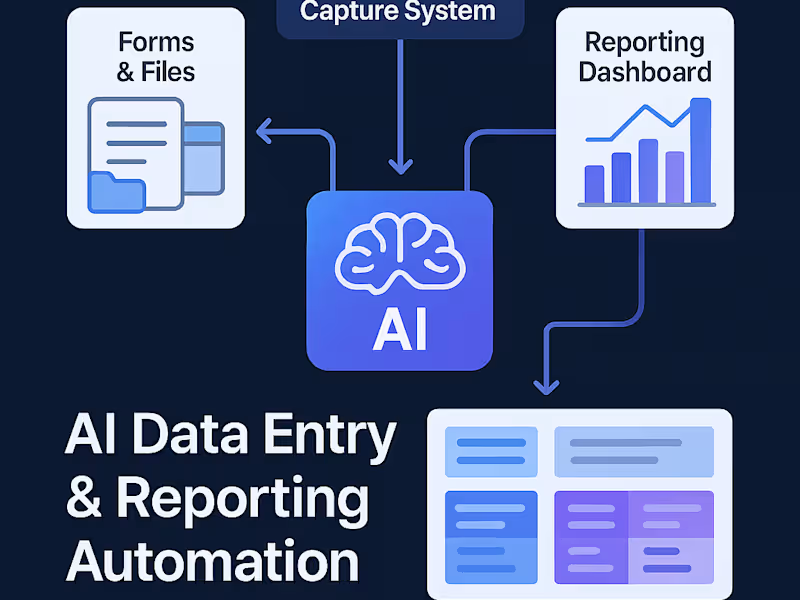
I design automation systems that handle your social media content from creation to posting. Using Make.com, Airtable, and Buffer, I connect your content calendar, media library, and social accounts so posts go live automatically, saving you time and keeping your brand consistent.
Every setup is tailored to your content workflow. Whether you manage multiple brands or want to automate posting from a shared folder, I’ll help you create a central system that handles scheduling, file syncing, and performance tracking effortlessly.
What's included
Automated Content Scheduling System
A Make.com workflow that connects Airtable or Notion to your social platforms (via Buffer or Meta API), automatically scheduling and posting content.
Centralized Content Calendar
An Airtable or Google Sheet dashboard where you can plan, organize, and track posts with status, platform, and publish date.
Media Storage & Sync
Automated uploads from Google Drive or folders that attach images, videos, or captions to the right posts automatically.
Performance Tracking Dashboard
An optional Airtable view or report showing engagement metrics and posting performance across all platforms.
Documentation & Quick Training
A simple guide and short walkthrough call so you can manage, edit, and scale your automation easily.
FAQs
Contact for pricing
Tags
Airtable

Google Drive
Make

N8N

Notion

AI Agent Developer
AI Automation
Automation Engineer
Service provided by
Jonathan Bayo Lagos, Nigeria
- 175
- Followers
Social Media Content Automation.Jonathan Bayo
Contact for pricing
Tags
Airtable
Google Drive
Make
N8N
Notion
AI Agent Developer
AI Automation
Automation Engineer
I design automation systems that handle your social media content from creation to posting. Using Make.com, Airtable, and Buffer, I connect your content calendar, media library, and social accounts so posts go live automatically, saving you time and keeping your brand consistent.
Every setup is tailored to your content workflow. Whether you manage multiple brands or want to automate posting from a shared folder, I’ll help you create a central system that handles scheduling, file syncing, and performance tracking effortlessly.
What's included
Automated Content Scheduling System
A Make.com workflow that connects Airtable or Notion to your social platforms (via Buffer or Meta API), automatically scheduling and posting content.
Centralized Content Calendar
An Airtable or Google Sheet dashboard where you can plan, organize, and track posts with status, platform, and publish date.
Media Storage & Sync
Automated uploads from Google Drive or folders that attach images, videos, or captions to the right posts automatically.
Performance Tracking Dashboard
An optional Airtable view or report showing engagement metrics and posting performance across all platforms.
Documentation & Quick Training
A simple guide and short walkthrough call so you can manage, edit, and scale your automation easily.
FAQs
Contact for pricing